The Computer Logon MFA Agent for Entra ID requires a custom configuration file in order to function correctly for the customer. IT administrators can distribute the off-the-shelf installer to their users, together with the custom configuration file. User can easily install the software using the off-the-shelf installer. However, after installation, users must manually update the configuration file with the custom configuration file.
A better way of distributing the software is to create a custom installer package that includes both the off-the-shelf installer and the custom configuration file. The custom installer will install the software and automatically update the configuration file. This way, users will not need to carry out any manual work.
This guide describes This guide explains how to create a custom installer package using the Windows tool called "IExpress"
Step 1: Download the off-the-shelf installer package
Download the off-the-shelf installer package and unzip it to a local folder on your PC
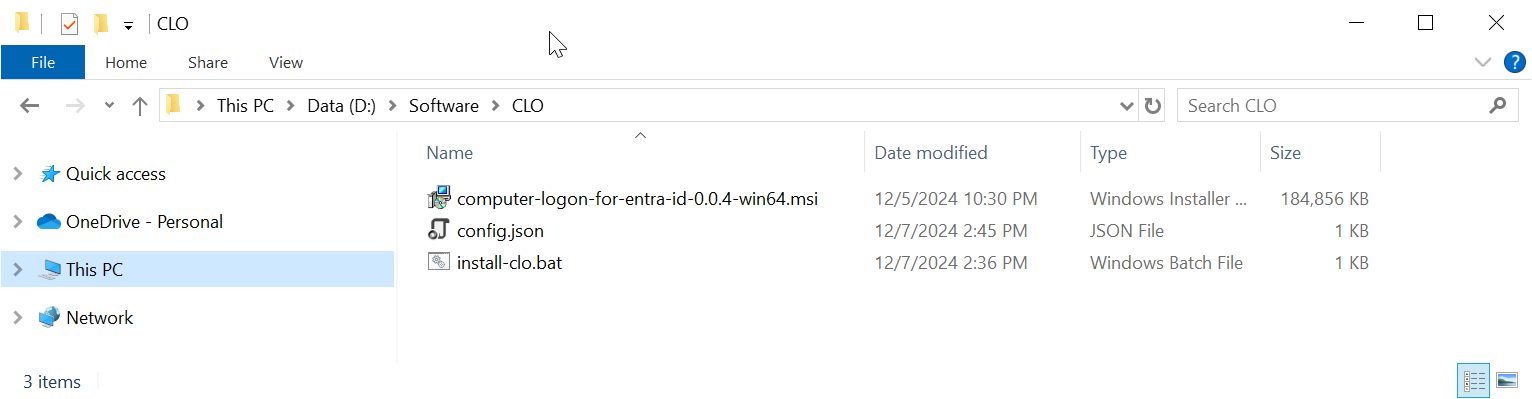
The package contains 3 files:
...
for manual installation.
| Include Page | ||||
|---|---|---|---|---|
|
Step 4: Create a custom installer package using iExpress
| Include Page | ||||
|---|---|---|---|---|
|
Step 2: Customise the configuration file
Open the config.json in a text editor, such as Notepad
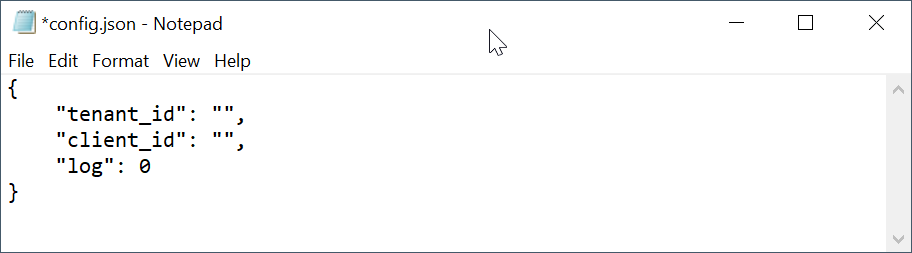
Insert your "tenant_id" and "client_id"
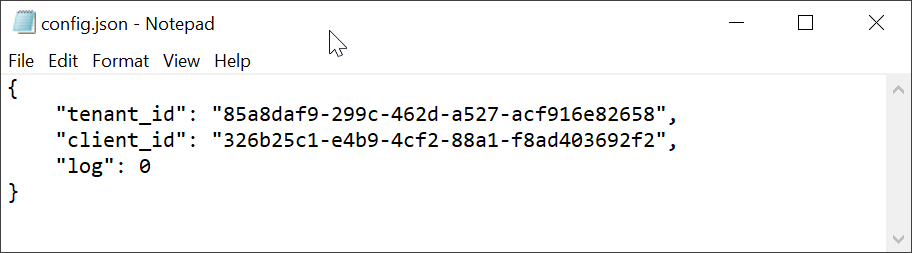
Save the file.
...