For a DualShield MDM server and a DualShield Authentication Server (DAS) to work together, the DualShield MDM server must be registered as an agent in the DualShield Authentication Server.
In the Admin Console of the DualShield Authentication Server, navigate to Authentication \ Agents
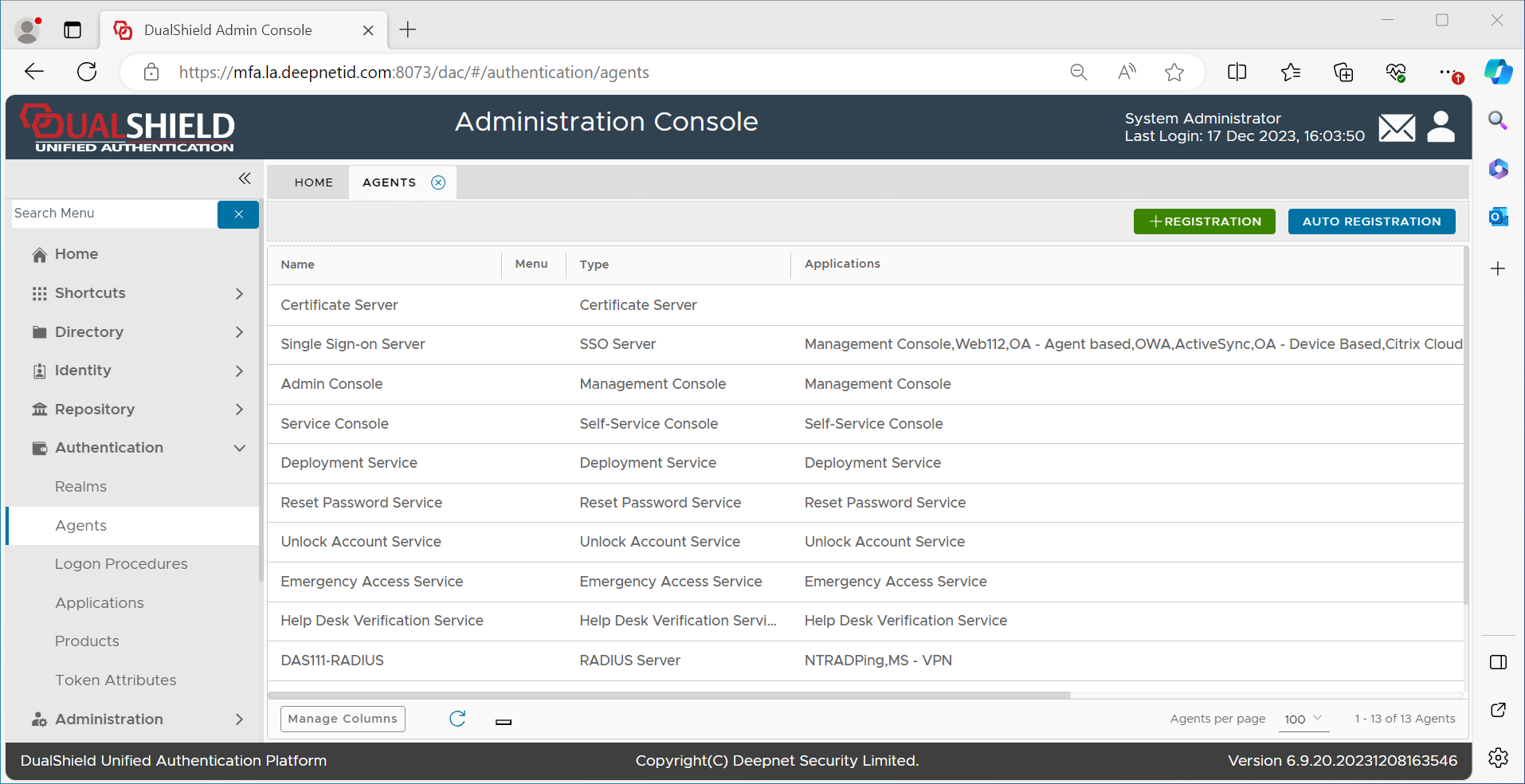
Press the "+REGISTRATION" button
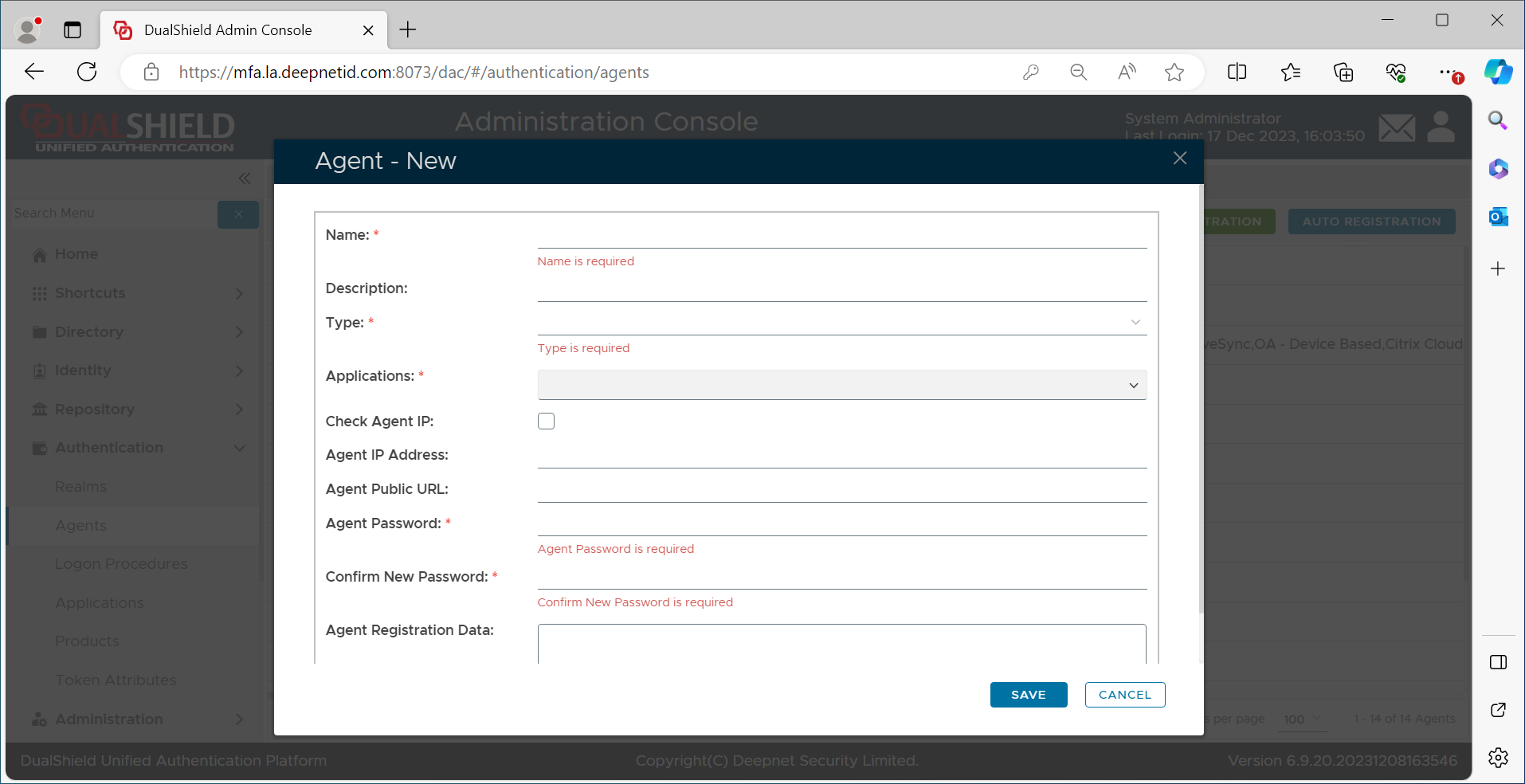
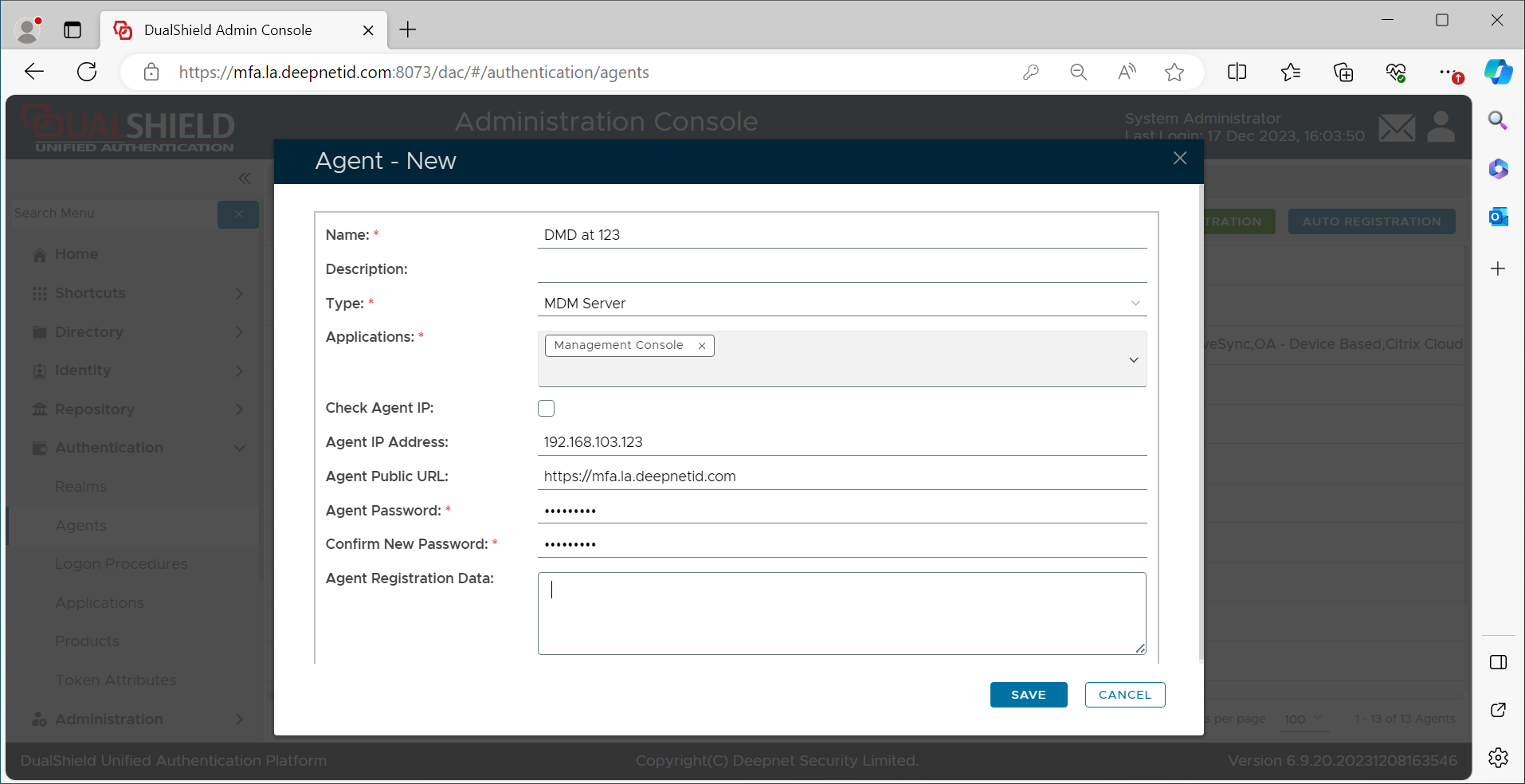
Click the SAVE button
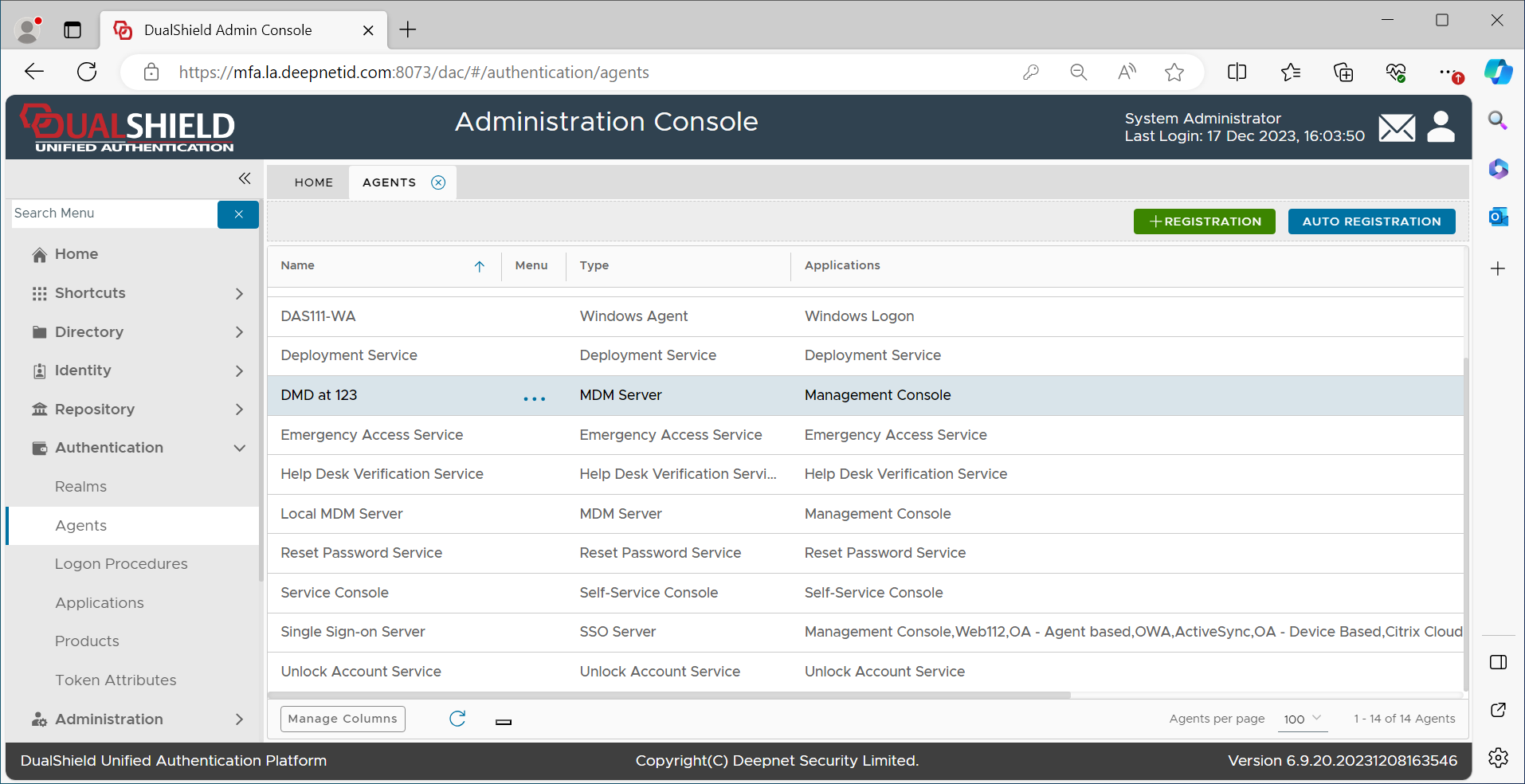
Now, in the context menu of the newly created MDM agent, select "View"
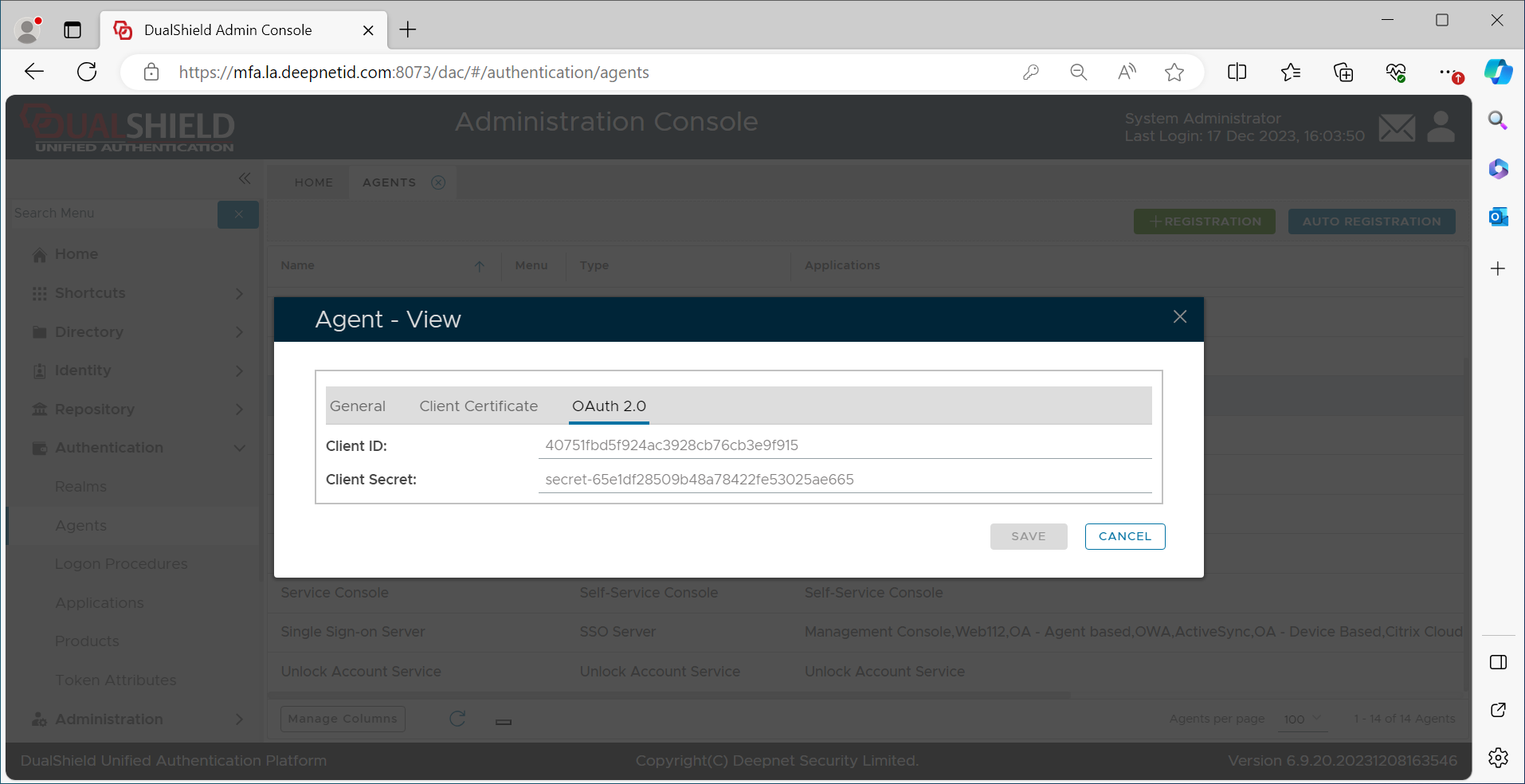
Make a copy of the "Client ID" and "Client Secret"