...
Install the agent BEFORE the client
Note: Before you can install the agent onto the PC you have to enable Auto Registration on the DualShield Authentication Server
...
| border | true |
|---|
| Column |
|---|
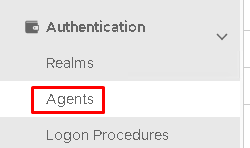
On the Administration Console, go to Authetication>Agents |
...
| width | 60% |
|---|
| Panel | ||||||
|---|---|---|---|---|---|---|
| ||||||
|
...
| border | true |
|---|
| Column |
|---|
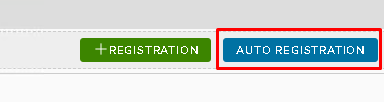
Under the Agent tab click on Auto Registration |
...
| width | 60% |
|---|
| Panel | ||||||
|---|---|---|---|---|---|---|
| ||||||
|
...
| border | true |
|---|
...
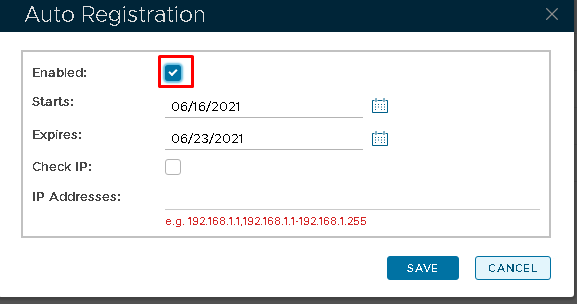
In the Auto Registration box, tick Enabled and enter an expiry date.
Then click Save
...
| width | 60% |
|---|
| Panel | ||||||
|---|---|---|---|---|---|---|
| ||||||
|
Please now use the following guide which details how to install the the Windows Logon Agent onto your PC.
...