...
| Section |
|---|
|
| Column |
|---|
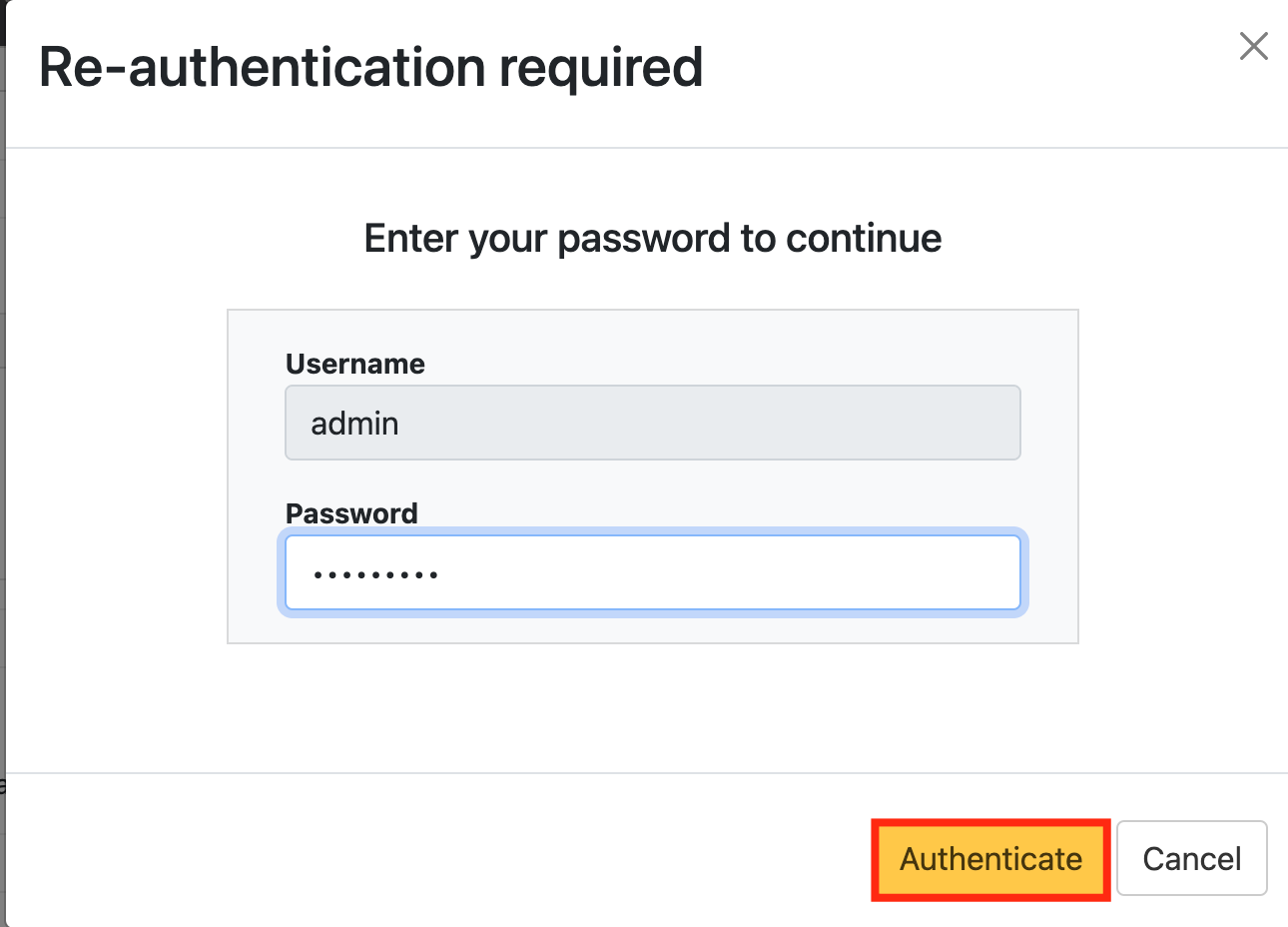
3) You will be asked to enter your admin credentials again. |
| Column |
|---|
|
| Panel |
|---|
| borderColor | #9EBEE5 |
|---|
| bgColor | #f0f0f0 |
|---|
| borderWidth | 1px |
|---|
| 
|
|
|
In the Logon Steps Dialogue box, click the  Image Removed button.
| Section |
|---|
|
| Column |
|---|
Tick the desired authentication method, e.g. Static PasswordUnder 'Add Authenticator Provider' Select LDAP |
| Column |
|---|
|
| Panel |
|---|
| borderColor | #9EBEE5 |
|---|
| bgColor | #f0f0f0 |
|---|
| borderWidth | 1px |
|---|
|  Image Removed Image Removed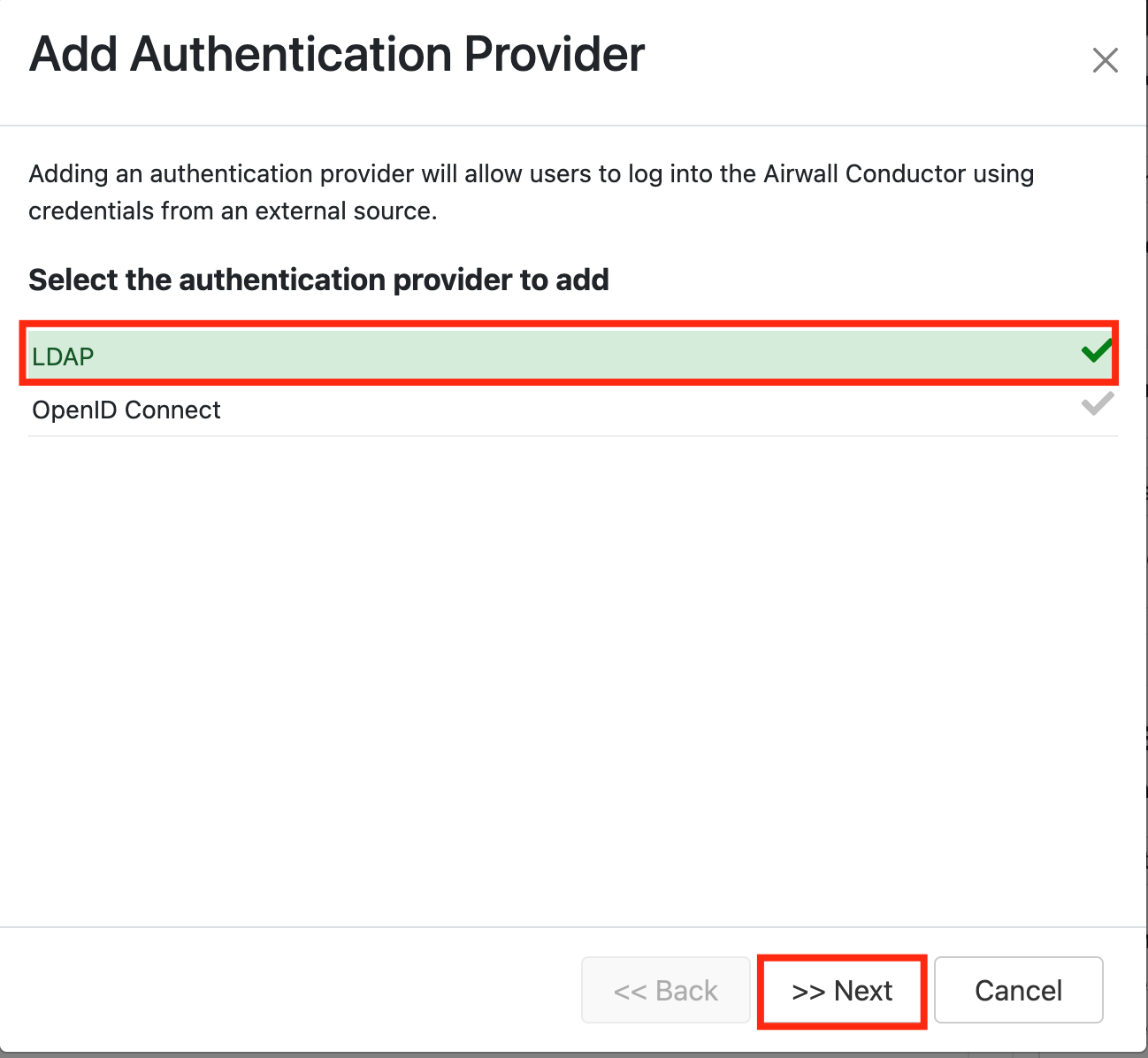 Image Added Image Added
|
|
|
Click Save Next.Repeat to add extra steps.
| Section |
|---|
|
| Column |
|---|
| Attribute | Value |
|---|
| Host | IP address of DualShield Server | | Port | 389/686 | | Bind DN | cn=dualshield,dc=deepnetsecurity,dc=com | | Password | password | | Connection method | Plain/SSL/TLS |
|
| Column |
|---|
|
| Panel |
|---|
| borderColor | #9EBEE5 |
|---|
| bgColor | #f0f0f0 |
|---|
| borderWidth | 1px |
|---|
|  Image Removed Image Removed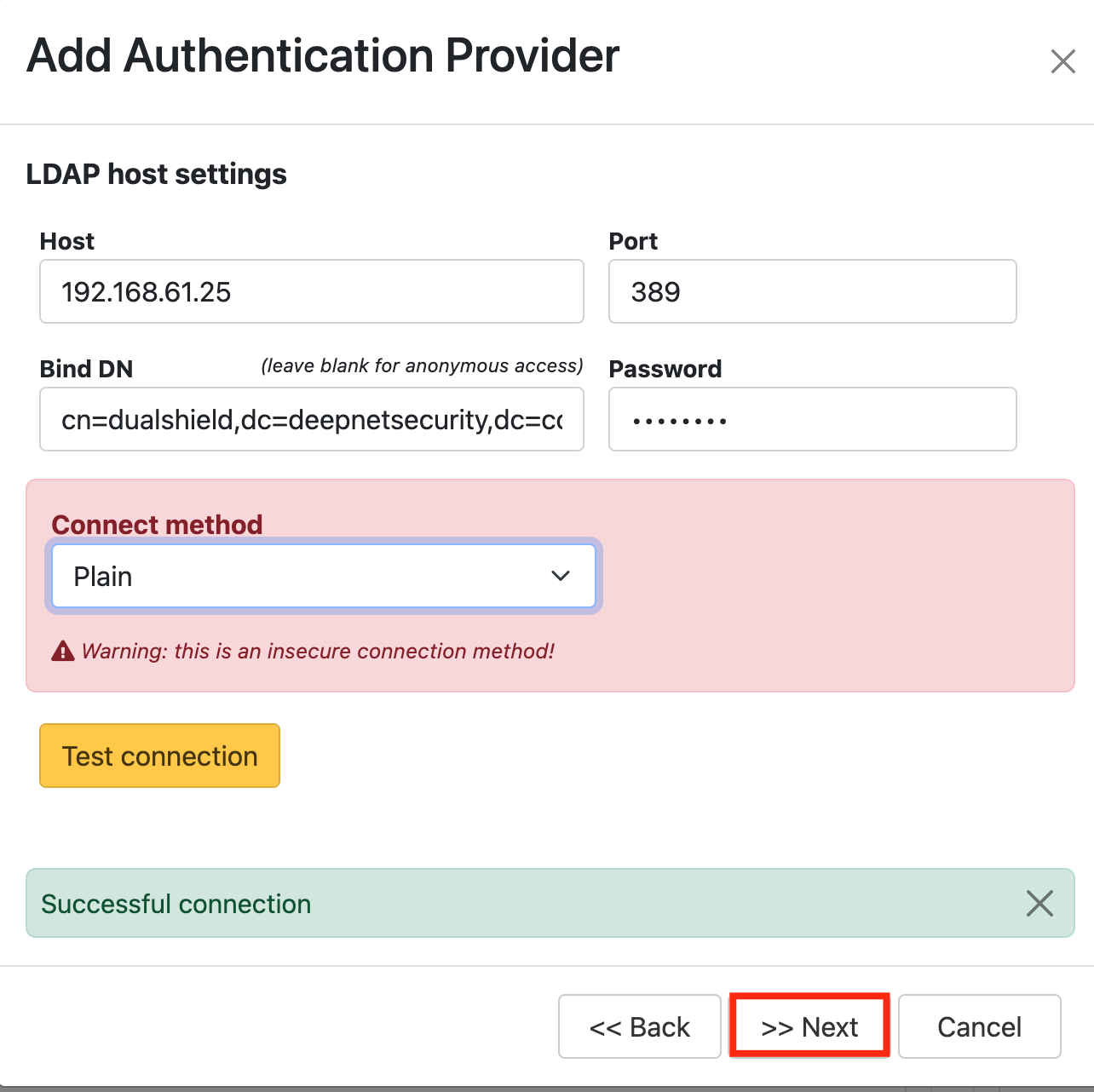 Image Added Image Added |
|
|
Create an Application
...