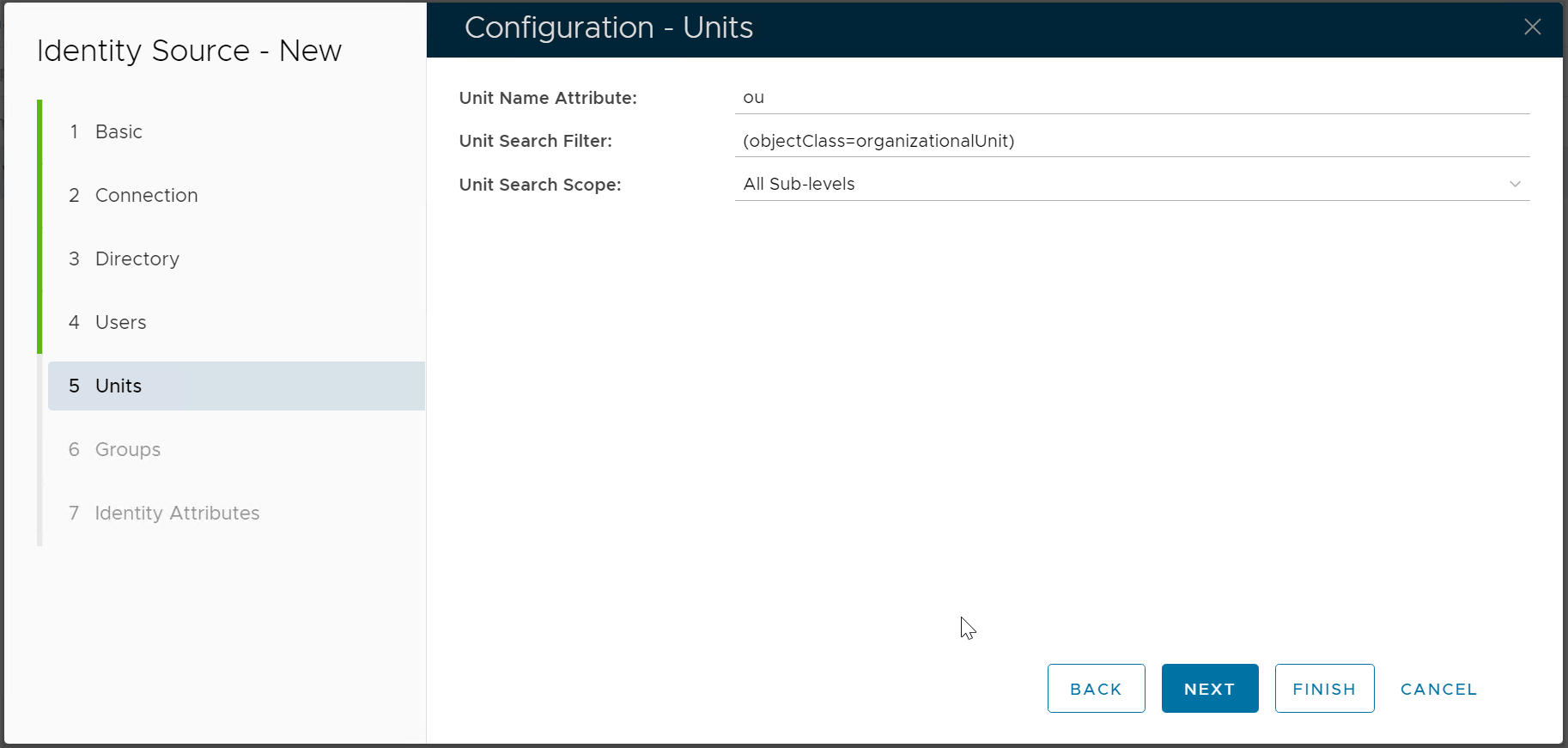
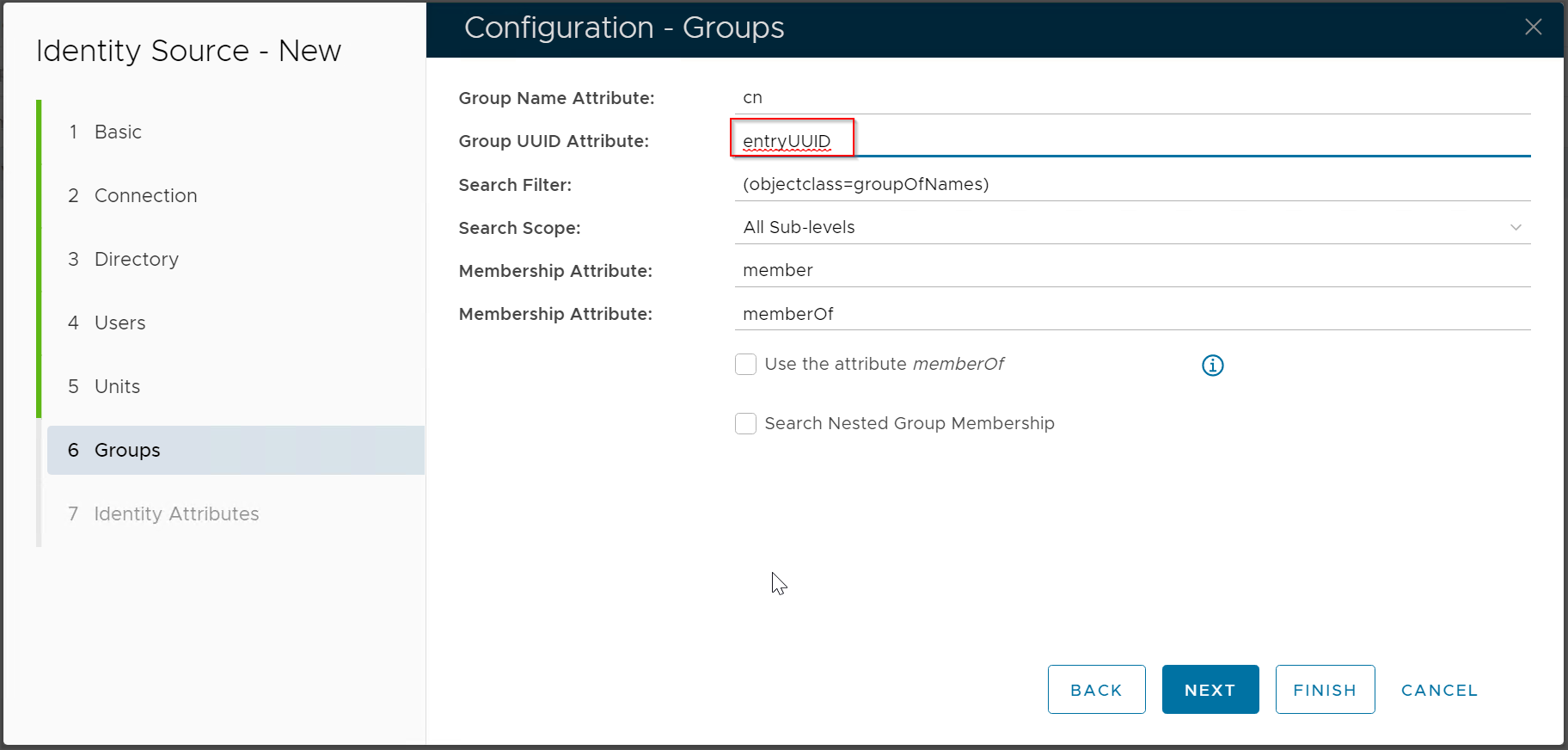
...
| Expand | ||||||
|---|---|---|---|---|---|---|
| ||||||
|
Add
...
Identity Source
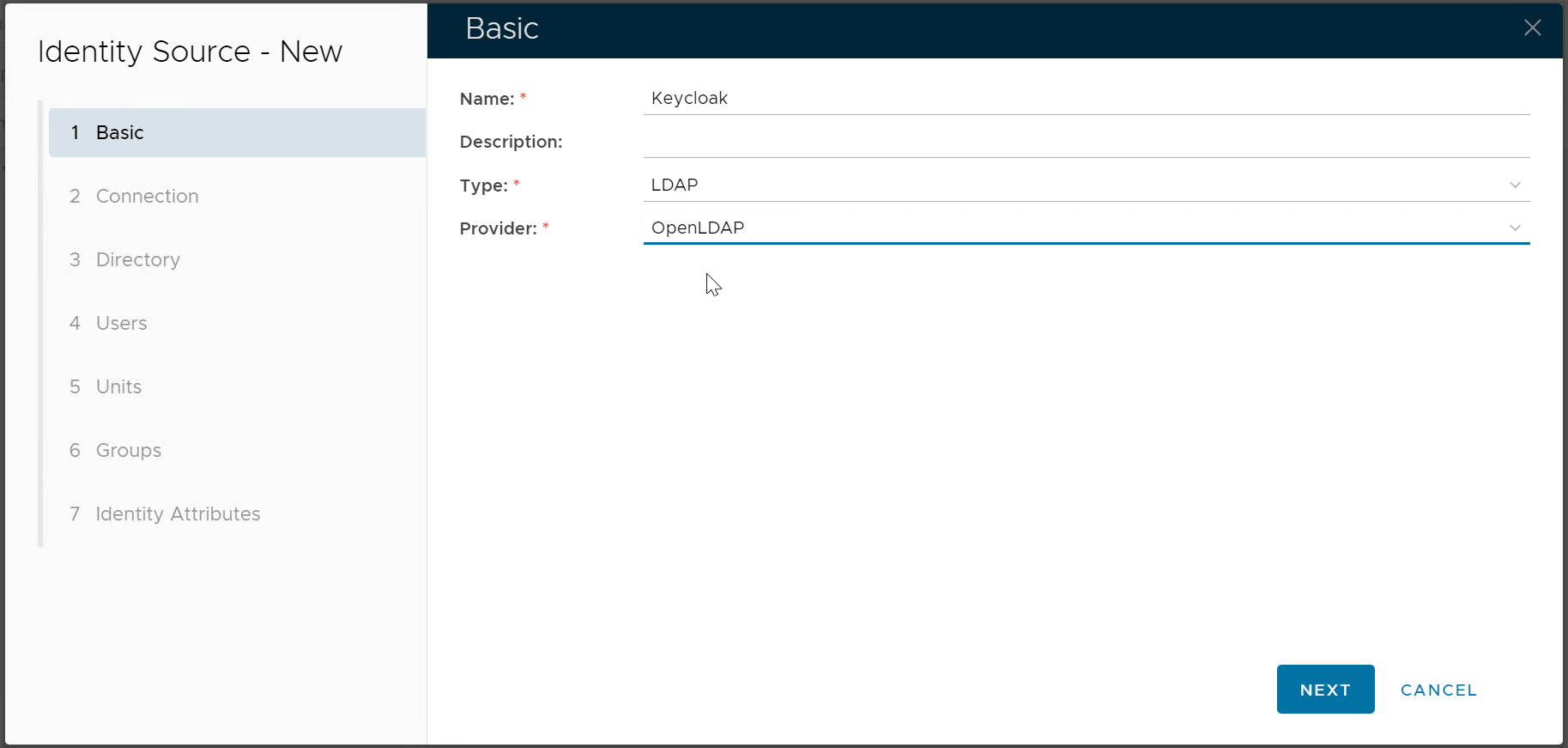
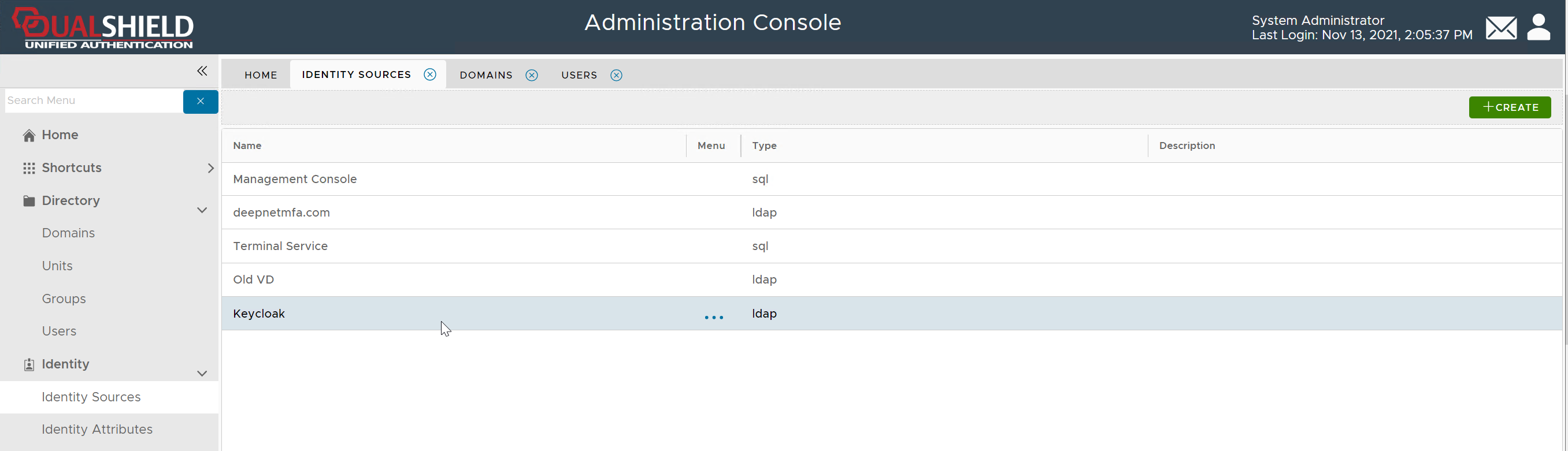
In the DualShield Admin Console, navigate to "Directory > Identity Source", click the "Create" button on the toolbar
| Enter the name of this new Identity Source, e.g. Keycloak Select LDAP as the Type Select OpenLDAP as the Provider |
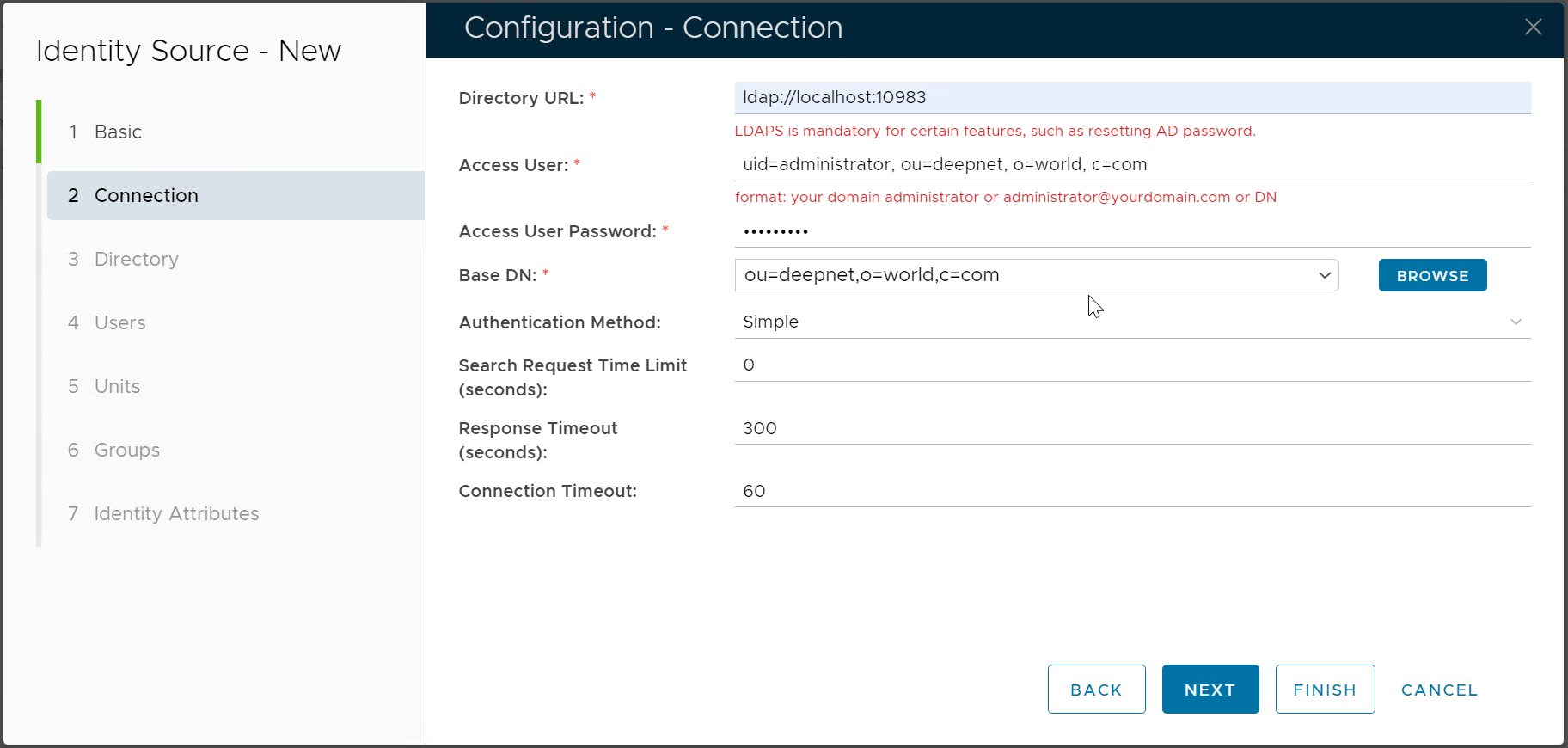
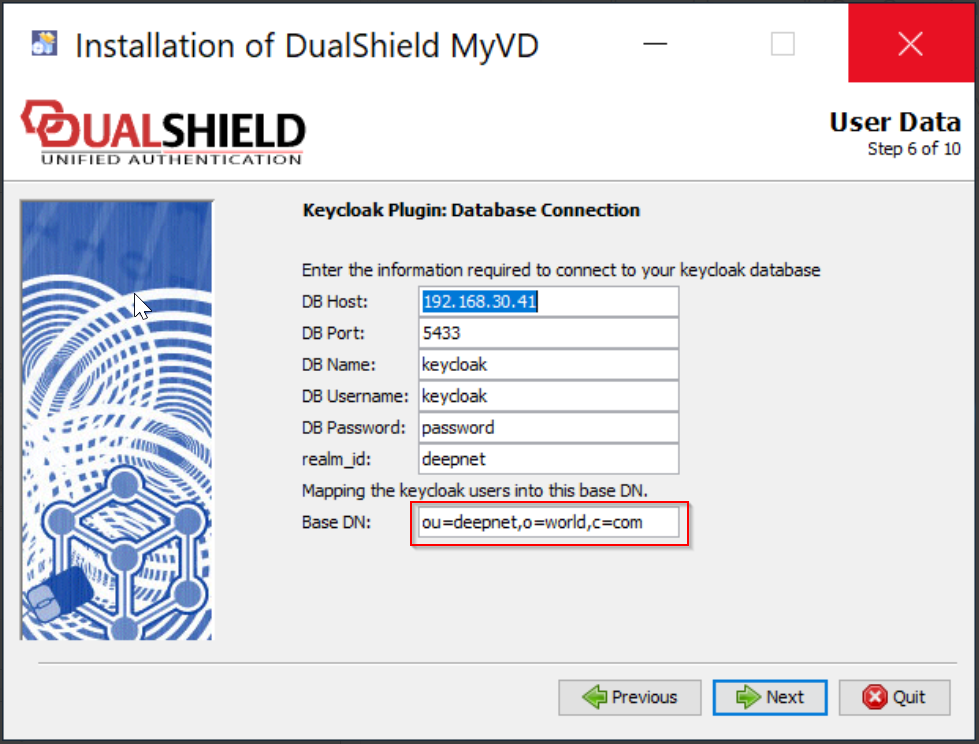
| Directory URL Enter the IP address or the hostname of the machine where DualShield MyVD is installed, as well as the port number Access User The Access User is a user account that DualShield will use to connect to the realm in the Keycloak database. This user account must have administrative privileges. The Access User must be provided in the DN format that includes the following attributes
|
| |
| |
| |
| |
|