Connect to Skype for Business Online using remote PowerShell as shown below
Expand title Connect to Skype for Business PowerShell Include Page Connect to Skype for Business Online PowerShell [365] Connect to Skype for Business Online PowerShell [365] - Run the following command to enable modern authentication:
Set-CsOAuthConfiguration -ClientAdalAuthOverride Allowed - Verify that the change was successful by running the following:
Get-CsOAuthConfiguration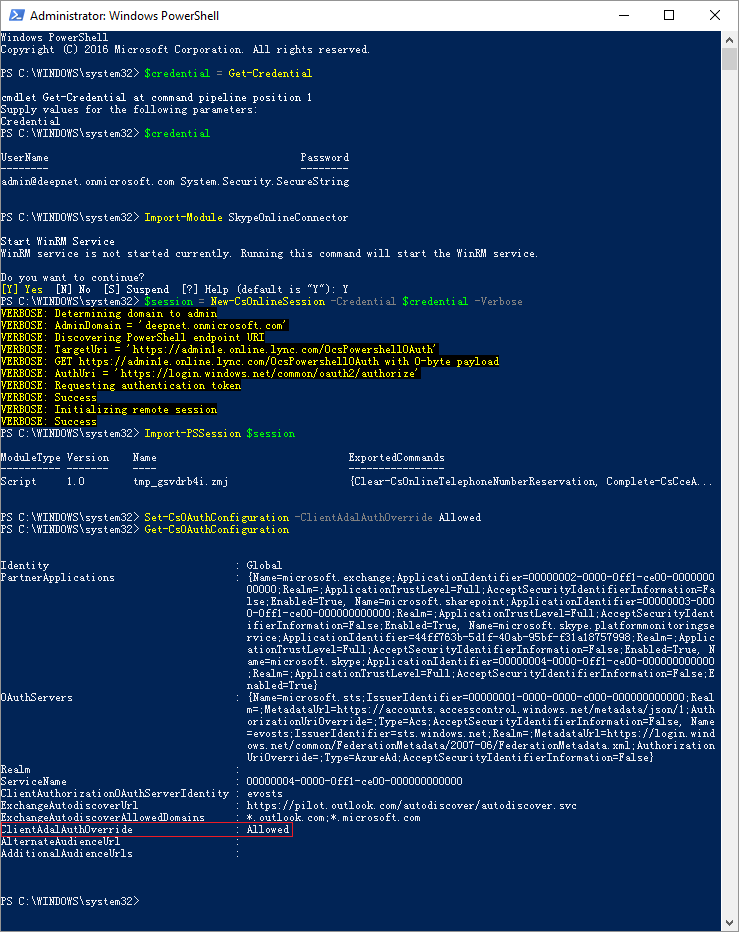
Note: to disable modern authentication, run command: Set-CsOAuthConfiguration -ClientAdalAuthOverride NoOverride
Page History
Overview
Content Tools