...
Click on  on the top right
| Section |
|---|
|
| Column |
|---|
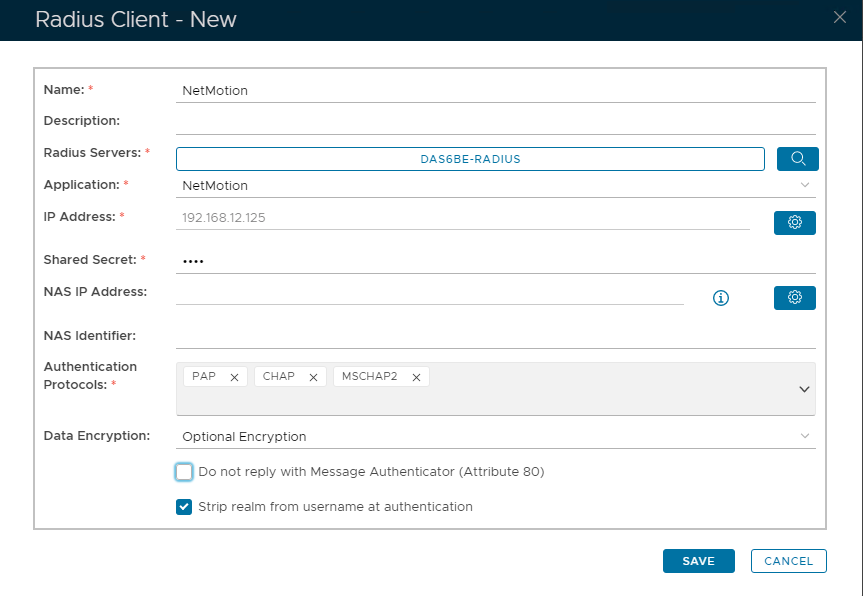
Specify the following Values: | Option | Value |
|---|
| Name | Specify a user-friendly name | | Description | (Optional) | | Radius Servers | Select the Radius Server(s) you have bound the application to. (See earlier step) * | | Application | Specify the name of the Authentication Application | | IP Address | Specify the IP address of your NetMotion appliance. * | | Shared Secret | Create a shared secret password | | Authentication Protocols | PAP; CHAP & MSCHAP2 |
*Use the buttons on the right to enter the value. eg to specify Radius Servers click on  Image Modified and then select from from Image Modified and then select from from 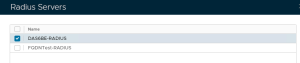 Image Modified Image Modified
To Specify IP Address click on  Image Modified Then type the IP address here Image Modified Then type the IP address here 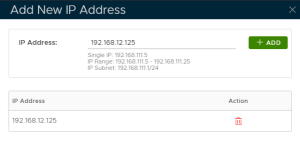 Image Modified Image Modified and clicking the Add button
|
| Column |
|---|
|
| Panel |
|---|
| borderColor | #9EBEE5 |
|---|
| bgColor | #FFFFFF |
|---|
| borderWidth | 1px |
|---|
| 
|
|
|
...