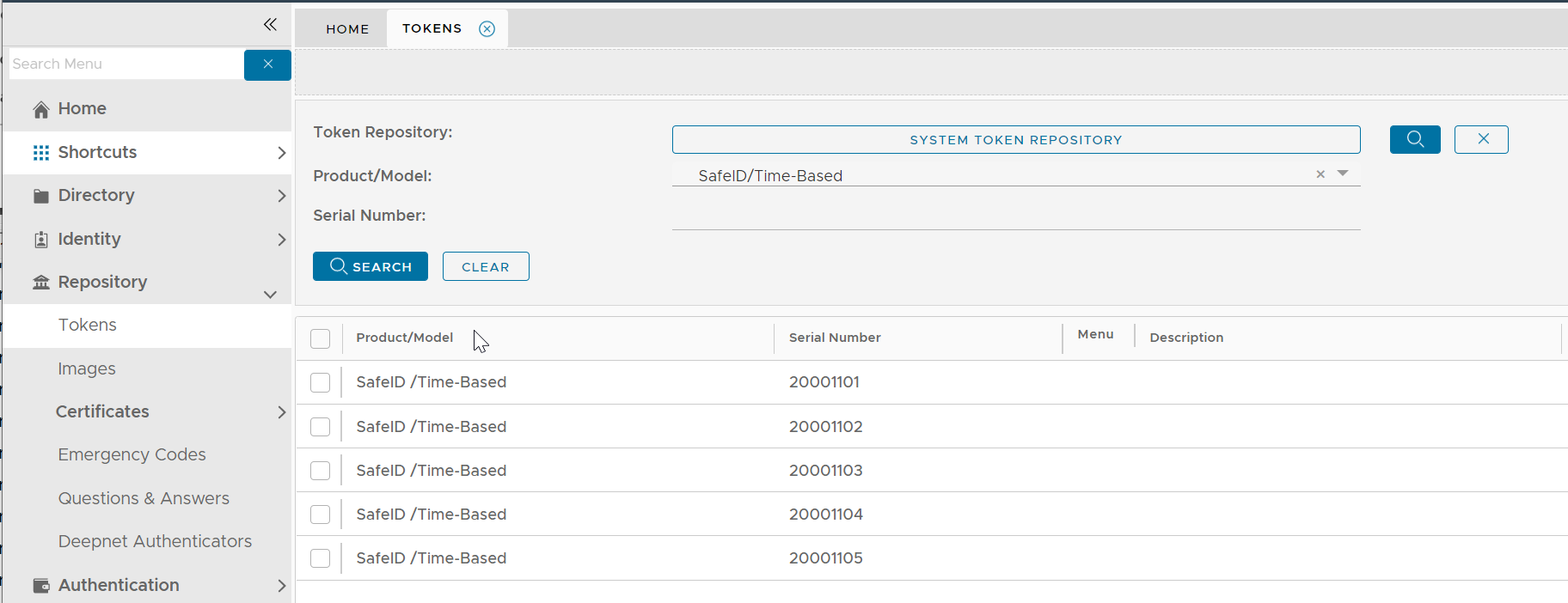
Every hardware OTP token has its own unique secret. When you purchase a batch of OTP tokens you will be able to download a file that contains the secret of all tokens. This file is called token seed or secret file.
Please follow the instruction below to download the token seed/secret file for the tokens that you have purchased:
(Make sure that you select "DualShield" as the Seed File Format)
https://wiki.deepnetsecurity.com/display/SafeID/How+to+request+token+seed+or+secret+file
Once you have downloaded the token seed file, follow the steps below to import the file into your DualShield server.
In the DualShield Admin Console, navigate to "Repository | Tokens"
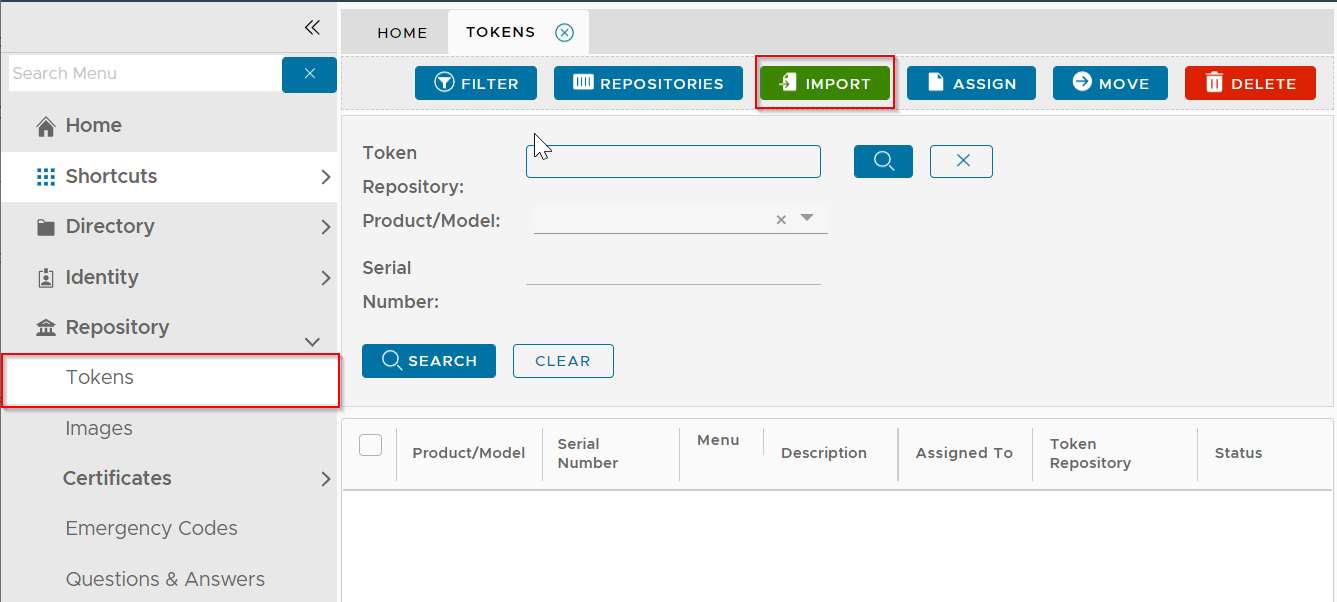
Click the "Import Tokens"
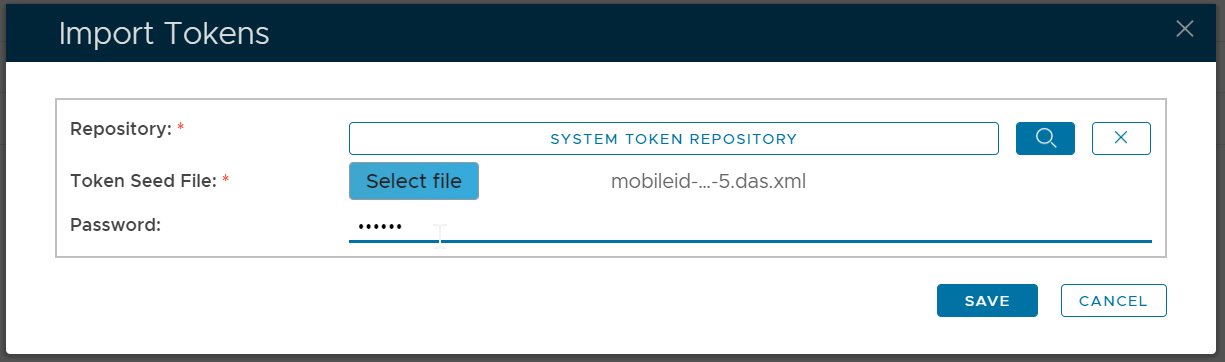
Select the Repository to which the tokens will be imported
Select the token seed file
Enter the password of the token seed file
Click the "Save" button