...
Once the DualShield Device Manager has been successfully instaled, go back to the logon page
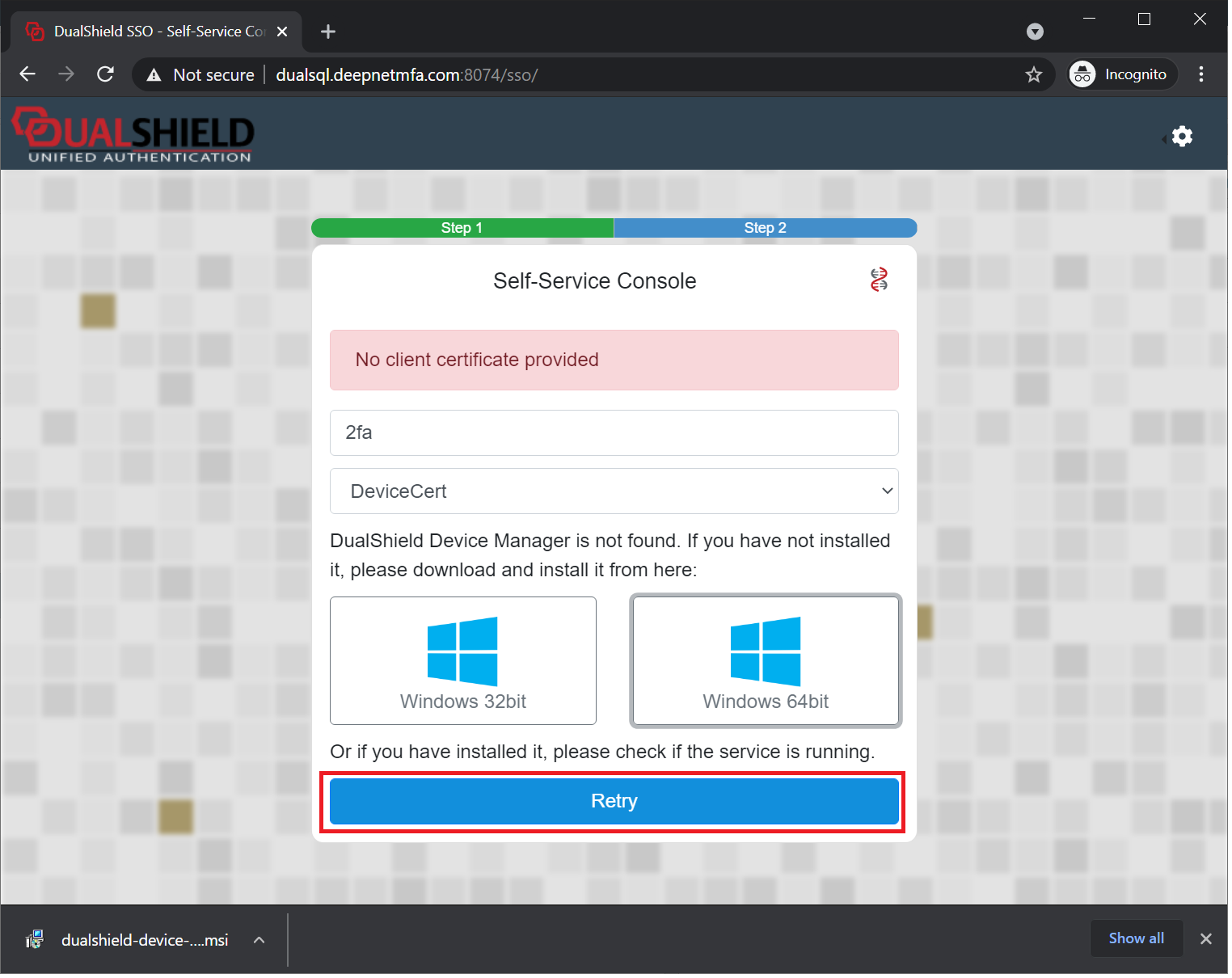
Click "Retry" button
Now, the user will be prompted below:
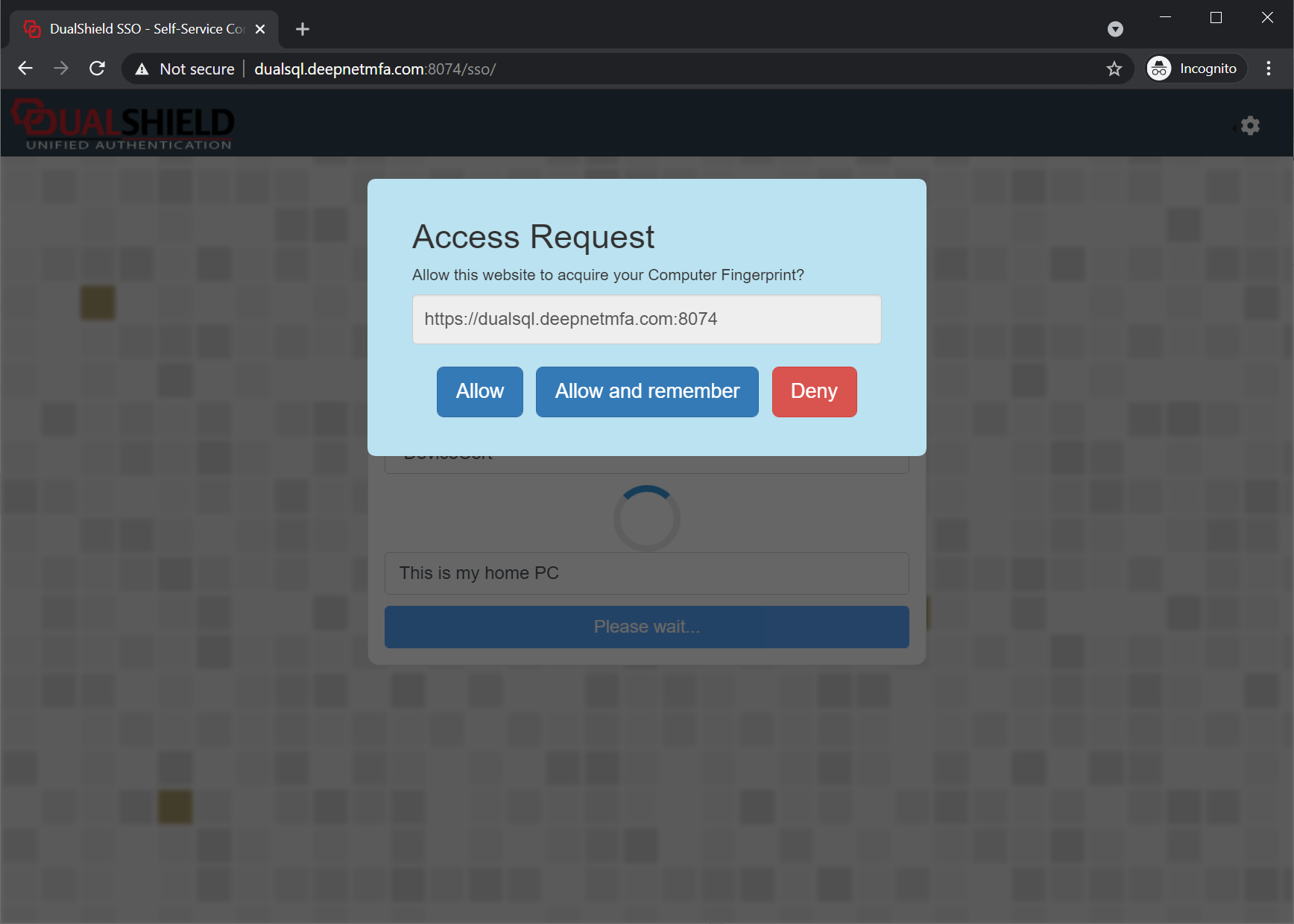
Click "Allow and remember"
Finally, the user will receive the message below:
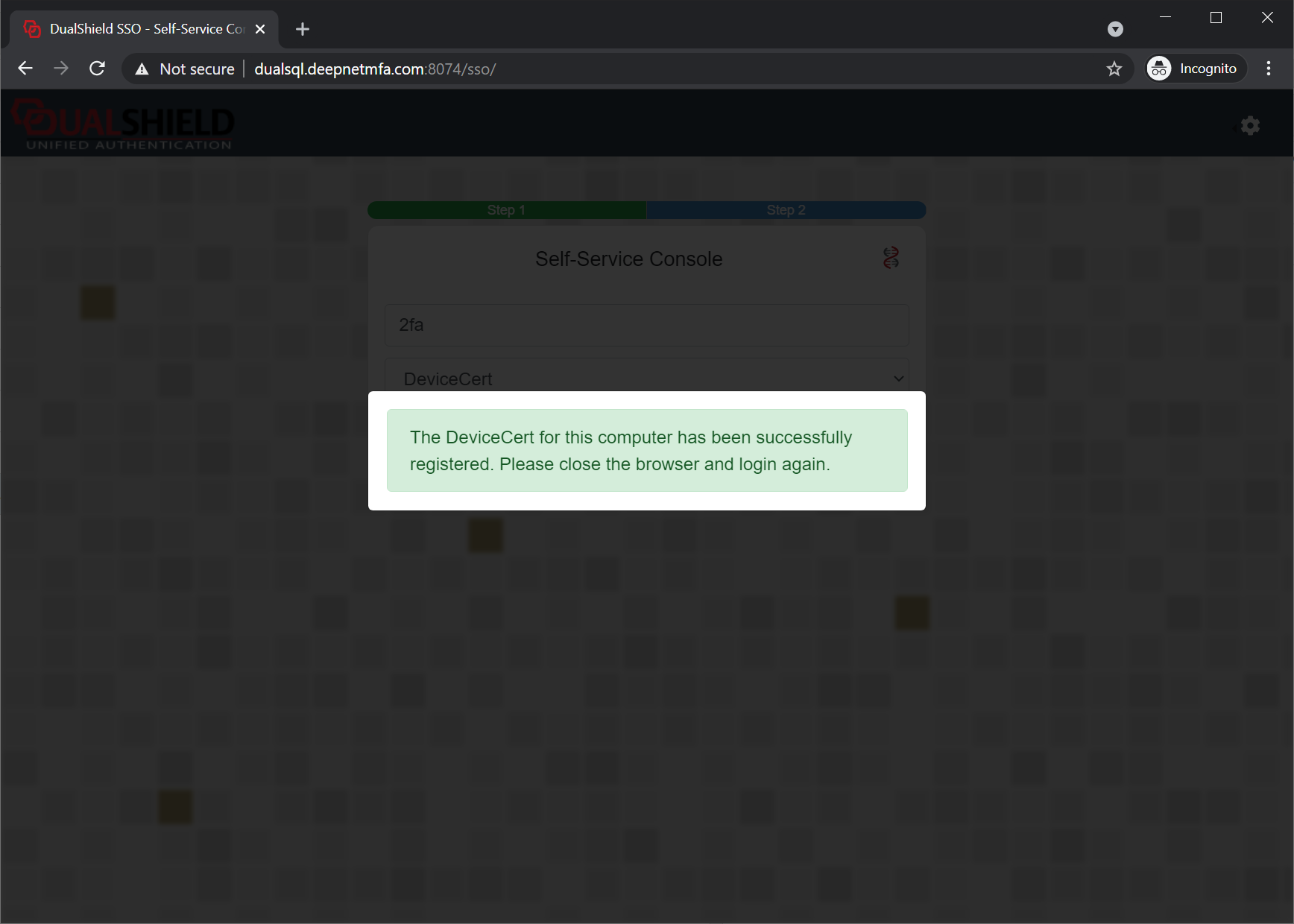
This means that the user's device has successfully been successfully registered on the server.
Now, close and reopen the web browser.
As soon as an user visits the website that enables the device certificate authentication, the user will be immediately prompted by the web browser to select a certificate:
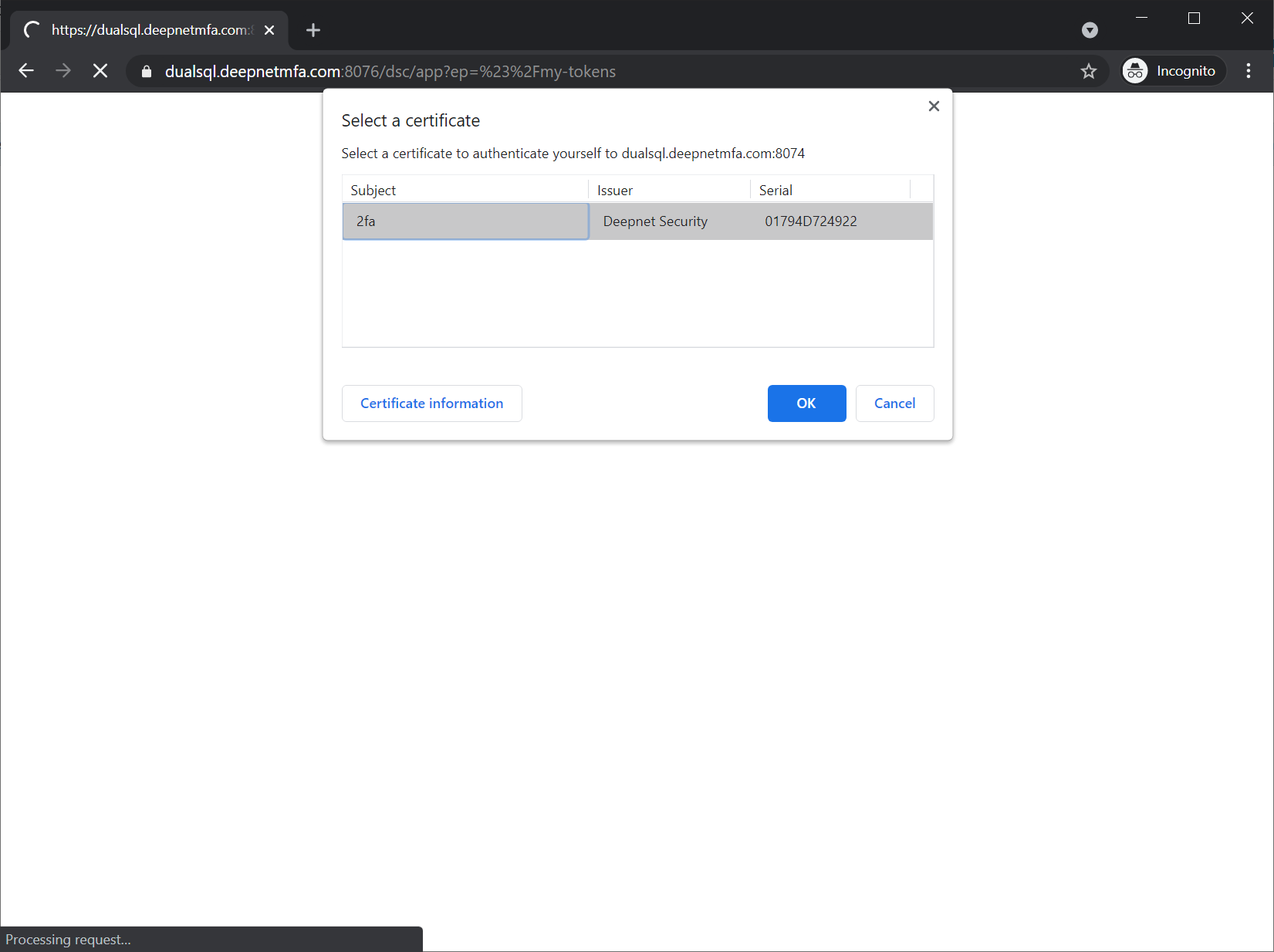
This means that the user's device certificate has been successfully installed on the registered this device.
| Info |
|---|
At this point, the DualShield server administrator can see in the admin console that the user has a new device registered that is pending for activation:
|

...