...
Then, create the following 2 logon policies in your DualShield server:
For the general guide of creating a logon policy, expand the link below
| Expand |
|---|
| title | How to create a logon policy |
|---|
|
| Include Page |
|---|
| Create a logon policy |
|---|
| Create a logon policy |
|---|
|
|
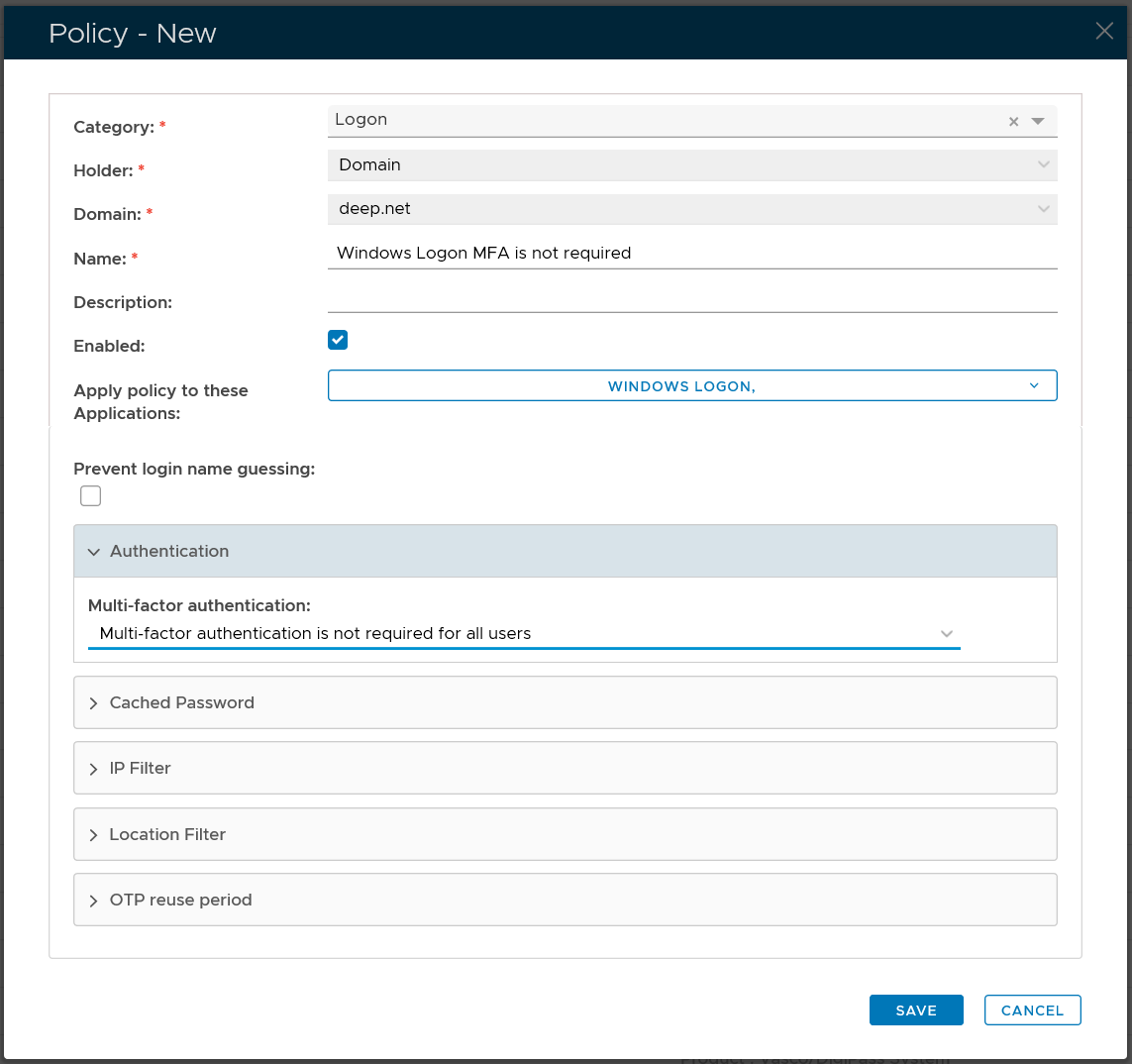
Domain Logon Policy
| Section |
|---|
| Column |
|---|
| 
|
| Column |
|---|
| Option | Value |
|---|
| Category: | Logon | | Holder: | Domain | | Domain: | Select your AD domain | | Name: | Describe the purpose of this policy | | Apply policy to these applications: | Select the application that this policy will be applied to | | Authenticattion: | Select "Multi-factor authentication is not required for all users" |
|
|
...