To download offline tokens from the DualShield MFA server, follow the steps below:
| Table of Contents |
|---|
Configure the
...
Token Download Endpoint
| Include Page | ||||
|---|---|---|---|---|
|
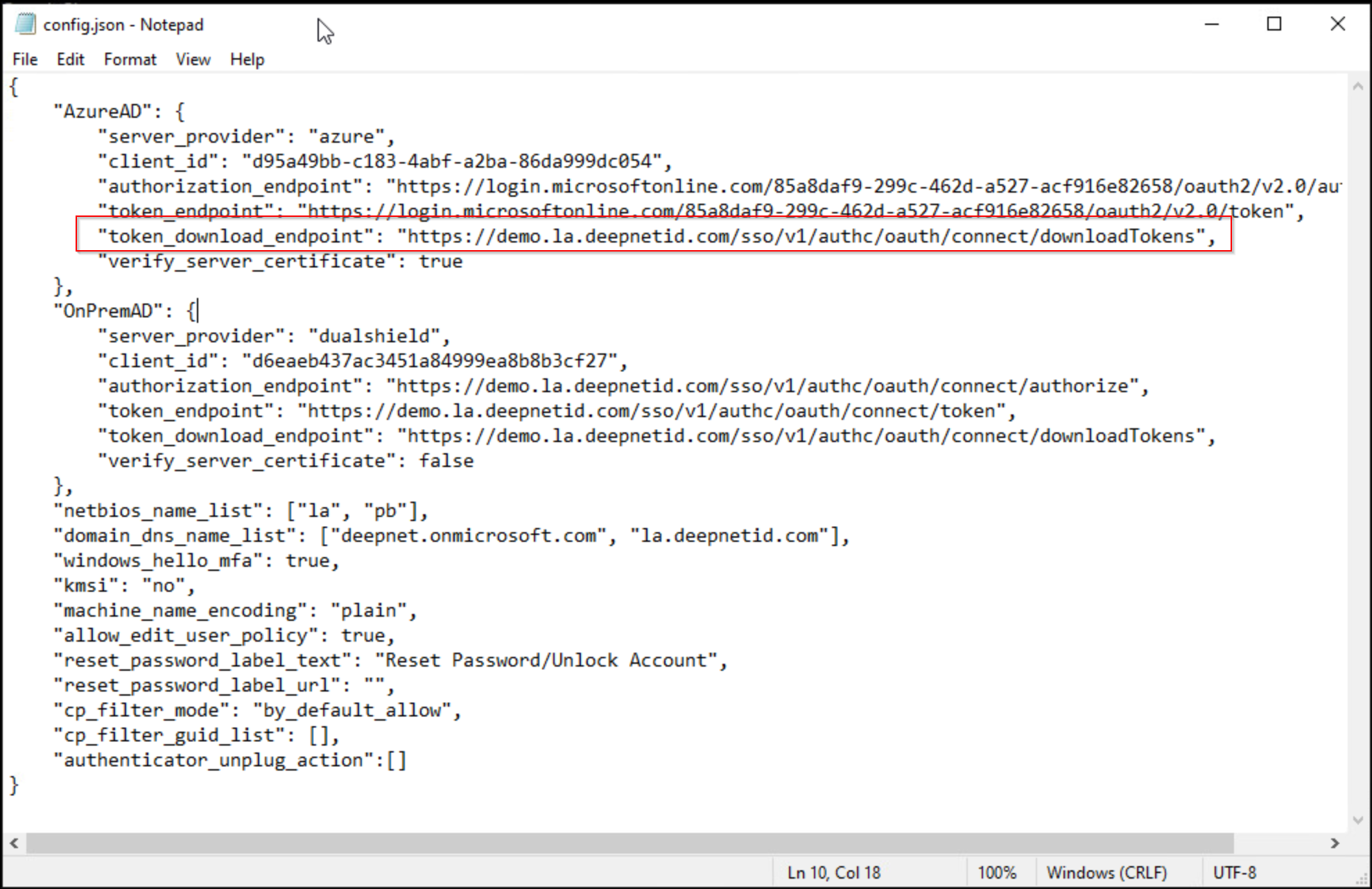
In the "config.json" file that is to be distributed with the Computer MFA Logon Agent to the users' PCs, add the value below to the "token_download_endpoint" key:
| Code Block |
|---|
"token_download_endpoint": "https://your-dualshield-fqdn/sso/v1/authc/oauth/connect/downloadTokens" |
You must replace "your-dualshield-fqdn" with the actual FQDN of your DualShield MFA server, e.g. "demo.la.deepnetid.com"
Below is an example:
Configure the DualShield MFA Server
...