...
| Expand | |||||
|---|---|---|---|---|---|
| |||||
Click the context menu
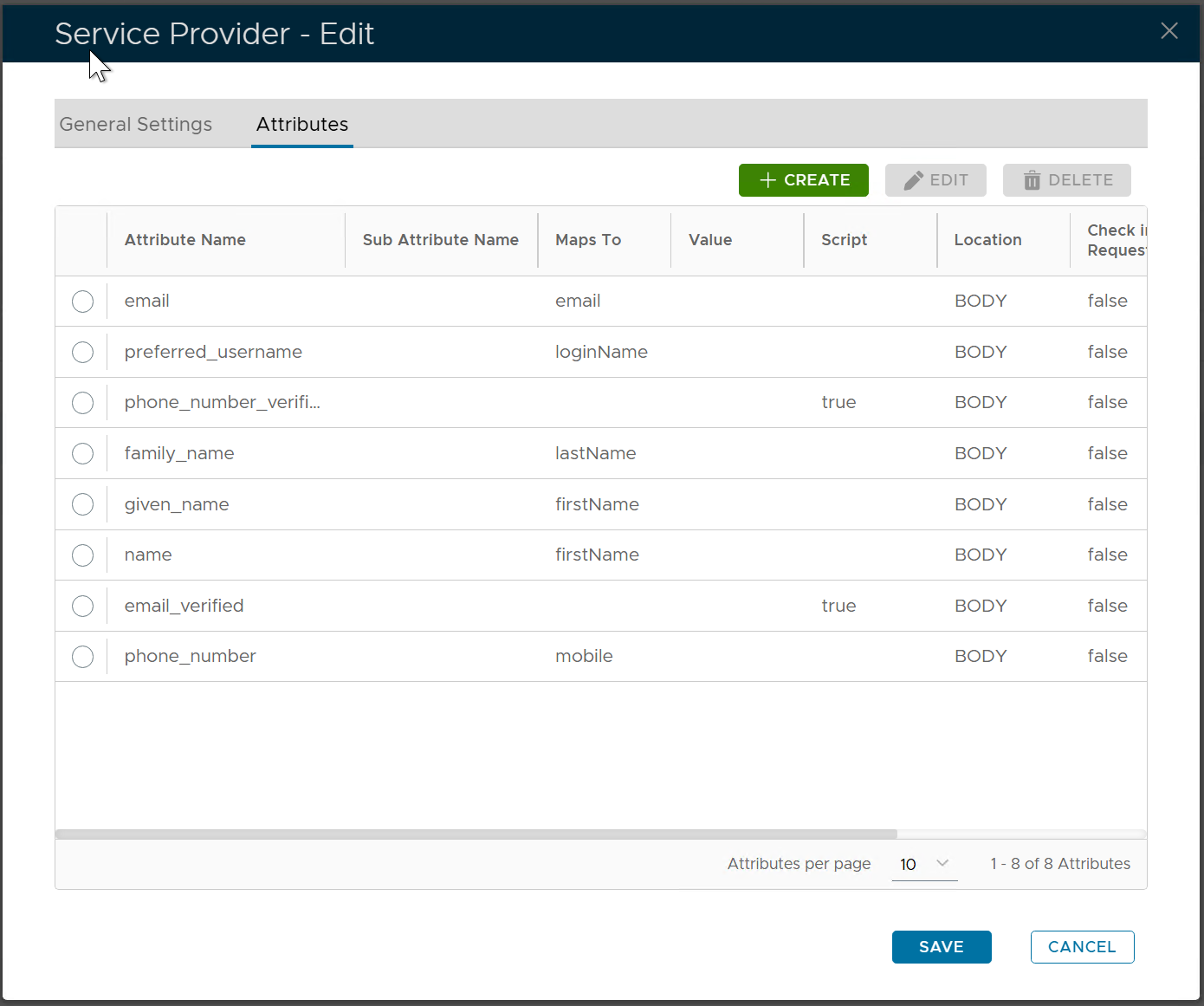
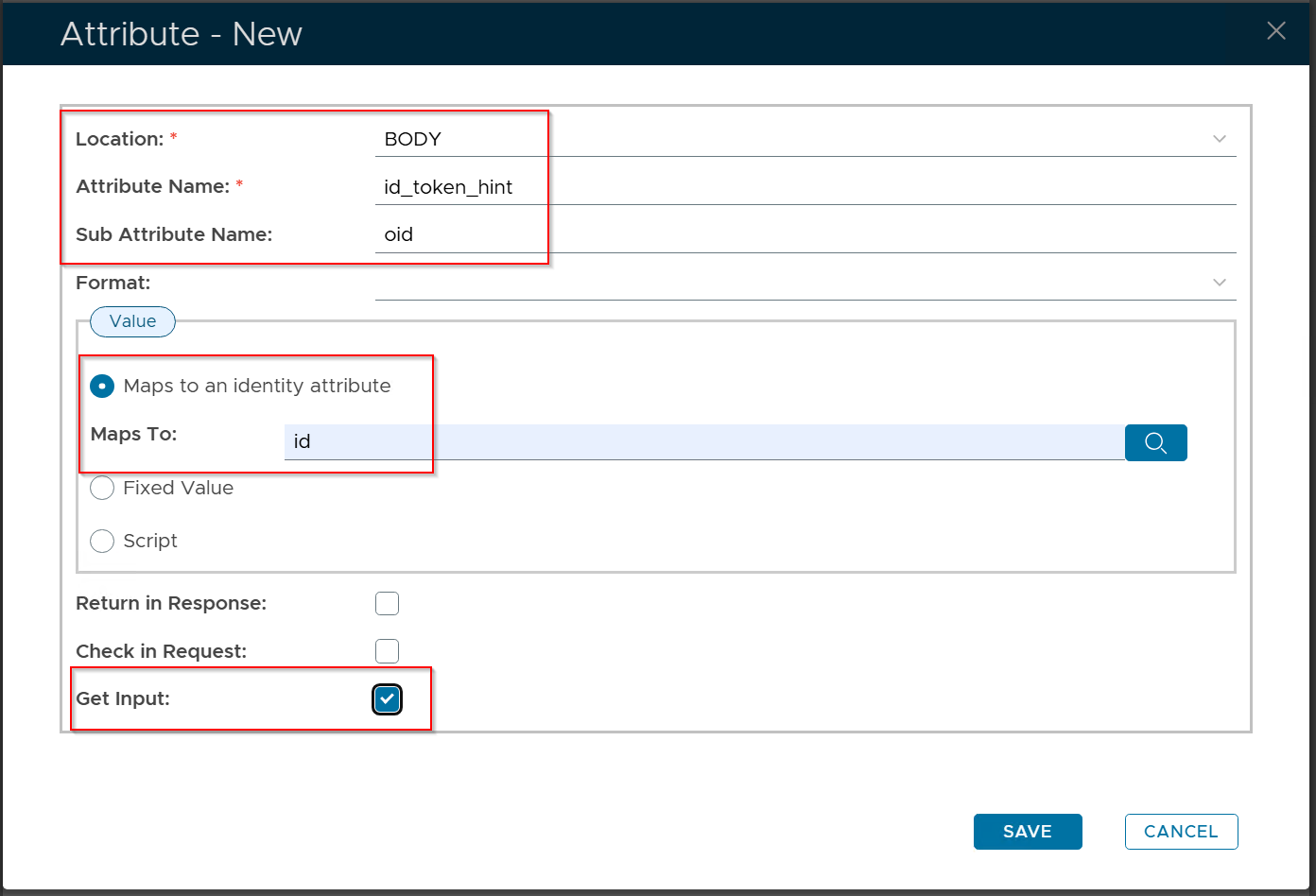
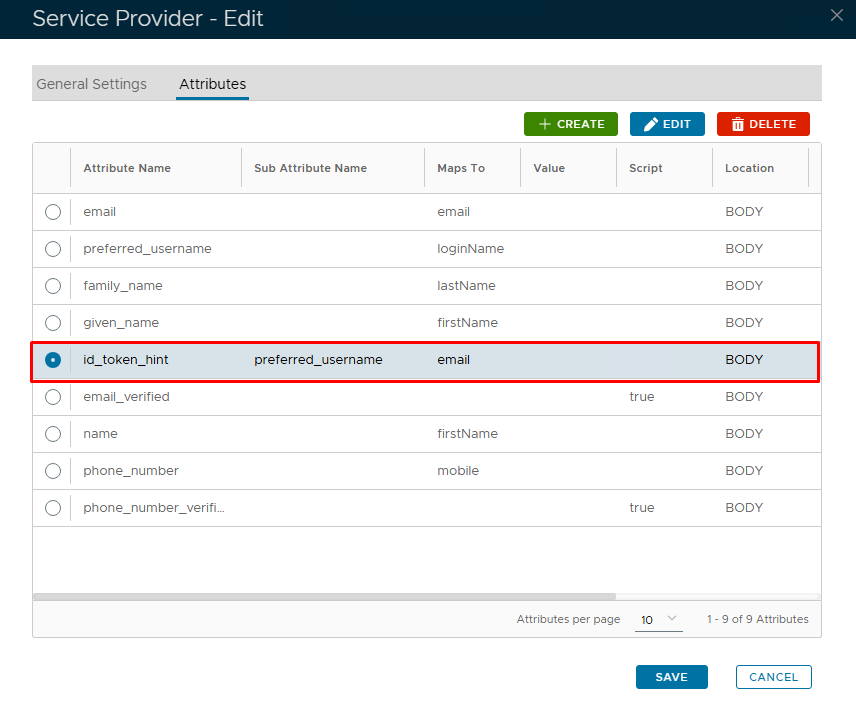
Click the "CREATE" button to create a new attribute Fill in the following properties
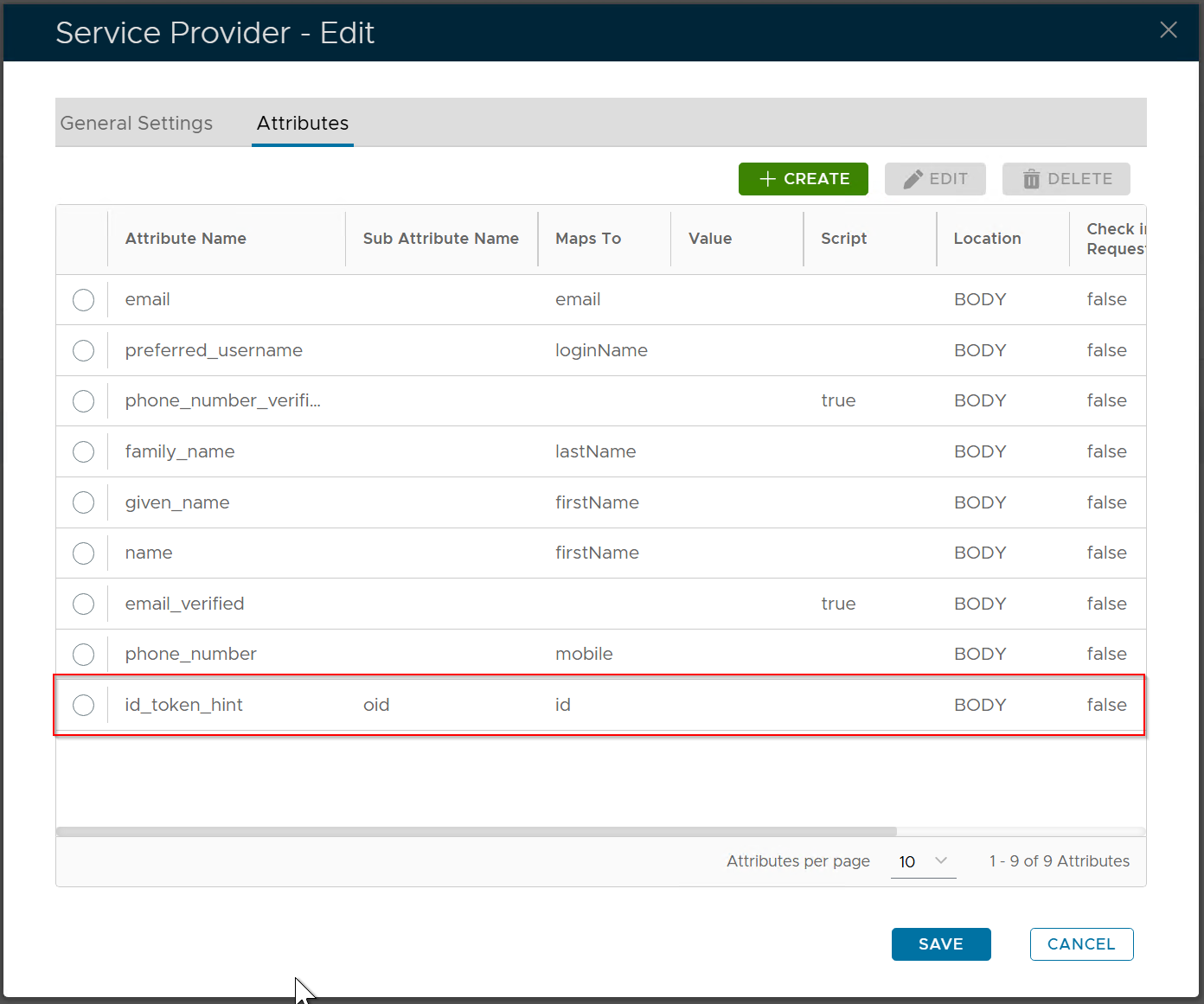
From Click the "SAVE" button to save the new attribute
Click the "SAVE" button again to save the change in the attributes
|
...
| Expand | |||||
|---|---|---|---|---|---|
| |||||
Click the context menu
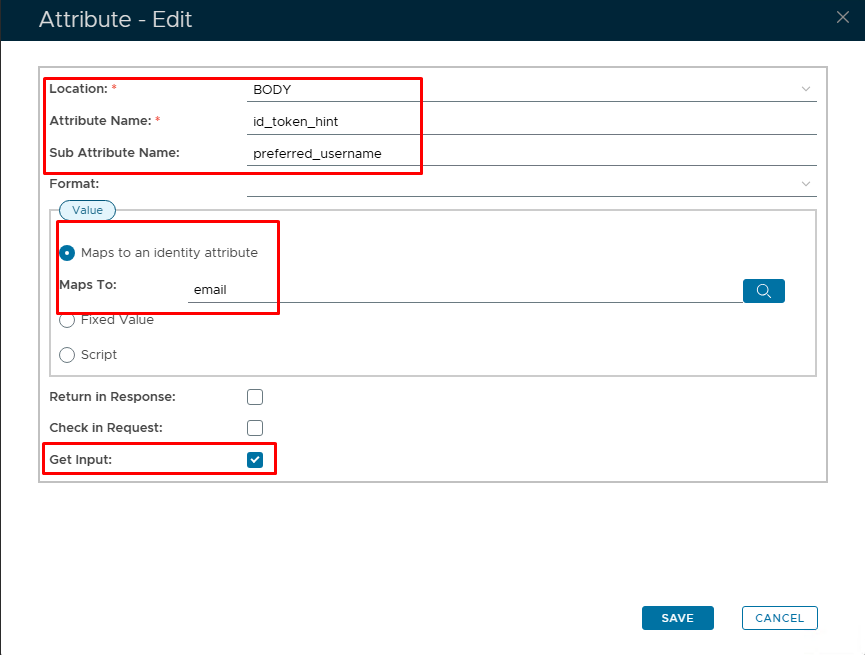
Click the "CREATE" button to create a new attribute Fill in the following properties
From Click the "SAVE" button to save the new attribute
Click the "SAVE" button again to save the change in the attributes
|