Versions Compared

Key

  • This line was added.
  • This line was removed.
  • Formatting was changed.

...

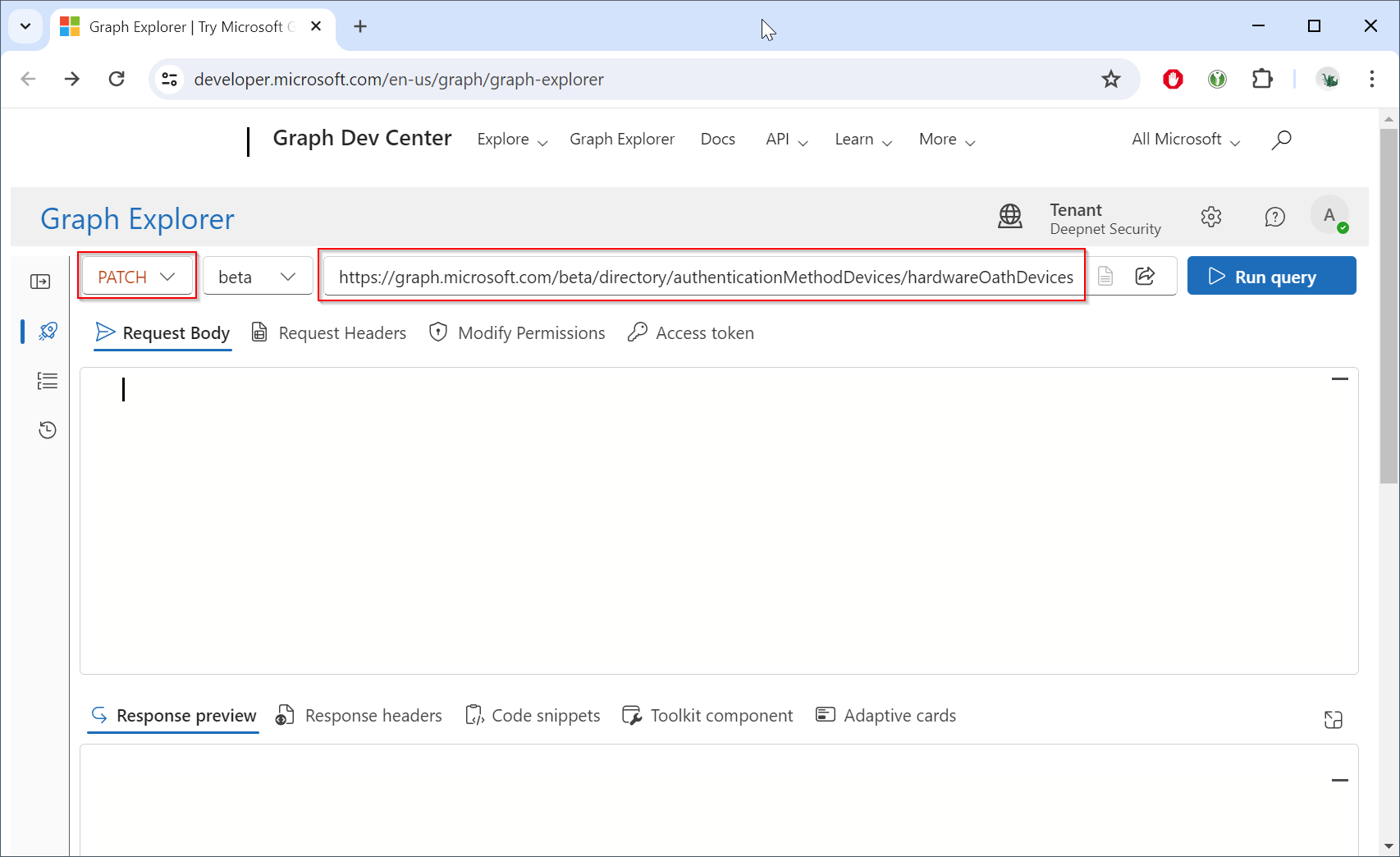
Change the HTTP method from "GET" to "PATCH", and change the endpoint to "https://graph.microsoft.com/beta/directory/authenticationMethodDevices/hardwareOathDevices"
Click Now, click the "Modify Permissions"  Grant consent for to check if you have the "Policy.ReadWrite.AuthenticationMethod" permission
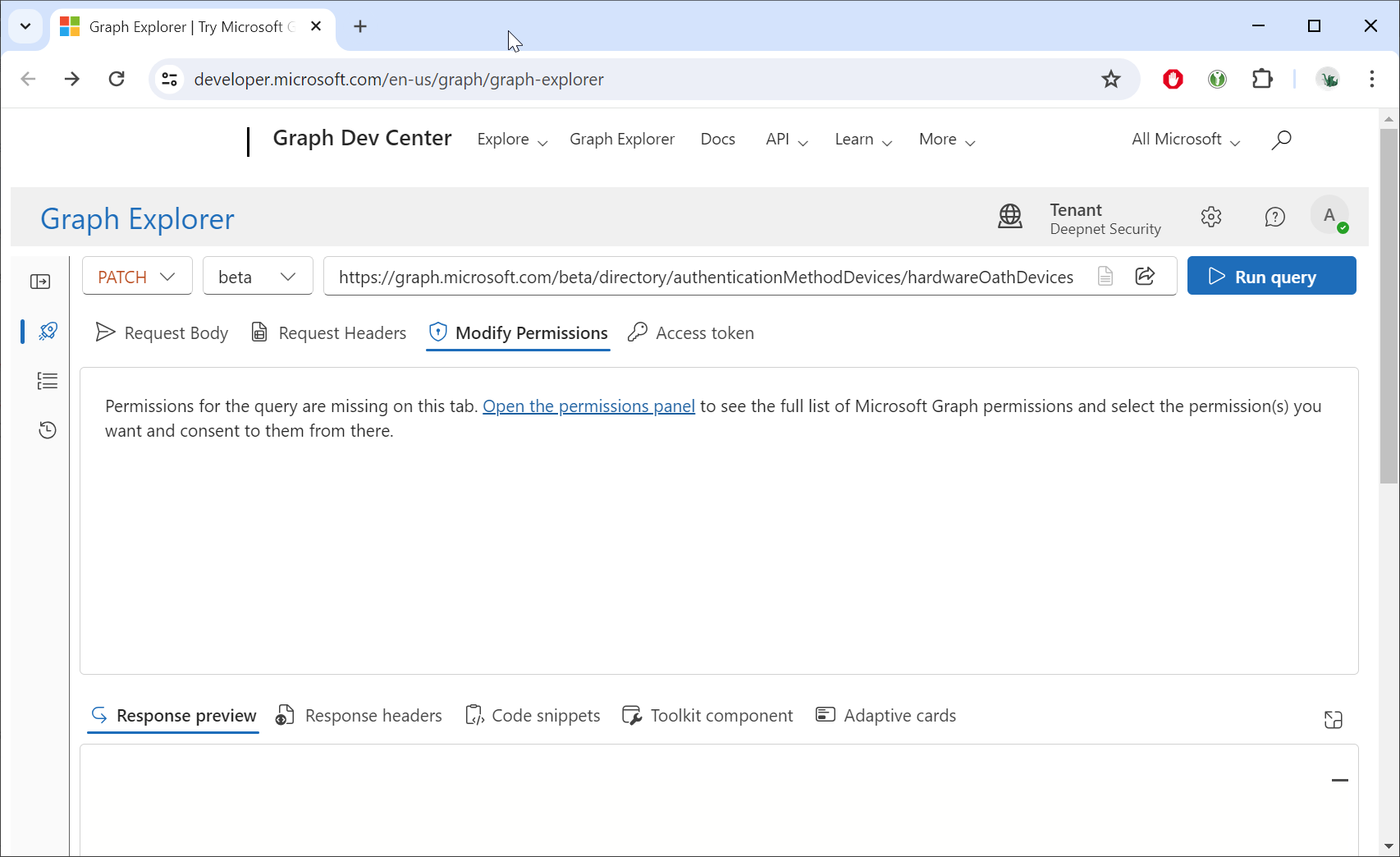
Click "Open the permissions panel" link
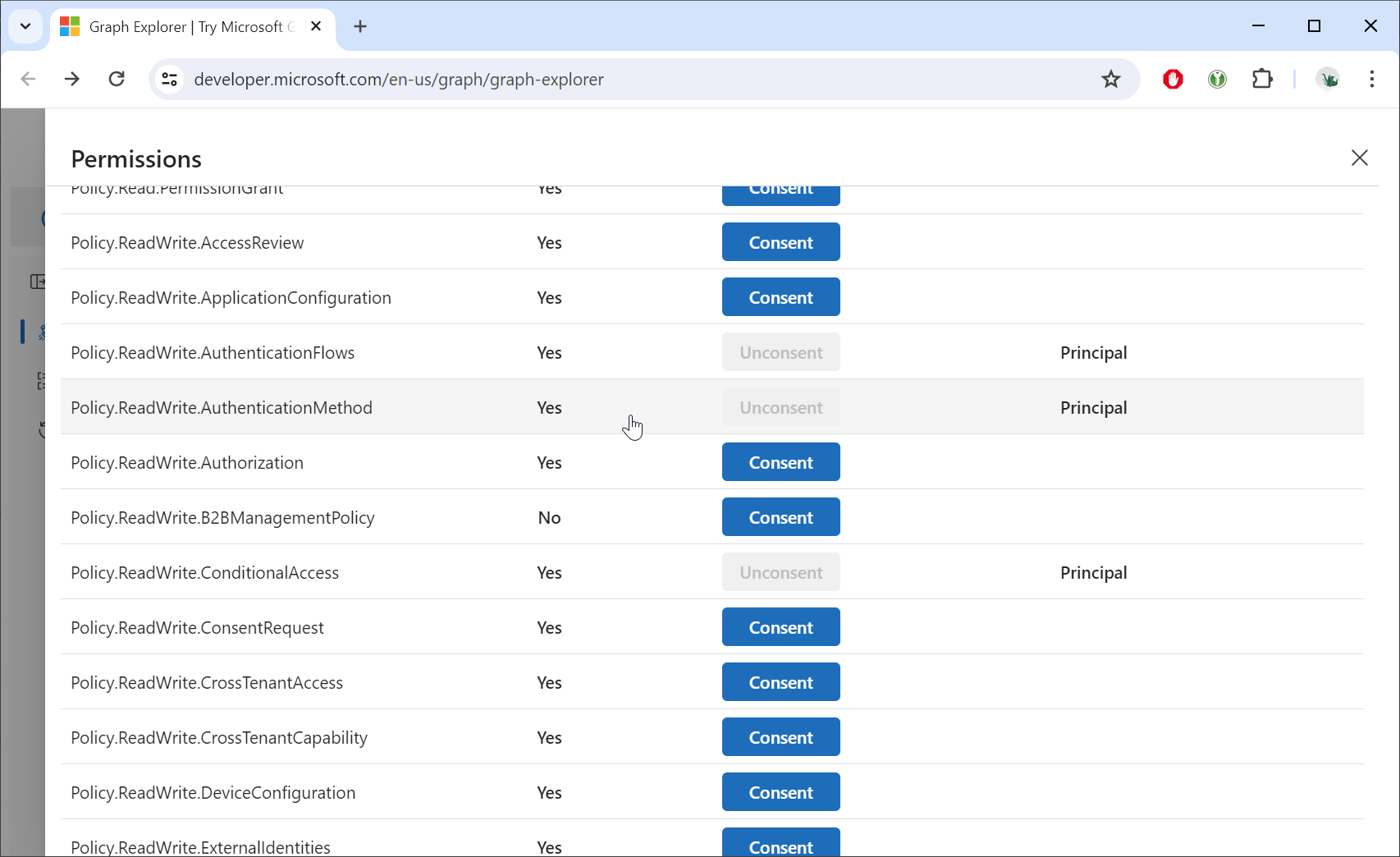
Image Modified

If you have not been granted the consent for the "Policy.ReadWrite.AuthenticationMethod" permission, then you need to admin the global administrator to grant the consent to use the Graph API.

Expand

Option 1 – Through Graph Explorer (Admin Account)

  1. Have a Global Administrator or Privileged Role Administrator sign in to Graph Explorer.

  2. In the Permissions tab, find Policy.ReadWrite.AuthenticationMethod.

  3. Instead of “Consent on behalf of yourself,” the admin will see an option to Consent on behalf of the entire organization.

  4. Click Consent → approve.


Option 2 – Through Azure Portal (Enterprise Applications)

  1. Go to Azure PortalAzure Active DirectoryEnterprise Applications.

  2. Find Graph Explorer (it’s registered as an Enterprise Application in your tenant).

  3. Under PermissionsAdmin Consent, the admin can review pending permissions.

  4. Grant consent for Policy.ReadWrite.AuthenticationMethod on behalf of the organization.


Click the "Request body" tab

...