...
| Section |
|---|
|
| Column |
|---|
| 
|
| Column |
|---|
| Option | Value | Explanation |
|---|
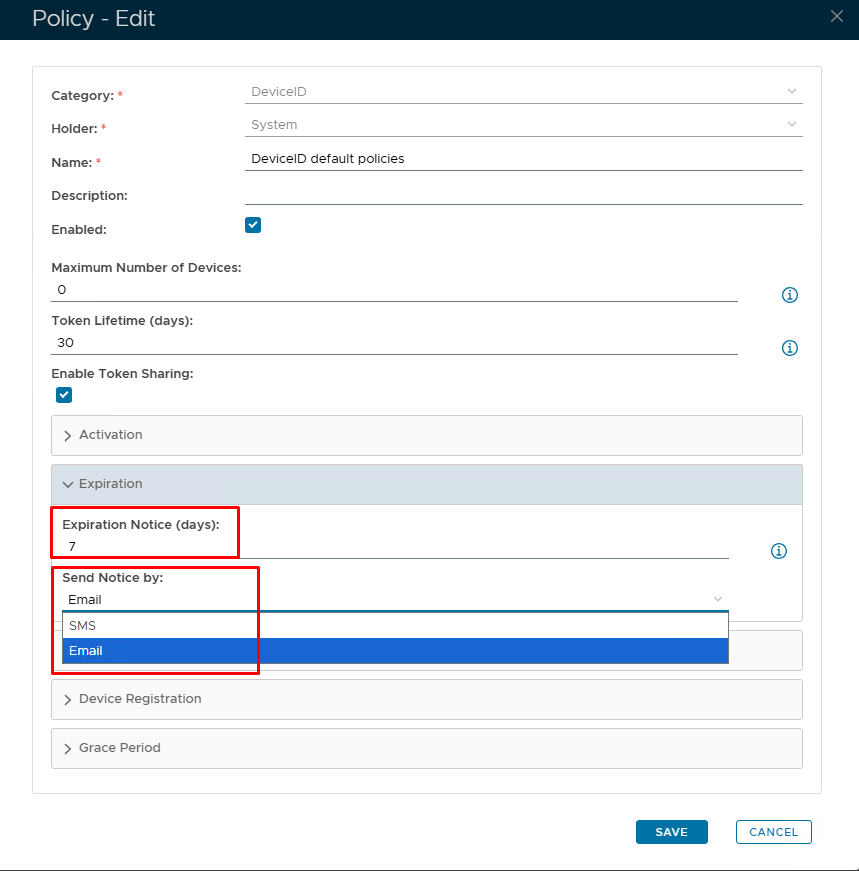
| Expiration Notice (Days) | Set number of days before token is due to expire | If you want the expiry notification to be sent out proactively, then you need to set this option ('0' = Disabled) | | Send Notice by | SMS/Email | Set the method in which the expry notice will be delivered. |
|
|
Set up Token Notification Service
If you have enabled the token expiry notice option in the DeviceID policy, then you must also set up the task called "Token Notification Service"
| Expand |
|---|
| title | Set up Token Notification Service |
|---|
|
| Include Page |
|---|
| Set up Token Expiry Notification Service |
|---|
| Set up Token Expiry Notification Service |
|---|
|
|