During a device's lifetime, for extra security, you can set the policy so that the token will need to be periodically reactivated by the user.
There are 3 options related to device renewal.
DualShield provides a self-service web console called Deployment Service Console that can be used by users to activate their own devices.
...
DeviceID Policy
| Section |
|---|
|
| Column |
|---|
| 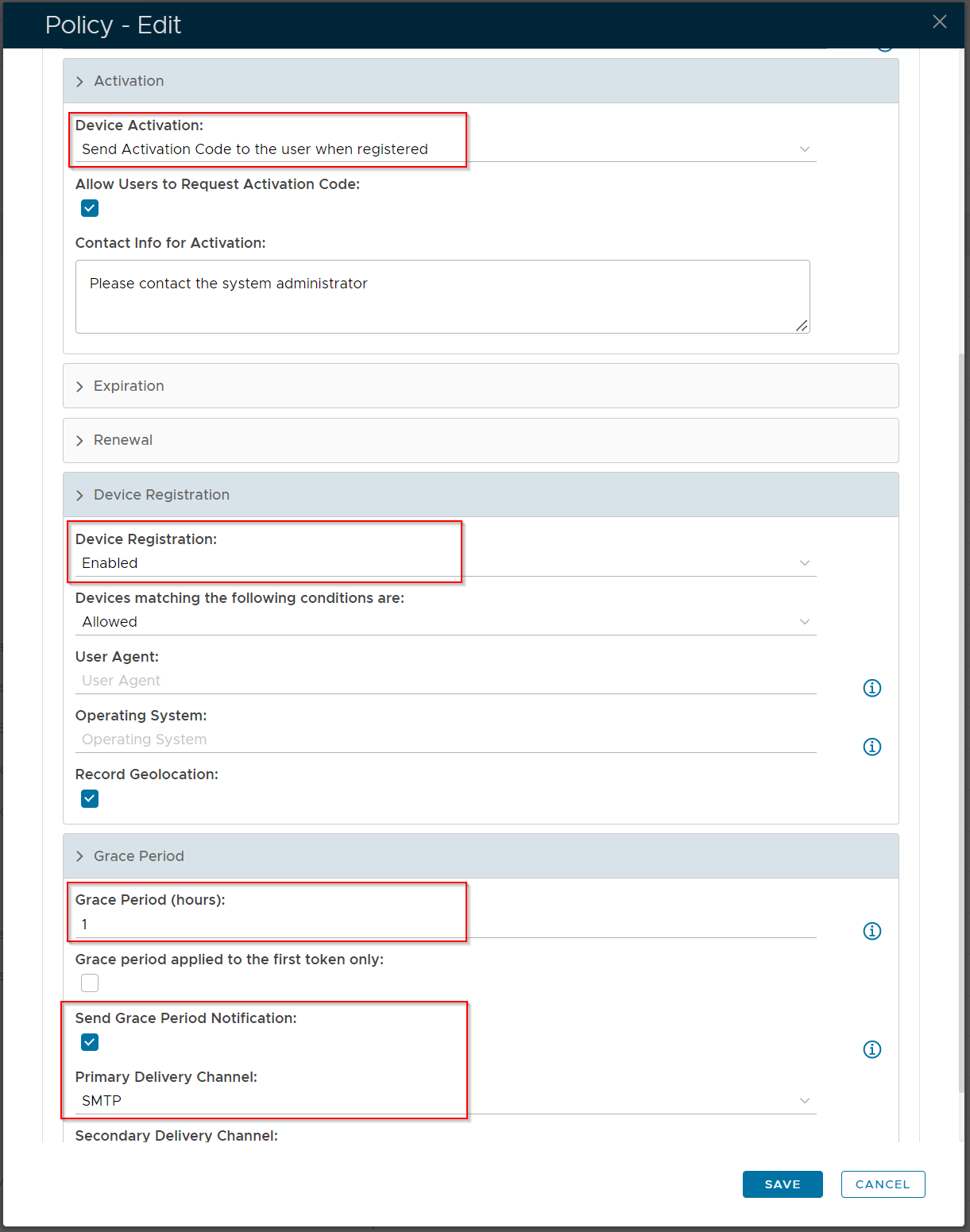 Image Removed Image Removed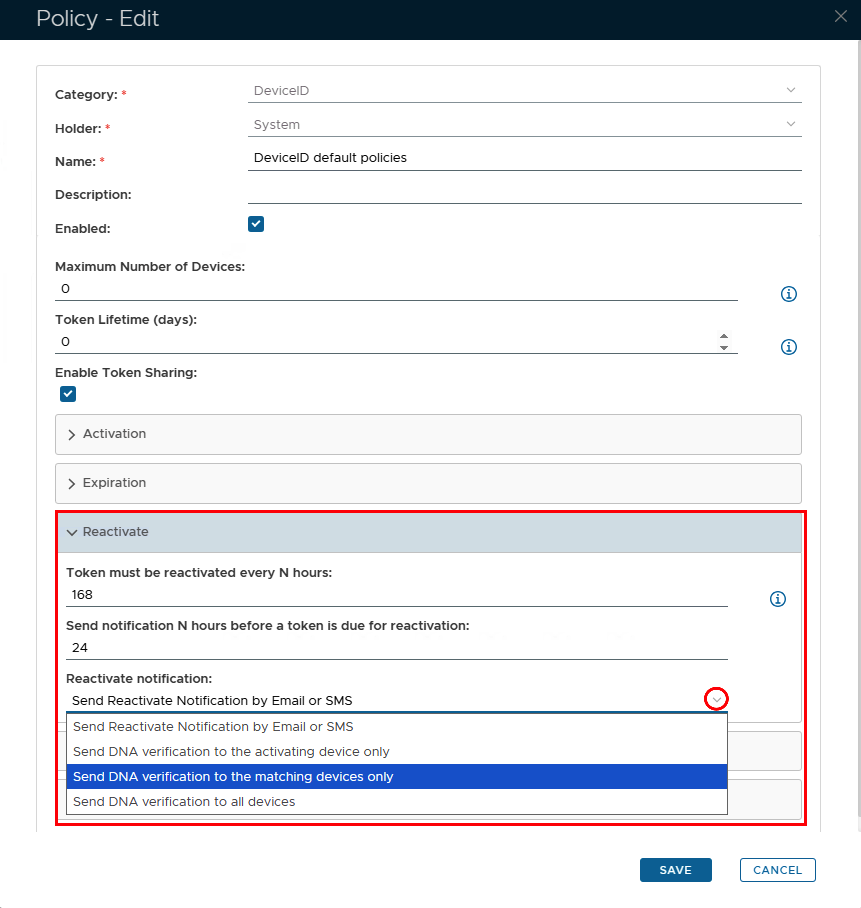 Image Added Image Added
|
| Column |
|---|
| Option | Value | Explanation |
|---|
| Device Activation | Send Activation Code to the user when registered | An activation link with a code will be sent to end users, enabling them to access the Self Service portal and activate their own DeviceID token | | Device Registration | Enabled | This is a default option so that a DeviceID token will get created and dropped into quarantine until such time as it is activated. | | Token must be reactivated every N hours: | Any number | This option specifies the time period (in hours) that a token should be reactivated (0 = reactivation is not required) | | Send notification N hours before a token is due for reactivation | A number lower than the value above | The end user will receive a notification at the number of hours specified, before the DeviceID token is due to expire | | Reactivation notification | Select Option via the dropdown arrow | The methods of how the DeviceID reactivation notification will be delivered to the user | Grace Period | Time period needs to be set above zero | Setting a grace period is a requirement, so that the end user will be able to recieve so the activation link. If Send Grace Period Notification is enabled, then the end user will receive a separate notification explaining how long they have to activate their token before their email is blocked. |
|
|
Activation Code Policy
The activation code has it's own policy where you can set the format and length of the code as well as an expiry
...