Generate OAuth 2.0 Credentials on the Agent
To use OAuth 2.0 for agent authentication, you will need to generate a client ID and secret for each corresponding internal agent. You will then update the agent property files with these details.
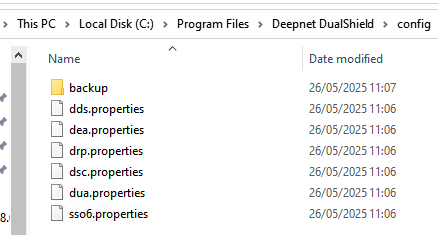
The internal agent list and their property files are as follows.
...
The corresponding property files are found under C:\Program Files\Deepnet DualShield\config on the DualShield hosting server. (If you are using a separate front-end machine, you will be editing the property files , in the same location, on that server)
Edit each agent on the console.
...
| Panel | ||||||
|---|---|---|---|---|---|---|
| ||||||
useOAuth=true oauthClientId=######################### oauthClientSecret=secret-########################## oauthTokenUri=https://YourDualShieldFQDN:8071/das5/rest/oauth/token |