The Deepnet Computer Logon Agent for Entra ID requires a custom configuration file in order to function correctly for the customer. IT administrators can distribute the off-the-shelf installer to their users, together with the custom configuration file. User can easily install the software using the off-the-shelf installer. However, after installation, users must manually update the configuration file with the custom configuration file.
...
This guide describes how to create a custom installer package using the Windows tool called "IExpress"
| Table of Contents |
|---|
Step 1: Download the off-the-shelf installer package
Download the off-the-shelf installer package and unzip it to a local folder on your PC, e.g. "D:\Software\CLO"
...
FILE | Description |
|---|---|
| computer-logon-for-entra-id-xxx-win64.msi | Agent installer |
config.json | Configuration file |
| install-clo.bat | Batch commands |
Step 2: Customise the configuration file
Open the config.json in a text editor, such as Notepad
...
Insert your "tenant_id" and "client_id"
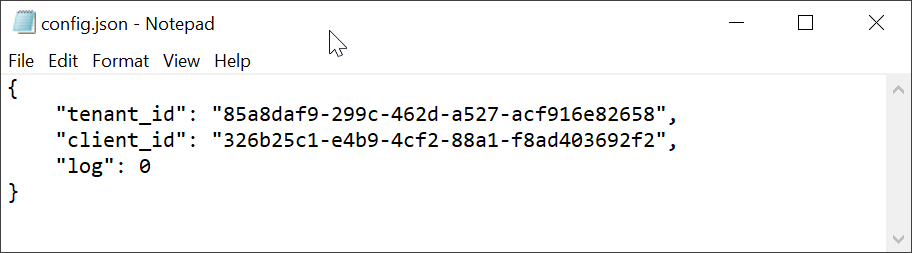
Save the file.
Step 3: Create a custom installer package using iExpress
Run iExpress as administrator
...