In your Dualshield serverServer, you need to create a an SSO service provider Service Provider for AWS.
Navigate to "SSO | Service ProvideProviders", click then select the "Create+ CREATE" button on the toolbar:

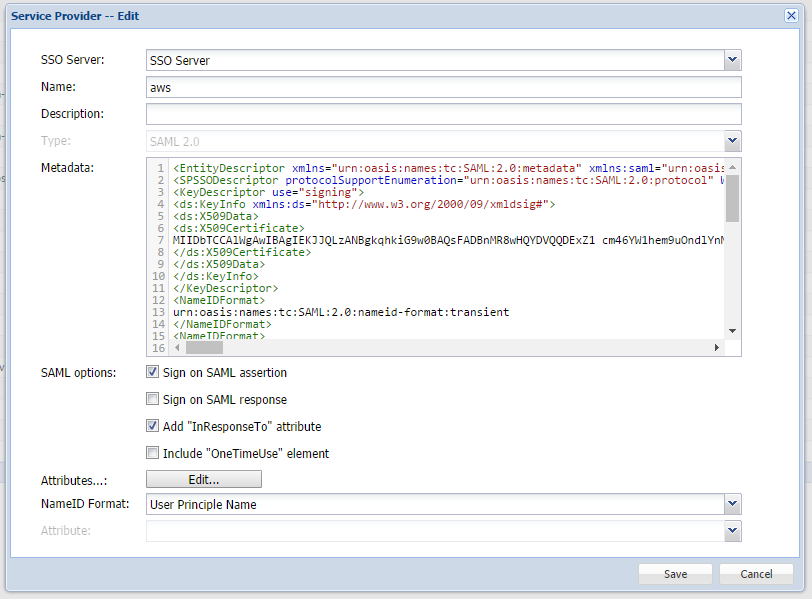
Fill Complete all fields as shown displayed above. The Metadata should be downloaded from the link below:
https://signin.aws.amazon.com/static/saml-metadata.xml
Now, click the "Edit" button next to the "Attributes..." field. You need to create a couple of attributes required by AWS.
The following 2 attributes are essential.
The Select the "CREATE METADATA" button, when a window will appear, where the copied Metadata can be pasted in. Click "SAVE" to accept.
Next, click the 2nd tab named "Attributes".
Click the "+ CREATE" button to add the first of 2 new attributes, as required by AWS.
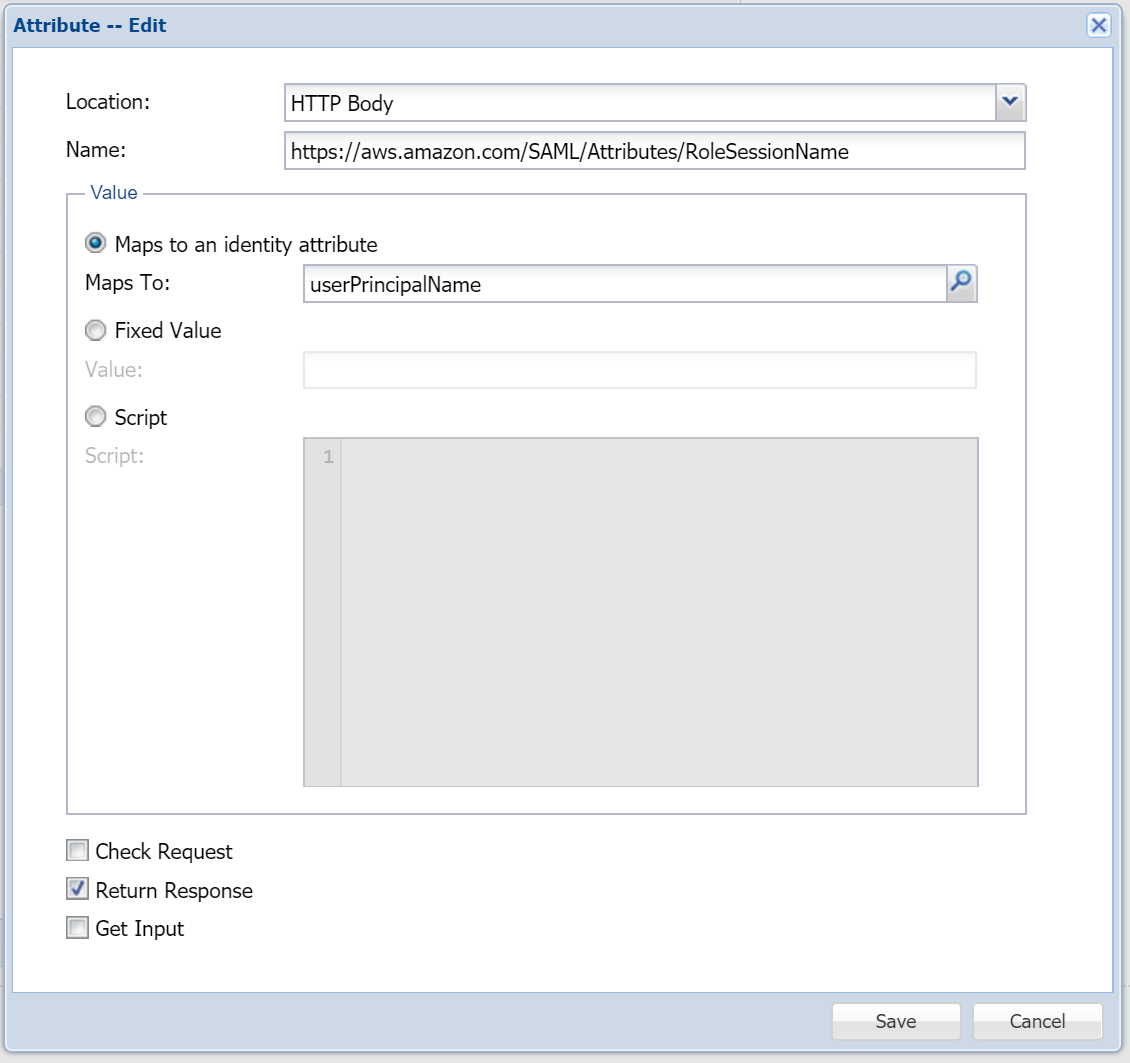
Use the screenshots below to see how these need to be created:
Attribute 1:
The Name value of the first attribute is, https://aws.amazon.com/SAML/Attributes/RoleSessionName

Attribute 2:
The Name value of the second attribute is, https://aws.amazon.com/SAML/Attributes/Role
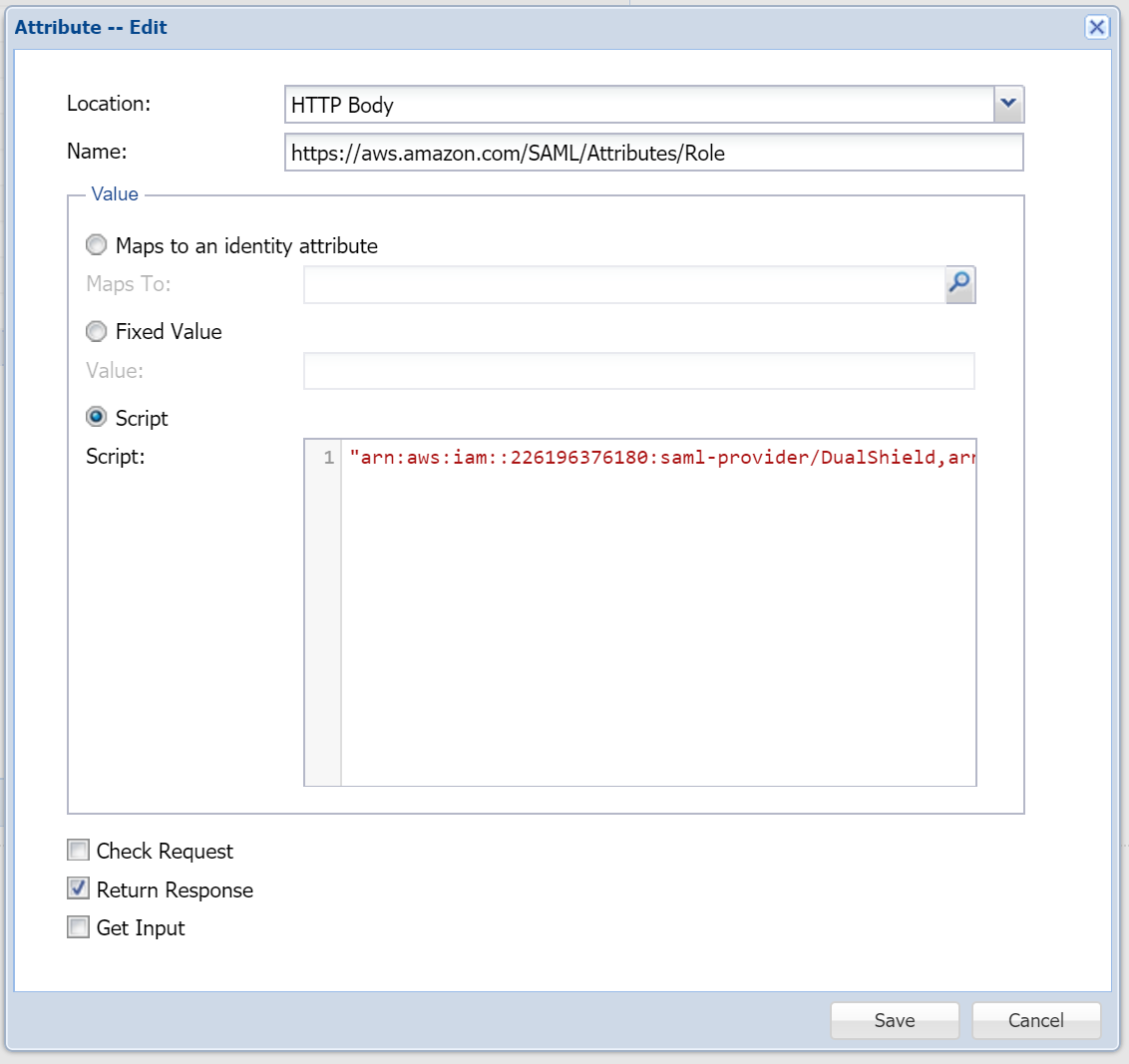

In the script Script edit box, enter the text below:
"arn:aws:iam::226196376180:saml-provider/DualShield,arn:aws:iam::226196376180:role/"+AWSRole
...
Finally, click Save to save it.
