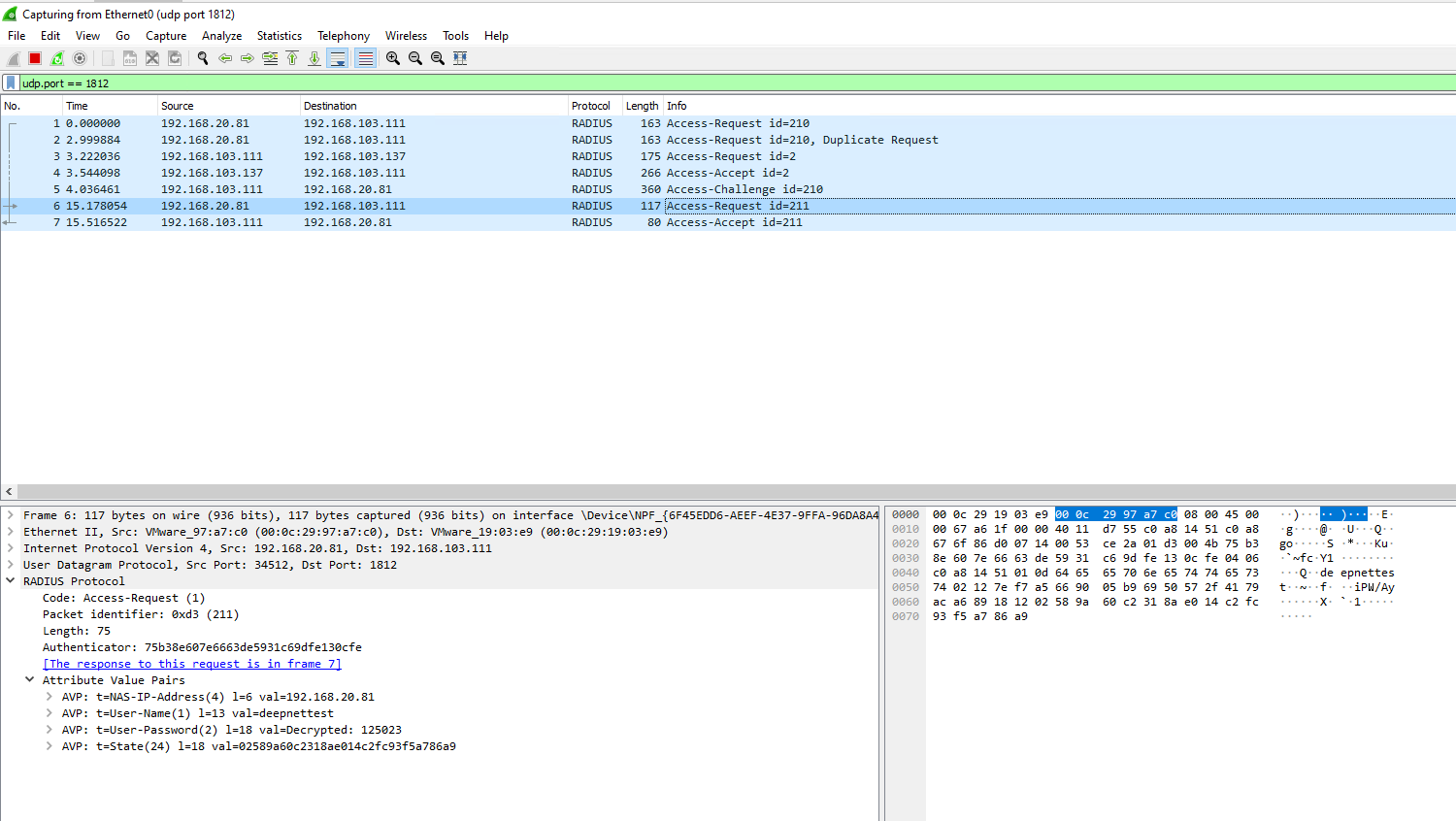
...
Start by installing Wireshark on the same server as DualShield.
Capture RADIUS packets
- Launch the Wireshark app
- Select "Capture | Options"
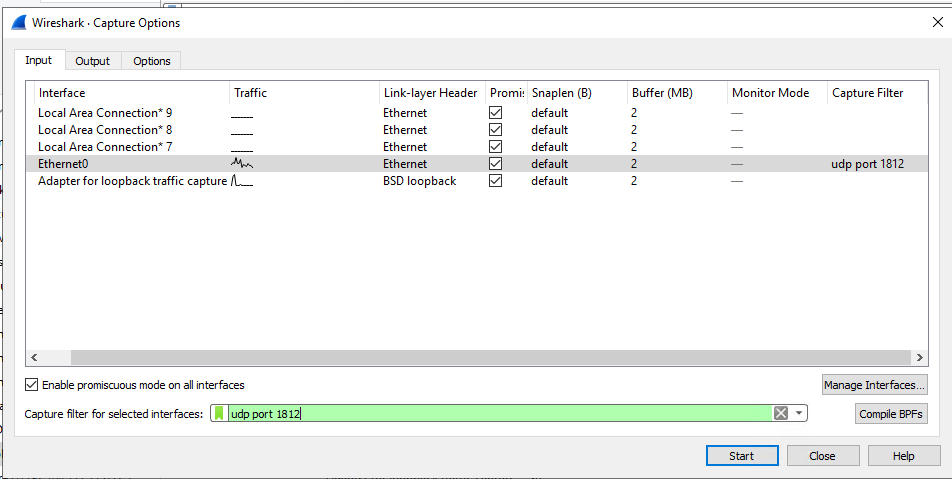
- Enter "udp port 1812" in the Capture filter to capture UDP packet only
- Click the "Start" button to start capture
- Click "Capture | Stop" to end capture
Decrypt RADIUS packets
- Go to Edit > Preferences
- to Edit > Preferences
- Click to expand the Protocols tree
- the Protocols tree
- Scroll down and select RADIUS
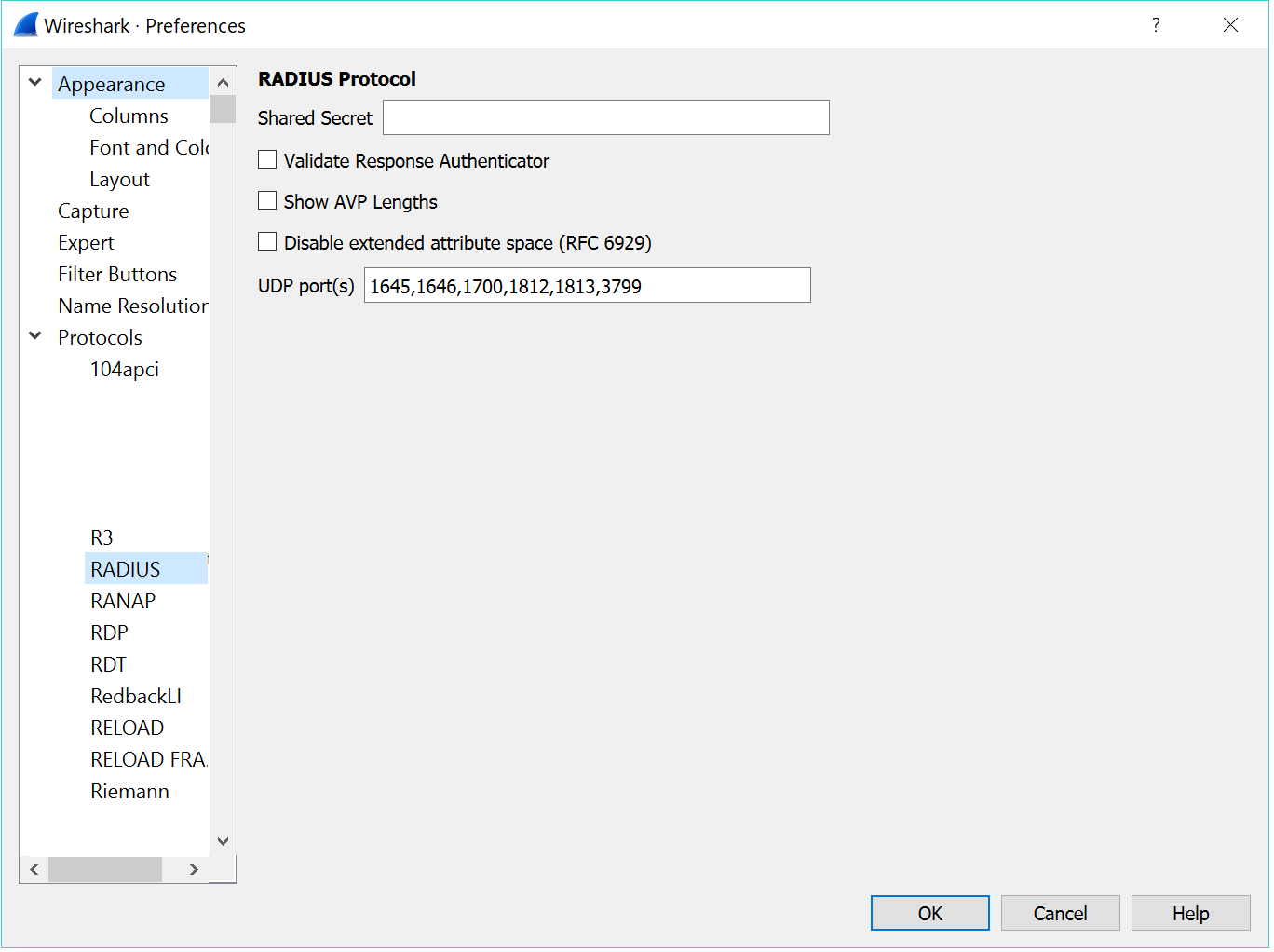
- Enter the RADIUS shared secret and click OK
- click OK to save
- Enter "udp.port == 1812" in the display filter to display RADIUS traffic only
- You will now be able to view the Access-Request and Challenge packets