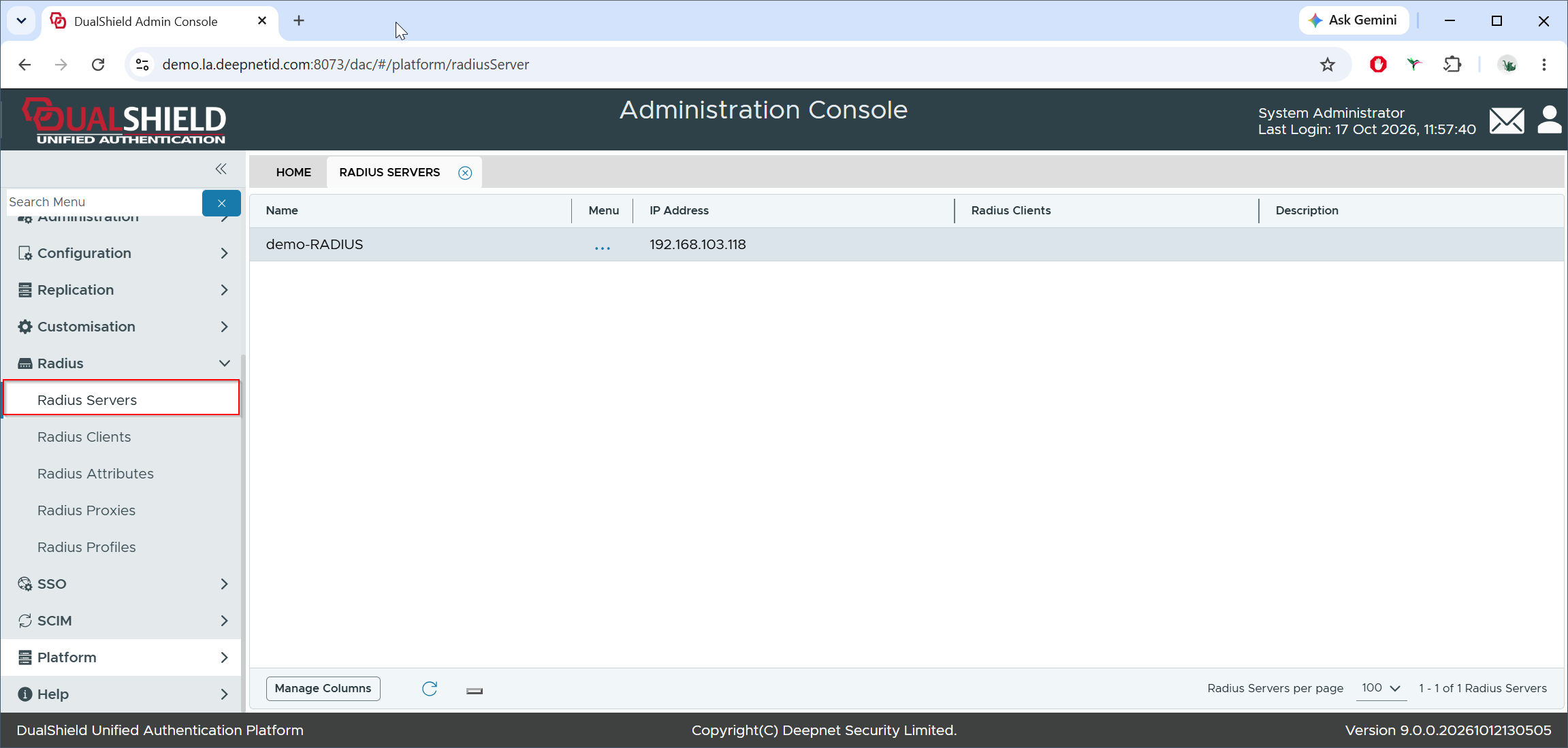
To set or replace the SSL certificate for a RADIUS server, navigate to Radius | Radius Servers
Click the context menu of the RADIUS server
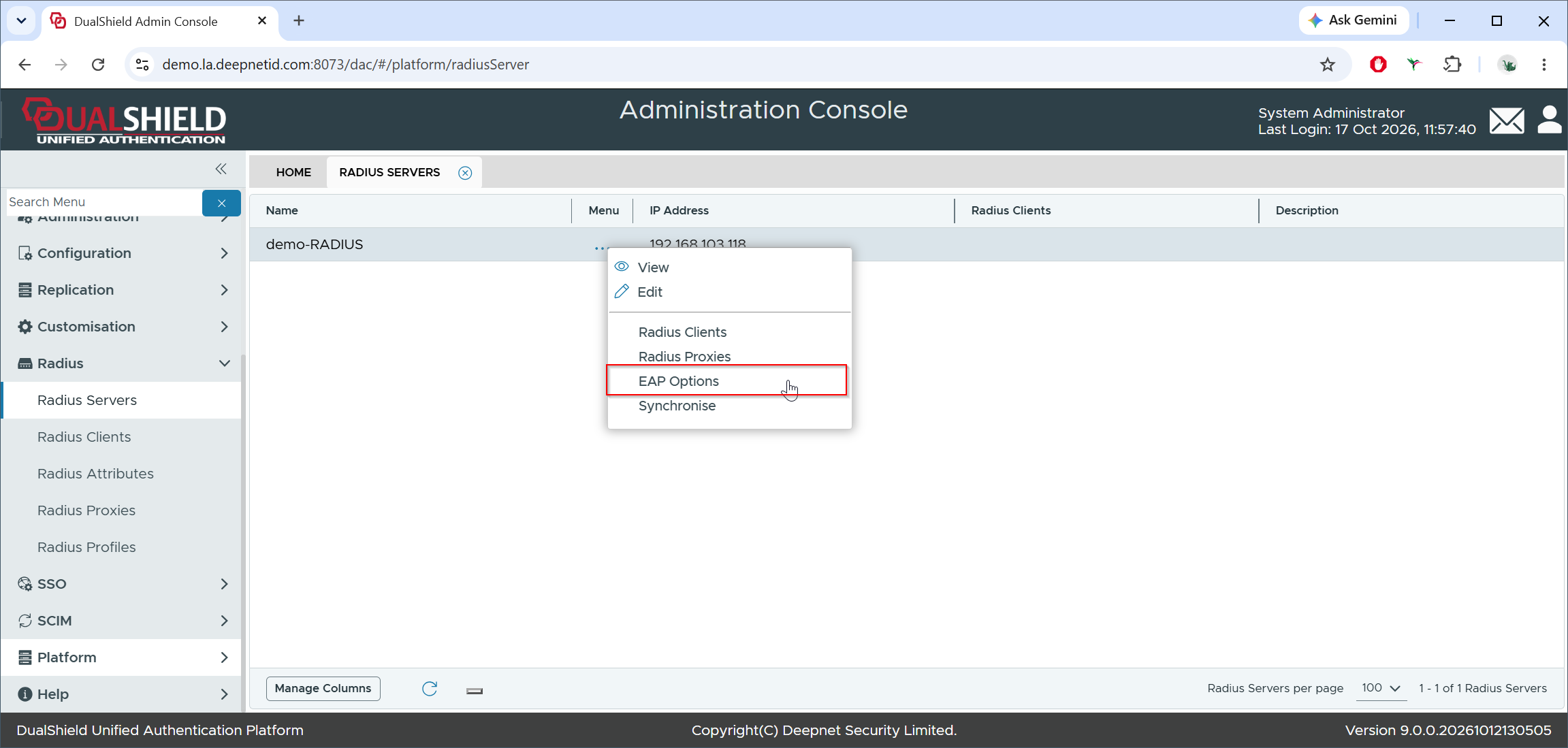
Select "EAP Options"
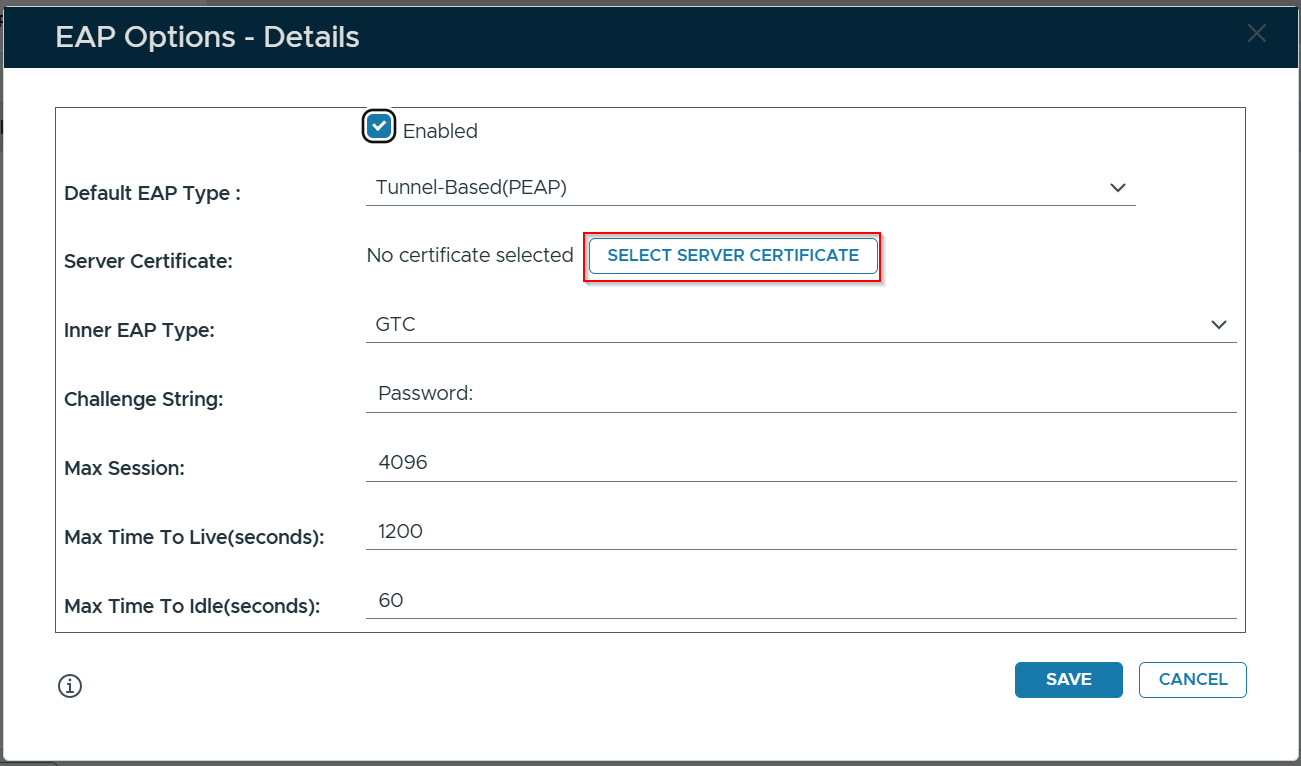
Click the Select Server Certificate button
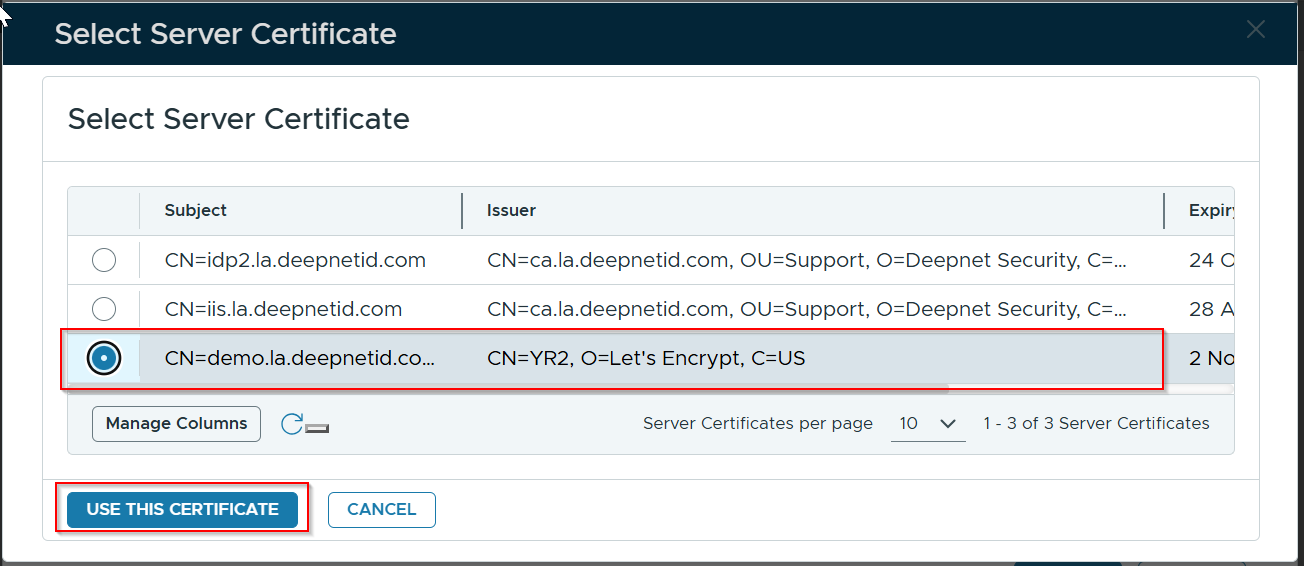
Select the certificate you wish to use and click the "Use This Certificate" button
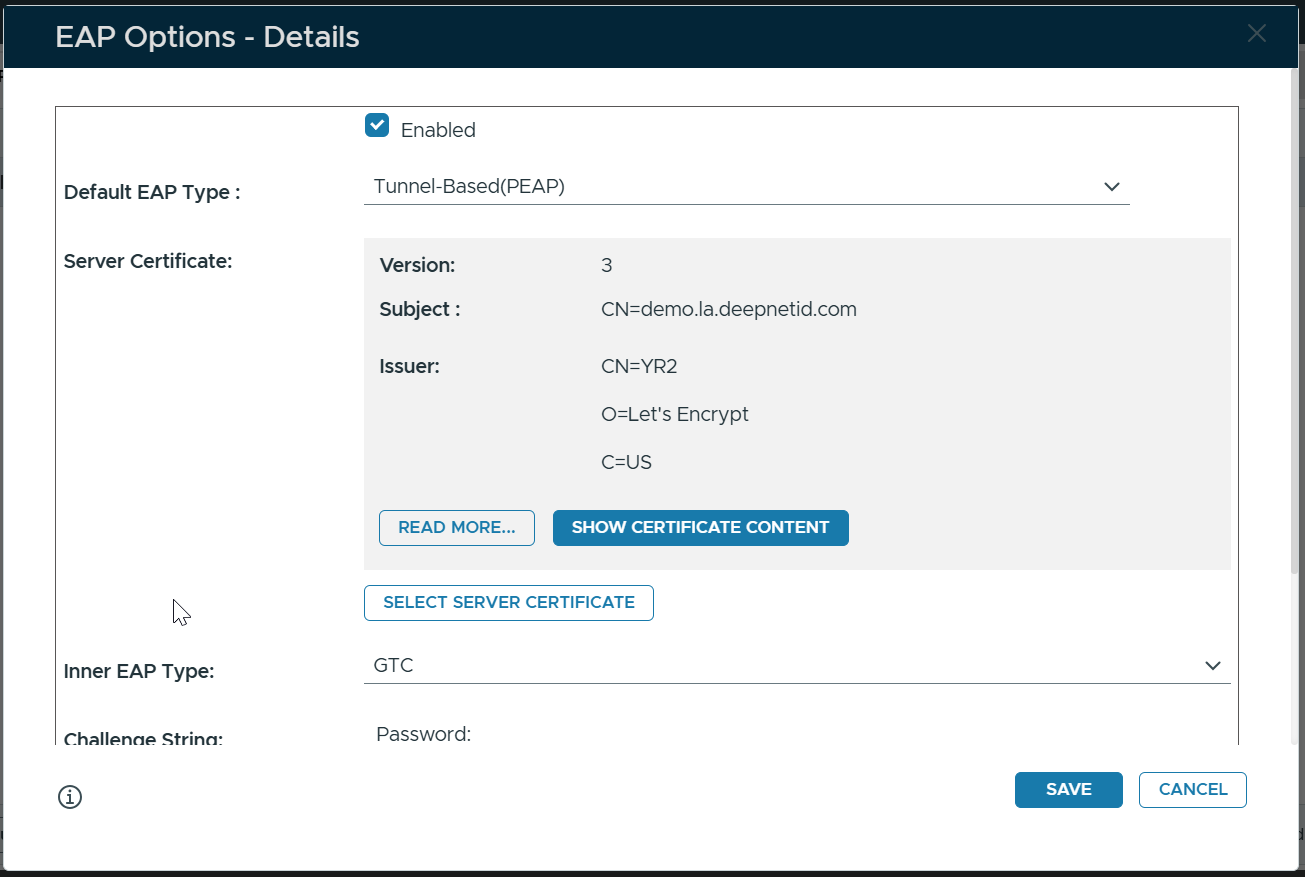
Finally, click "Save"