The DualShield Platform includes a certificate service that supports Let's Encrypt.
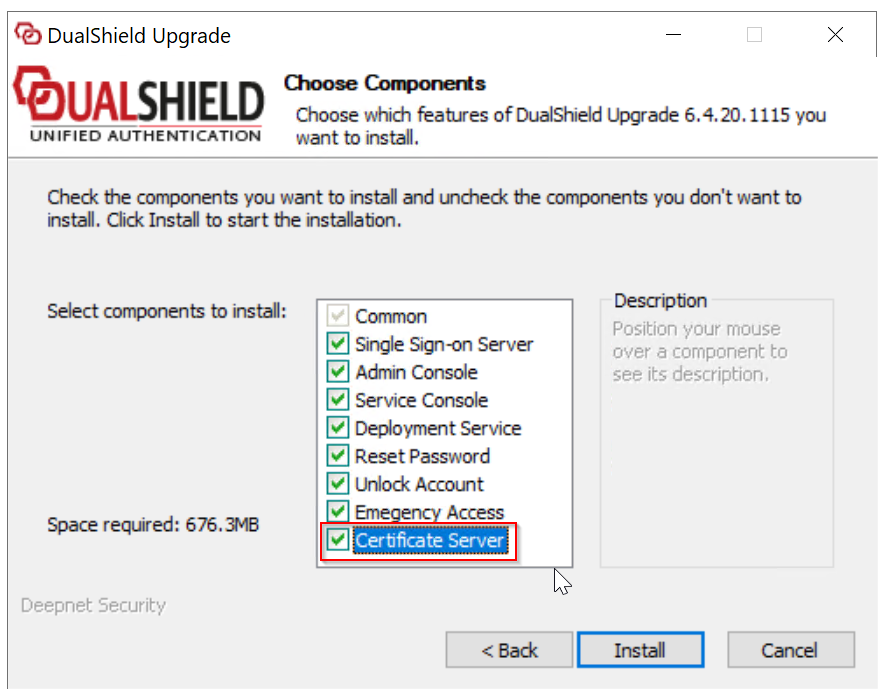
If are installing a new Front-end DualShield Server, then you must select the "Certificate Server" component in the installation process (at Step 5):

If you are upgrading an old DualShield 5.x / 6.x server to the latest DualShield 7.x server, then you must select the "Certificate Server" component in the upgrading process (at Step 5) :
Port 443
DualShield will use Port 443 to apply a new certificate from Let's Encrypt, also when renewing an existing Let's Encrypt certificate.
A Let's Encrypt certificate is valid for 90 days. DualShield will attempt to automatically renew a Let's Encrypt certificate 7 days before it expires.
LetsEncrypt Server - Port 443 Conflict
An issue has been identified where a Port conflict will occur, if another process on the same Server is already utilising Port 443.
In this scenario, the Certificate process will fail. This issue is being addressed and will be rectified in an upcoming DualShield Server upgrade.
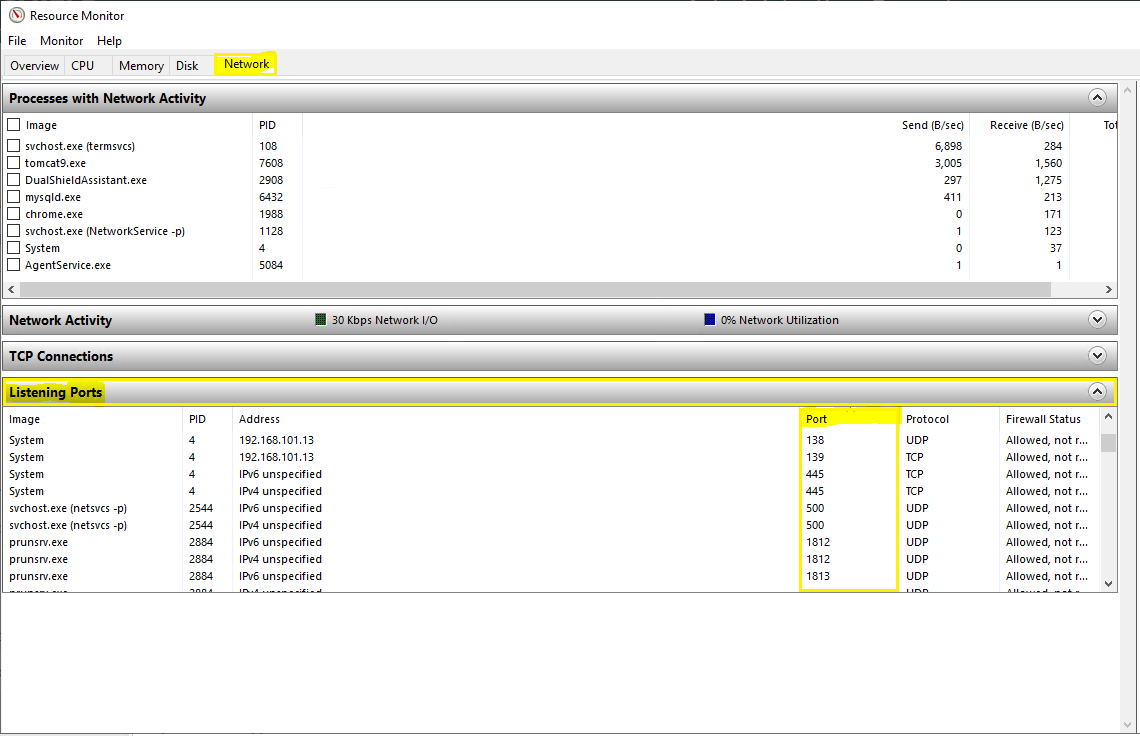
Troubleshooting this issue, you can ascertain what other Process is using Port 443, using 'Resource Monitor' (resmon.exe).
Select the "Network" tab in the main menu, then expand the section named "Listening Ports".
Columns are displayed for both Protocol plus Port number. All running Processes are listed, along with Port in use: