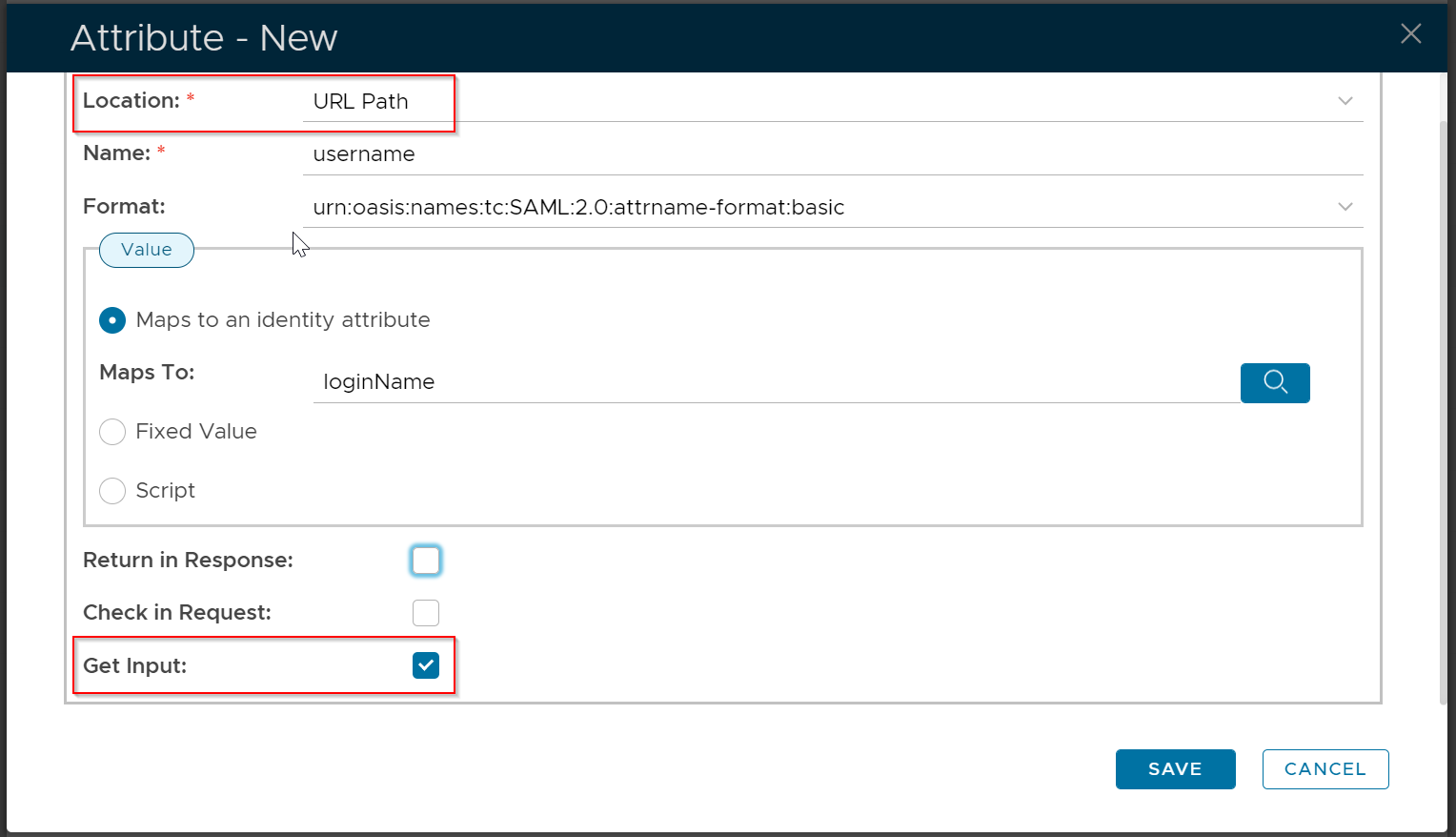
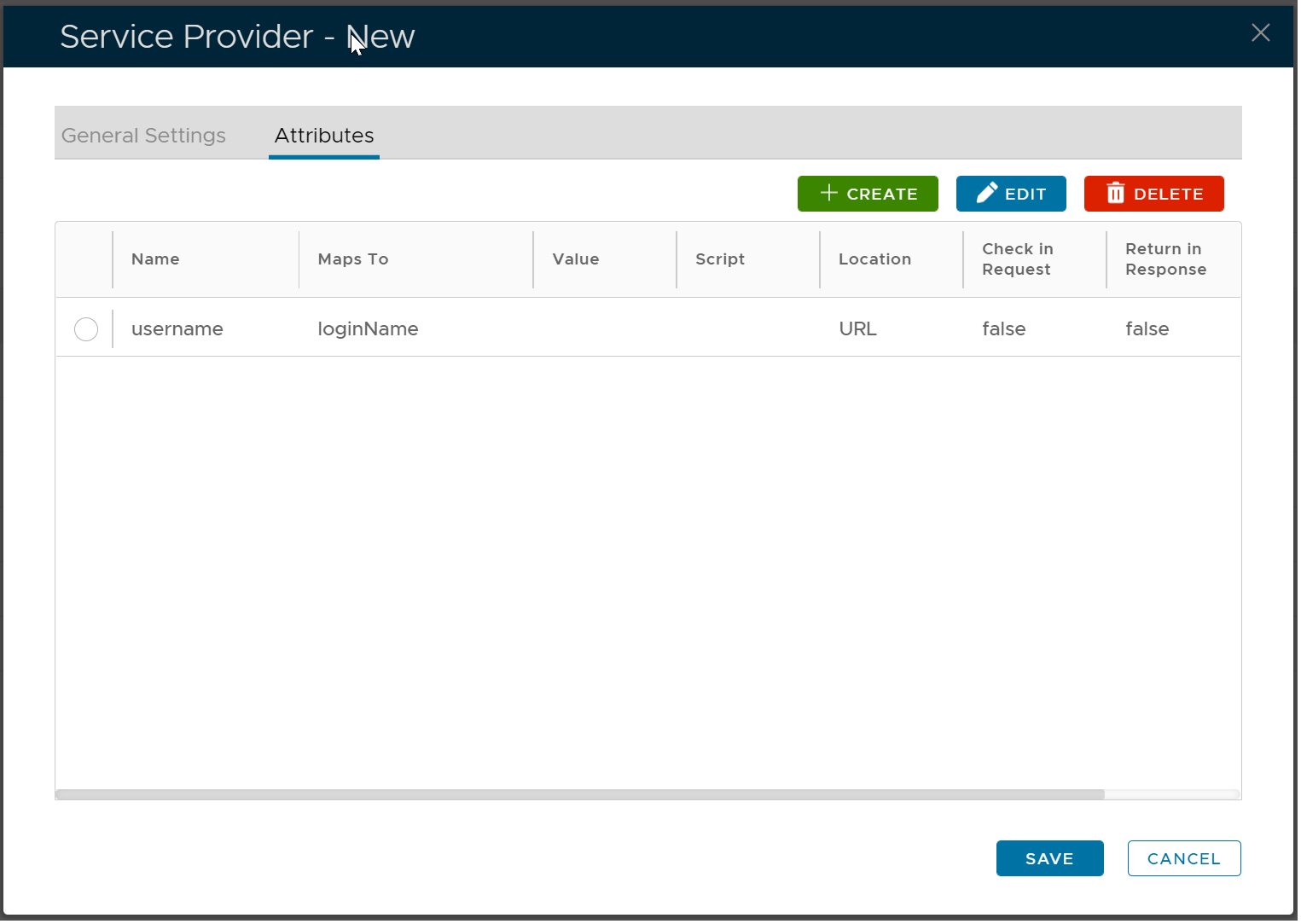
If you want to pass the user's login name from your SAML-enabled application (Service Provider) to your DualShield SSO server, then you need to add the following SAML attribute to your service provider.
Navigate to the Service Provider, click "Edit" from its context menu, then select the "Attributes" tab
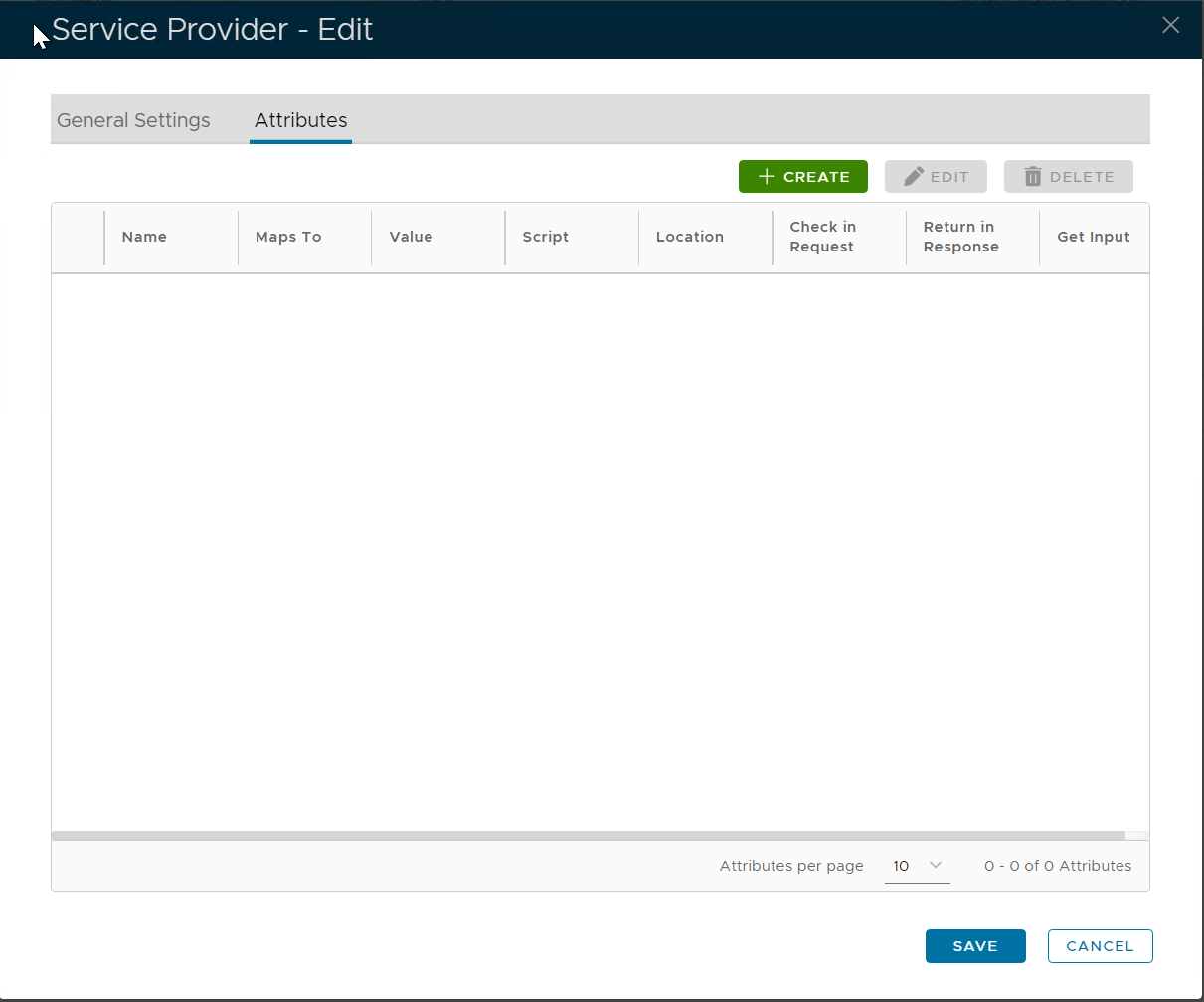
Click "Create" to add a new attribute
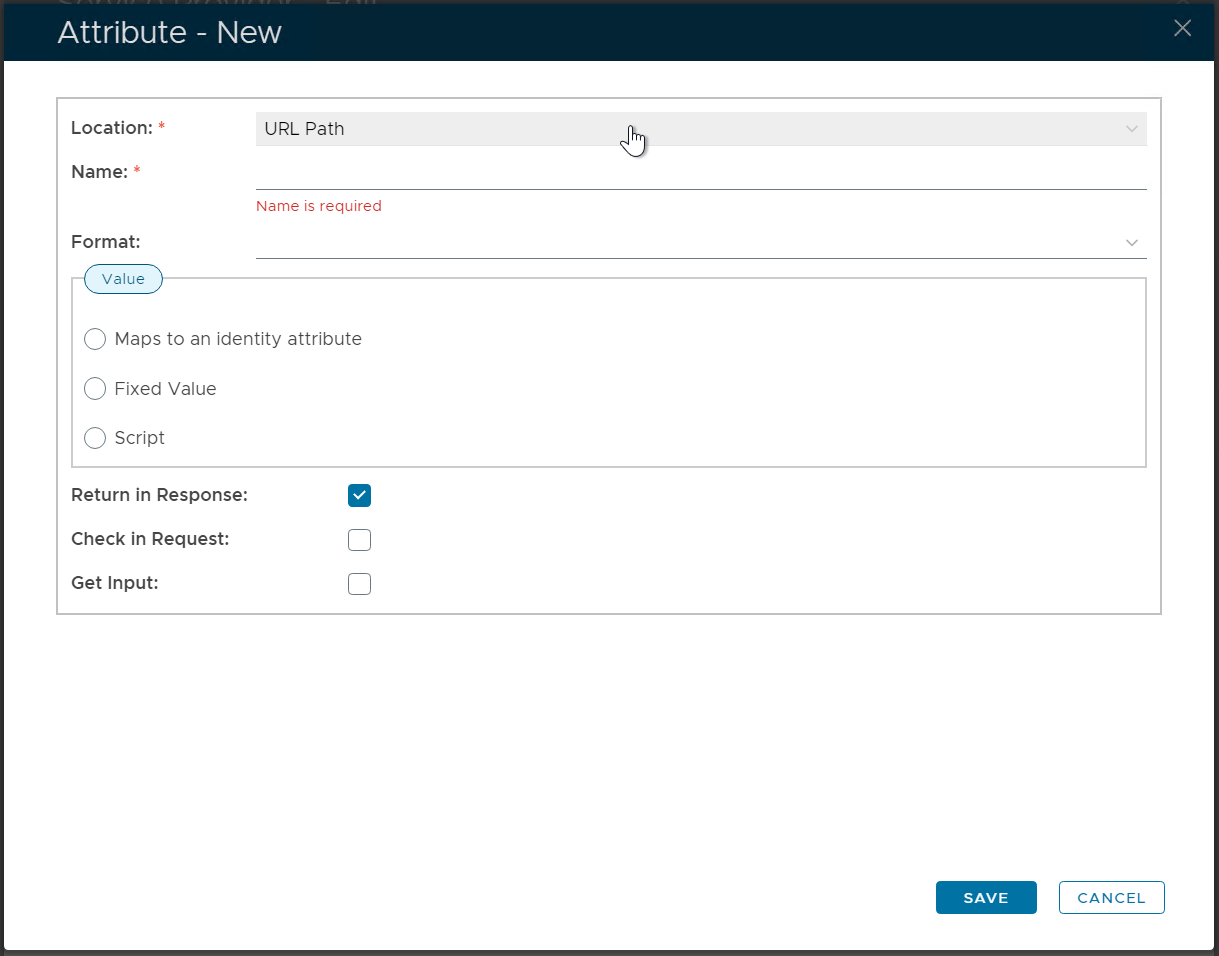
For this attribute, select "URL Path" as the location and enable the "Get Input" option