Download IdP Metadata
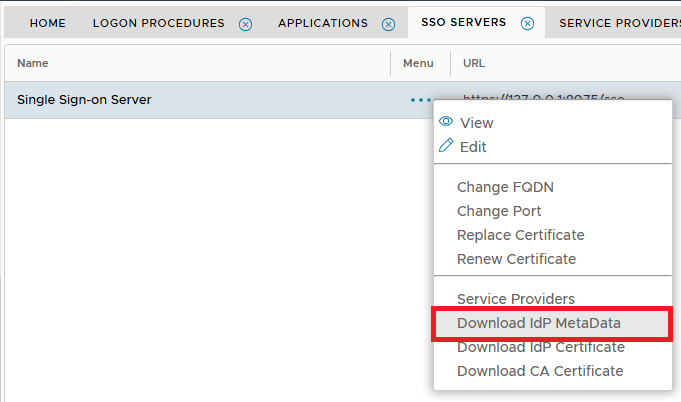
1. From the Dualshield Administration Console, navigate to "SSO | SSO Servers" ,click the context menu icon of the SSO server and select "Download IdP Metadata"
2. Click the context "..." menu on "Single Sign-on Server", then select "Download IdP Metadata"
The Metadata XML file will be saved to the local machine.
3. Open this XML file in a text editor such as Notepad.
4. Locate the line starting " <md : SingleSignOnService "
The Sign-In Endpoint will be found at this location....
