In the unlikely event you are met with the following error during instalation of the Windows Logon Agent...
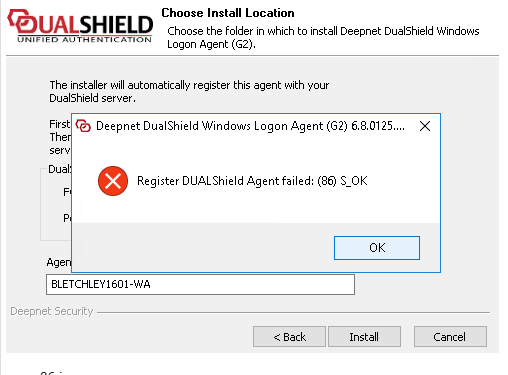
...Edit the Java options on your DualShield server..

On the DualShield server machine, open Windows Prompt, navigate to the DualShield installation directory, e.g. C:\Program Files\Deepnet DualShield

Change to the subfolder "tomcat\bin", then issue the command "Dir tomcat*.*";

Look for the file ending "w.exe", e.g. tomcat9w.exe, then issue the command "tomcat9w.exe //ES//dualshield " (replacing tomcat9w with the version found in your directory),

A new window will open titled "DualShield Authentication Server Properties", select the tab "Java";

Add the following line to the Java options box..

-Dkeystore.pkcs12.legacy=true

Apply and Save

Restart the DualShield Server Service.

If you have more than one DualShield Server, you will need to do the same for all.

  • No labels