1) Begin by following the instructions on checking the expiry date, as below....
Step 1: On the DualShield server machine, open the Windows Command Prompt
Step 2: Enter the command below:
"c:\Program Files\Deepnet DualShield\jre\bin\keytool" -list -v -keystore "c:\Program Files\Deepnet DualShield\jre\lib\security\cacerts" -alias dualultimateca
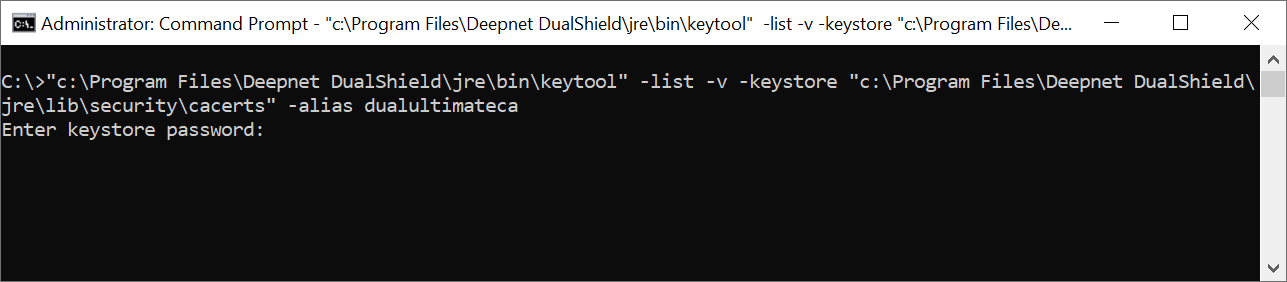
Step 3: At the prompt of “Enter keystore password:”, enter “changeit”
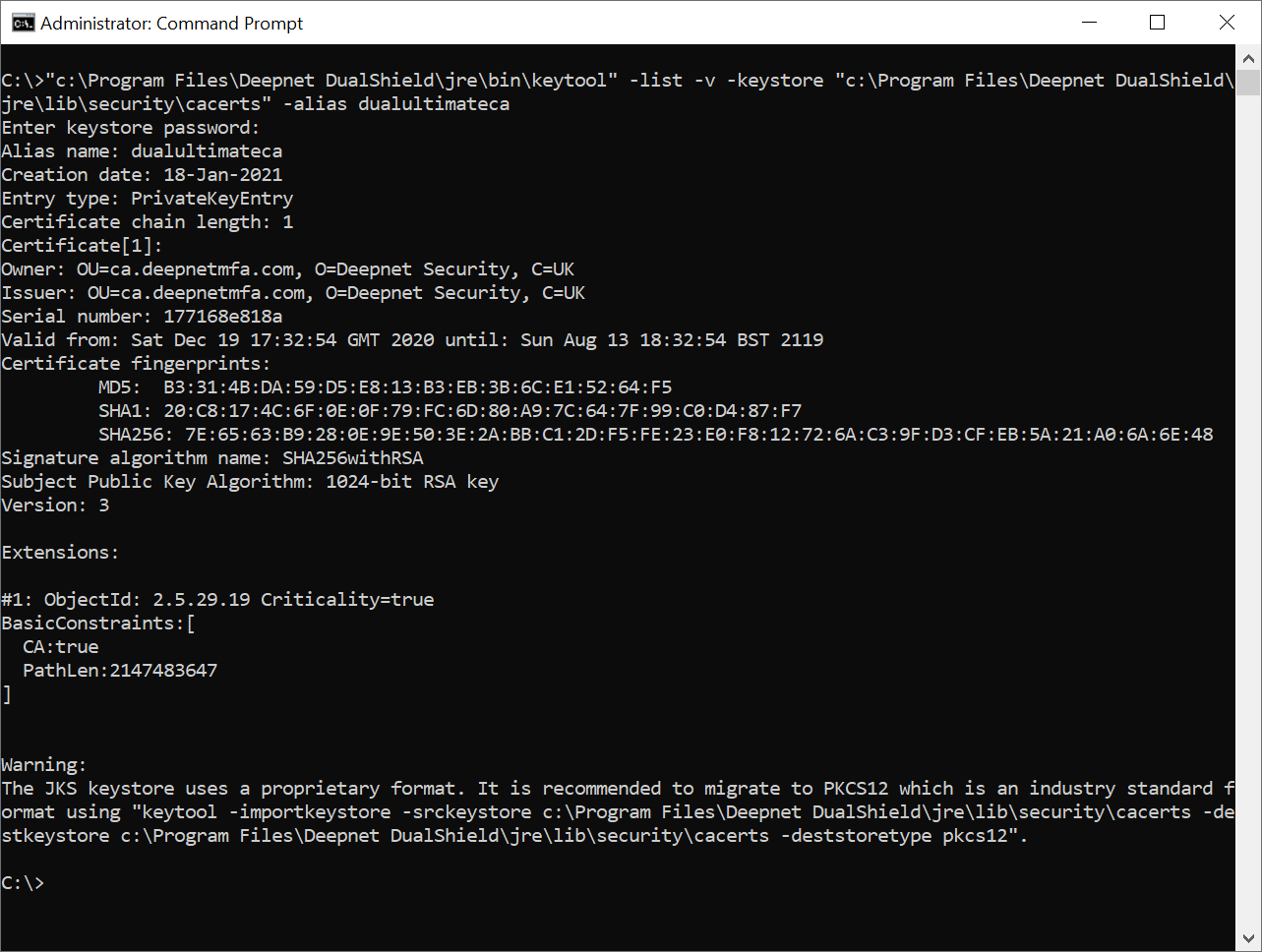
Step 4: Look out the line “Valid from … until …” in the result.
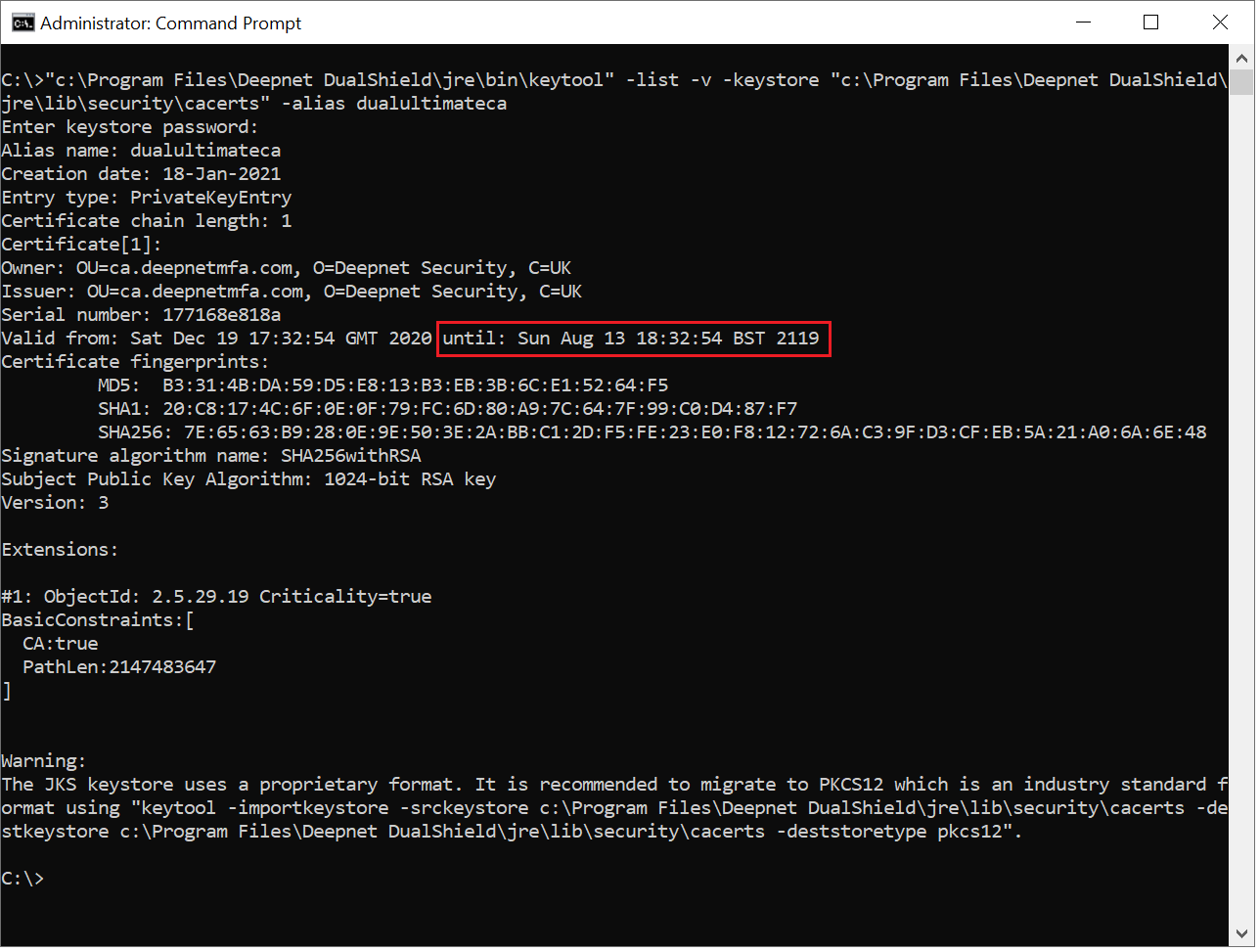
The date after "until:" is the expiration date of the DualShield CA certificate.
...However, instead of checking for the date, you will be checking for the owner...
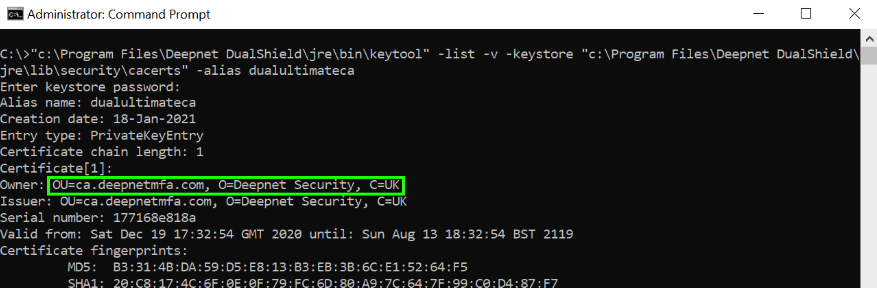
2) Note down the owner details. In this example, it is: OU=ca.deepnetmfa.com, O=Deepnet Security, C=UK
3) Backup the current cacerts file:
Run Command Prompt in admin mode and run the following commands:
cd C:\Program Files\Deepnet DualShield\jre
copy "lib\security\cacerts" "lib\security\cacerts.backup"
4) Delete the old root CA:
bin\keytool -delete -alias dualultimateca -keystore lib\security\cacerts -storepass changeit
5) Generate a new root CA with a keysize of 2048, using the owner information you acquired in step 2:
bin\keytool -genkeypair -alias dualultimateca -keyalg RSA -keysize 2048 -validity 36500 -dname "OU=ca.deepnetmfa.com, O=Deepnet Security, C=GB" -ext bc=ca:true -keystore lib\security\cacerts -storepass changeit -keypass changeit