| Option | Description |
|---|---|
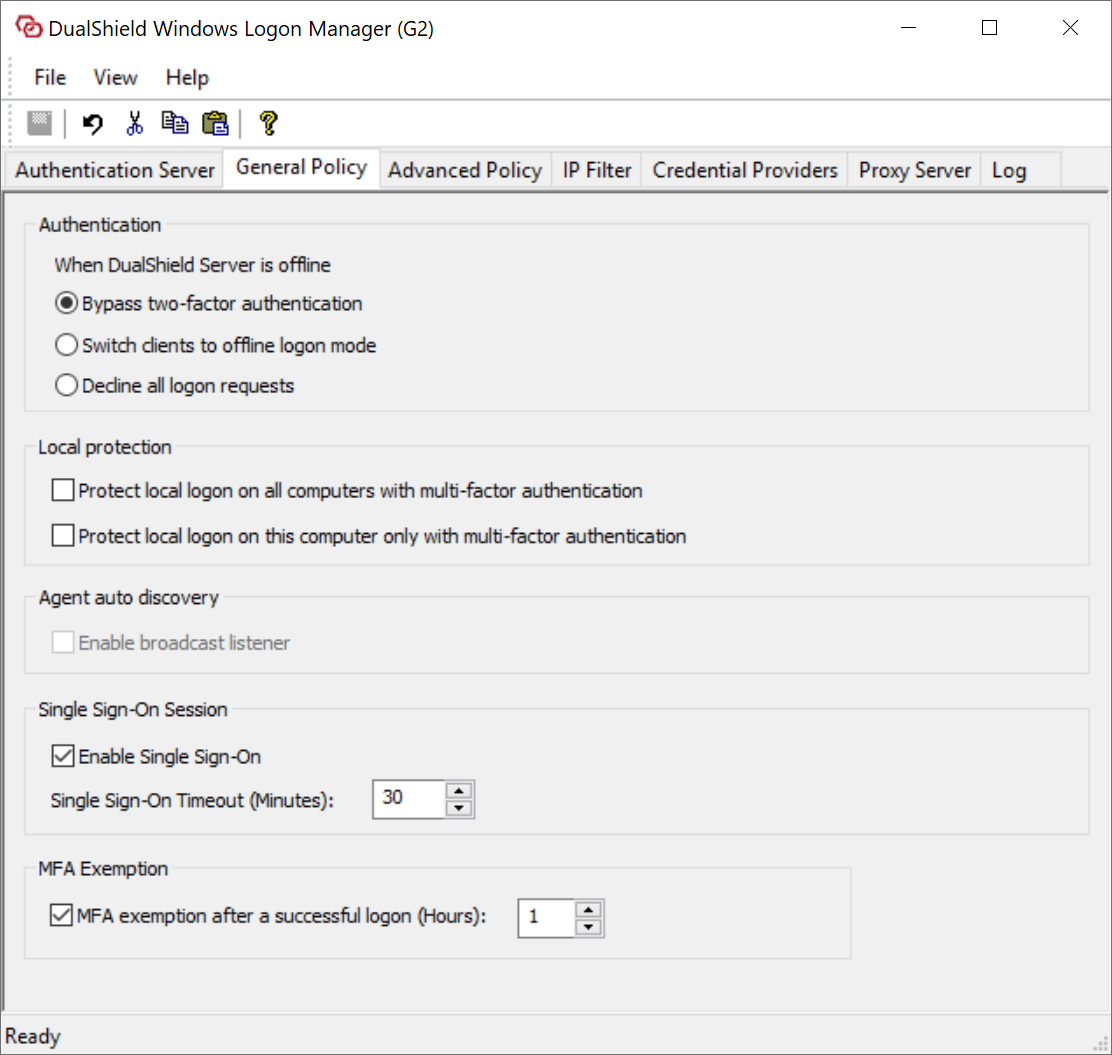
Authentication when DualShield server is offline
| When the DualShield server is offline, the Windows logon client will bypass two-factor authentication |
| When the DualShield server is offline, the Windows logon client will switch to the offline mode |
| When the DualShield server is offline, the Windows logon client will decline any logon request |
Local protection
| This options defines whether two factor authentication is required when a user attempts to log onto any computer in the network using a local user account. |
| This options defines whether two factor authentication is required when a user attempts to log onto this computer using a local user account |
Single Sign-On Session
| This option applies to RDP logon session only. If this option is enabled then two-factor authentication will not be required if
|
MFA Exemption
| If this option is enabled then two-factor authentication will not be required within the specified time period after a successful login. |