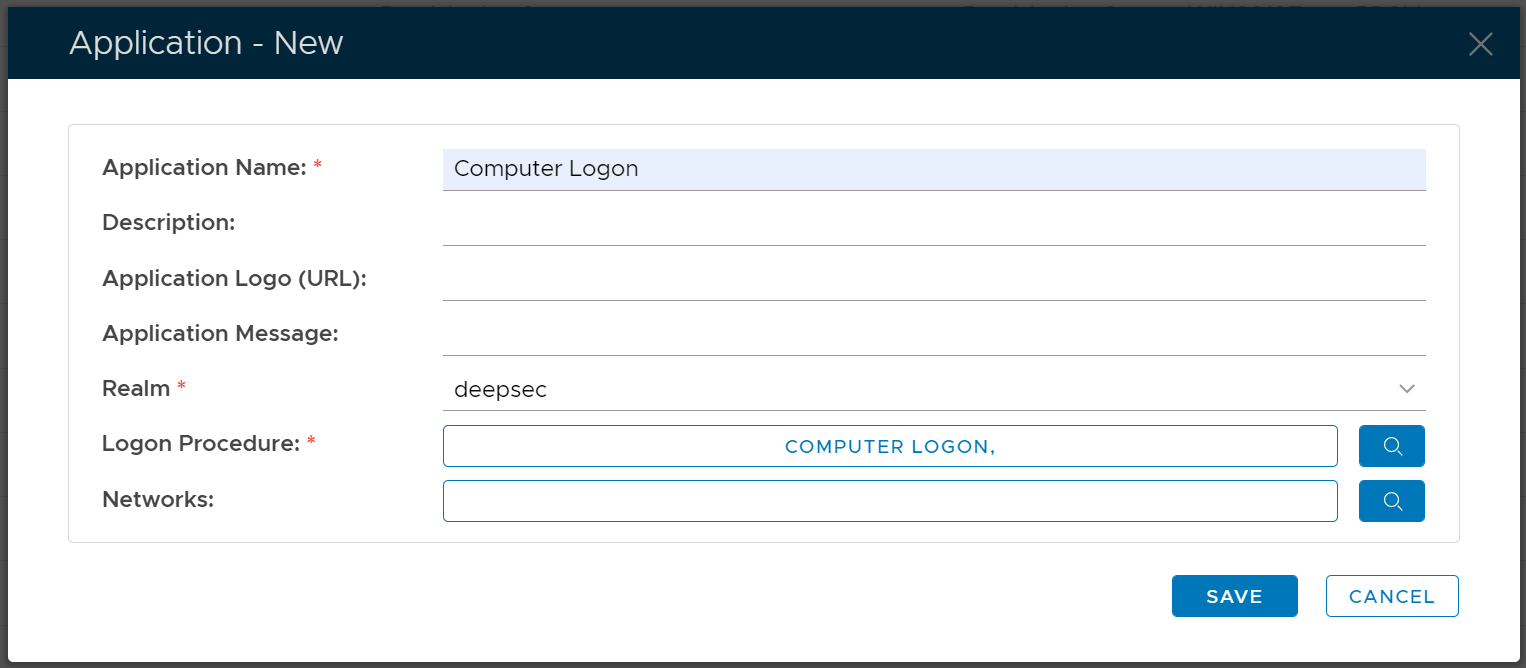
In DualShield, an application does not have a type. Therefore, creating an application for any integration is the same.
In the Admin Console, in the side panel, select "Authentication | Applications"

Select "CREATE" on the toolbar

Select the Realm to be linked to this application, e.g. Deep.Net
Select the Logon Procedure to be used by this application, e.g.. Office 365
Click "SAVE" to save the application.

However, you must select a Logon Procedure that is of the type of Windows. In the example below, we create an application with a name called "Computer Logon" and the logon procedure we select is a logon procedure called "Computer Logon" that we have already created.