Computer Logon uses the 'cn' attribute as an identifier for the account logon name. However, this attribute is not automatically created when you set up the Virtual Domain in the previous step; Create Local and Virtual Computer Logon Accounts
Therefore, this needs to be created manually in the DualShield Admin Console:
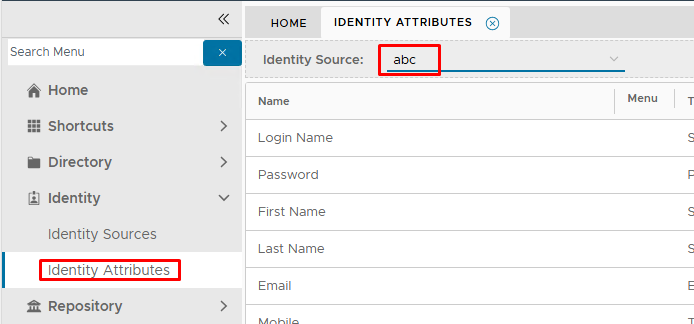
Login to the DualShield Administration Console and go to Identity>Identity Attributes
Select the new Identity Source that was created for the Virtual domain
Click on  on the top right.
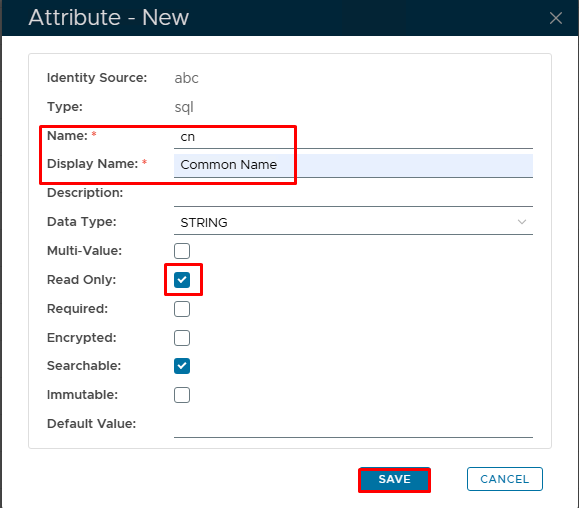
In the 'Attribute-New' Dialogue box, specify 'Name' as cn and 'Display Name' as Common Name
Enable 'Read only' check box.
Click Save