In the DualShield console, navigate to "Identity | Identity Attribute". Click the "+ CREATE" button on the toolbar:
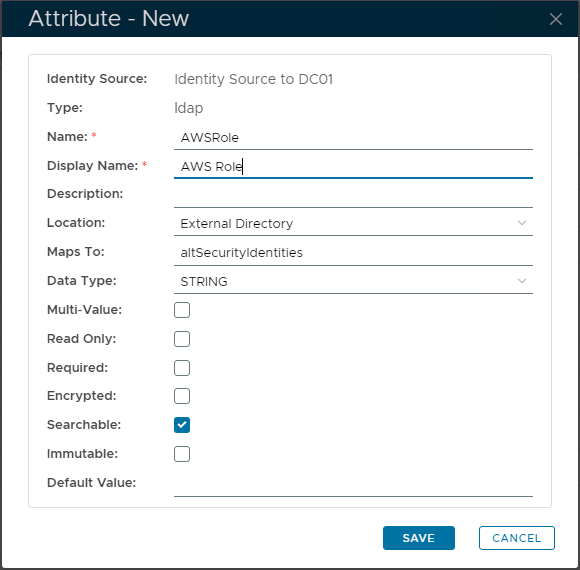
After populating the Attribute credentials, select "SAVE" to create it.
You can name the attribute whatever you like, plus mapped to any AD attribute you wish.
In this example, we're going to name the attribute as 'AWSRole', and we're going to map this attribute to an AD attribute called 'altSecurityIdentities'.