Select "Administration | Policies" on the side panel,
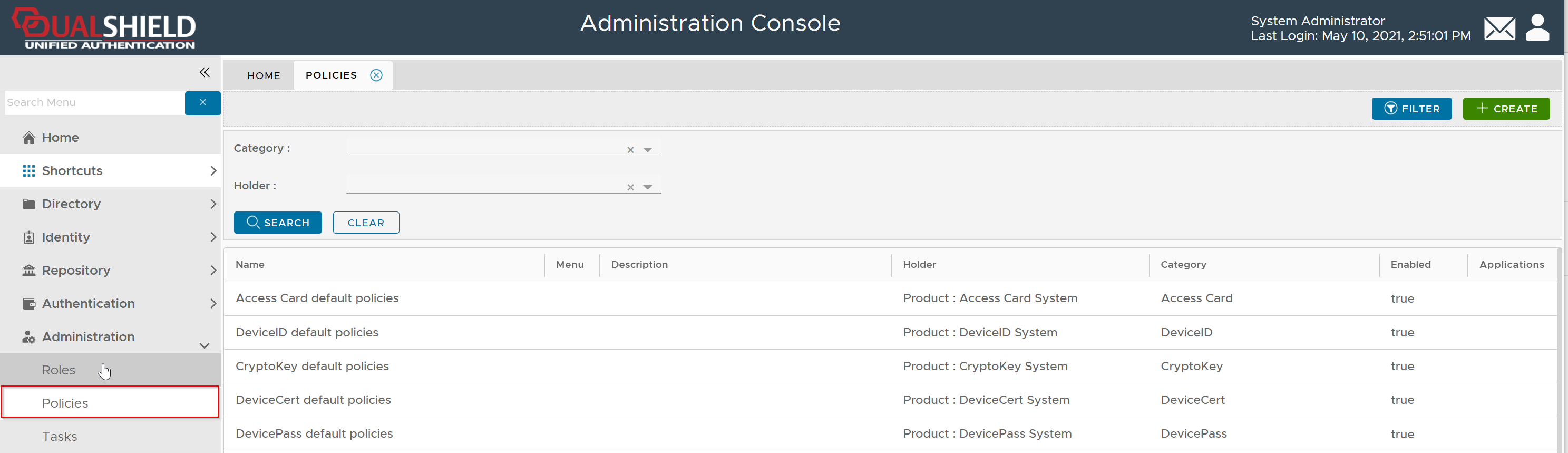
To create a new policy, click the "CREATE" button on the toolbar to open the policy editor window.
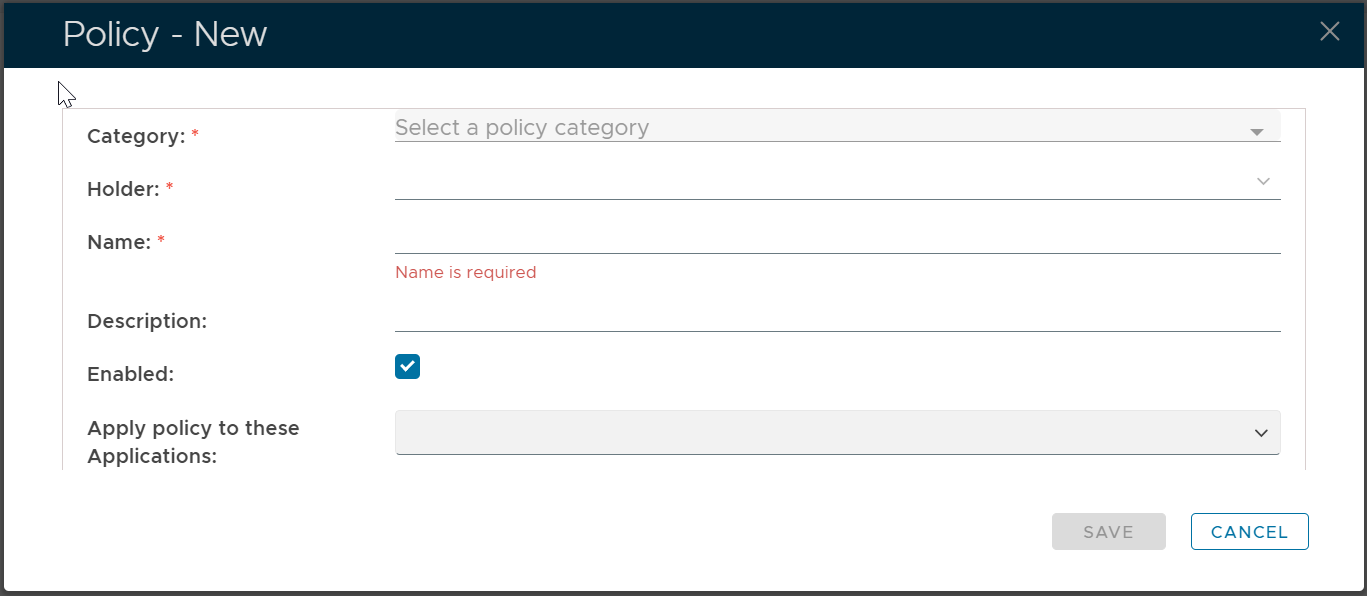
In the policy editor, firstly select FIDO2 from the Category drop-down list

Policy Bindings
| Holder: | The policyholder defines the scope of the policy.
|
| Name: | A unique name that describes this policy |
| Applications: | Optionally, you can bind the policy to a specific application or a list of applications. To specify the application(s), select the field: Apply policy to these applications If the field Apply policy to these applications is left empty, then the policy will be applied to all applications. |

Policy Options
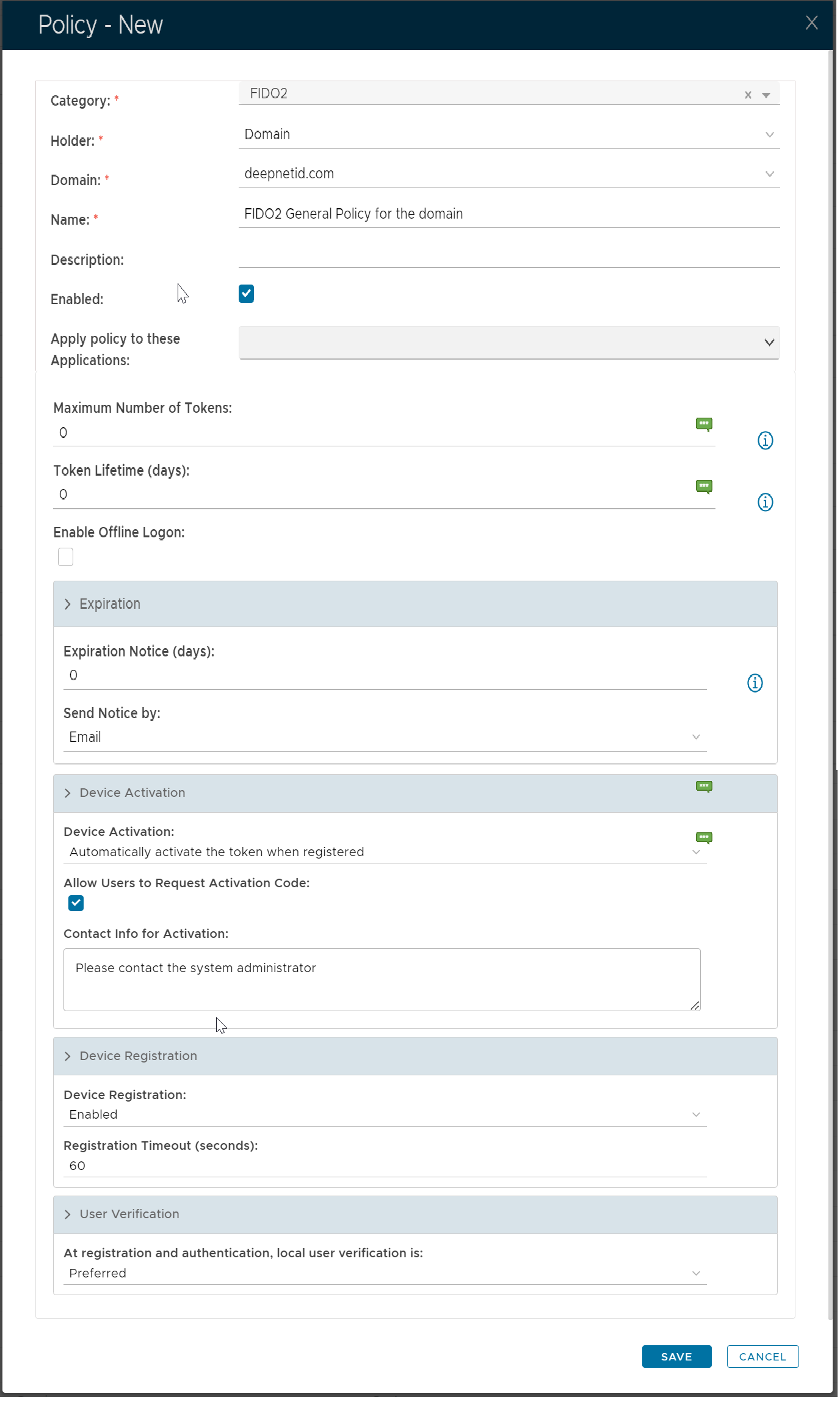
Device Registration
| Device Registration | This value enables or disables device registration of FIDO2 devices. |
| Registration Timeout | This value defines the maximum waiting time in the registration process of a FIDO2 security key |
User Verification
User verification can take various forms, such as PIN, fingerprint etc.
There are 3 options for user verification
Not Required | This value indicates that user verification is not required or is discouraged when initiating registration or authentication. |
| Preferred | This value indicates that the service prefers user verification for the operation if possible, but will not fail if user verification is not enabled. |
| Required | This value indicates that the service requires user verification for the operation and will fail the operation if user verification is not enabled or was not carried out successfully |
Note that:
When
User Verificationis set toNo Required, this doesn’t mean that User Verification is never performed. For instance, when registering a FIDO2 security key that has PIN set, user verification might be required depending on the application.When
User VerificationisPreferred, the user experience depends on whether or not a PIN is set or a fingerprint is enrolled on the user’s security key. To achieve a uniform user experience, explicitly setUser Verificationto either Not Required orRequiredaccording to your specific use case.When
User VerificationisRequired, keep in mind that registration or authentication will fail in the following cases:the user has not set a PIN or enrolled a fingerprint on his or her security key. Some browsers will ask the user to set a PIN or enroll a fingerprint during registration, but others don’t. So, the behaviour cannot in general be relied on.
the user is using a security key that does not support user verification (for instance, a U2F key)
the user is using a browser that does not support user verification (for instance, browsers that implement CTAP1 only)
| UV | User Verification |
| DAC | DualShield Admin Console |
| SSO | DualShield Single Sign-On |
User Verification is Not Required
| Chrome | Security Key has not set PIN or Fingerprint | Security Key has PIN set or Fingerprint enrolled |
|---|---|---|
| Use DAC register a FIDO2 key | UV is not prompted | UV is prompted |
| Use SSO to enroll a FIDO2 key | UV is not prompted | UV is prompted |
| Use SSO to log in with a FIDO2 key | UV is not prompted | UV is not prompted |
User Verification is Preferred
| Chrome | Security Key has not set PIN or Fingerprint | Security Key has PIN set or Fingerprint enrolled |
|---|---|---|
| Use DAC register a FIDO2 key | UV is not prompted | UV is prompted |
| Use SSO to enroll a FIDO2 key | You'll be prompted to set PIN or enroll fingerprint
| UV is prompted |
| Use SSO to log in with a FIDO2 key | UV is not prompted | UV is prompted |
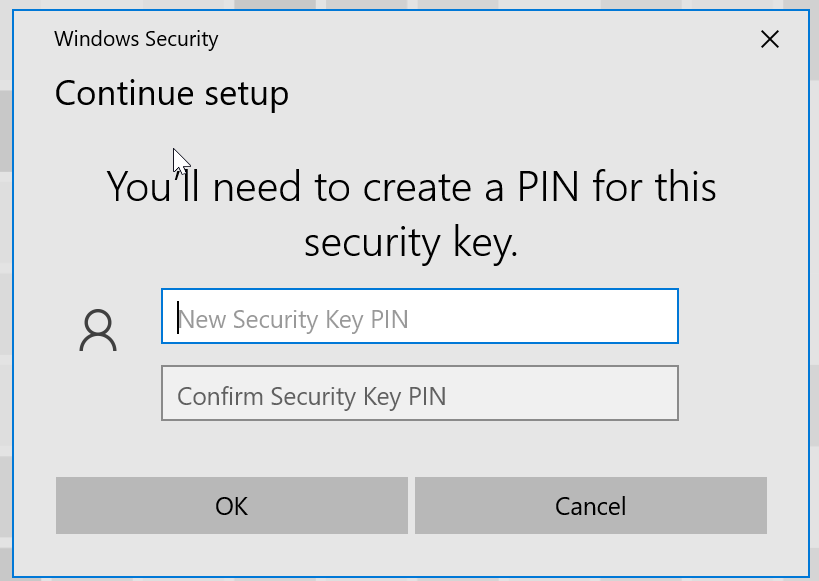
ser Verification is Required
| Chrome | Security Key has not set PIN or Fingerprint | Security Key has PIN set or Fingerprint enrolled |
|---|---|---|
| Use DAC register a FIDO2 key | You'll be prompted to set PIN or enroll fingerprint
| UV is prompted |
| Use SSO to enroll a FIDO2 key | You'll be prompted to set PIN or enroll fingerprint
| UV is prompted |
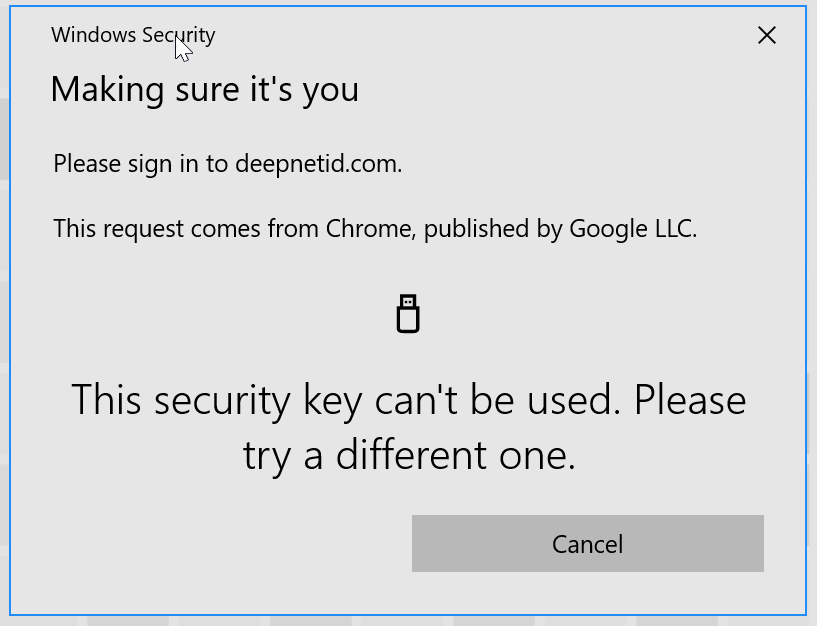
| Use SSO to log in with a FIDO2 key | This security key can't be used
| UV is prompted |
Device Registration
| Device Registration | This value enables or disables device registration of FIDO2 devices. |
| Registration Timeout | This value defines the maximum waiting time in the registration process of a FIDO2 security key |
User Verification
User verification can take various forms, such as PIN, fingerprint etc.
There are 3 options for user verification
Not Required | This value indicates that user verification is not required or is discouraged when initiating registration or authentication. |
| Preferred | This value indicates that the service prefers user verification for the operation if possible, but will not fail if user verification is not enabled. |
| Required | This value indicates that the service requires user verification for the operation and will fail the operation if user verification is not enabled or was not carried out successfully |
Note that:
When
User Verificationis set toNo Required, this doesn’t mean that User Verification is never performed. For instance, when registering a FIDO2 security key that has PIN set, user verification might be required depending on the application.When
User VerificationisPreferred, the user experience depends on whether or not a PIN is set or a fingerprint is enrolled on the user’s security key. To achieve a uniform user experience, explicitly setUser Verificationto either Not Required orRequiredaccording to your specific use case.When
User VerificationisRequired, keep in mind that registration or authentication will fail in the following cases:the user has not set a PIN or enrolled a fingerprint on his or her security key. Some browsers will ask the user to set a PIN or enroll a fingerprint during registration, but others don’t. So, the behaviour cannot in general be relied on.
the user is using a security key that does not support user verification (for instance, a U2F key)
the user is using a browser that does not support user verification (for instance, browsers that implement CTAP1 only)
| UV | User Verification |
| DAC | DualShield Admin Console |
| SSO | DualShield Single Sign-On |
User Verification is Not Required
| Chrome | Security Key has not set PIN or Fingerprint | Security Key has PIN set or Fingerprint enrolled |
|---|---|---|
| Use DAC register a FIDO2 key | UV is not prompted | UV is prompted |
| Use SSO to enroll a FIDO2 key | UV is not prompted | UV is prompted |
| Use SSO to log in with a FIDO2 key | UV is not prompted | UV is not prompted |
User Verification is Preferred
| Chrome | Security Key has not set PIN or Fingerprint | Security Key has PIN set or Fingerprint enrolled |
|---|---|---|
| Use DAC register a FIDO2 key | UV is not prompted | UV is prompted |
| Use SSO to enroll a FIDO2 key | You'll be prompted to set PIN or enroll fingerprint
| UV is prompted |
| Use SSO to log in with a FIDO2 key | UV is not prompted | UV is prompted |
ser Verification is Required
| Chrome | Security Key has not set PIN or Fingerprint | Security Key has PIN set or Fingerprint enrolled |
|---|---|---|
| Use DAC register a FIDO2 key | You'll be prompted to set PIN or enroll fingerprint
| UV is prompted |
| Use SSO to enroll a FIDO2 key | You'll be prompted to set PIN or enroll fingerprint
| UV is prompted |
| Use SSO to log in with a FIDO2 key | This security key can't be used
| UV is prompted |