Any application that you need to be accessible via an emergency access code will need to have this method added to the logon procedure of the protected application.
To add this authentication method to your application first navigate to "Authenication | Logon Procedures", then click on the context menu of the application and select "Logon Steps";
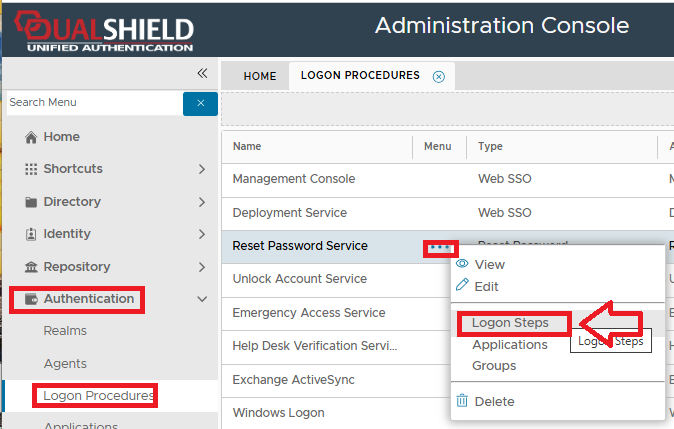
In the example above we will be added the method "Emergency Code" to the reset password service, but the same method applies to whatever application you want this method added to.
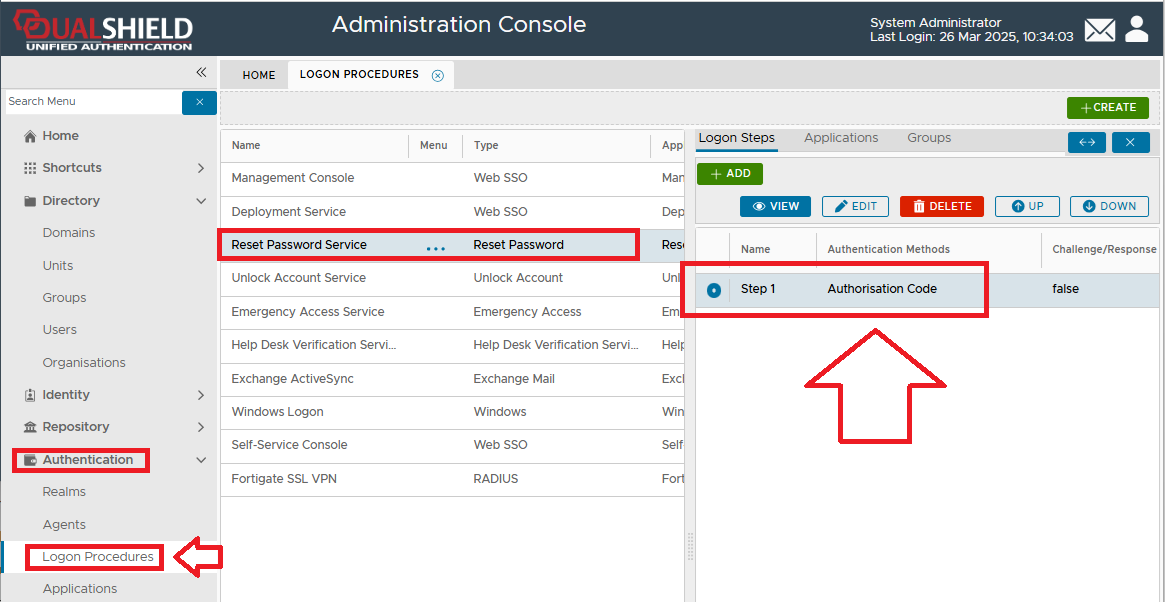
After selecting the context menu option you will be presented with the list of logon steps for this logon procedure, and in this example it is one step protected by an authorisation code;
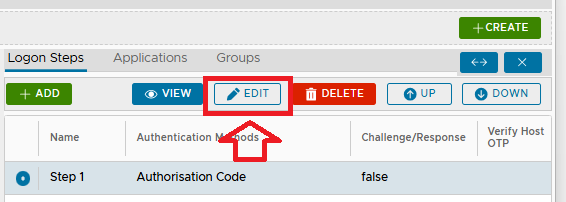
In order to add an option for using Emergency Codes to this portal we first need to click on the  button;
A new window titled "Logon Step - Step 1" will now open (showing the currently available authentication methods for this step);
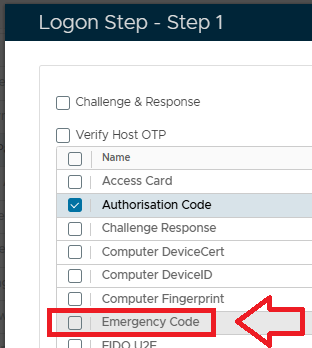
Select the checkbox "Emergency Code", then click on , and the new authentication method will have been added to the logon procedure;
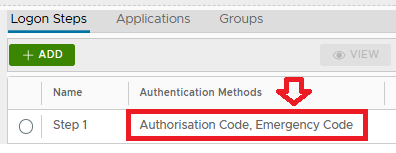
The authentication method "Emergency Code" has now been added to the first step of logon procedure for the protected application.