Okta is a cloud-based platform for identity and access management that helps organizations securely connect people to applications and devices.
Once you have registered your FIDO2 key with Okta, the key will be ready to be used as an authentication method when accessing your account.
Register your FIDO2 key in your Okta account
Before you can use your FIDO2 key as an access method for your Okta account you will need to register the key with Okta using the following procedure;
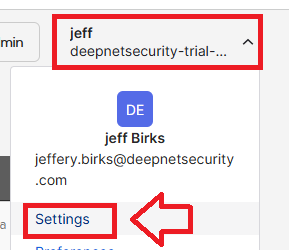
- In order to be able to log in using Fido keys,, you will need to sign in to the your Okta account,, then from your user account dropdown select "Settings";
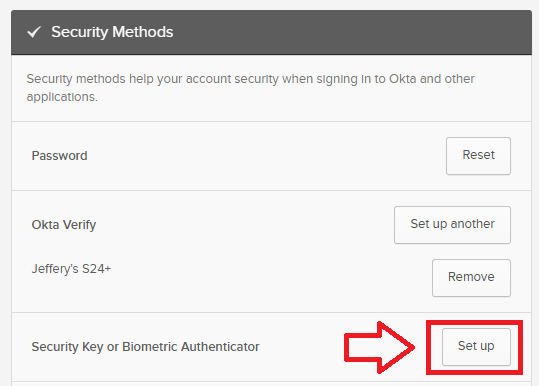
A new web page will now open titled "Account", in the section "Security Methods" you will be shown a list of currently available authentication methods, select the option "Security Key or Biometric Authenticator" click on the "Set up" button;
After verifying your identity, a window such as the following will be shown;
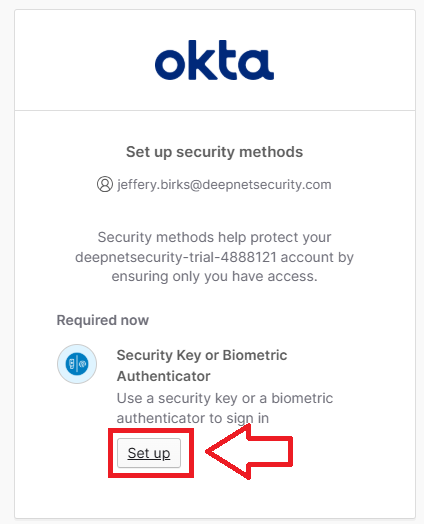
Click on "Set up", and in the popup window that opens select the option "Save another way";
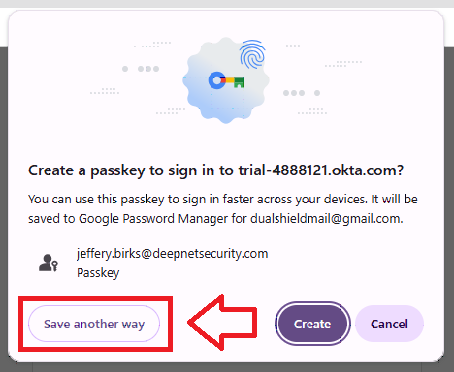
Insert you Fido key into an available USB port, then select the option "use a phone tablet or security key";
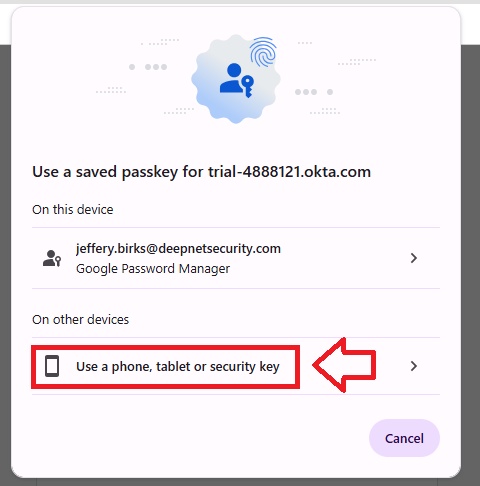
When asked to sign in with your passkey select "Security key";l

At this point you will be asked to provide the PIN code that protects your Fido2 key;
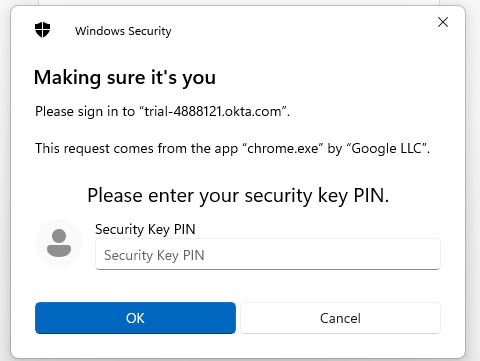
Enter the PIN code for your key then click
 , and you will be asked to touch the button on your key;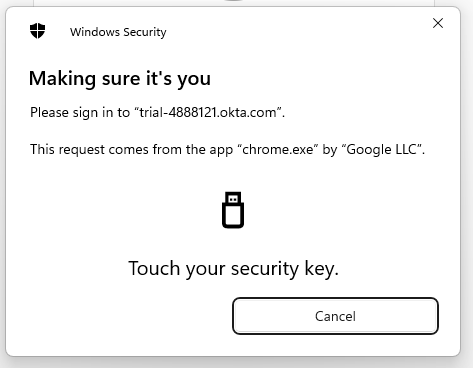
Provided you press the button on the Fido2 key in the allowed time, the passkey details will be stored on your Fido2 key.
Signing in to an Okta account with a FIDO2 key
Once you have registered you FIDO2 key with eBay the key will be ready to be used as an authentication method when accessing your account.
Related Articles