If you plan to use DualShield as the management service provider for the computer logon modern authentication solution, then it is assumed that you will also use DualShield as the MFA provider.
However, you can use DualShield as the MFA provider for computer logon in 2 ways. You can use DualShield as the direct MFA provider, or as the indirect MFA provider via Entra EAM (External Authentication Method).
DualShield as the Direct MFA Provider
If you use DualShield as the direct MFA provider, then you need to do the following:
Step 1: Set up an OIDC service provider in DualShield for Computer Logon MA
Click "Create" to create a new service provider
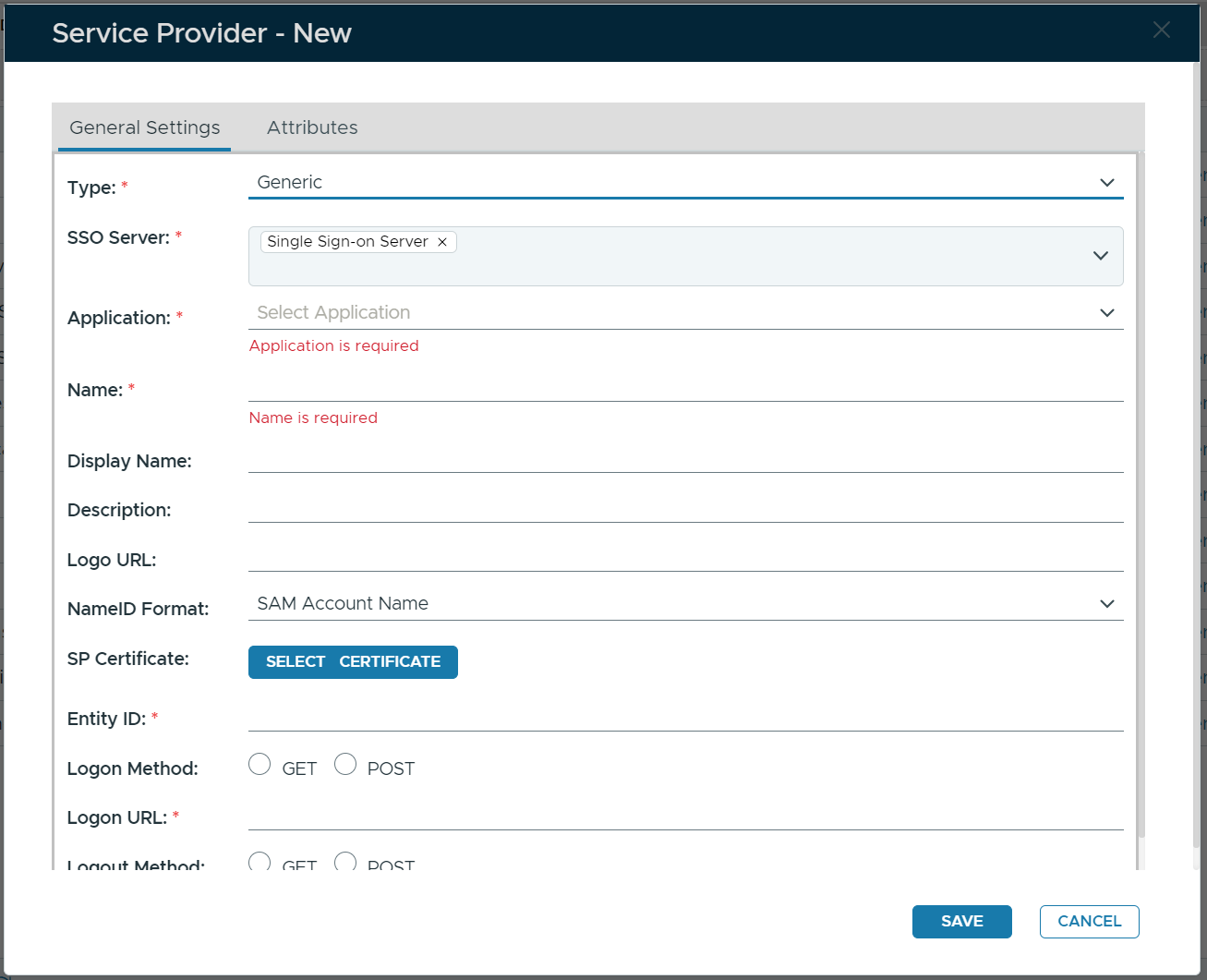
Fill in the form as below:
| Type | Select "OpenID Connect" |
| Vendor | Select "generic" |
| SSO Server | Select your DualShield SSO Server |
| Application | Select the application that you have created for Computer Logon MA |
| Name | Enter a name, e.g. Computer Logon MA |
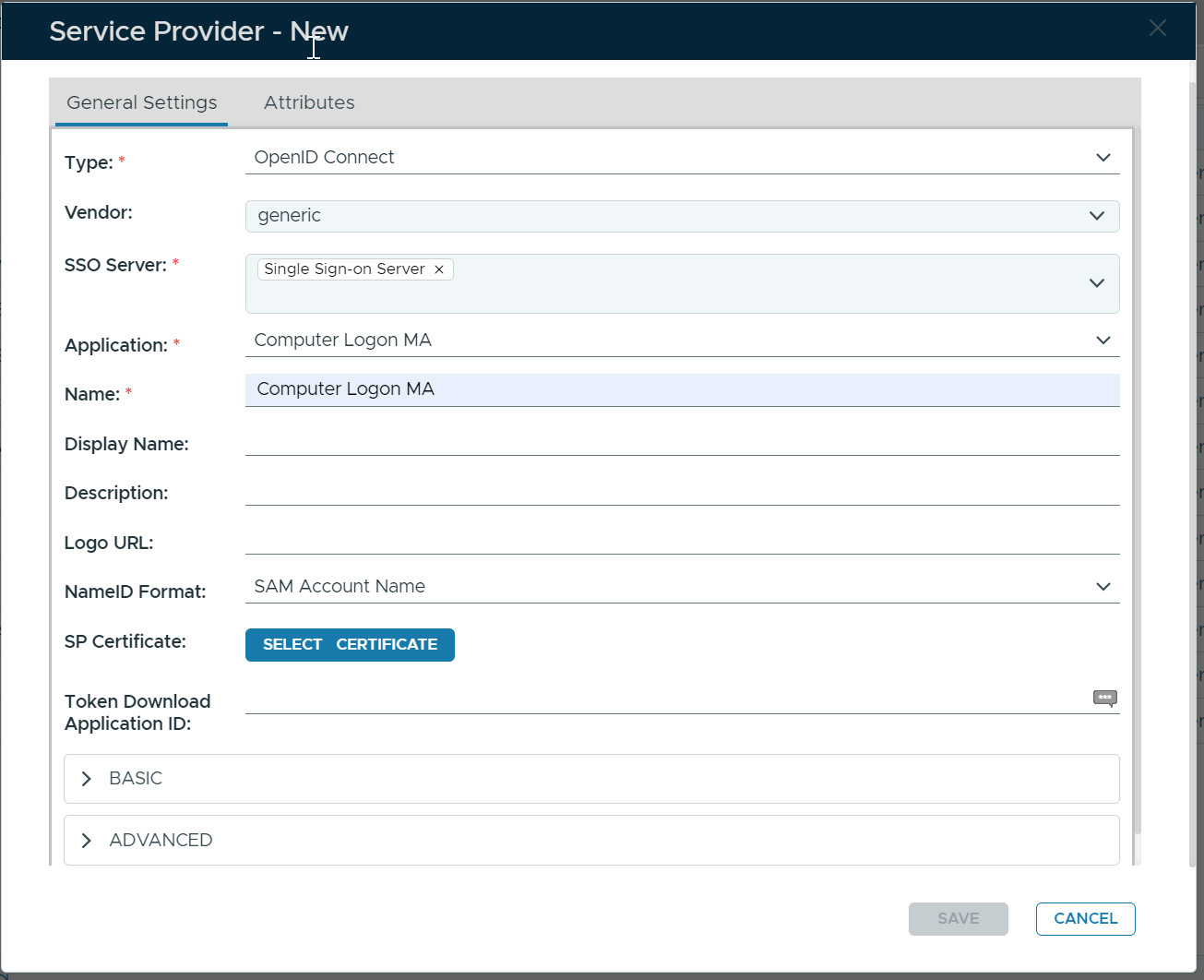
Next, expand the "BASIC" section
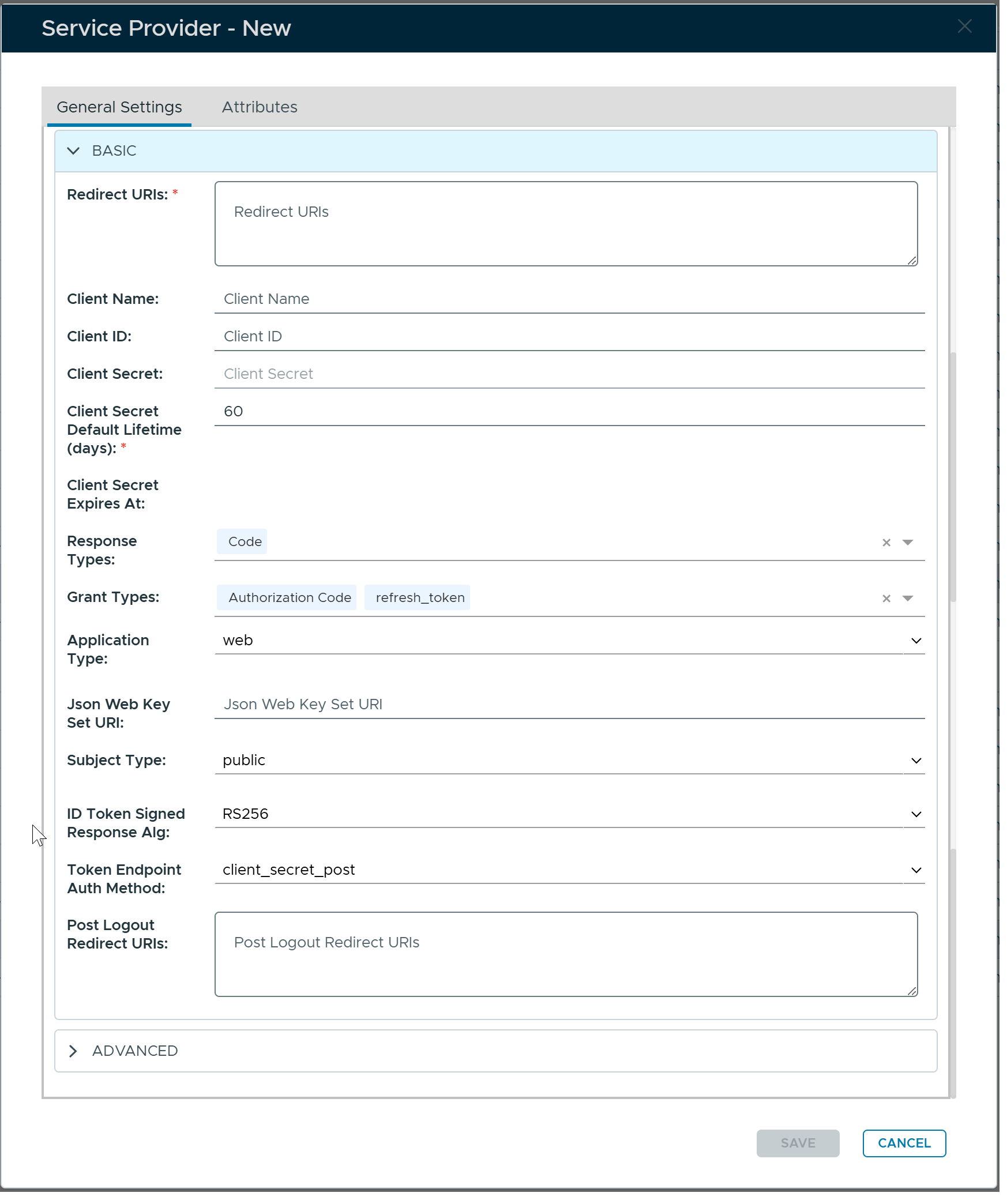
Fill in the following details:
| Redirect URIs | https://deepnet-clo-ma-native,https://deepnet-clo-ma-web |
| Response Type | Code |
| Grant Types | Authorization Code, refresh_token |
| Token Endpoint Auth Method | None |
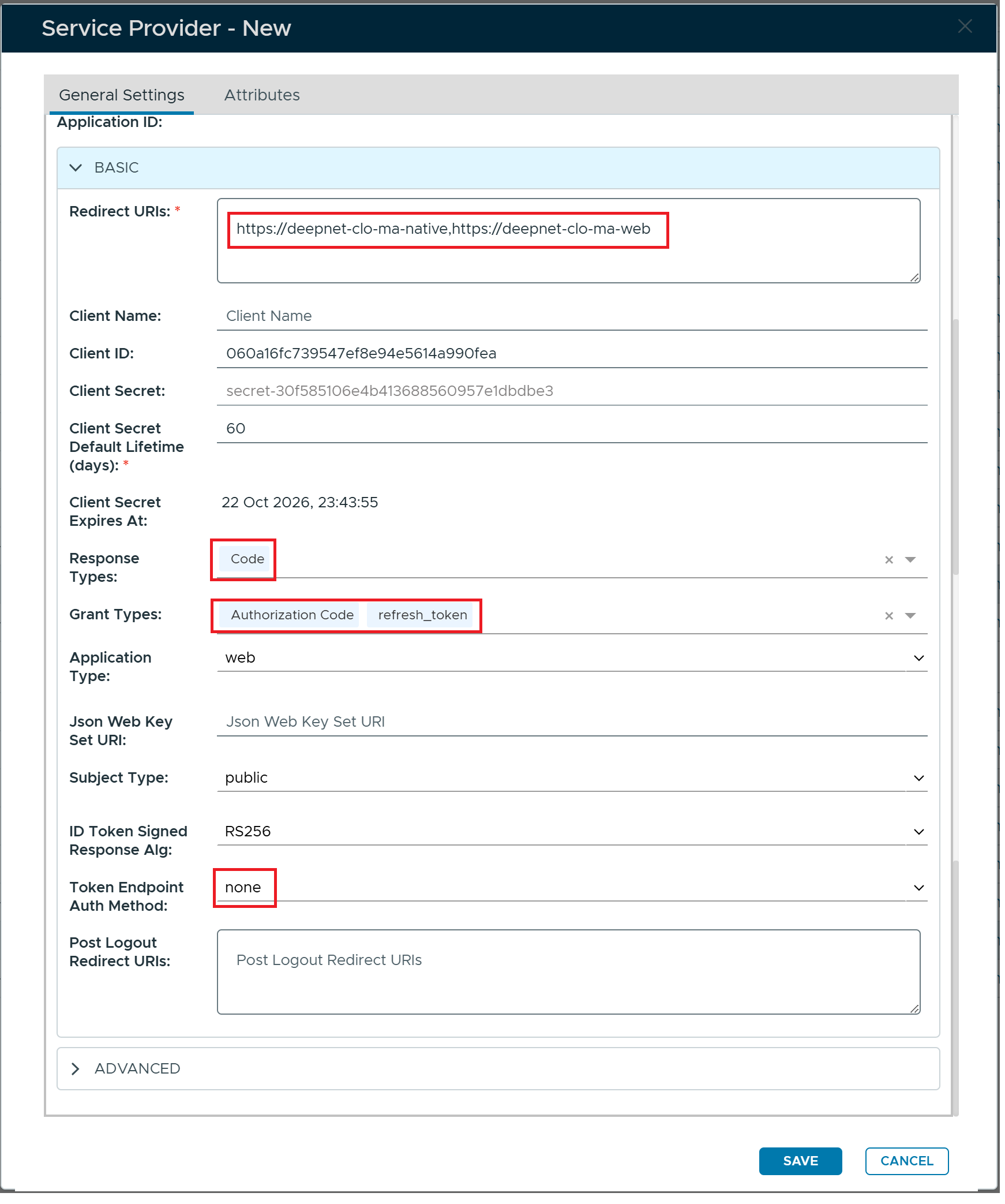
Click the "SAVE" button
The new service provider "Computer Logon MA" is created
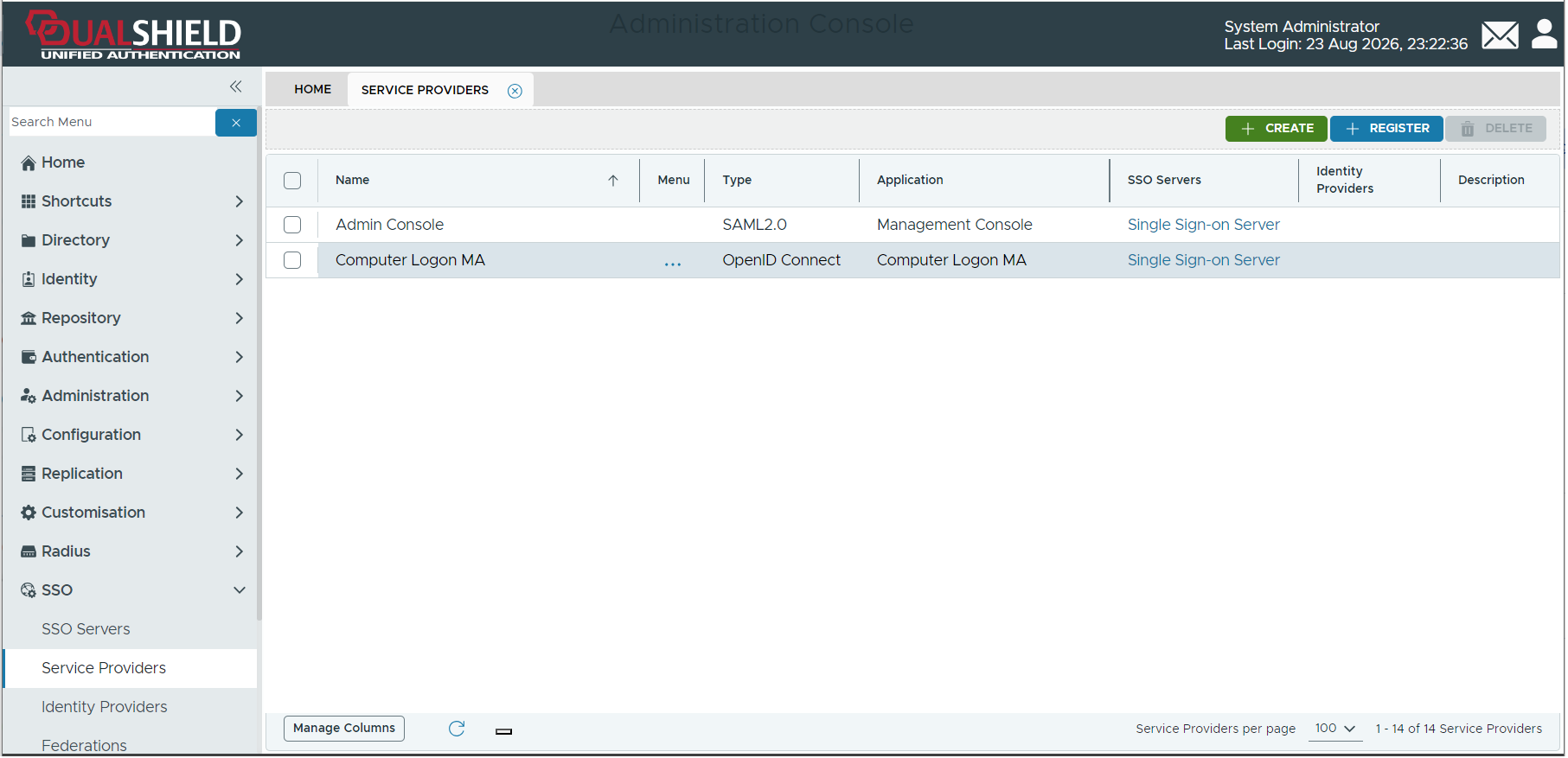
Now, click the context menu icon  of the newly created service provider "Computer Logon MA" and select "Edit" from the menu
Next, click the Attribute tab
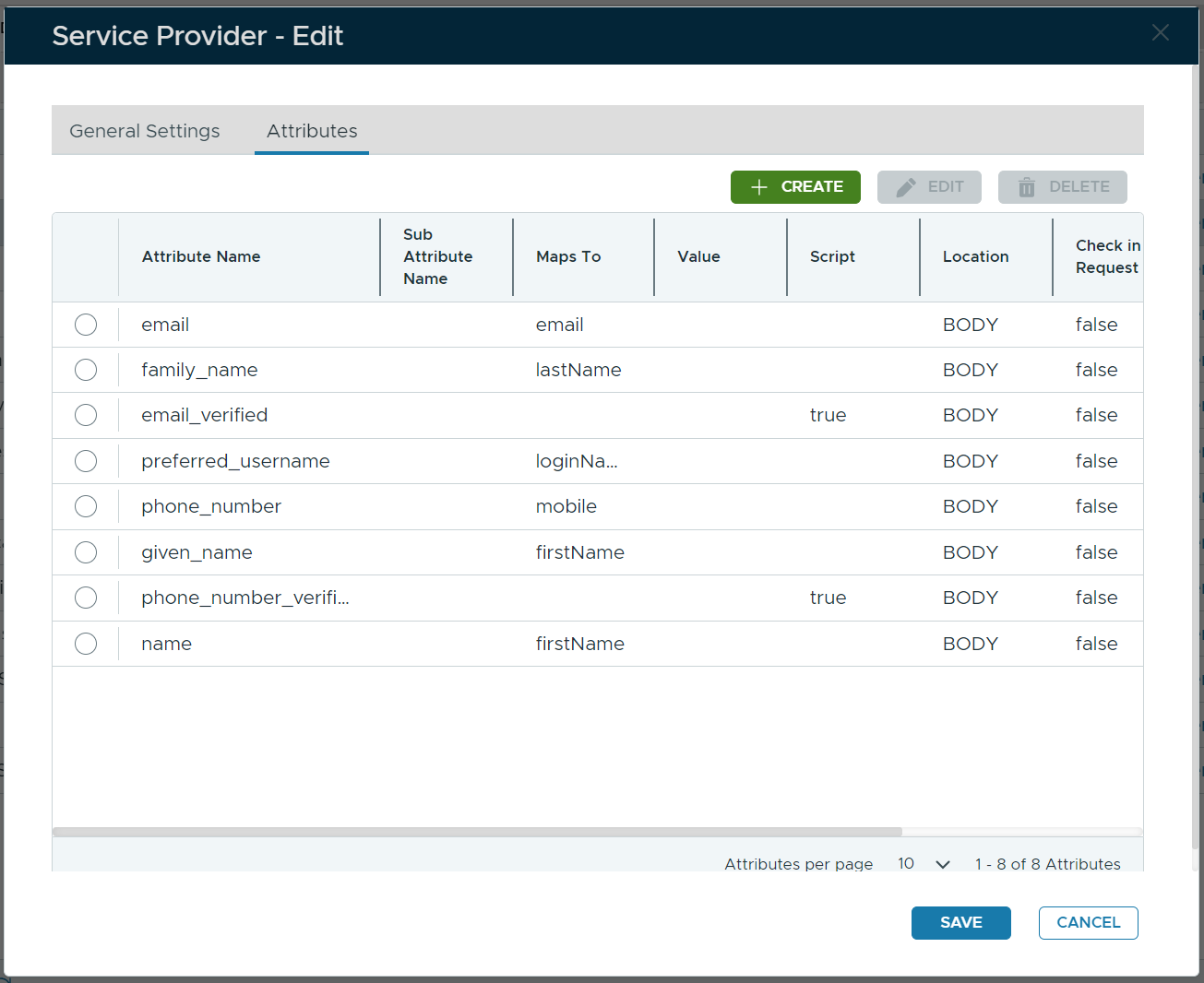
Add a new attribute "user_principal_name"
Click the "CREATE" button, and fill in the details below:
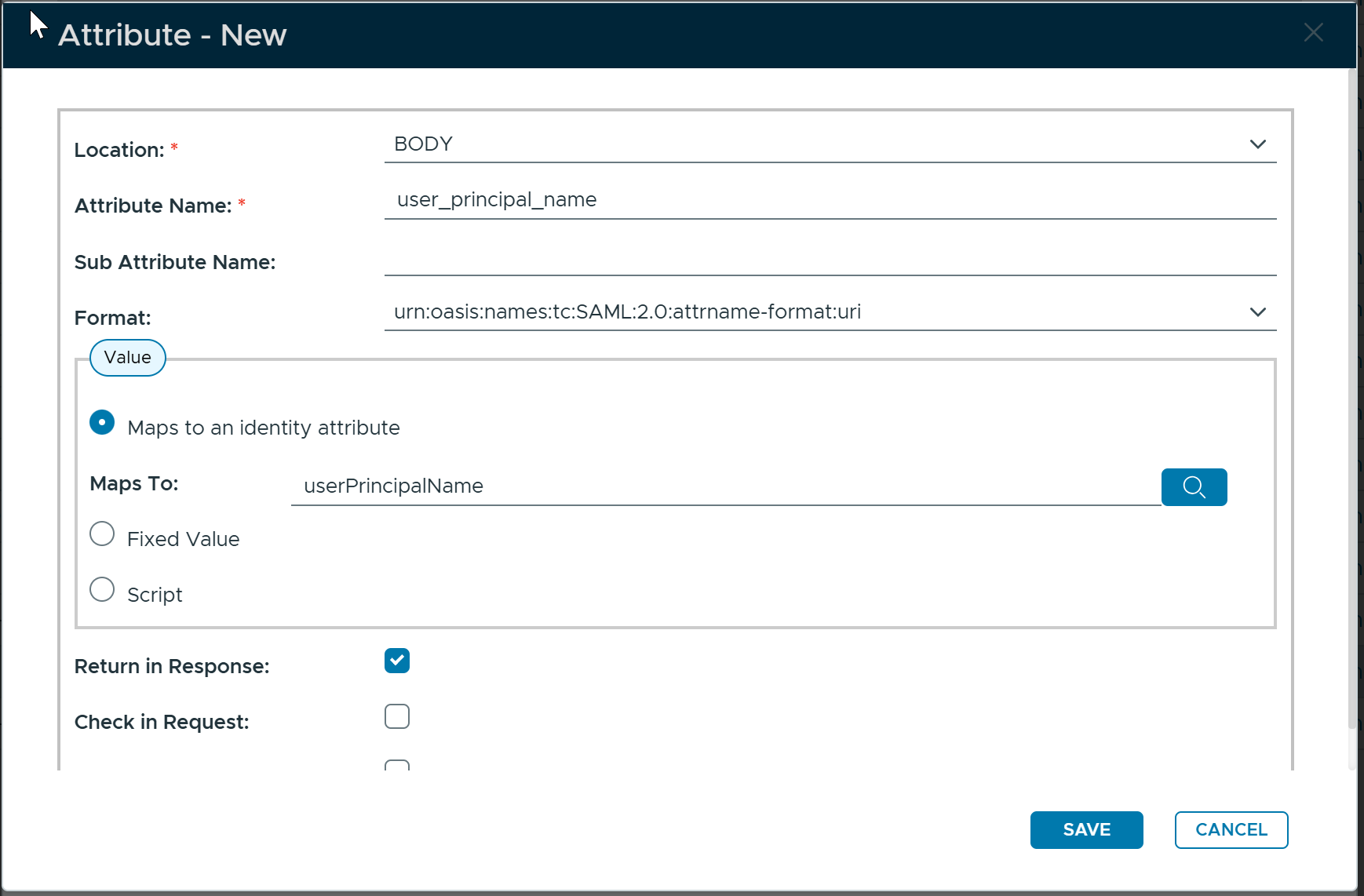
Click the "SAVE" button to save the attribute
Add a new attribute "login_hint"
Click the "CREATE" button, and fill in the details below:
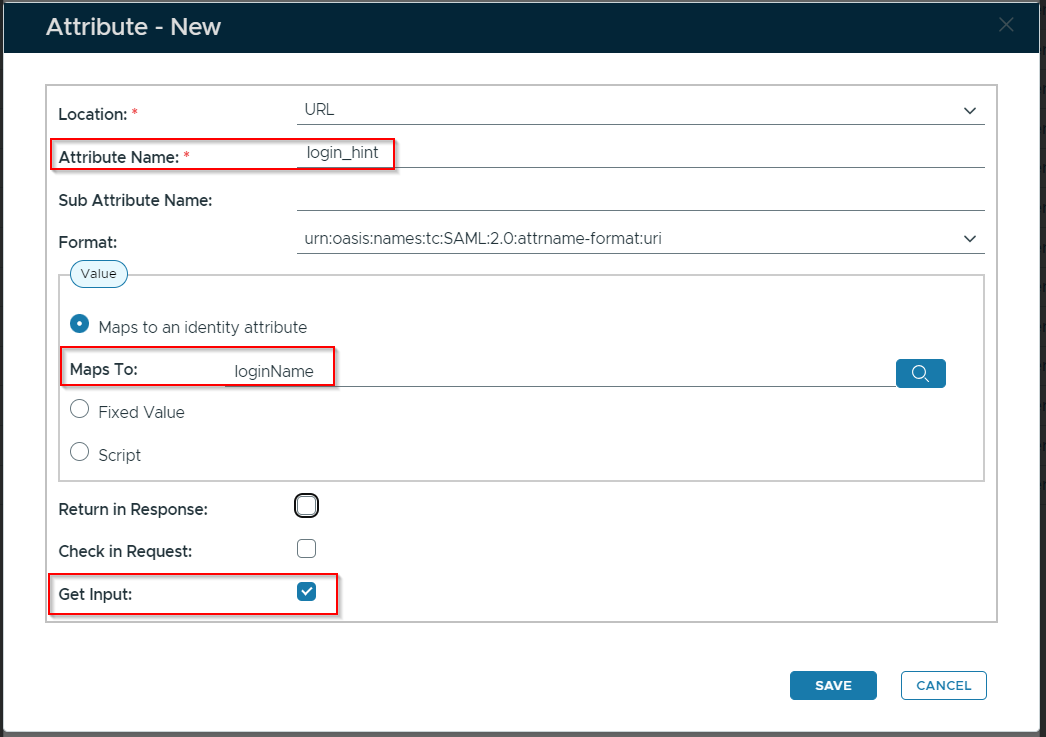
Click the "SAVE" button to save the attribute
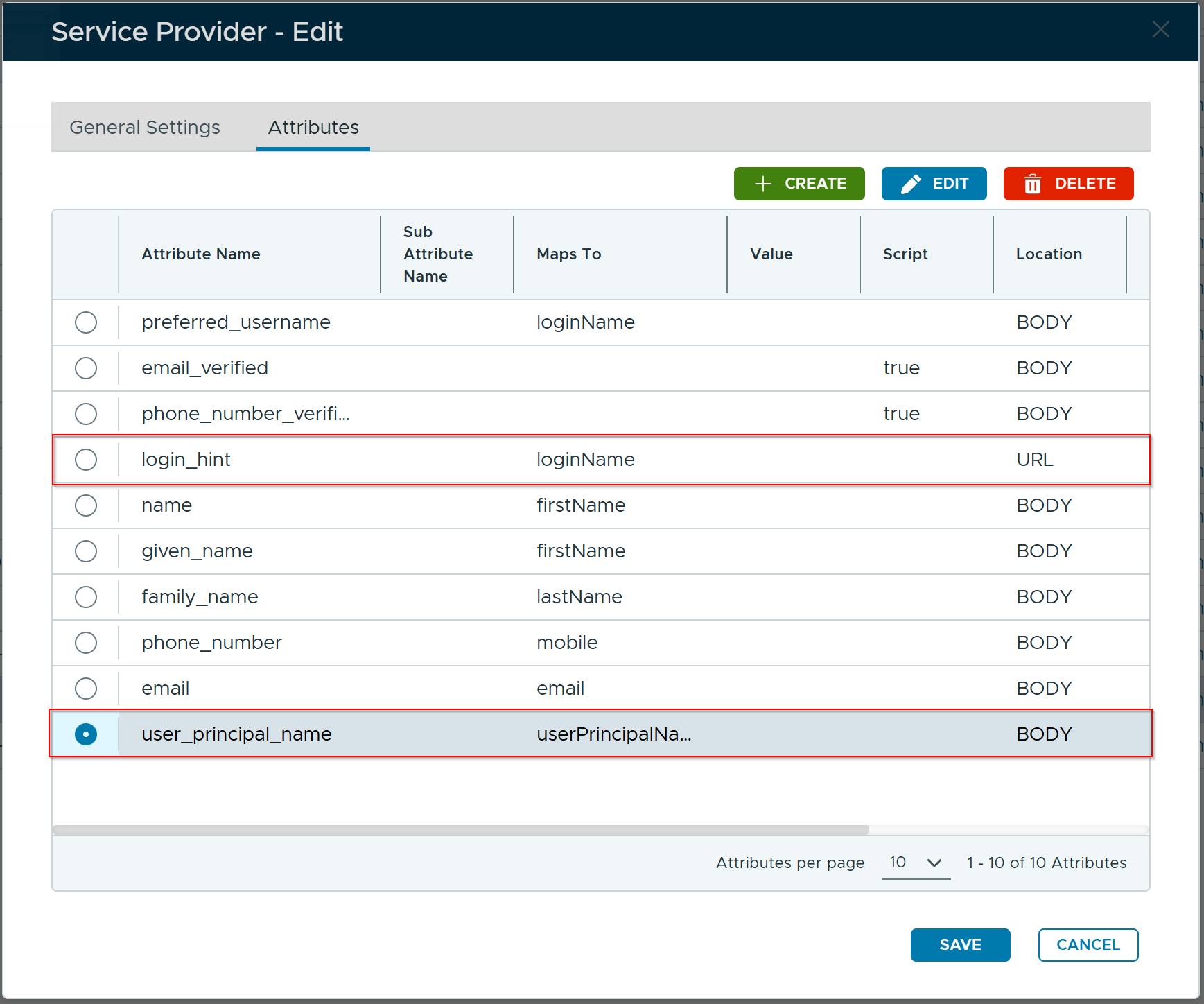
Click the "SAVE" button again to save the service provider.
Step 2: Set DualShield as the Authentication Provider
In the DualShield Admin Console, navigate to Configuration \ Computer Logon Modern Authentication
Select "Settings" in the sidebar
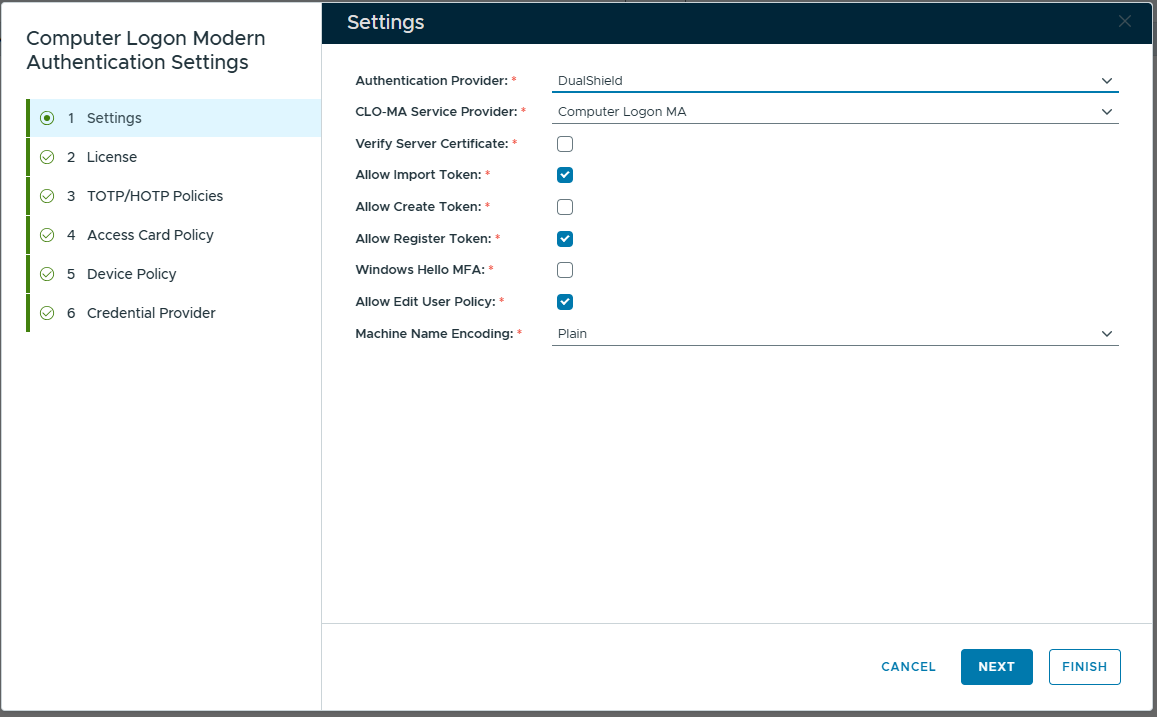
In the "Authentication Provider" box, select "DualShield"
In the "CLO-MA Service Provider" box, select the newly created service provider for computer logon, e.g. Computer Logon MA
DualShield as the Indirect MFA Provider via Entra EAM
If you use DualShield as the direct MFA provider, then you need to do the following: