To enroll devices automatically, you need to enable the automatic enrollment option in Intune.
With the device automatic enrollment enabled, a device will be automatically enrolled to Intune when the device is joined to Entra ID
Sign in to the Microsoft Intune admin center.
Go to Devices > Device onboarding > Enrollment
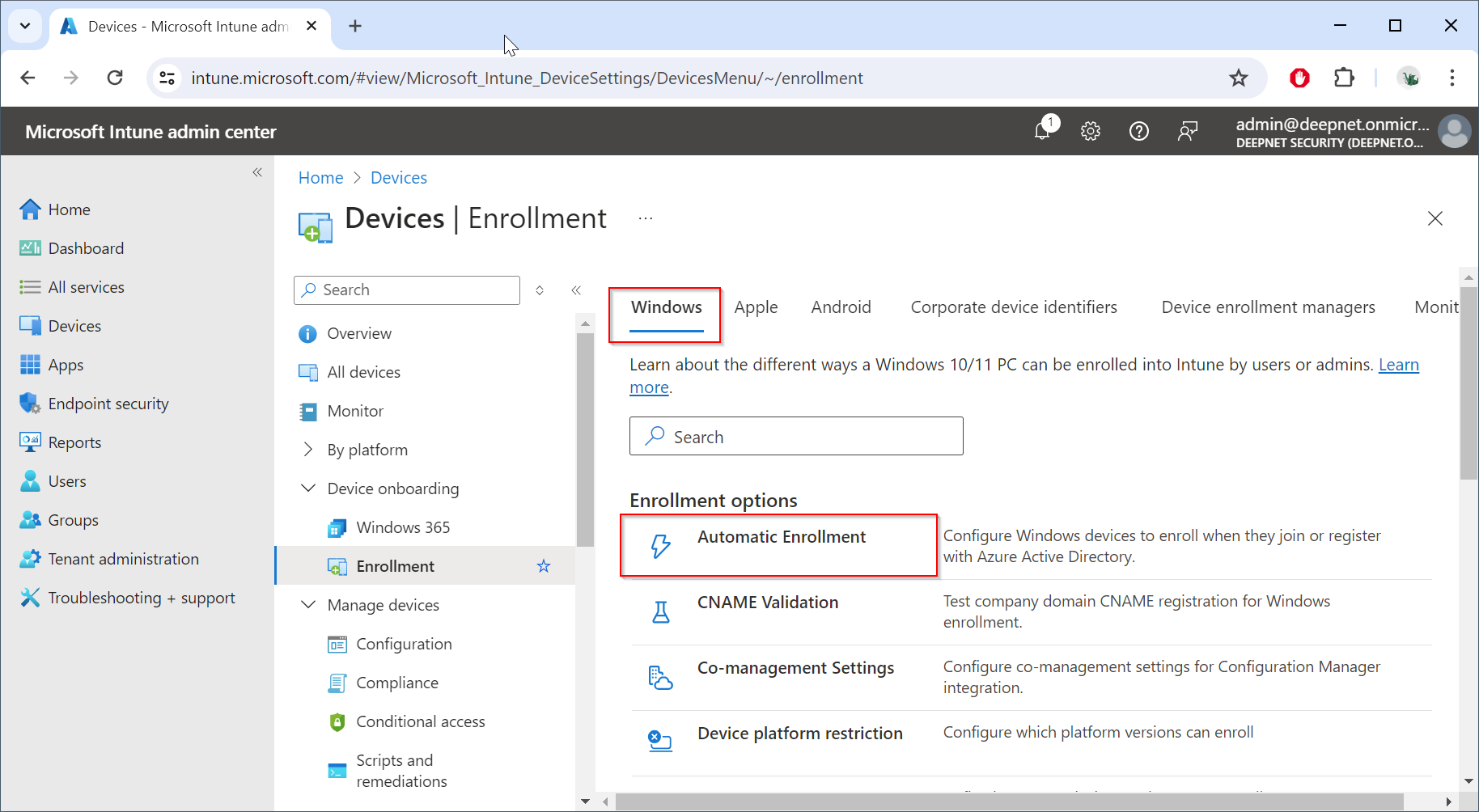
Click "Automatic Enrollment"
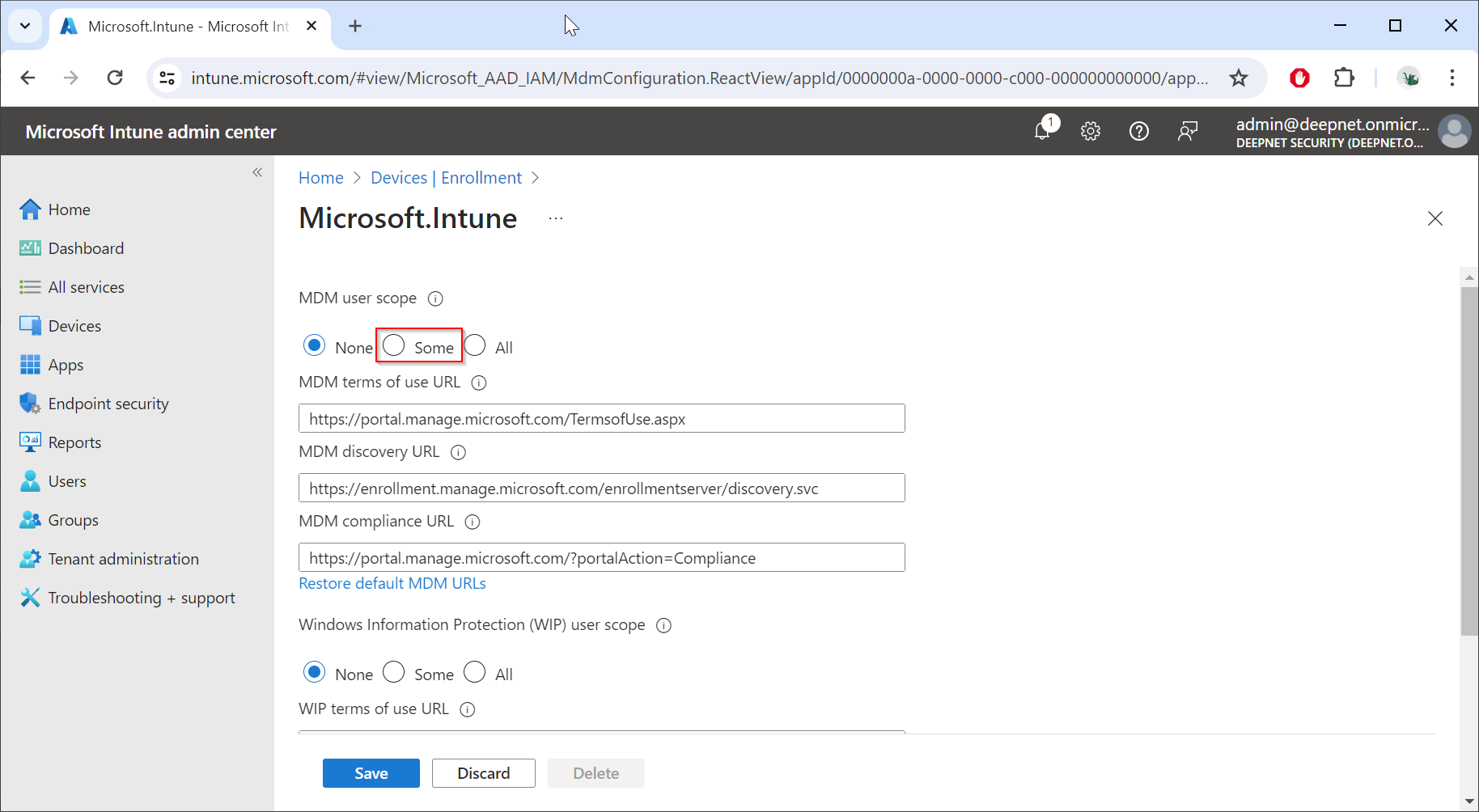
To enable MDM user scope for users who should be automatically enrolled, select "Some"
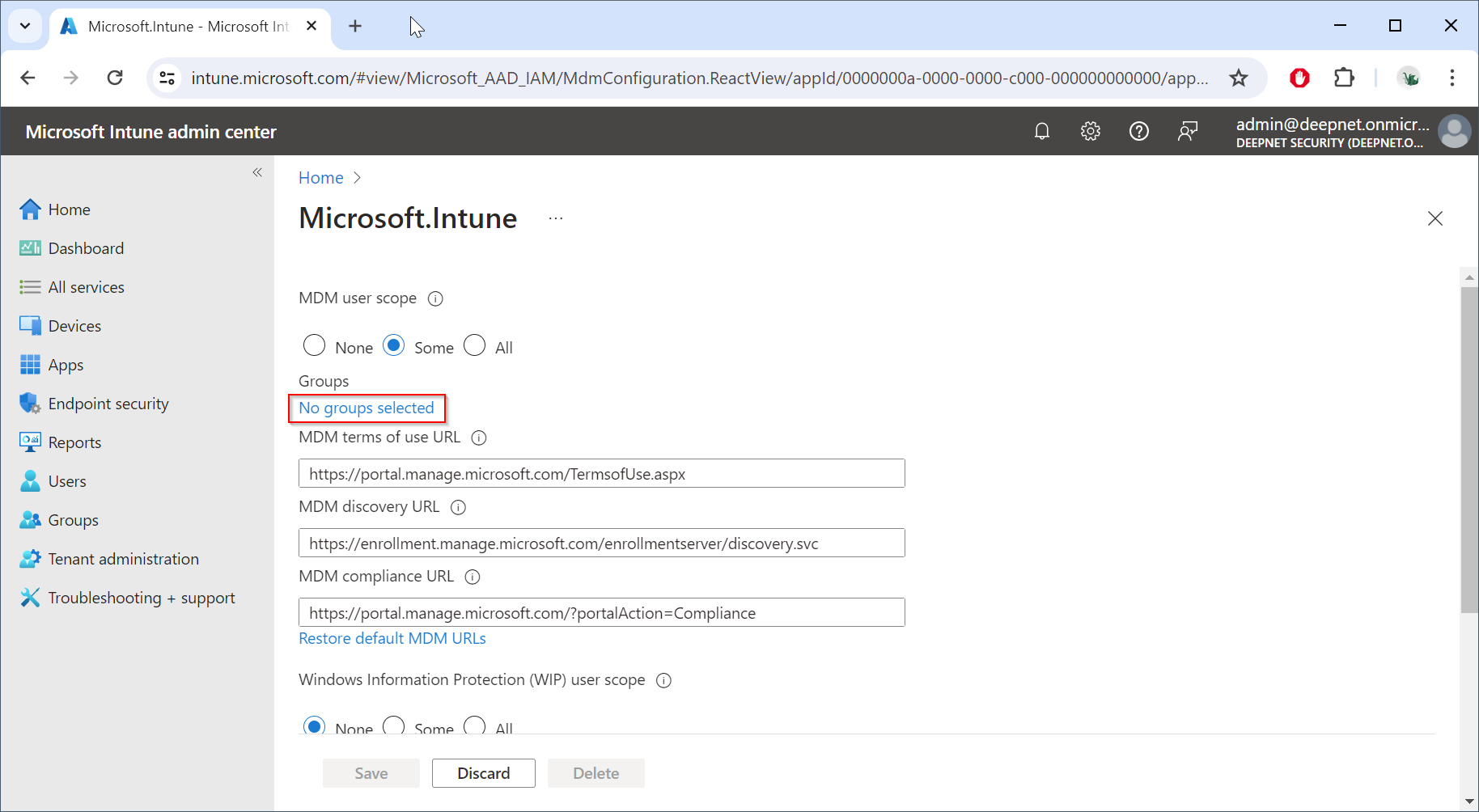
Click "No groups selected"
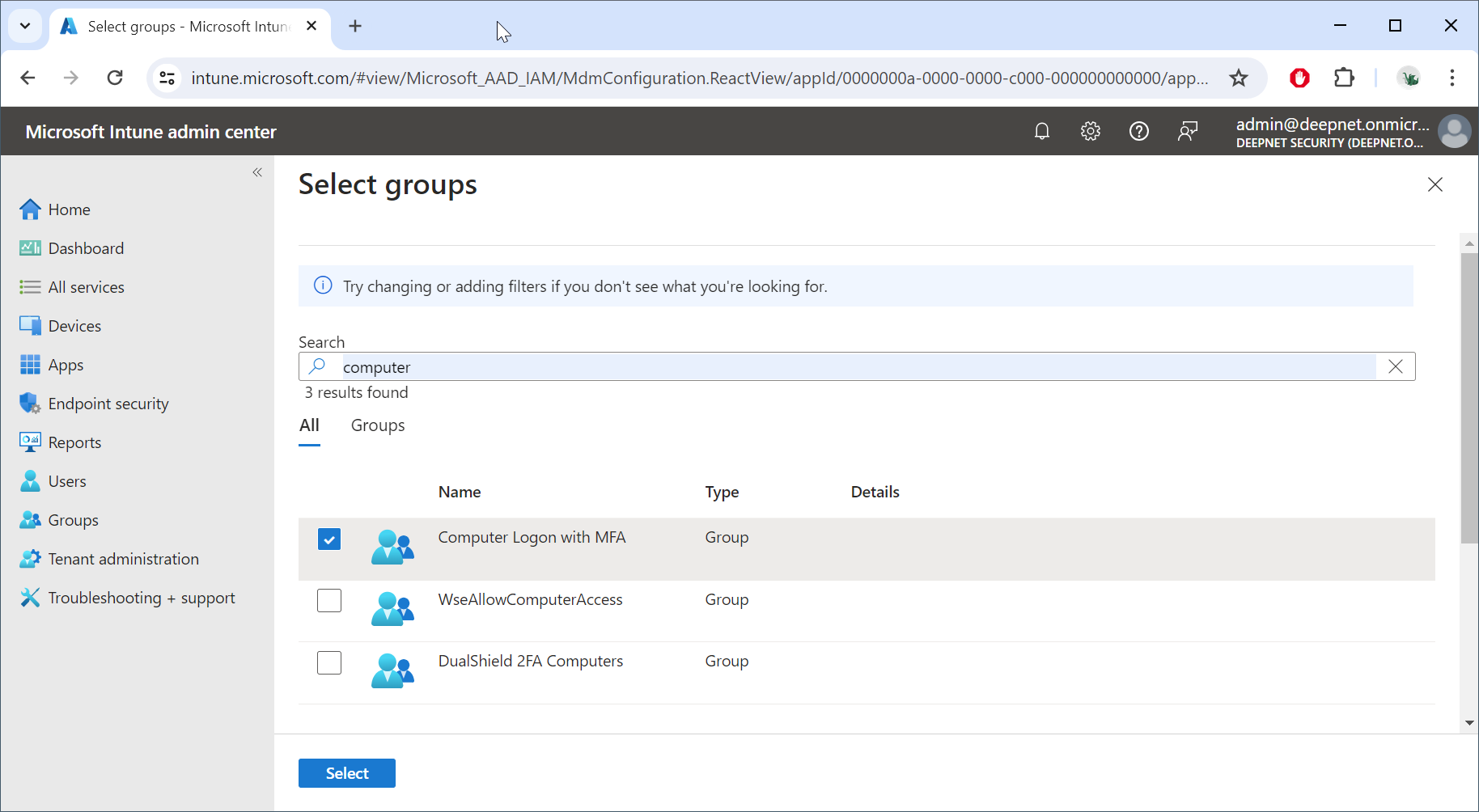
Select the desired group, e.g. "Computer Logon with MFA"
Click "Select"
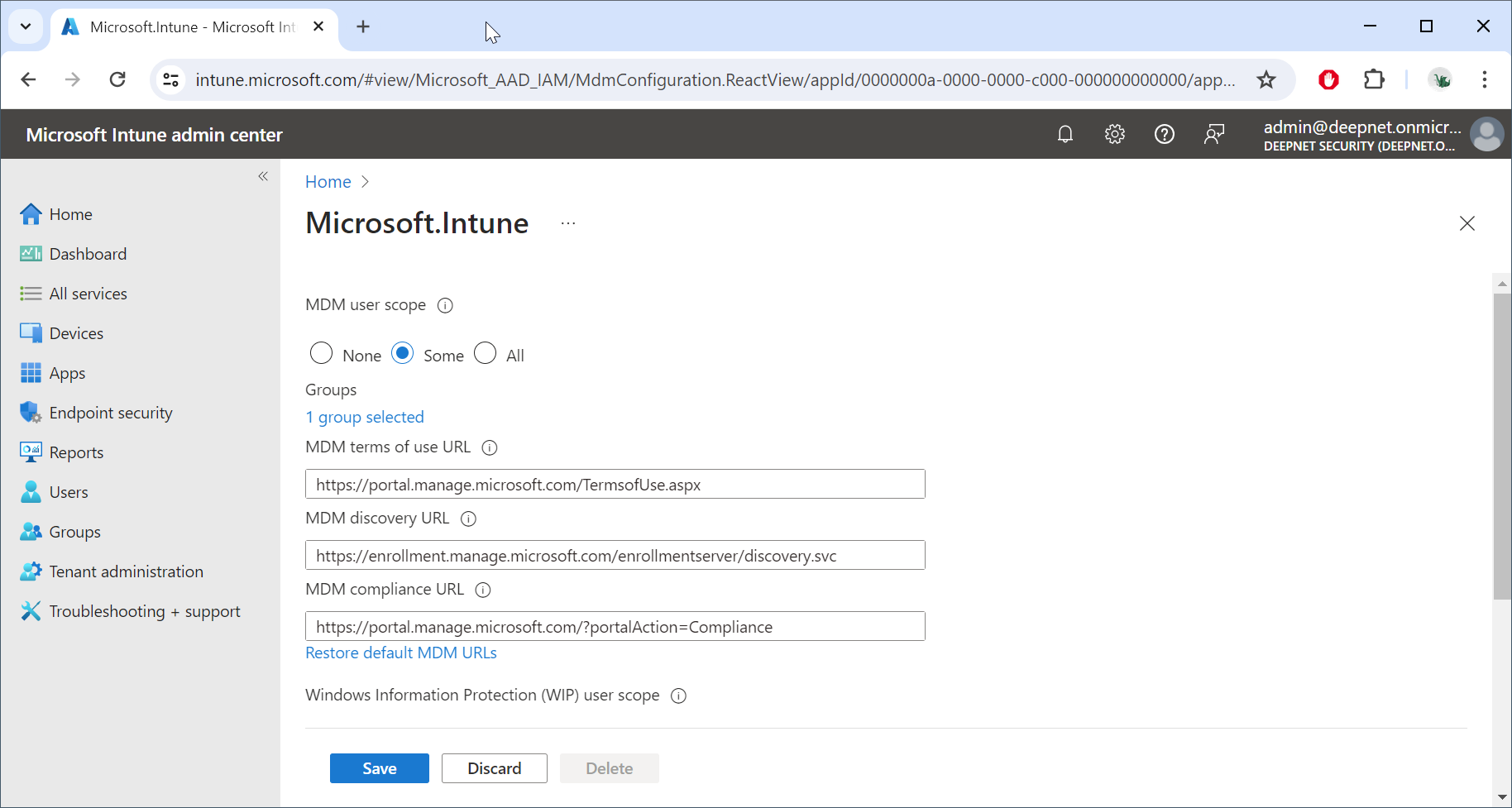
Click "Save"