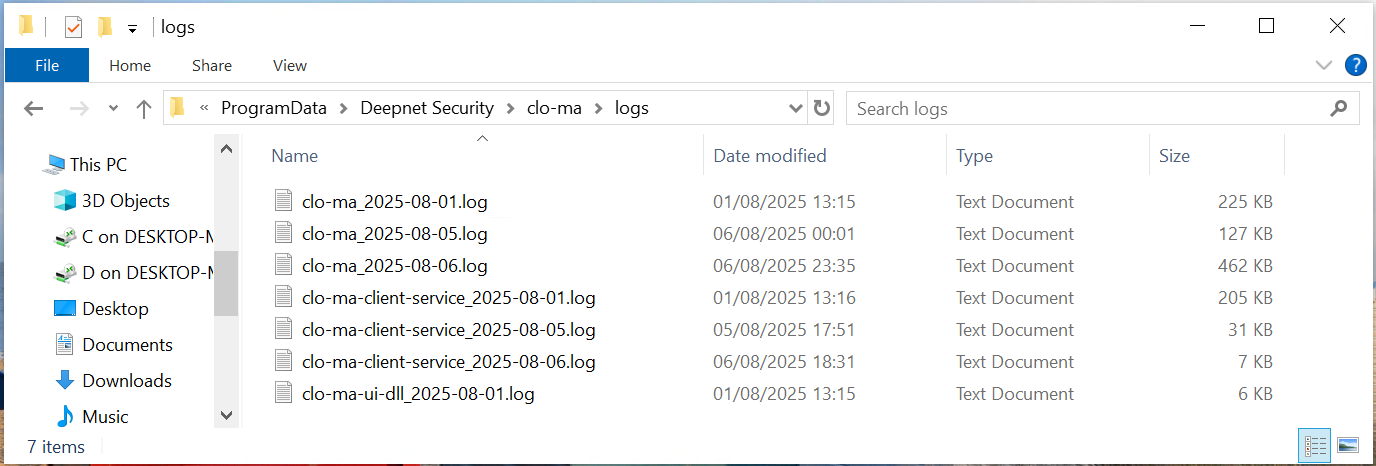
If the Computer Logon MA client encounters problems and requires troubleshooting, then the debug log option can be enabled.
Debug Log Option
To enable debug log in the computer logon client, navigate to the local user console at http://localhost:12845
Select the "Logs" tab
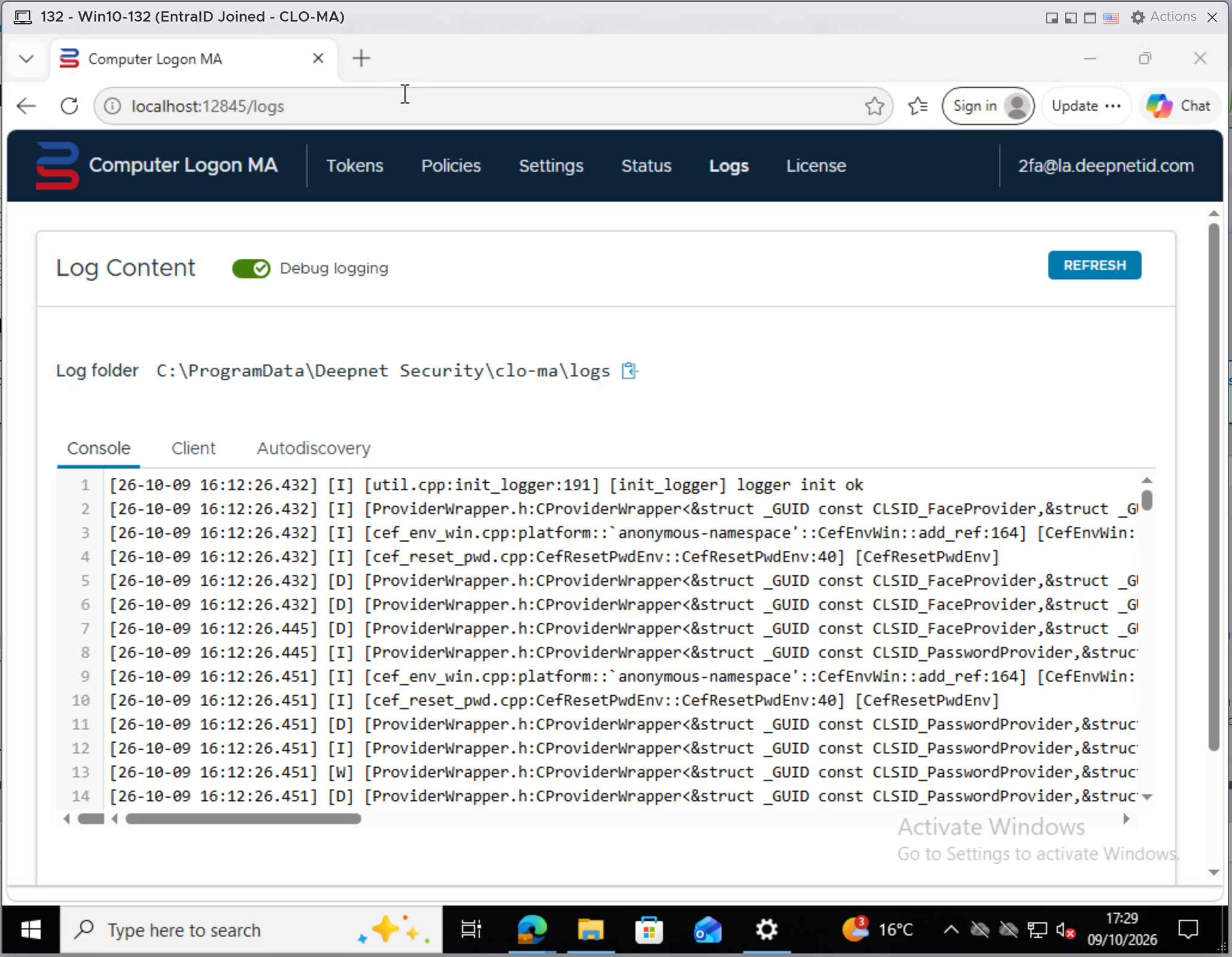
Use the toggle switch "Debug logging" to turn on/off debug logging.
Debug Log Files
Debug log files are located at
%programdata%\Deepnet Security\clo-ma\logs