With Netscaler, you can control the resources that an authenticated user can access within an application.
To complete this, you will need to create an authorization policy in Netscaler and associate the policy to either individual users or a group of users. For detailed instruction, please refer to Netscaler documentation below:
Authorizing User Access to Application Resources
If you are going to associate an authorization policy to a user group, then you need to configure your DualShield Server to return a RADIUS attribute that contains the name of the user group, and configure your Netscaler server to receive this RADIUS attribute.
To configure DualShield with a RADIUS attribute:
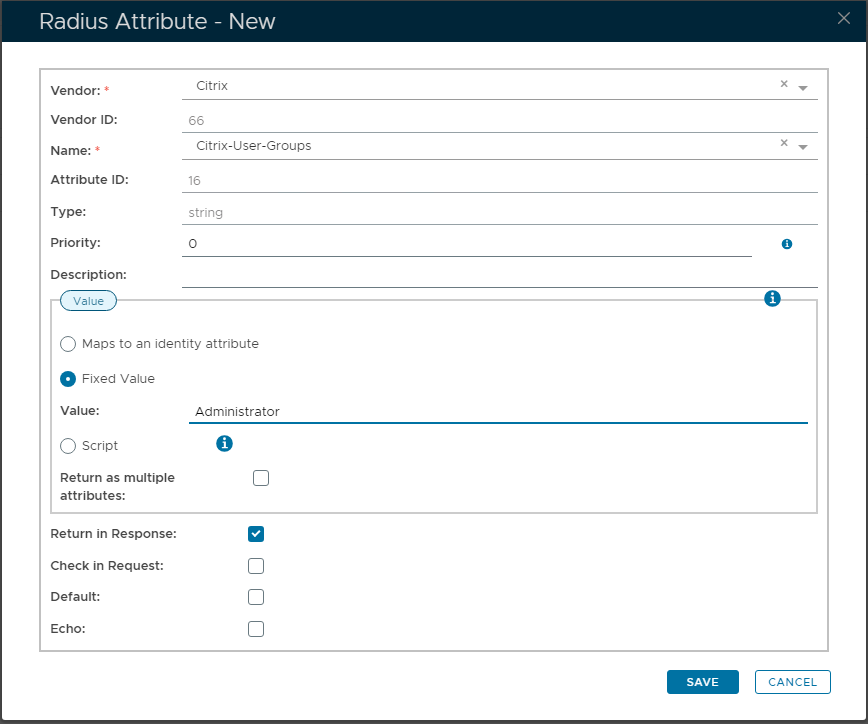
Navigate to "Radius | Radius Attributes", then click "+ CREATE" button to create a new Attribute.
Vendor: This would be set as "Citrix"
Name: Select from the drop-down "Citirx-User-Groups"
Beneath 'Value' section, select option "Fixed Value", then enter a relevant User Group name, such as "Administrator".
In order to assign the newly created attribute to a user group, find the target group in Directory/Group, tick the newly created attribute in the context menu: Radius Settings/Radius Attribute.
For the NetScaler Server to receive the RADIUS attribute, go to Configuration/NetScaler Gateway/Authentication/Radius/Server.
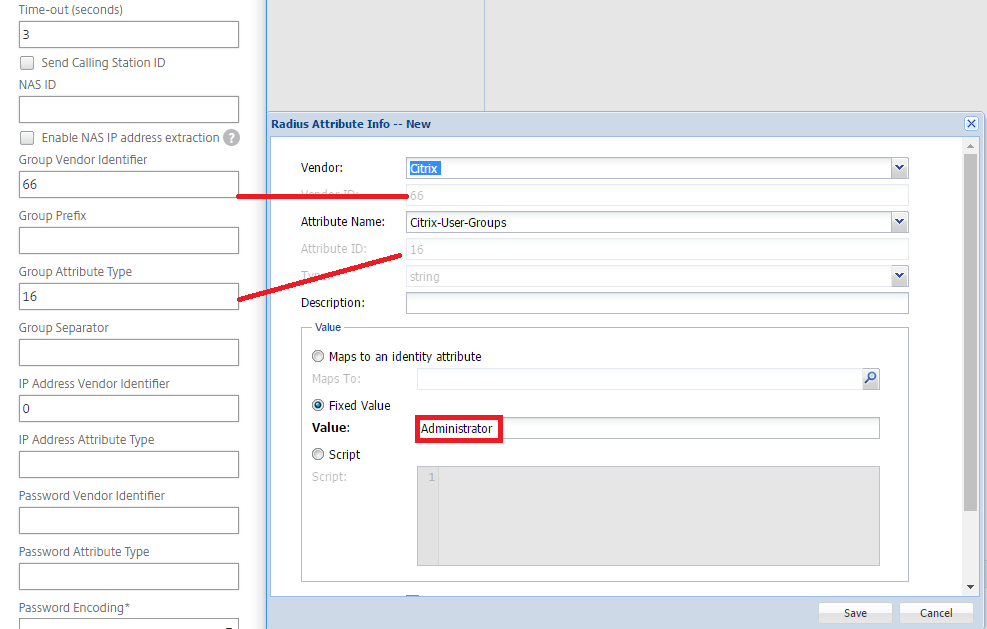
Expend Authentication Radius server configure setting. Map the "Group Vendor Identifier" with the "Vendor ID" of the RADIUS attribute, and "Group Attribute Type" with the "Attribute ID":