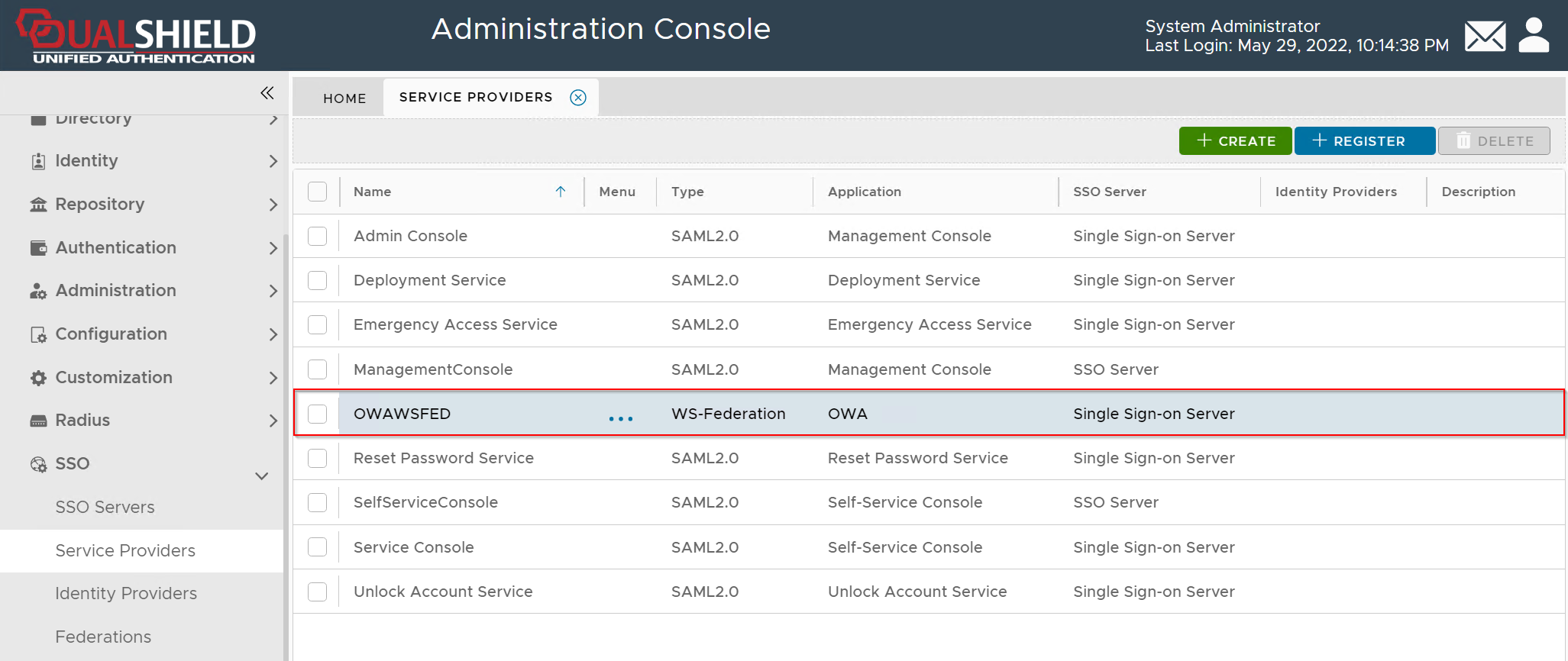
In the DualShield Admin Console, navigate to "SSO | Service Providers"
Create Service Provider
On the toolbar, click the "Create" button
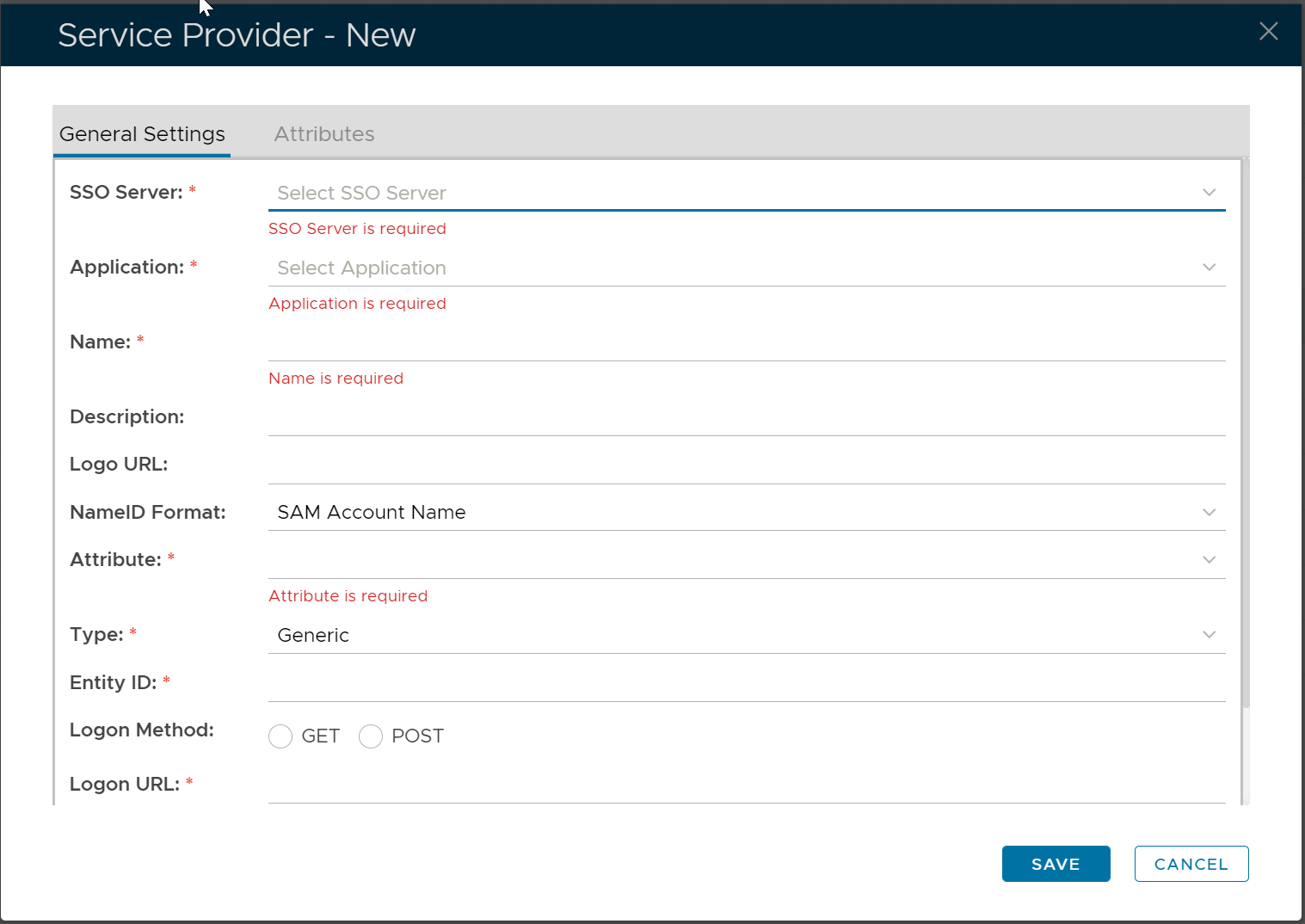
Fill in the form as below:

Add SAML Attributes
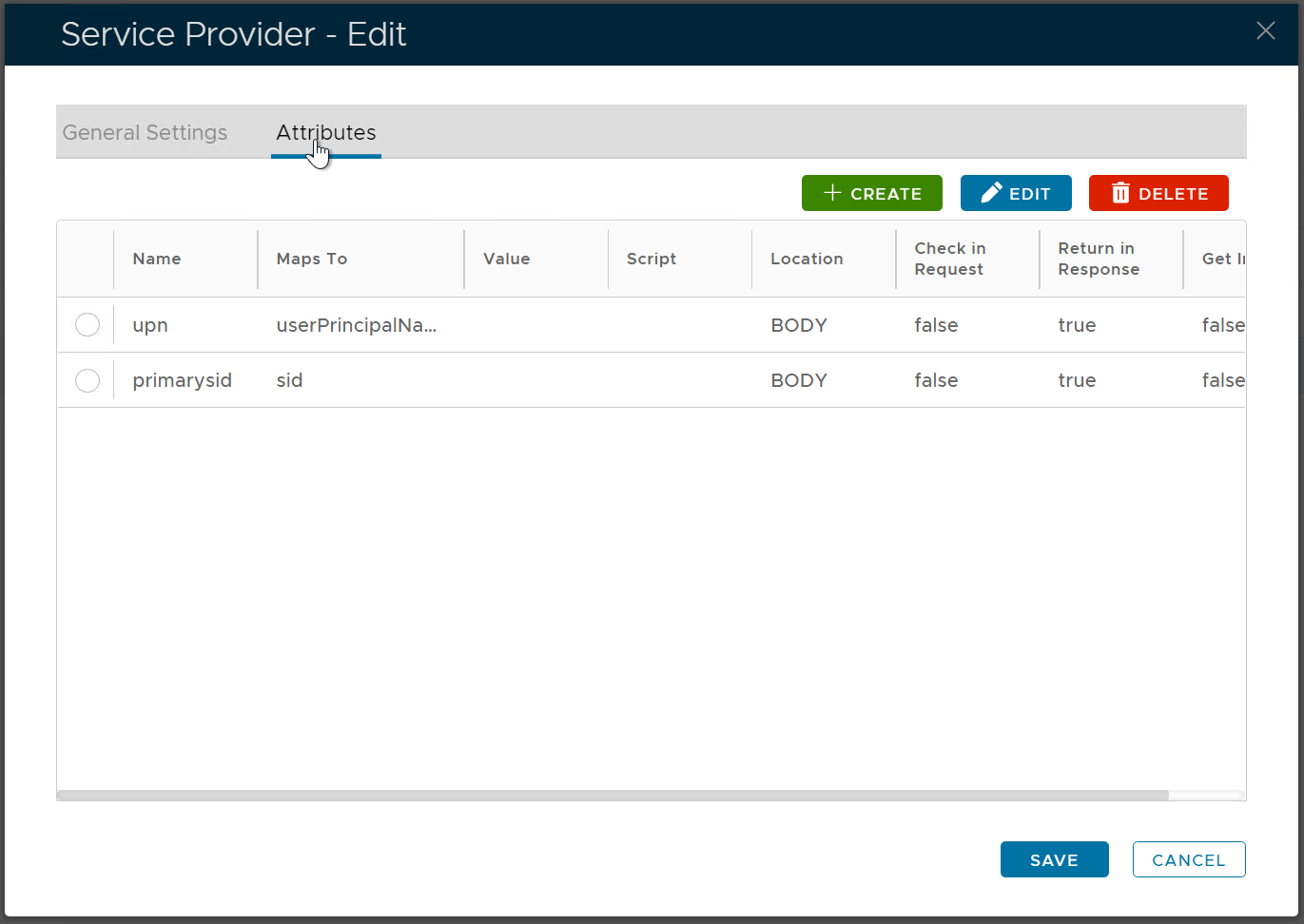
Now, click the "Attributes" tab
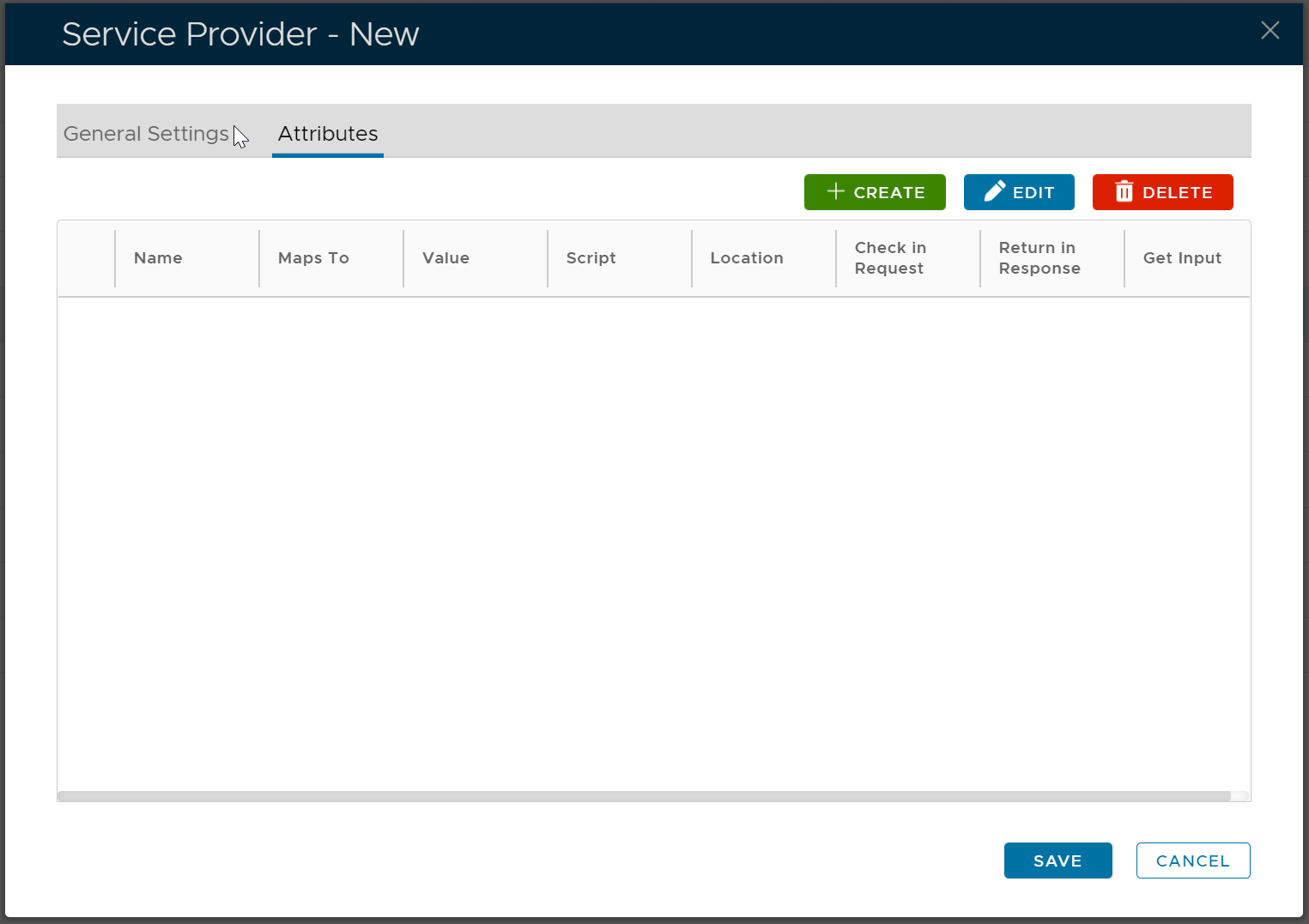
We are going to add 2 attributes
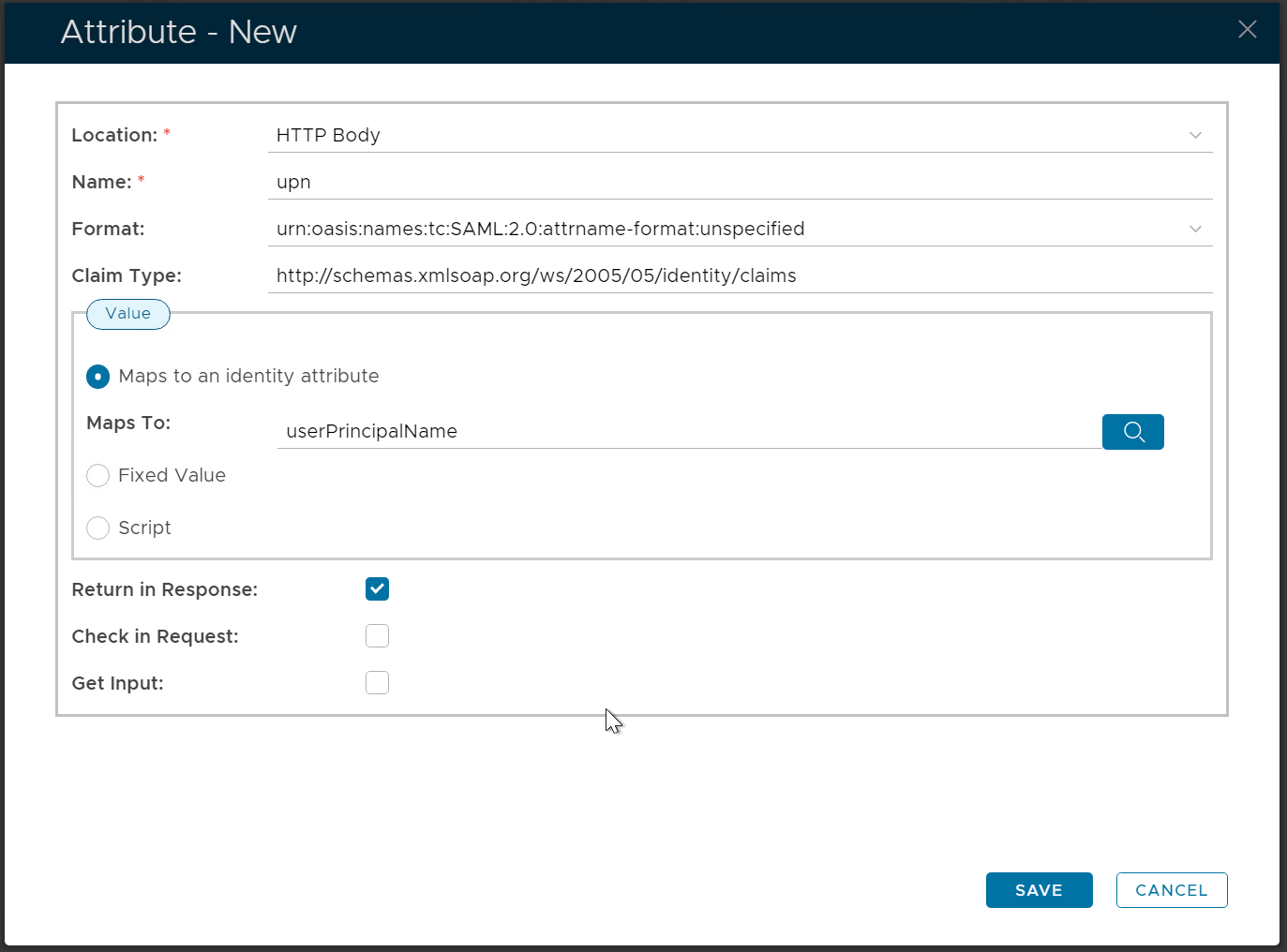
The first attribute is "upn"
Map it to userPrincipalName.
Set its Claim Type to http://schemas.xmlsoap.org/ws/2005/05/identity/claims
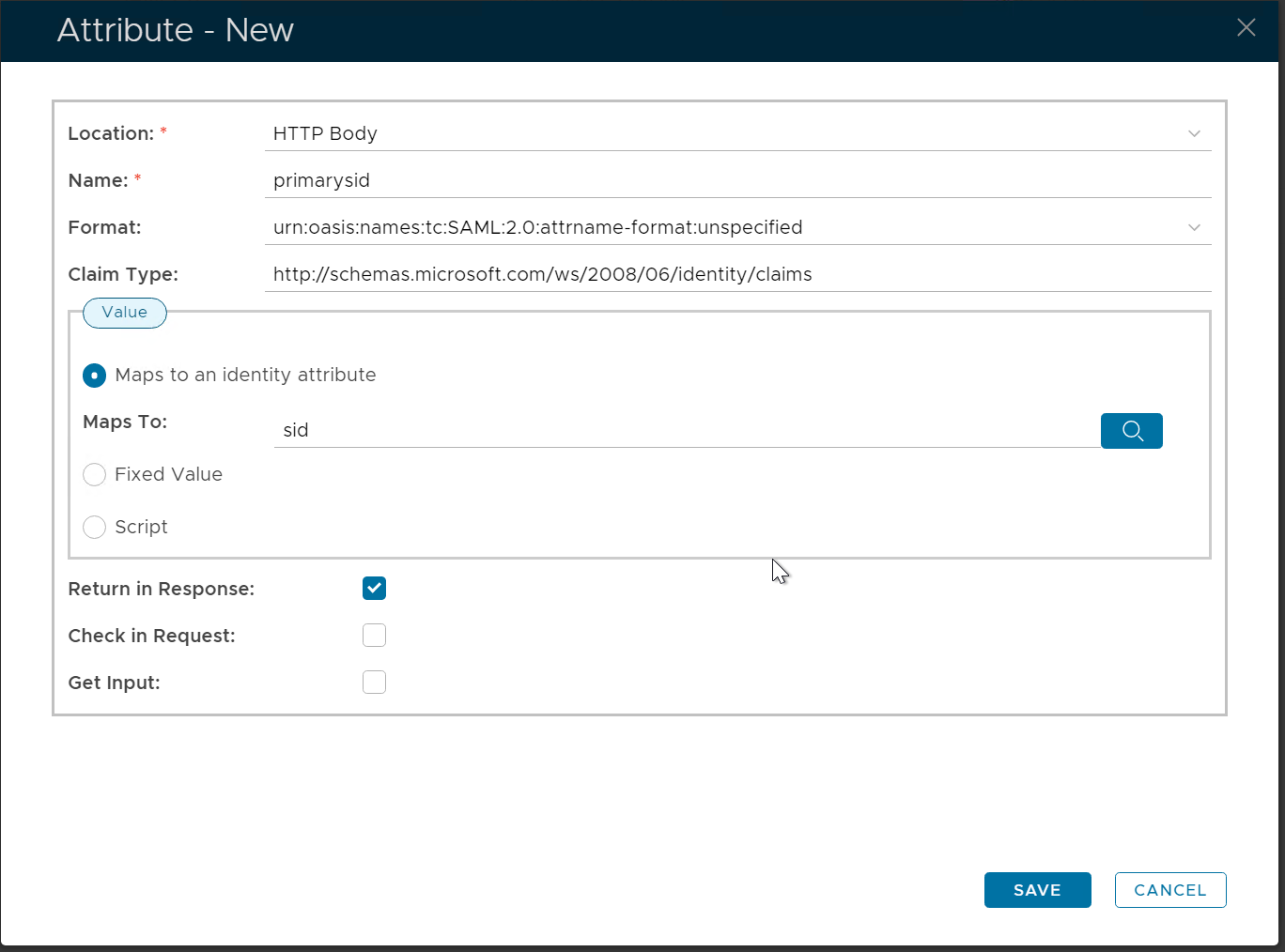
The second attribute is "primarySID",
Pap it to: SID
Set its claim type to http://schemas.microsoft.com/ws/2008/06/identity/claims
Click Save