A spoofing vulnerability exists in Microsoft Exchange Server which could result in an attack that would allow a malicious actor to impersonate the user (CVE-2021-1730).
To prevent these types of attacks, Microsoft recommends customers to download inline images from different URL than the rest of OWA.
https://msrc.microsoft.com/update-guide/vulnerability/CVE-2021-1730
Change Image Download URL
Basically, you need to change both the external & internal download hostname to a different domain name.
Launch the Exchange Management Shell, and execute the following commands
Set-OwaVirtualDirectory -Identity "owa (default Web site)" -ExternalDownloadHostName “Images.DeepnetID.com"
Set-OwaVirtualDirectory -Identity "owa (default Web site)" -InternalDownloadHostName "Images.DeepnetID.com"
Set-OrganizationConfig -EnableDownloadDomains $true

If MFA is enabled on OWA, then you must take the following steps
Add URL Binding
On the Exchange server, launch the IIS Management
Select the OWA node, and launch the DualShield IIS Agent console
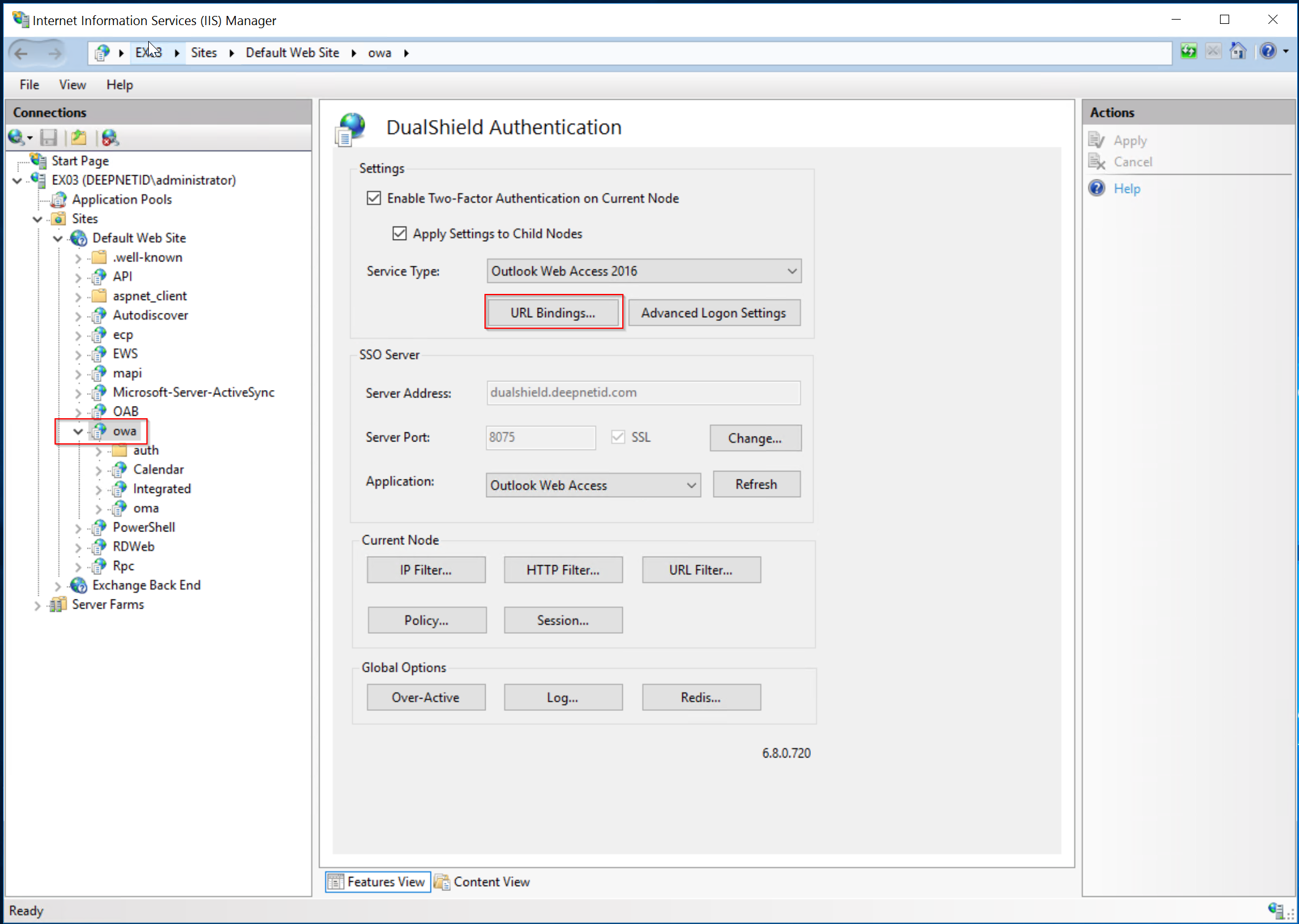
Click "URL Bindings"
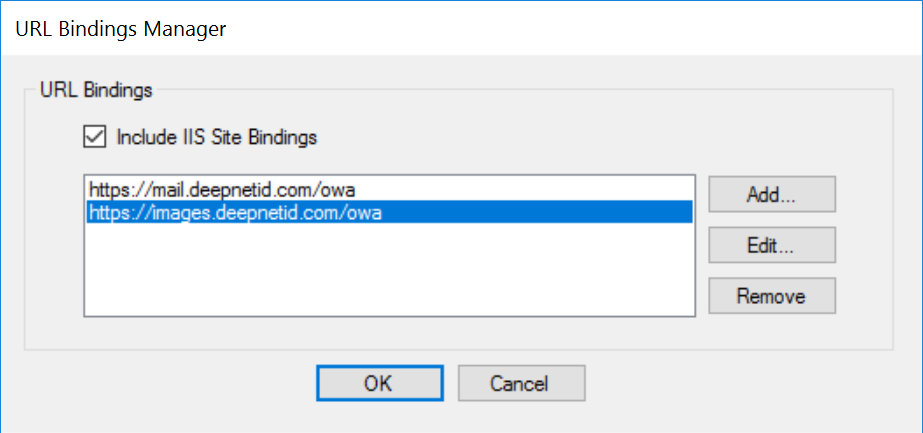
Add the image download URL in to the URL Bindings
Apply the change
Add HTTP Filter
Click "HTTP Filter"
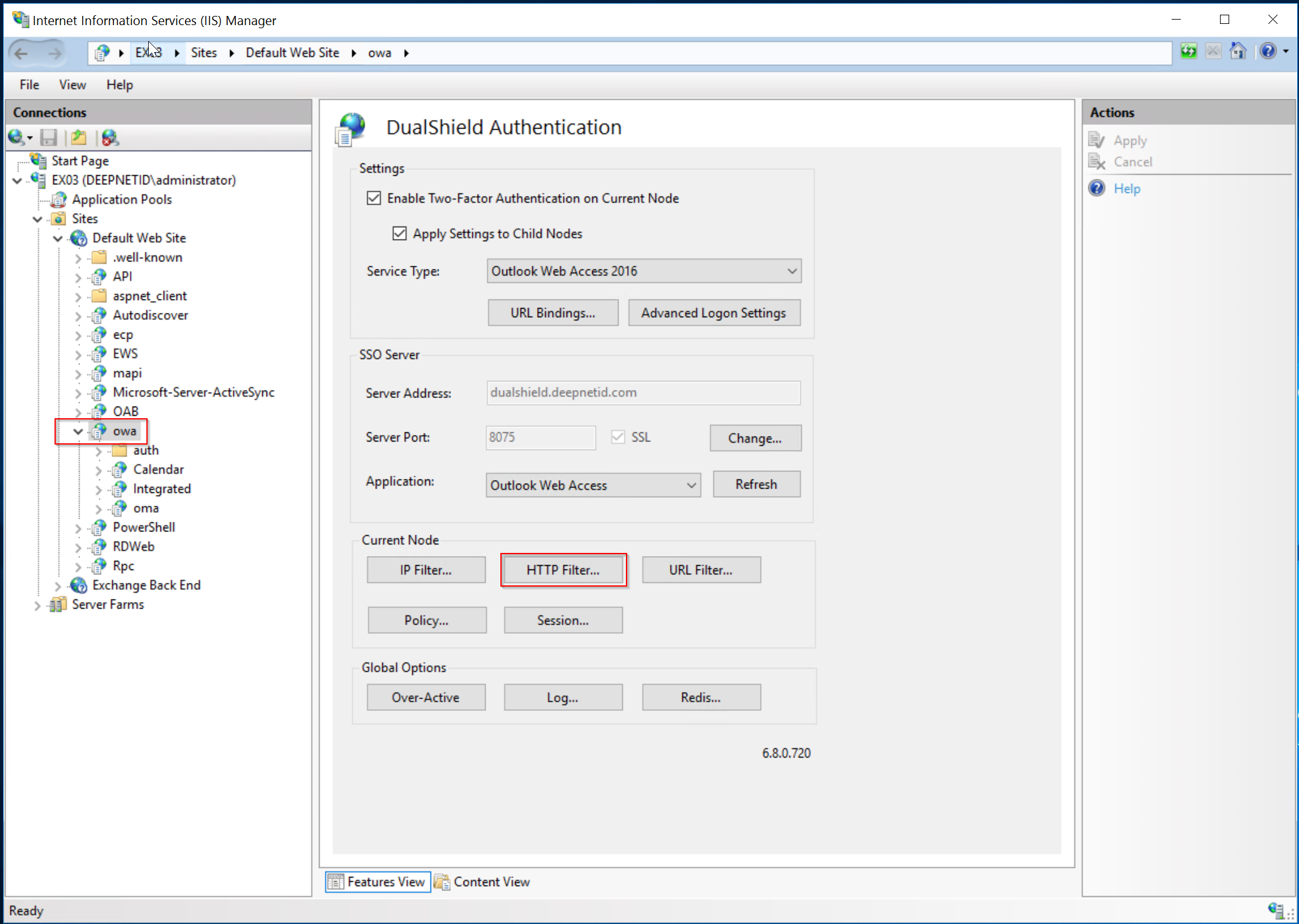
Add the following HTTP filter
| Header | Value |
|---|---|
| sec-fetch-dest | image |
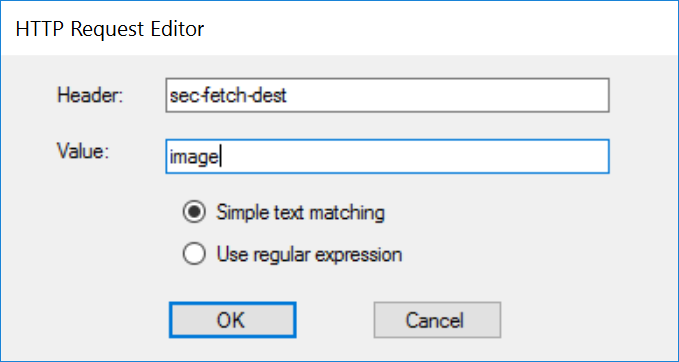
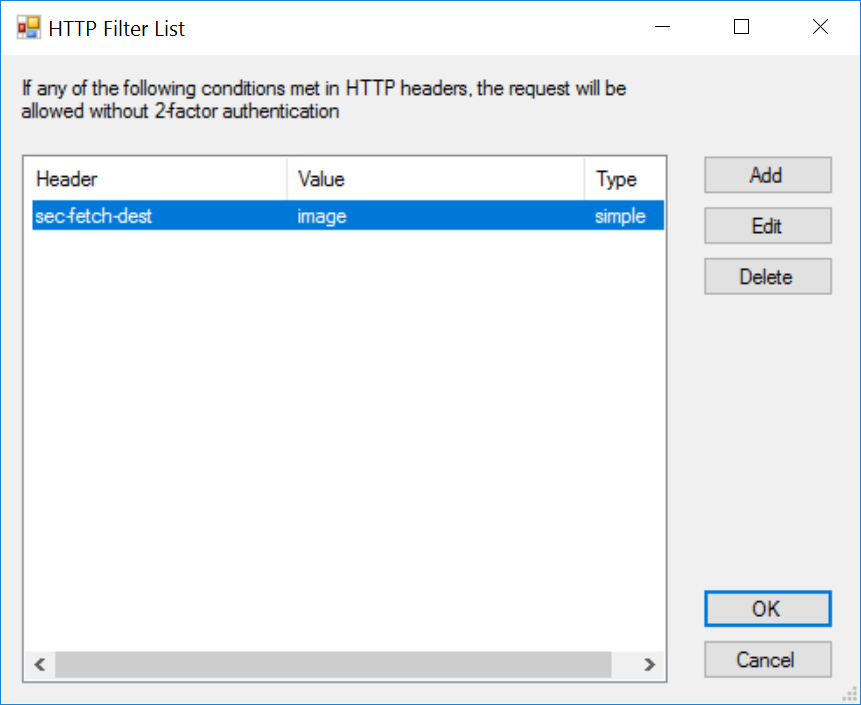
Apply the change.
Add URL Filter
If you enable the proxy option and use the IIS reverse proxy to proxy your DualShield SSO, then you also need to add the HTTP Filter below. Otherwise, your users will be asked to re-authenticate when they attempt to download a file attachment.
Click "URL Filter"
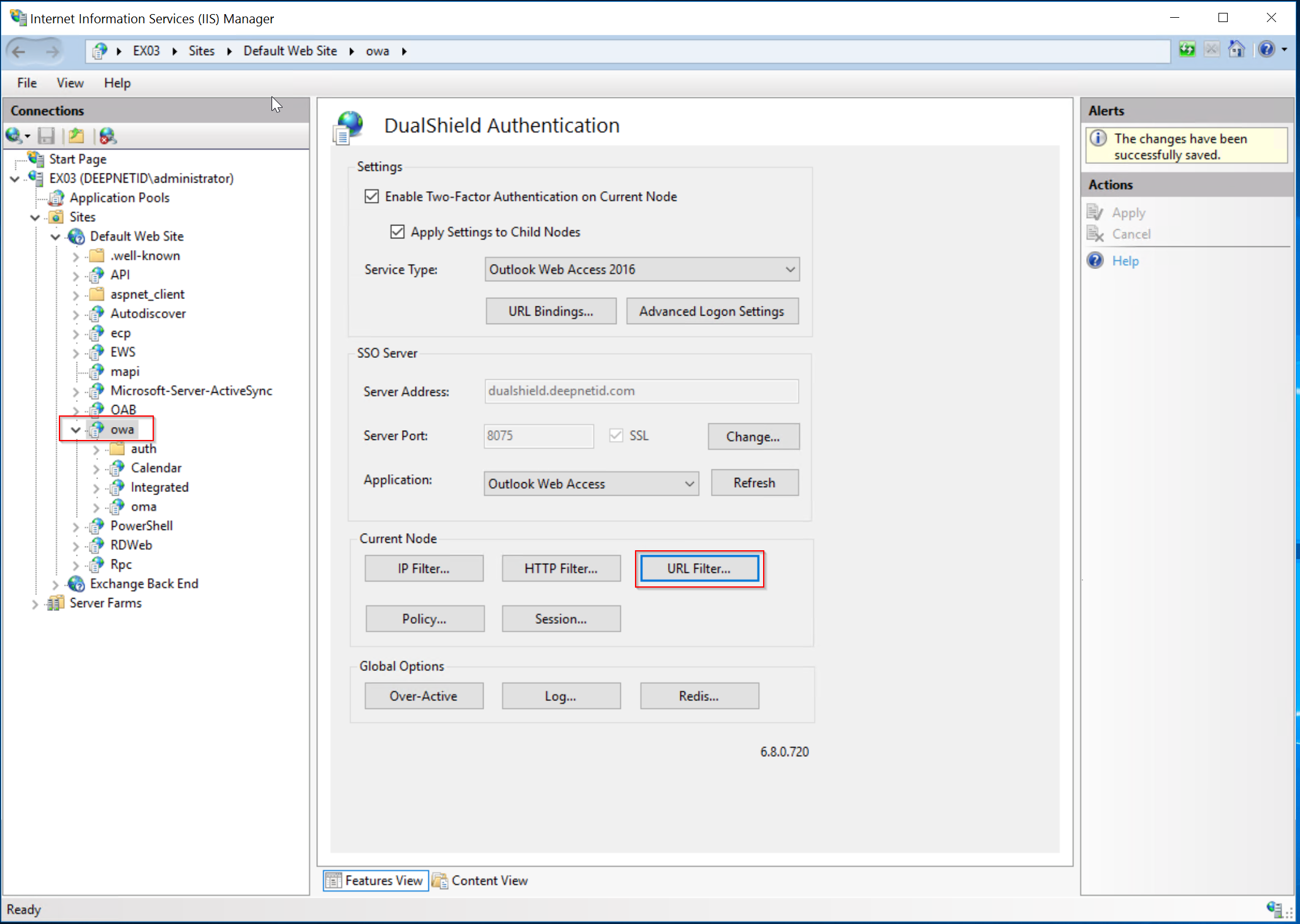
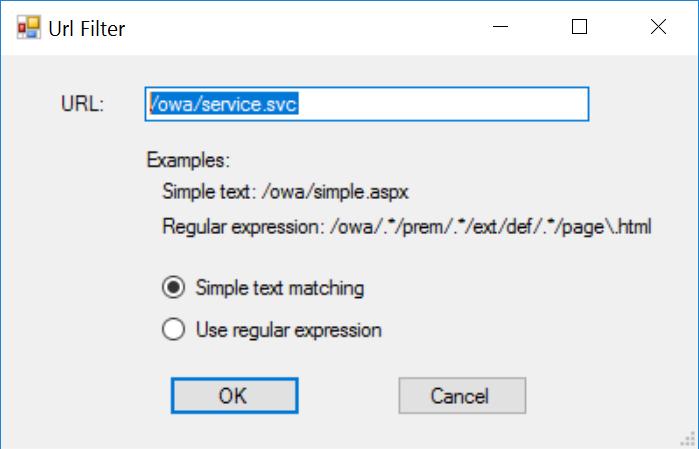
Add the following URL filter
| URL | Option |
|---|---|
| /owa/service.svc | Simple text matching |
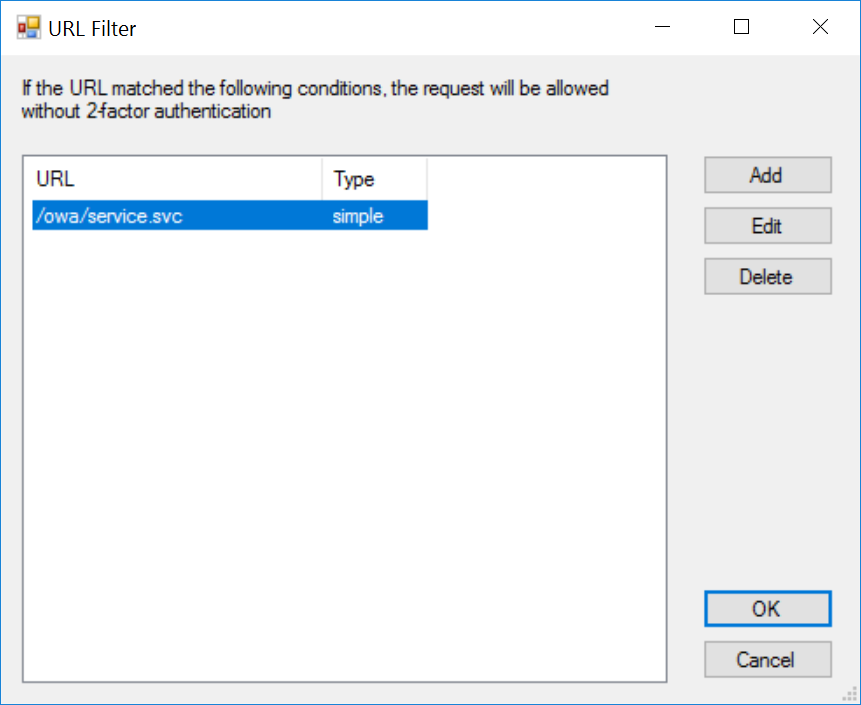
Apply the change.