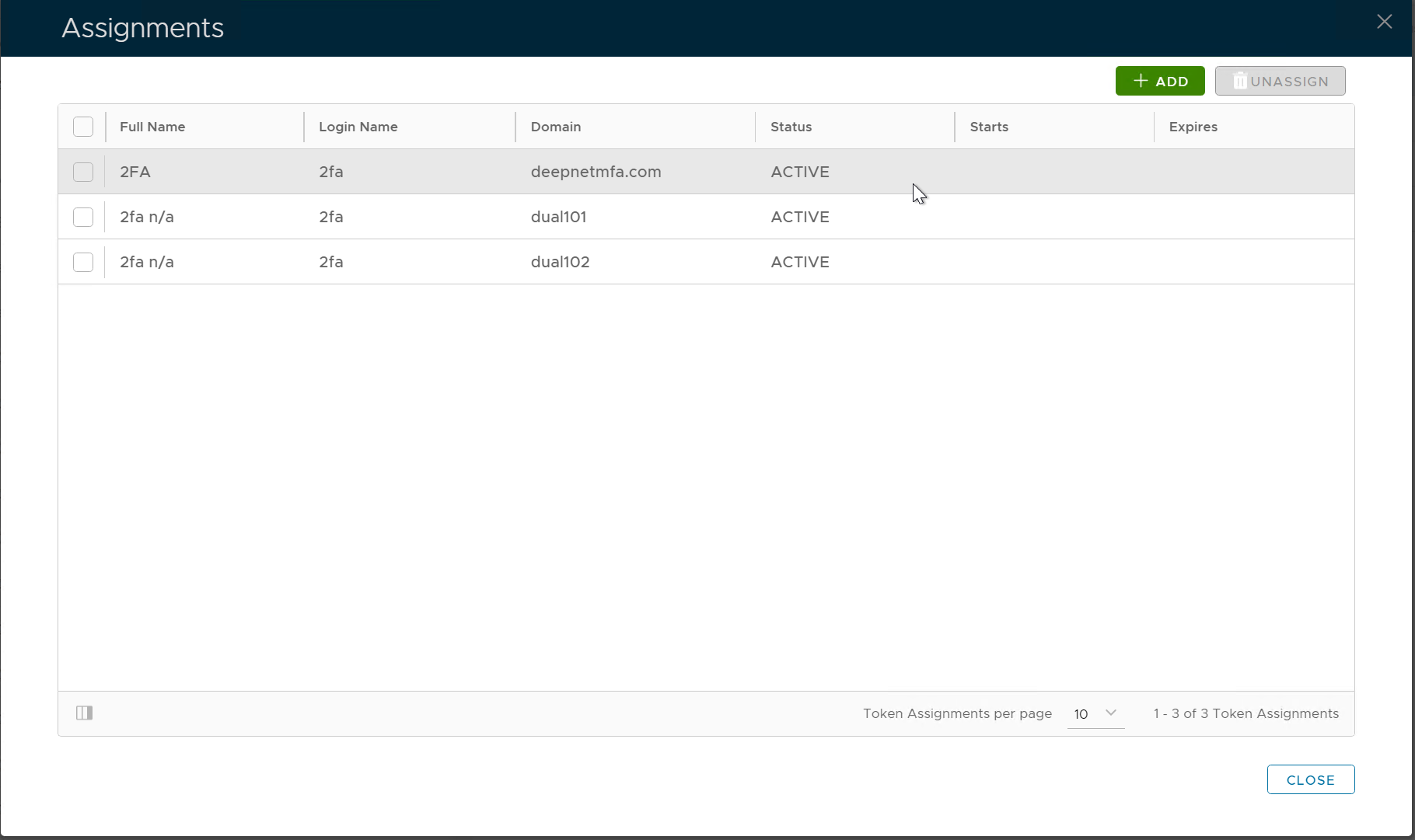
To assign a token to a user, first, navigate to the user's token assignment management panel
Find the Token
First, navigate to the list of tokens of the user account
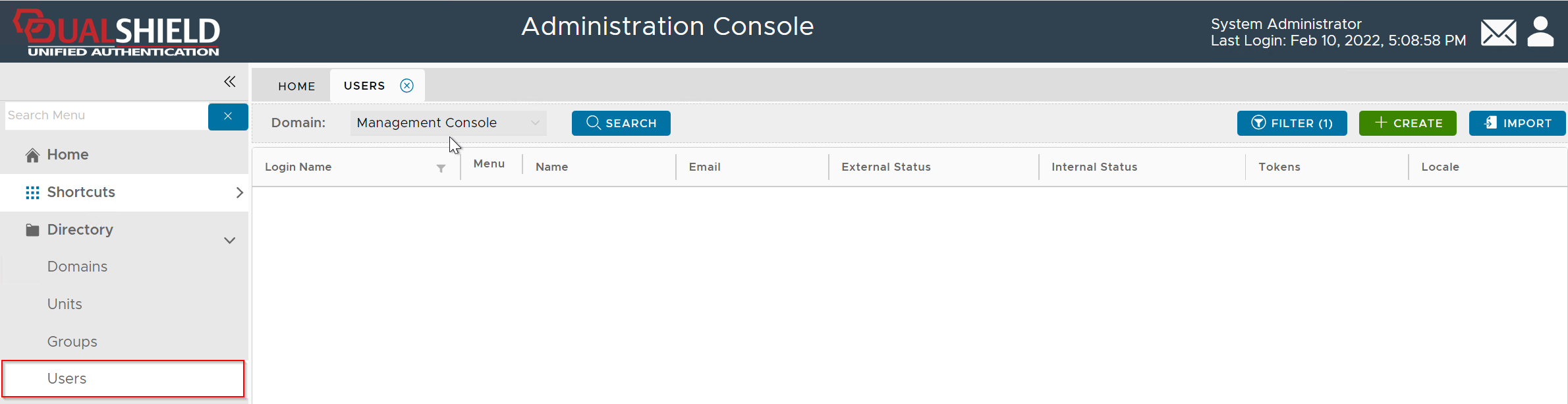
In the Domain list, select the domain that you want to work on, e.g. DeepnetMFA.com
If you click the "Search" button, it will list all users in the entire directory up to the query limit.
To narrow down your search, click the "Filter" button
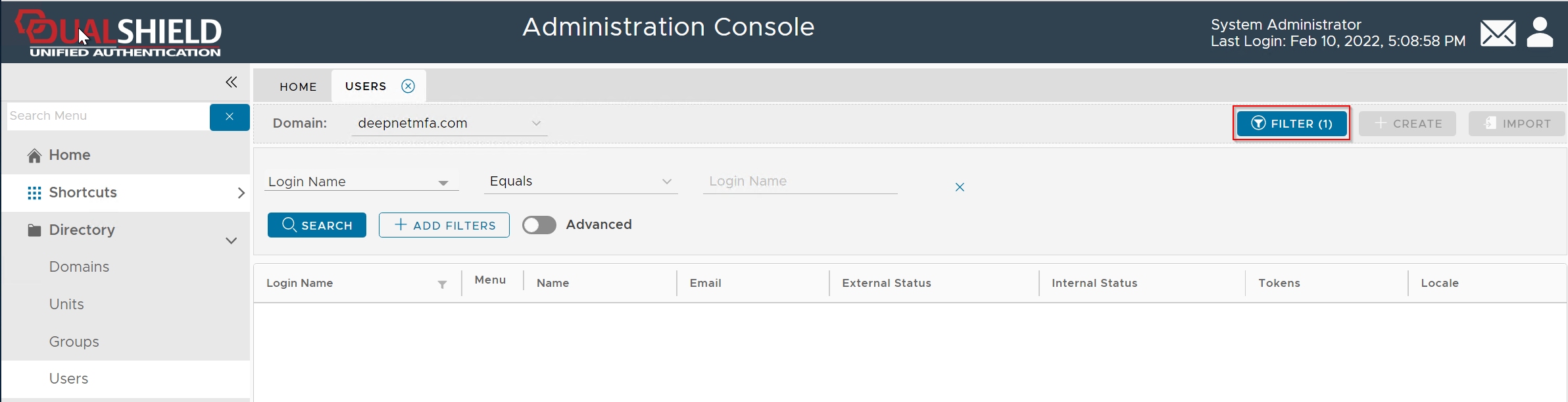
Enter the user's login name, e.g. 2FA, then click the "Search" button (You can change the search filter or add more filters)
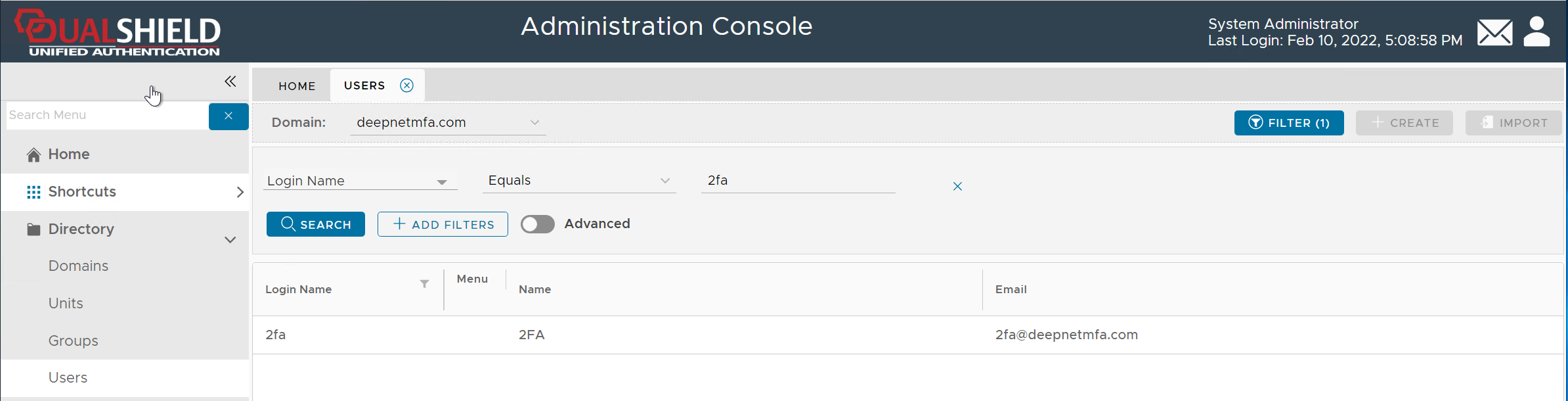
Once you have found the user account, click on its context menu icon "..." to bring up the context menu:
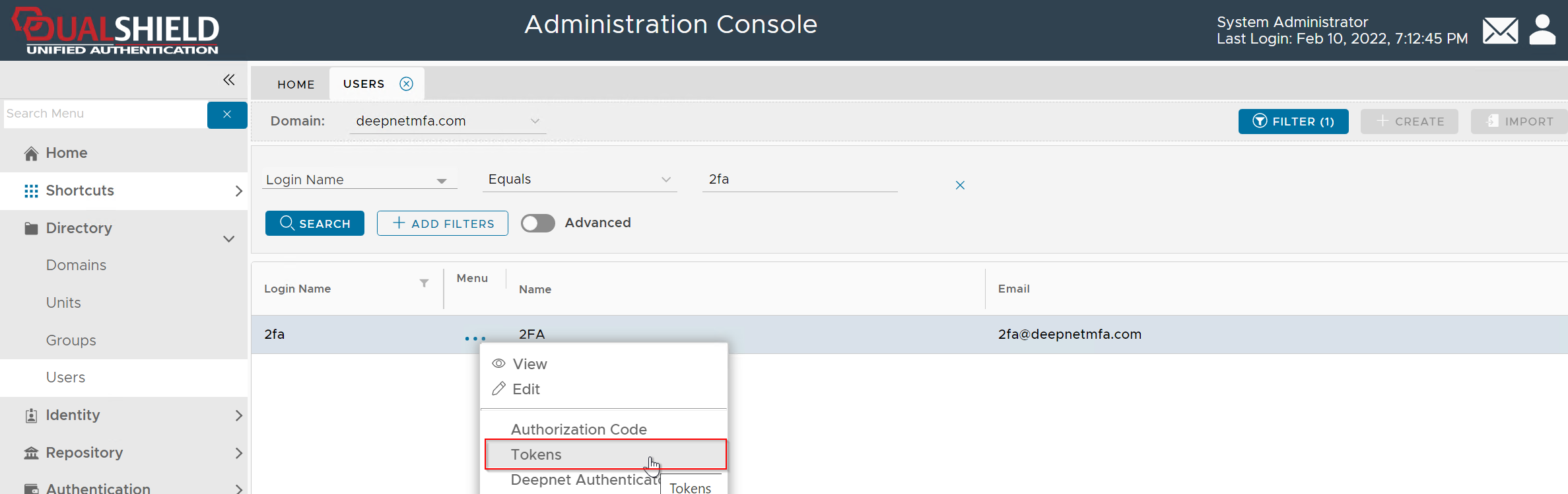
Click "Tokens" from the context menu
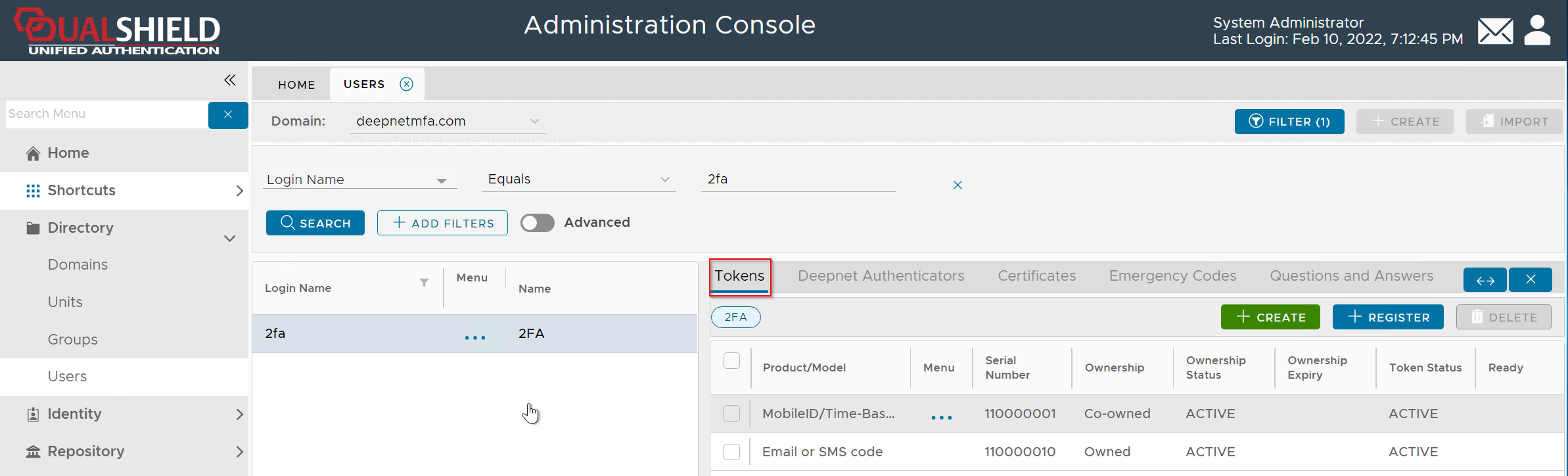
List the Token Assignments
To check the assignments of a token, select the token and click "Assignments" in the token's context menu:
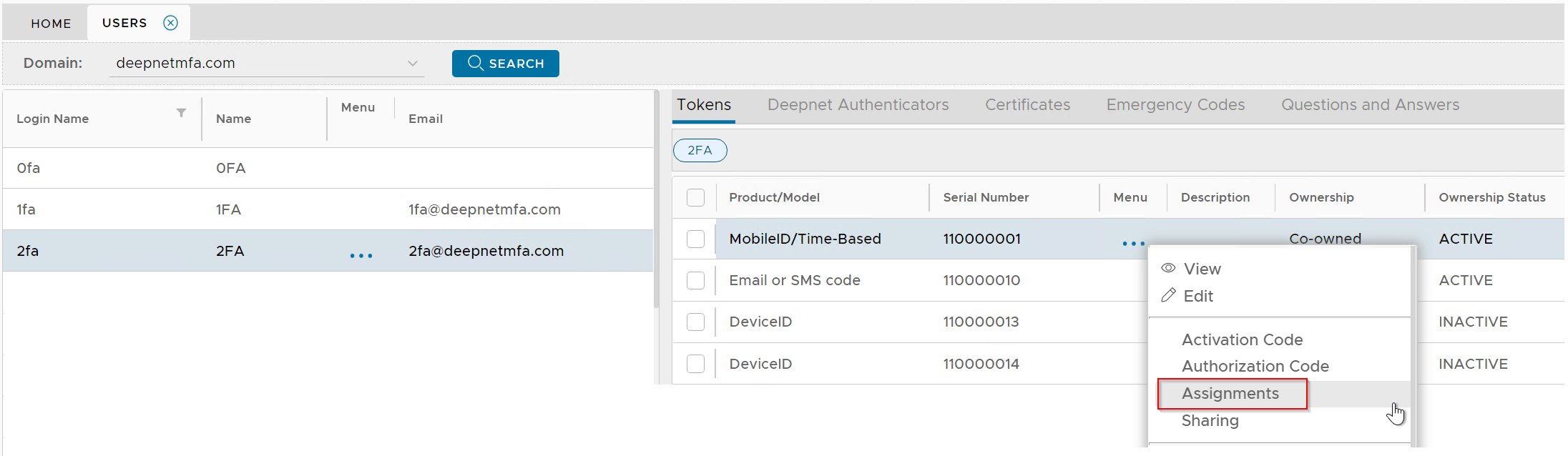
This will bring up the token assignments window