Computer Logon for Entra ID supports many MFA scenarios, including
- MFA for both Entra ID (Azure AD) domain users and local users.
- MFA at bootup login, screen unlock, and elevated access
- MFA when PC is online & offline
For each scenario, it provides a separate set of options that allow you to control whether or not MFA is required, and the frequency of MFA requirement etc.
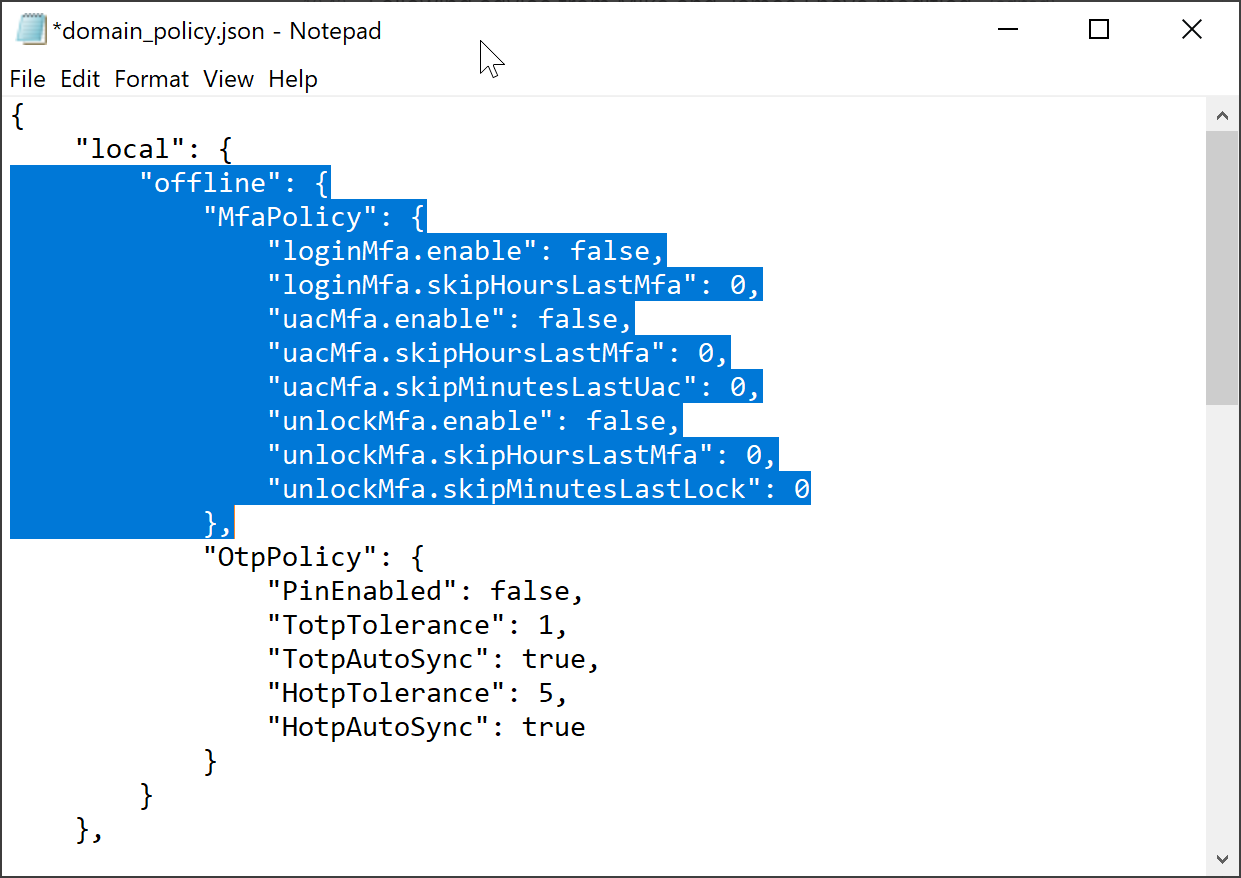
Those options are in the "domain_policy.json" file.
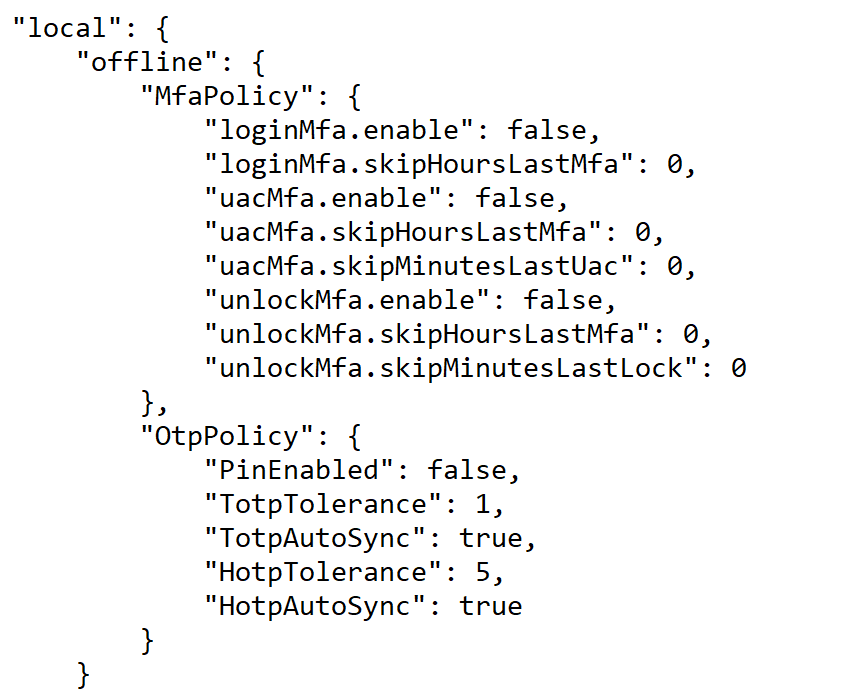
Options for Local Users
| online | offline | |
|---|---|---|
| bootup login | local\offline\MfaPolicy\loginMfa | |
| screen unlock | local\offline\MfaPolicy\unlockMfa | |
| elevated access | local\offline\MfaPolicy\uacMfa |
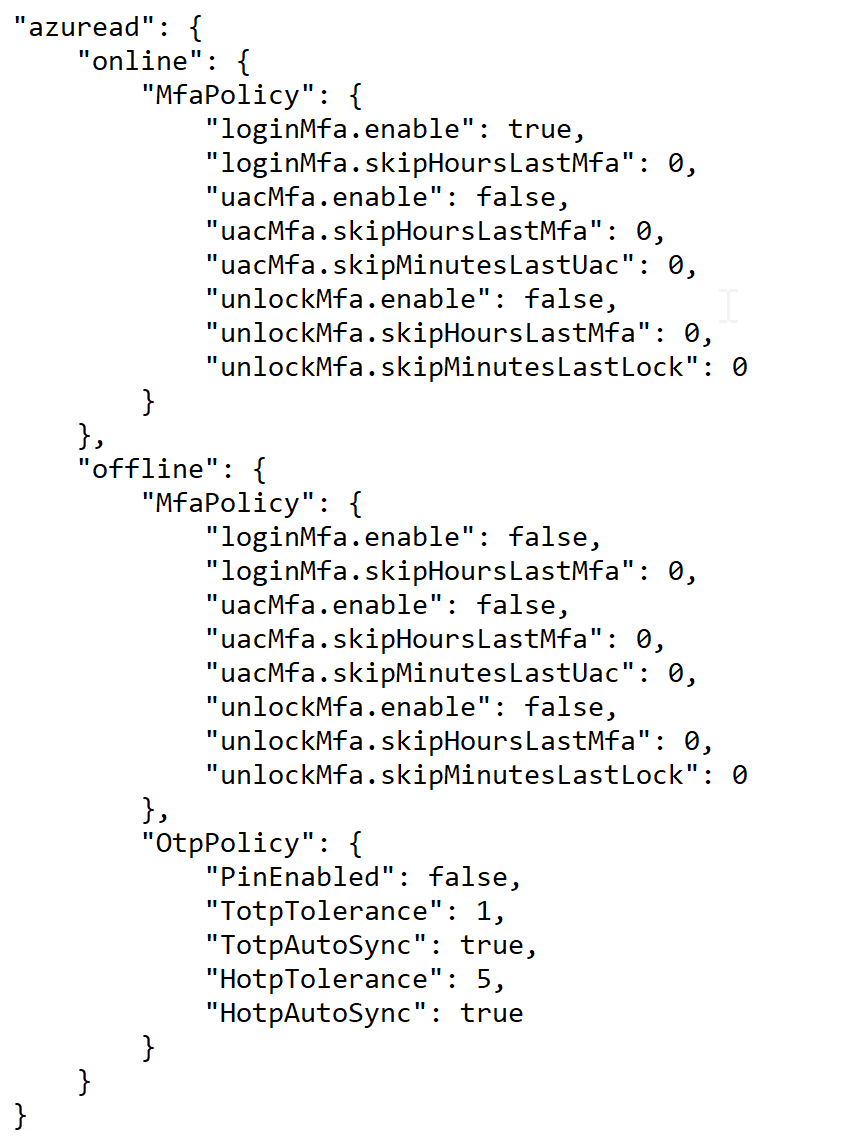
Options for Domain Users
| online | offline | |
|---|---|---|
| bootup login | azuread\online\MfaPolicy\loginMfa | azuread\offline\MfaPolicy\loginMfa |
| screen unlock | azuread\online\MfaPolicy\unlockMfa | azuread\offline\MfaPolicy\unlockMfa |
| elevated access | azuread\online\MfaPolicy\uacMfa | azuread\offline\MfaPolicy\uacMfa |
If you wish to customise some of those options, then you need to edit the "domain_policy.json" file in a text editor and change the corresponding options.
For instances
- if you want to enforce MFA for Azure AD domain users when PC is online on screen unlock, then you need to set the option "azuread\online\MfaPolicy\unlockMfa" to "true"
- if you want to enforce MFA for local users when PC is online on screen unlock, then you need to set the option "local\online\MfaPolicy\unlockMfa" to "true"
To enable MFA for domain users for offline access, you need to edit the "domain_policy.json" file and set the options in the "azuread\offline\MfaPolicy\" section
| Element | Remark |
|---|---|
| loginMfa | Boot up login |
| uacMfa | Elevated Access |
| unlockMfa | Screen Unlock |
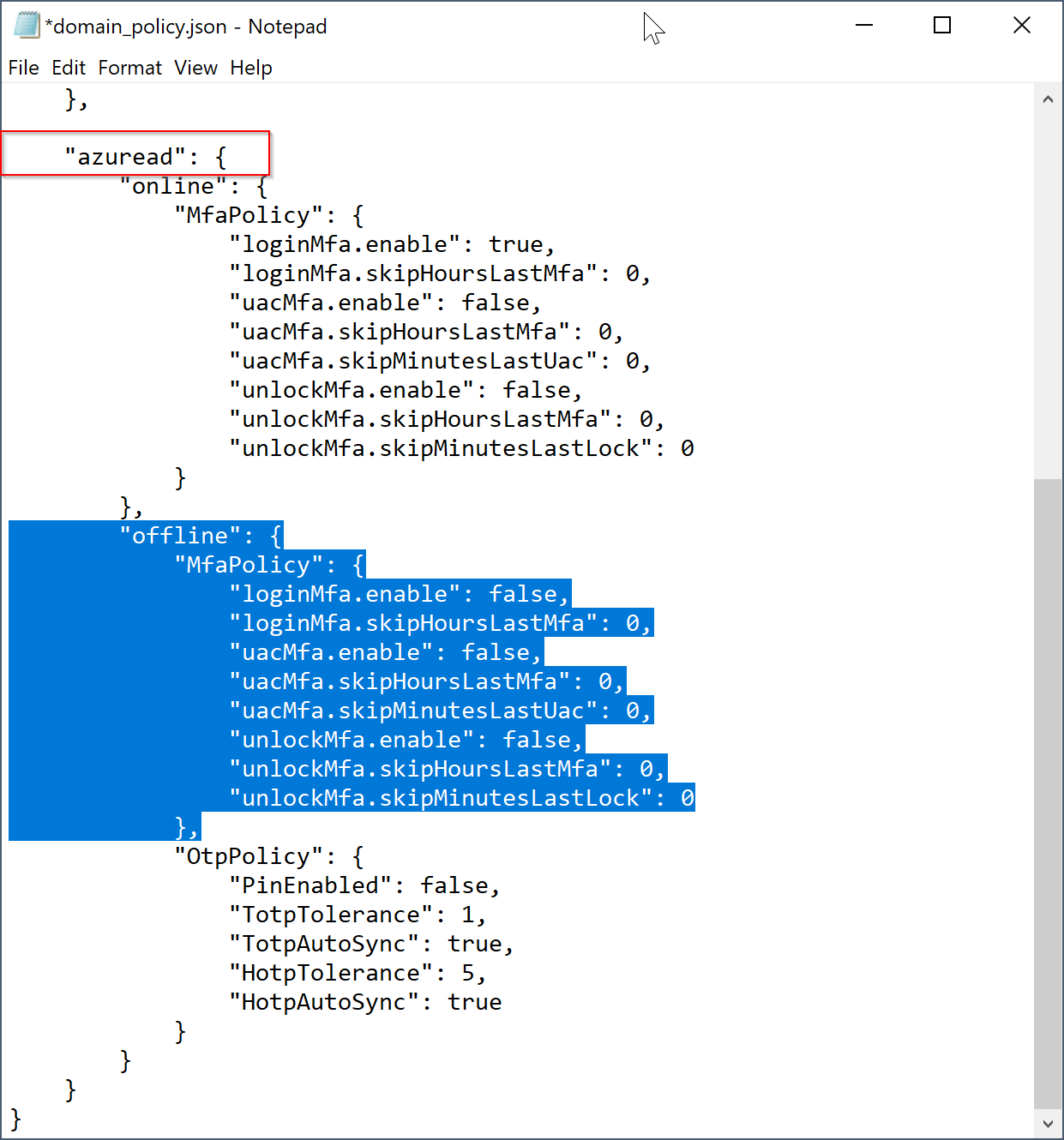
To enable MFA for local users for both online & offline access, you need to edit the "domain_policy.json" file and set the options in the "local\offline\MfaPolicy\" section
| Element | Remark |
|---|---|
| loginMfa | Boot up login |
| uacMfa | Elevated Access |
| unlockMfa | Screen Unlock |