In the DualShield Admin Console, find the computer logon agent in Authentication | Agents

Click its context menu
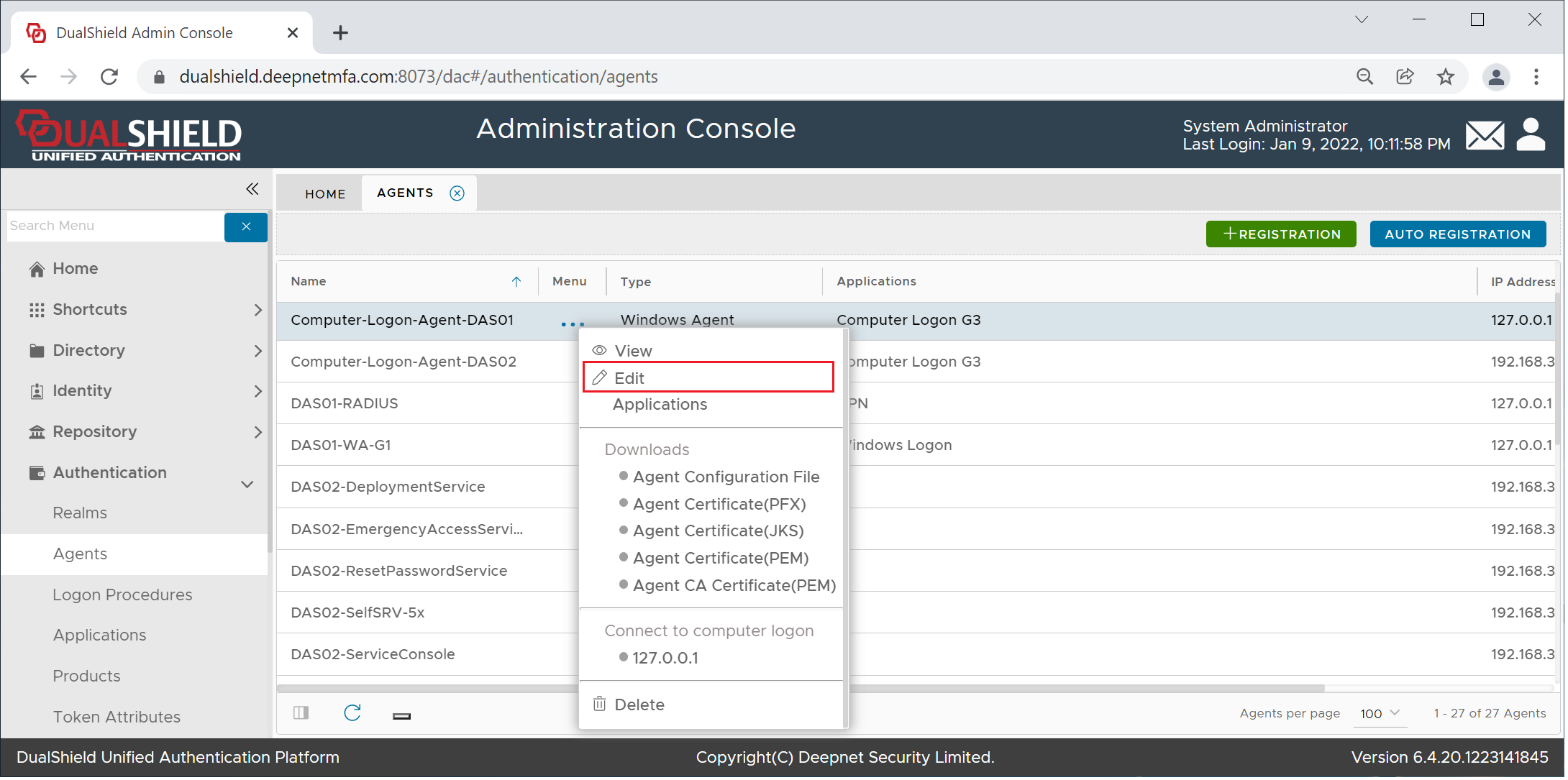
Select "Edit"
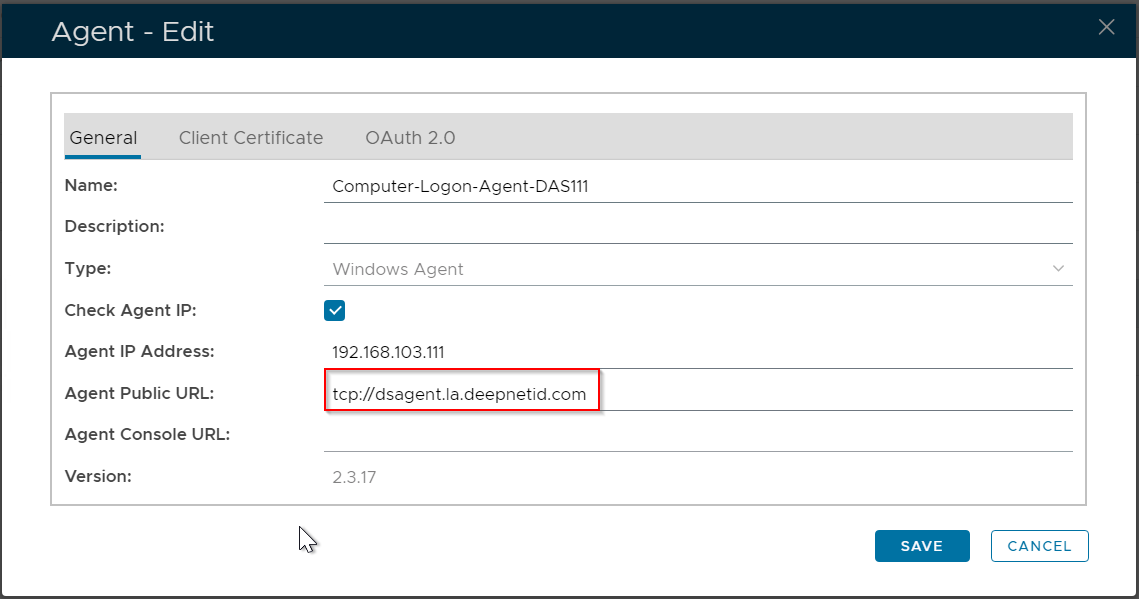
Enter the Agent's Public URL in the format "tcp://hostname.domain-name", e.g. tcp://dsagent.la.deepnetmfa.com
Click Save.
Important: if you have multiple Computer Logon Agents, then repeat the steps above on every Computer Logon Agent entry.