From the Dashboard, click User Access. This page lists everyone who currently has access, split into Groups and Users.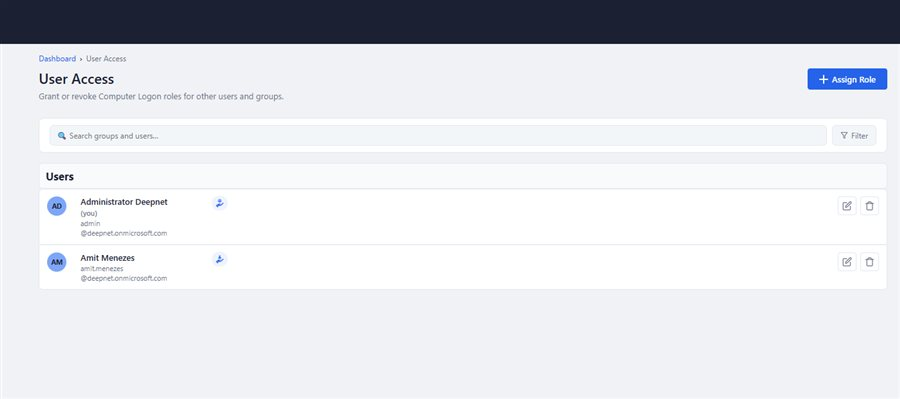
To assign a role to a user or user group, click the Assign Role button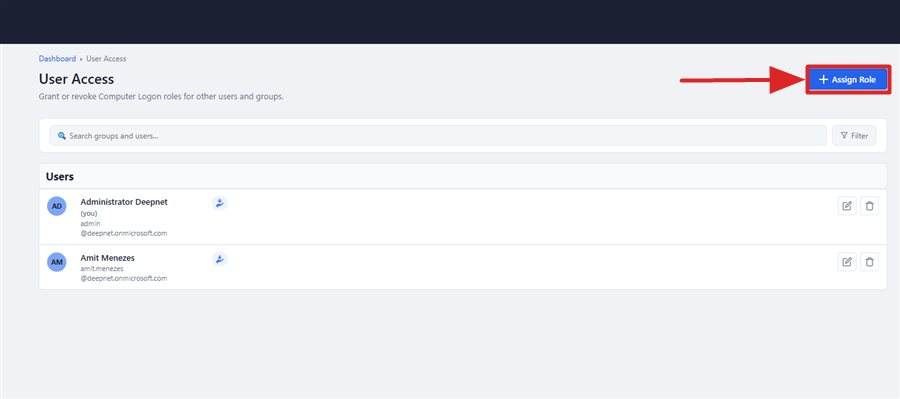
The Assign a role window will pop up
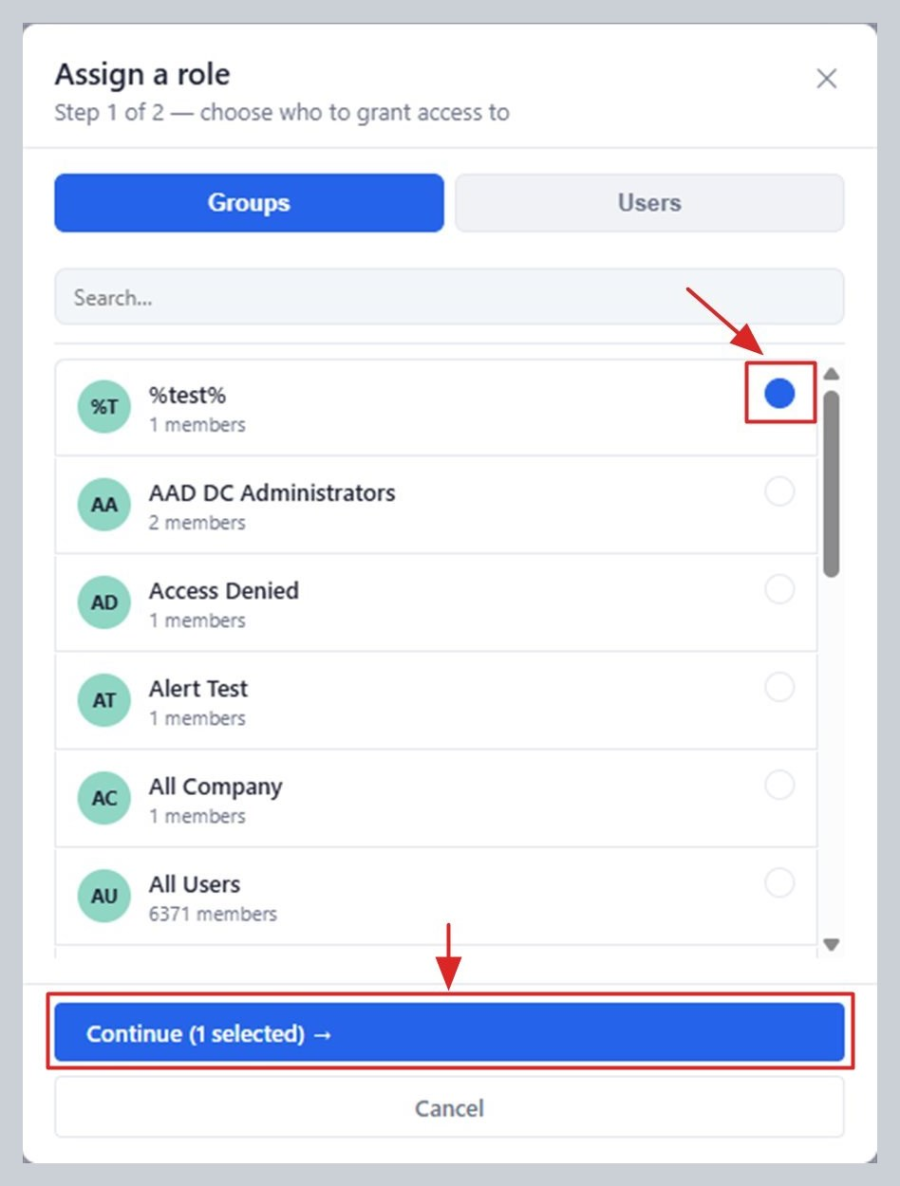
Select the user(s) or user group(s) you want to grant access to, then click "Continue →"
Now, you need to choose the level of access
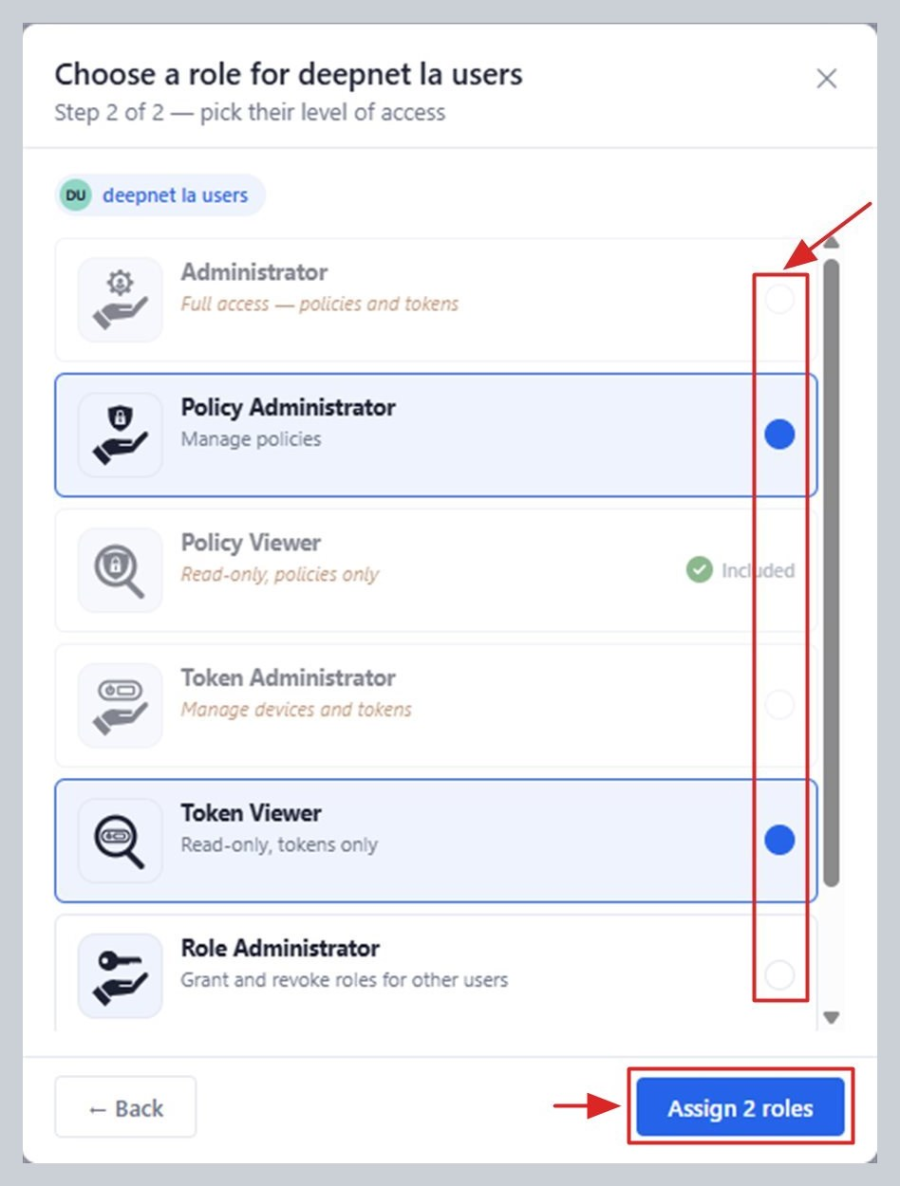
Select one or more roles. Only give someone as much access as they actually need.
Click Assign. That person (or everyone in the group) can now sign in to the portal themselves and use whatever you gave them access to — there's nothing else for them to set up.