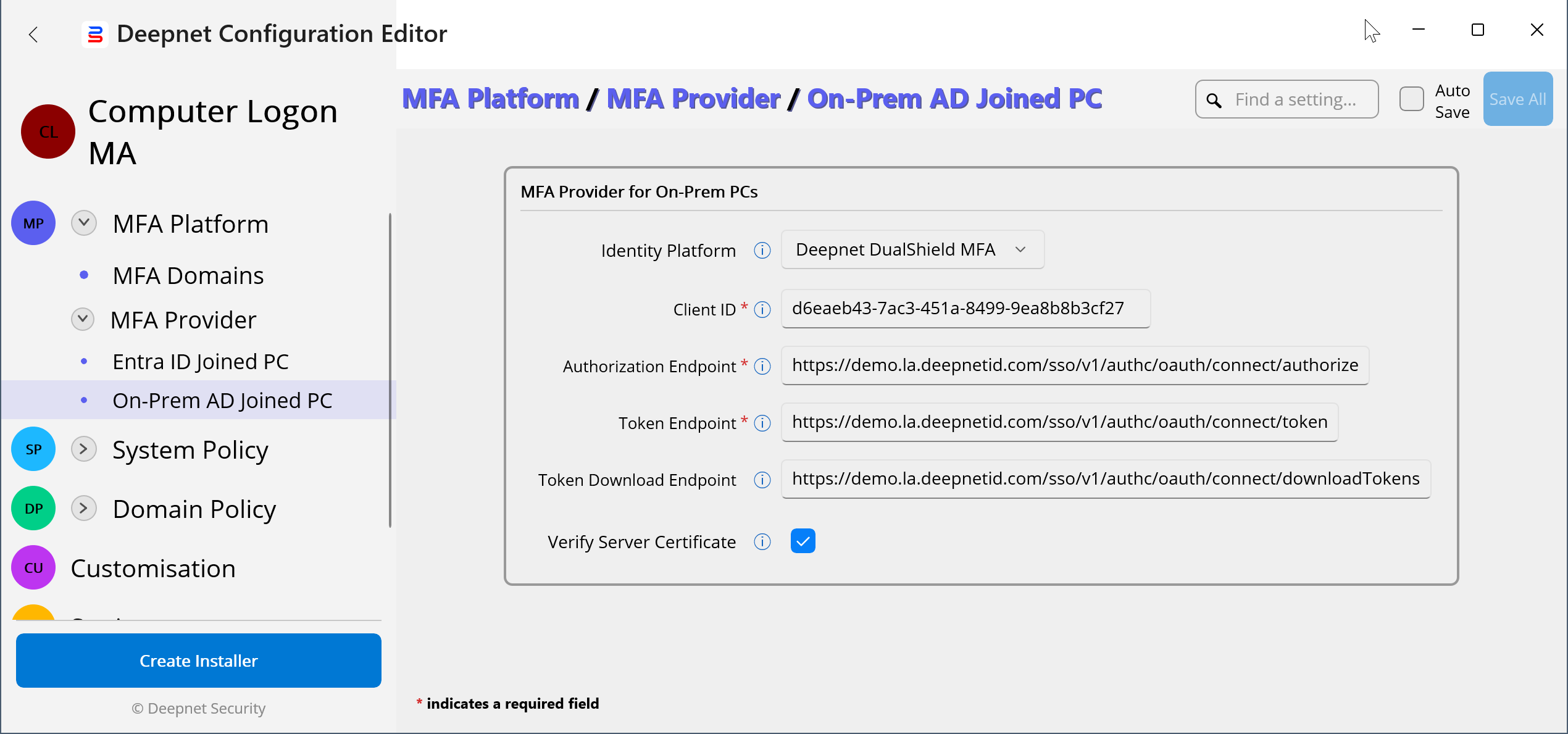
The Computer Logon MA solution supports different MFA providers, including the Microsoft Entra MFA service and Deepnet DualShield MFA server.
You need to enter the details of the MFA provider that will be used to authenticate users for computer logins.
In the Deepnet Configuration Editor, navigate to "MFA Platform | MFA Provider"
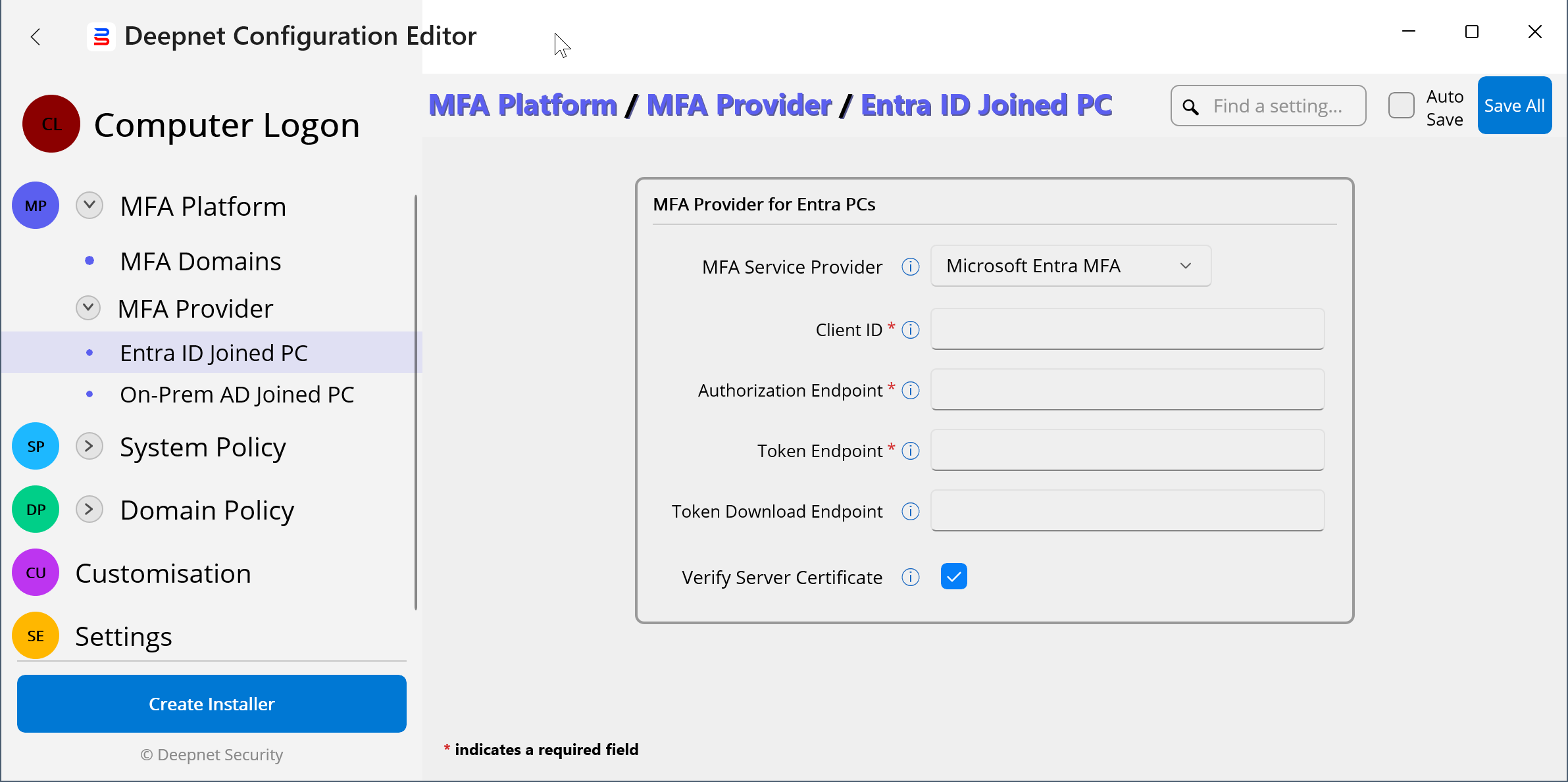
The Computer Logon MA solution supports both Entra ID joined PCs and On-Prem AD joined PCs.
* The hybrid joined PC is treated as On-Prem joined PC.
You can use the same MFA provider for both Entra ID joined PCs and On-Prem AD joined PCs, or you can use a different MFA provider for Entra ID joined PCs and On-Prem AD joined PCs.
* You need to enter the MFA Provider details for both Entra ID joined PCs and On-Prem AD joined PCs, even if you only have one of them in your environment.
Microsoft Entra MFA
| Key | Value | Comment |
|---|---|---|
| Client ID |
| |
| Authorization Endpoint | https://login.microsoftonline.com/TENANT-ID/oauth2/v2.0/authorize | Replace "TENANT-ID" with your Tenant ID |
| Token Endpoint | https://login.microsoftonline.com/TENANT-ID/oauth2/v2.0/token | Replace "TENANT-ID" with your Tenant ID |
Token Download Endpoint | SafeID Token Service (Cloud) https://admin.safeid.io/api/ComputerLogon/GetTokens SafeID Token Service (On-Prem) https://FQDN/api/ComputerLogon/GetTokens Deepnet DualShield https://FQDN/sso/v1/authc/oauth/connect/authorize | Replace "FQDN" with the FQDN of your SafeID Token Service or Deepnet DualShield MFA server |
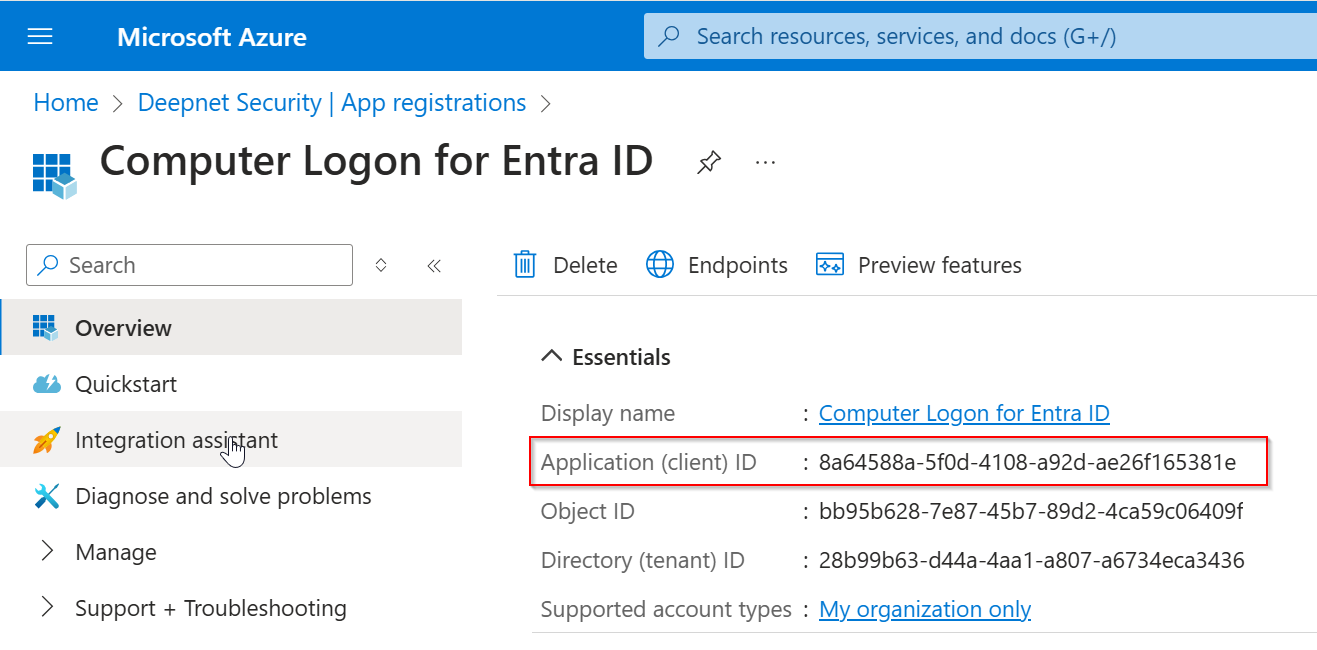
Example:
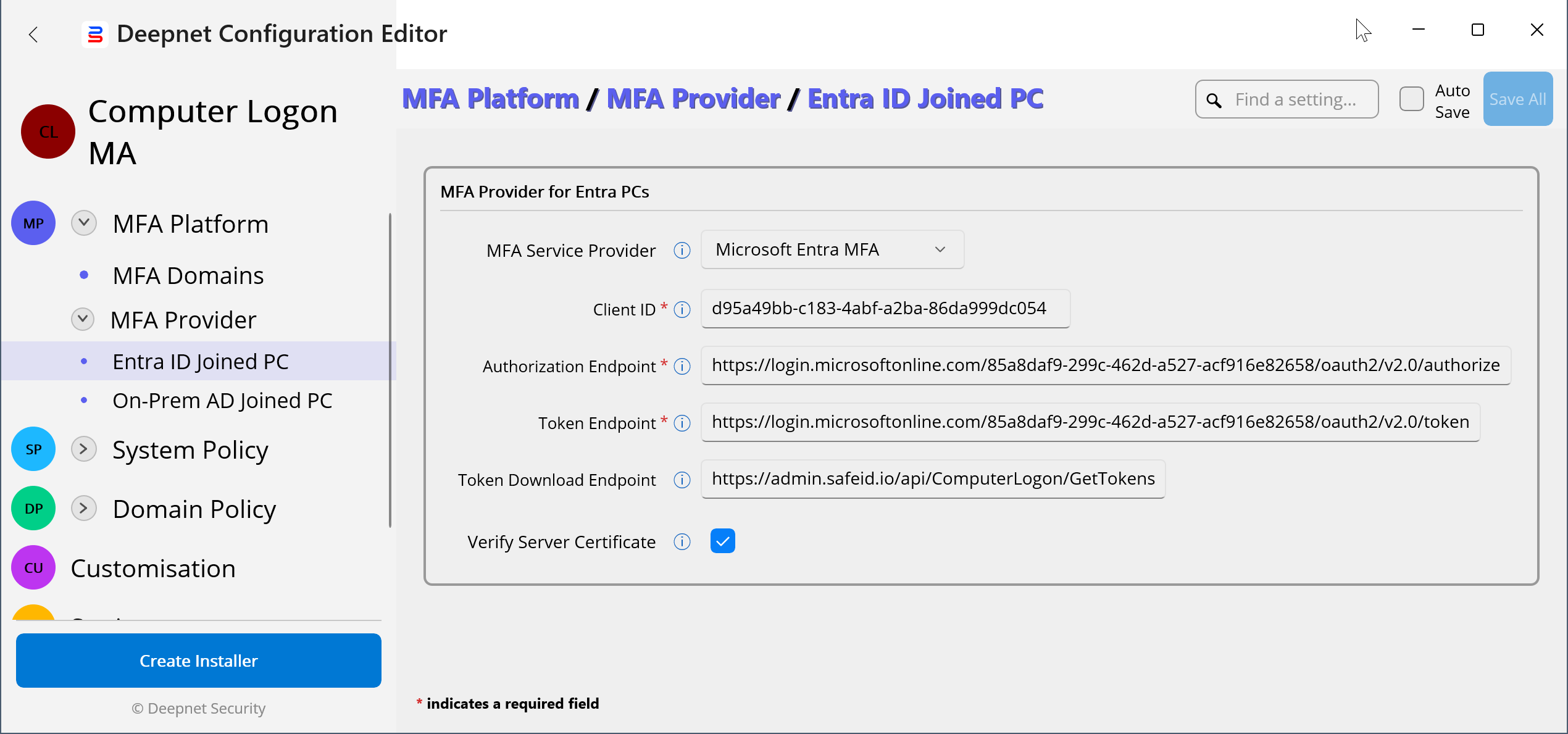
Deepnet DualShield MFA
| Key | Value | Comment |
|---|---|---|
| Client ID |
| |
| Authorization Endpoint | https://FQDN/sso/v1/authc/oauth/connect/authorize | Replace "FQDN" with the FQDN of your Deepnet DualShield MFA server |
| Token Endpoint | https://FQDN/sso/v1/authc/oauth/connect/token | Replace "FQDN" with the FQDN of your Deepnet DualShield MFA server |
| Token Download Endpoint | https://FQDN/sso/v1/authc/oauth/connect/downloadTokens | Replace "FQDN" with the FQDN of your Deepnet DualShield MFA server |
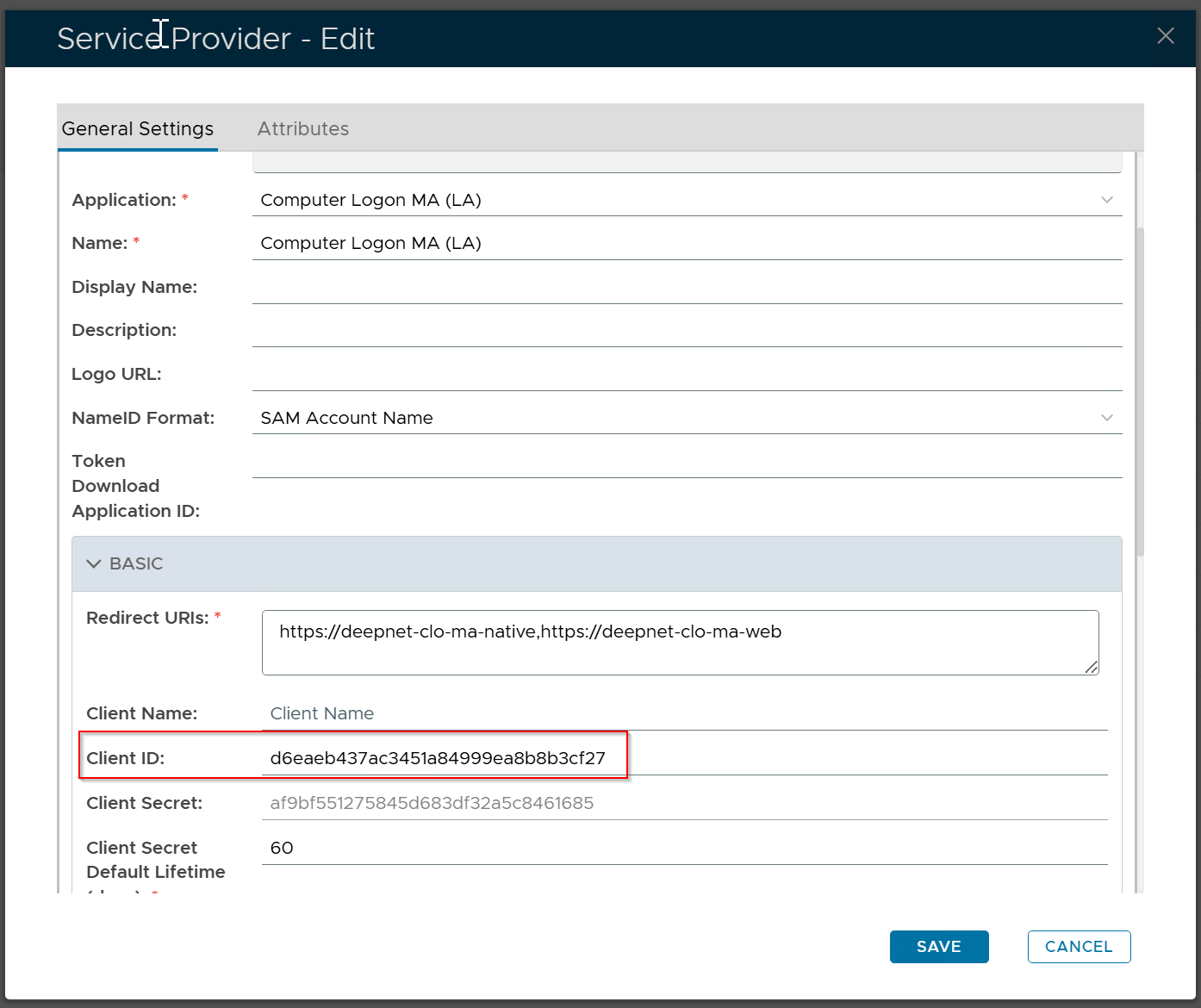
Example: