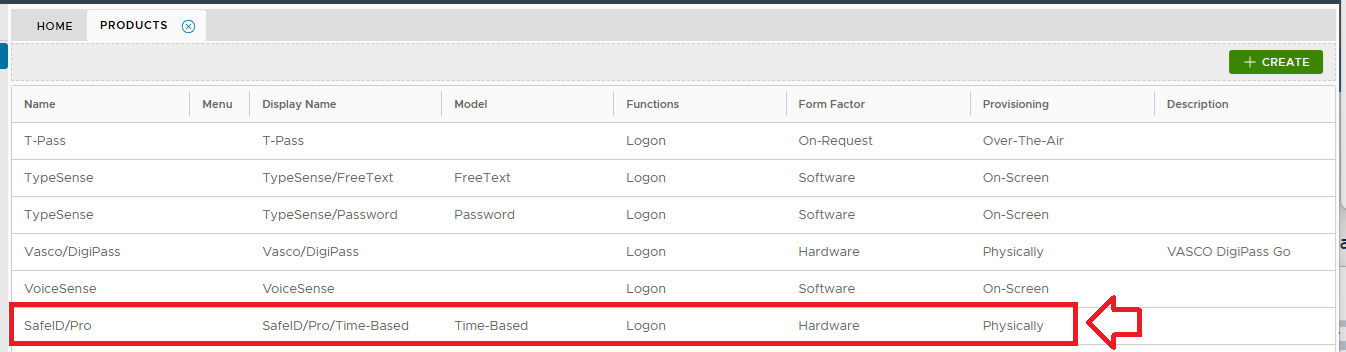
DualShield includes a pre-defined authentication product named SafeID/Time-Based which is an OATH/TOTP token with a time interval of 60 seconds. This predefined authentication product can be used to manage any TOTP hardware token with a time interval of 60 seconds, such as SafeID/Classic, SafeID/Mini etc.
However, if you want to use a TOTP token with a time interval of 30 seconds, such as SafeID/Pro, then you will need to create a new authentication product in your DualShield server.
This guide describes the process of creating an Time-base OTP (TOTP) authentication product for the SafeKey/Pro hardware token.
Follow the steps below to create a new authentication product.
In the Administraton Console, navigate to "Authentication | Products", then click on the  button;
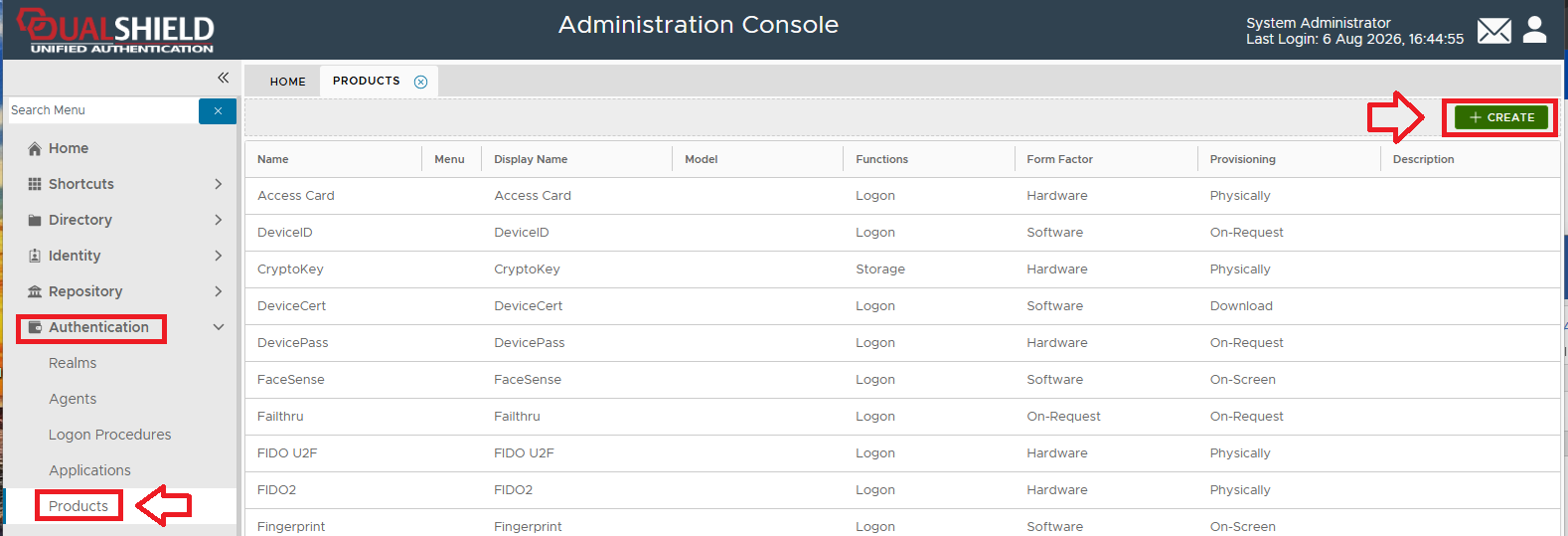
A new window titled "Product - New" will now open;
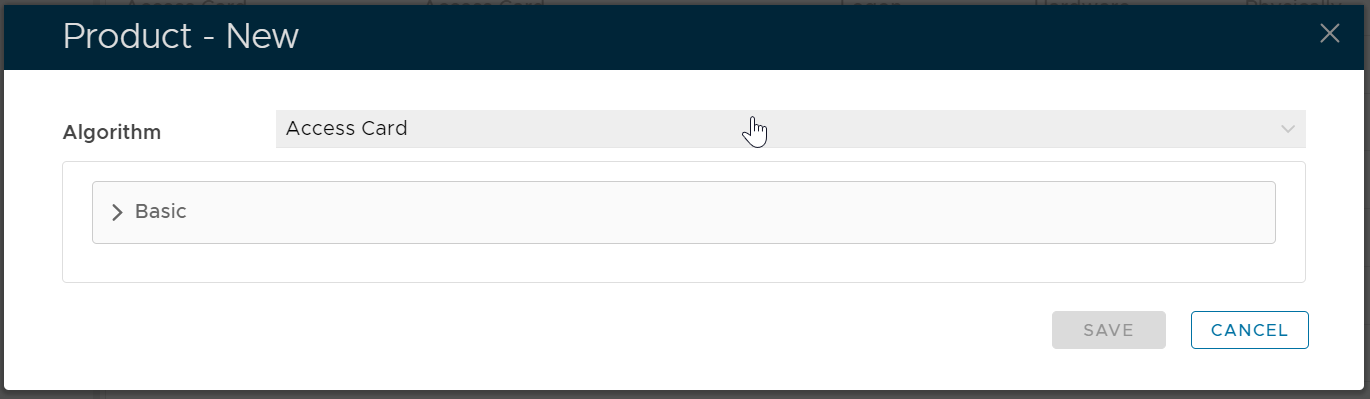
At the dropdown "Algorithm", we will select the algorithm that relates to the SafeKey/Pro hardware token (so we need to select the option "OATH TOTP");
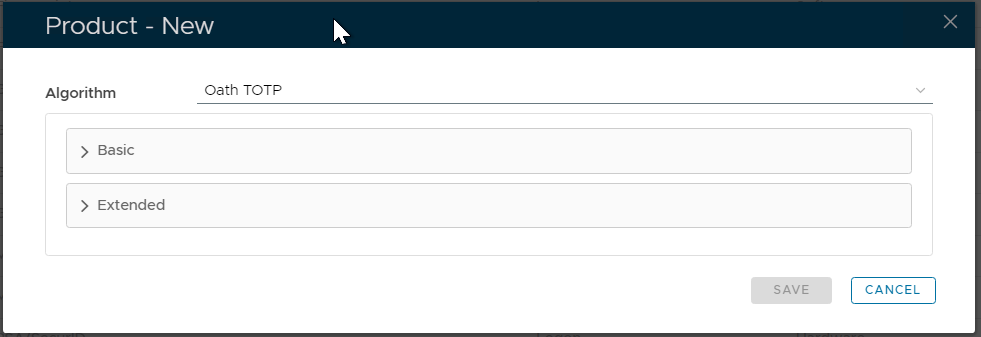
Expand the expandable section "Basic", then fill in the following details:
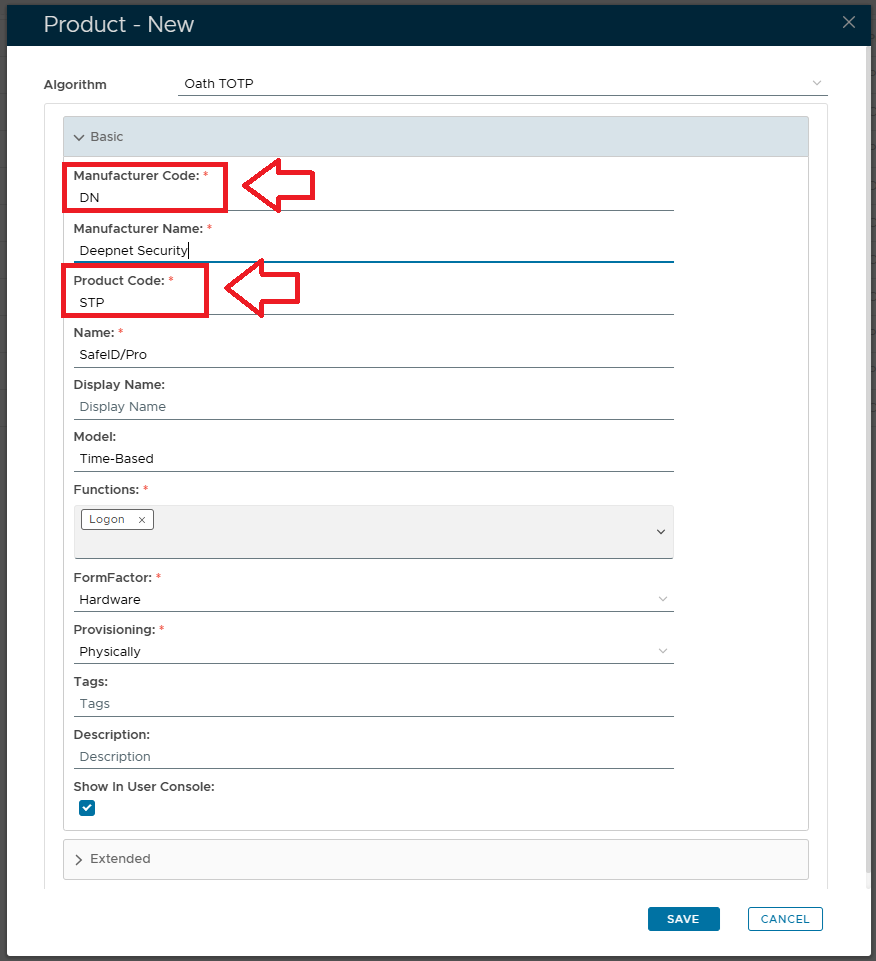
The key entries are:
- Manufacturer Code: DN
- Product Code: STP
Next, expand the section "Extended", and fill in the following details:
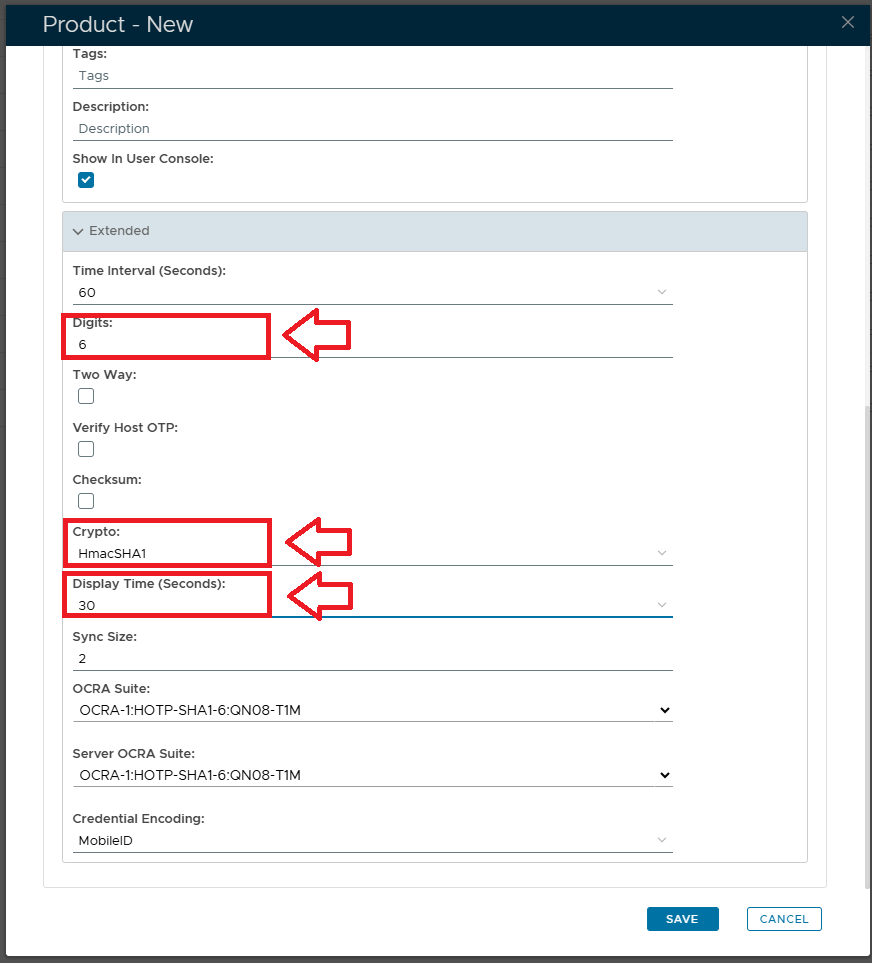
The key entries are:
- Digits: 6
- Crypto: HmacSHA1
- Display Timer (Seconds): 30
Finally, click the  button, and your newly created product can be found at the end of the list of products;