You are viewing an old version of this page. View the current version.

Compare with Current View Page History

Version 1 Current »

  1. Login into DualShield Management Console
  2. In the main menu, select “SSO | SSO Servers”


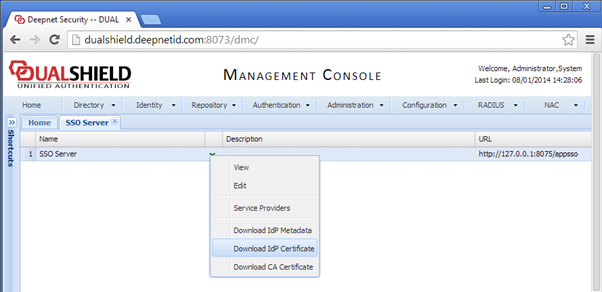
  3. Click “Download IdP Certificate” and save to a local file, e.g. DualShieldSSO.crt


  • No labels