Login to the DualShield Administration Console, select "Authentication | Logon Procedures".
Add "Fingerprint" authentication method to the Logon Procedure associated with the 'Windows' Application.

You will also have to customise the Fingerprint policy according to your requirements.
Navigate to "Administration | Policies". Locate "Fingerprint" at the 'Category' drop-down list.
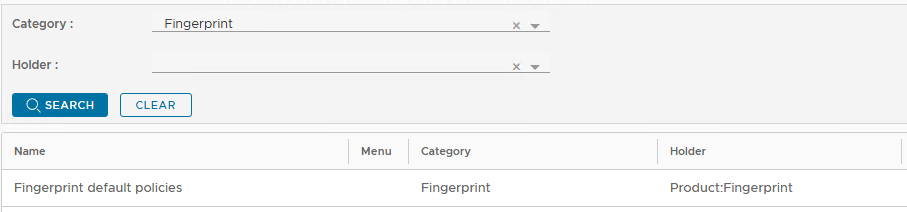
Click the context "..." menu on this policy, then select "Edit".
The "Fingerprint" default Policy window will appear:
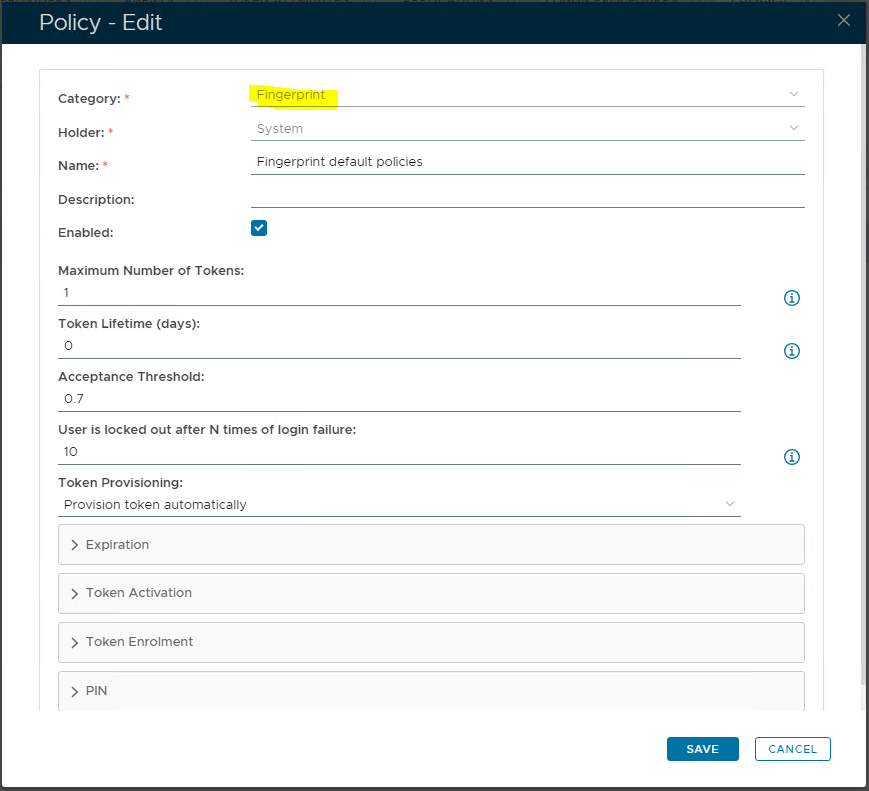
Check and set the following policy options, at the appropriate drop-down menus:
- Token Provisioning - "Provision token automatically".
- Token Activation - "Automatically activate the token when created or assigned".
- Token Enrollment - "Authorisation Code required".