To check the domain and cloud join status of a Windows PC, run the command "dsregcmd /status" from a Windows Command Prompt (CMD)
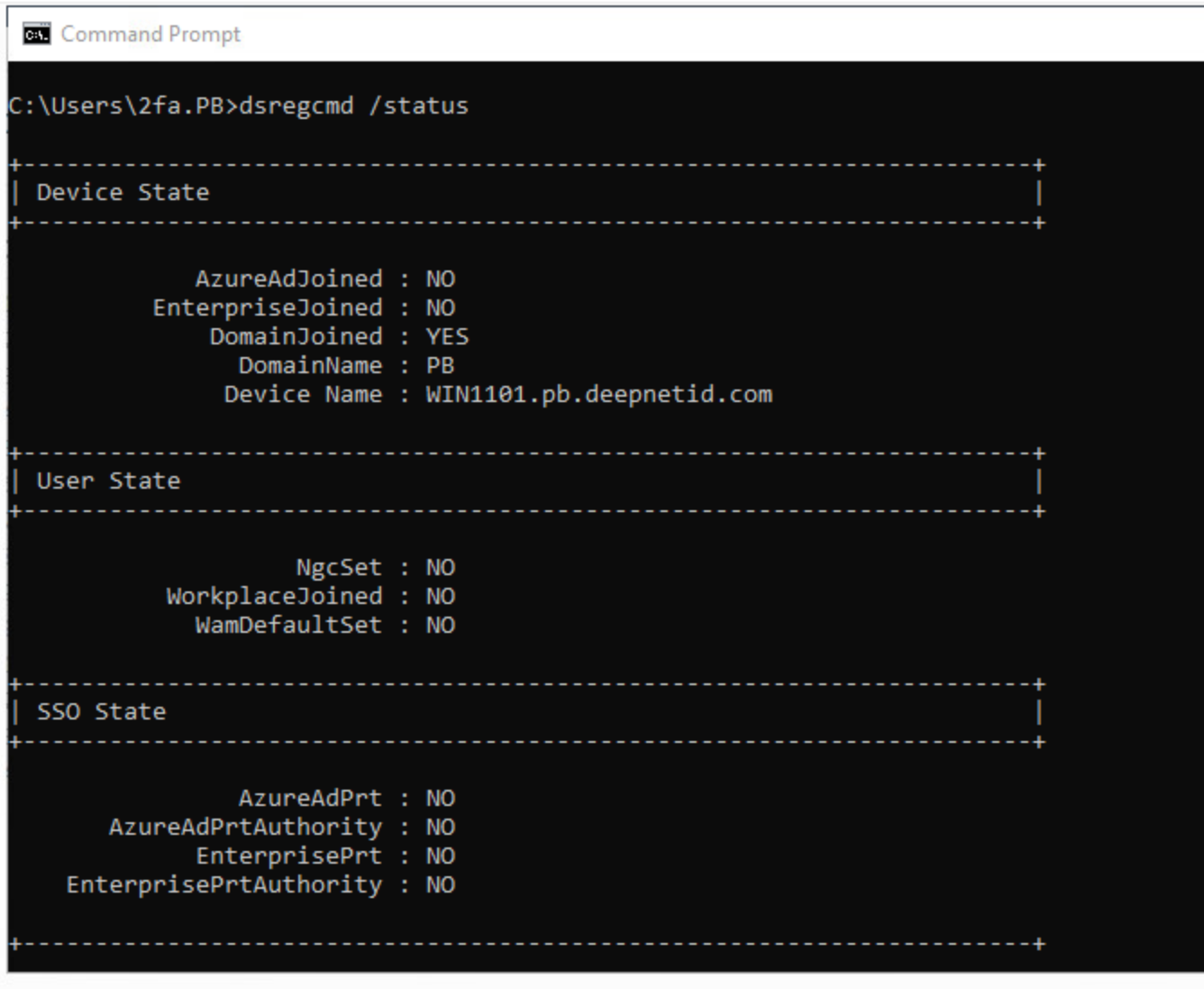
Scroll up to the top of the output block and locate the Device State section. Check the following key lines:
DomainJoined:YES= The PC is joined to a traditional on-premises Active Directory (AD) domain.NO= The PC is not joined to an on-premises AD domain (it may be a workgroup or pure cloud-joined device).
AzureAdJoined:YES= The PC is joined to Microsoft Entra ID (formerly Azure AD).NO= The PC is not joined to Entra ID.
EnterpriseJoined:YES= The PC is joined to an on-premises Device Registration Service (Workplace Join).NO= Not workplace joined.
Common Combinations:
- Traditional On-Prem AD Domain Joined:
DomainJoined : YES|AzureAdJoined : NO - Hybrid Entra ID Joined (Domain + Cloud):
DomainJoined : YES|AzureAdJoined : YES - Pure Microsoft Entra ID Joined:
DomainJoined : NO|AzureAdJoined : YES - Workgroup PC:
DomainJoined : NO|AzureAdJoined : NO