Sets or changes the PIN stored on the security key itself — the same PIN a browser will askfor when it needs to unlock the key for a passkey operation.
1. Connect a security key and tap PIN Management.
2. If the key has no PIN yet, you're asked to choose one directly.
3. If a PIN is already set, enter the Current PIN, then a New PIN and confirmation.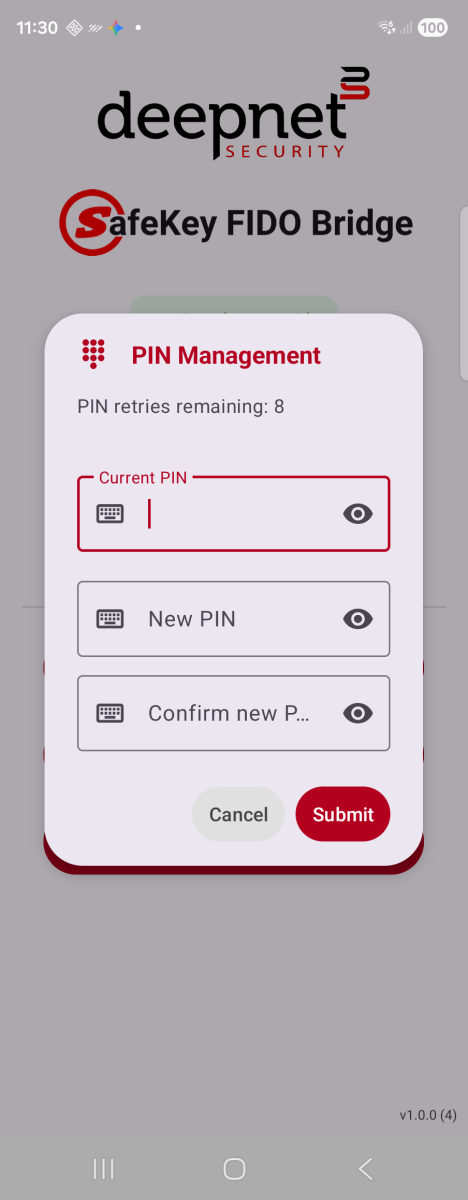
Change PIN — shown when a PIN is already set
4. Tap Submit. A confirmation dialog appears once the key accepts the change.
The retry counter at the top counts down each time an incorrect PIN is entered. Most keyspermanently block PIN entry after 8 wrong attempts in a row, wiping stored passkeys .