Offsite means that a computer is not connected to the corporate network, but is connected to the Internet. If you make your DualShield Computer Logon Agent accessible from the Internet, then your users will be able to log in to their computers with MFA anywhere at any time, as long as the computer has an Internet connection.
To enable Offsite MFA logon, you need to complete the following steps
Set Agent Public URL
In the DualShield Admin Console, find the computer logon agent

Click its context menu
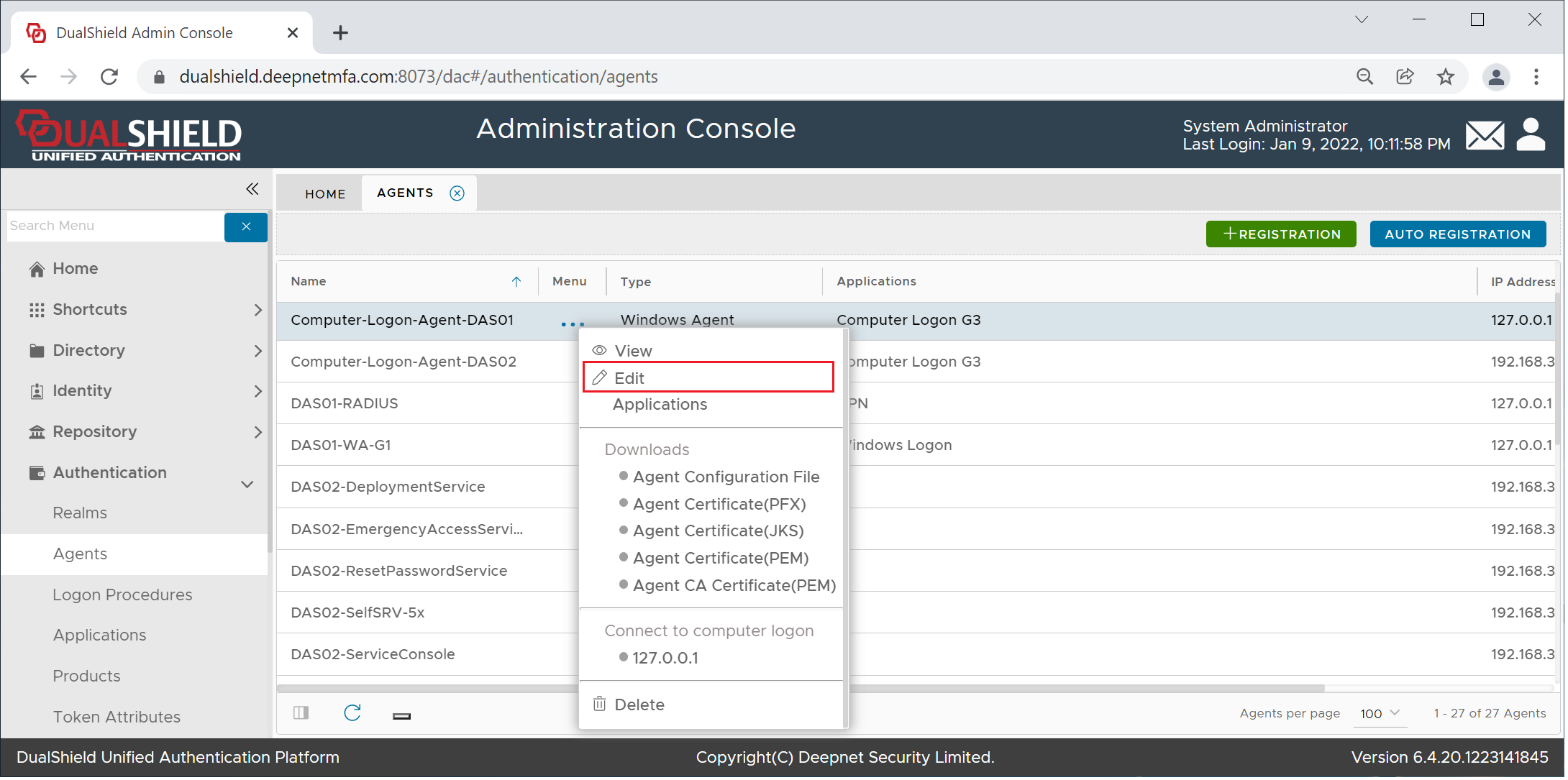
Select "Edit"
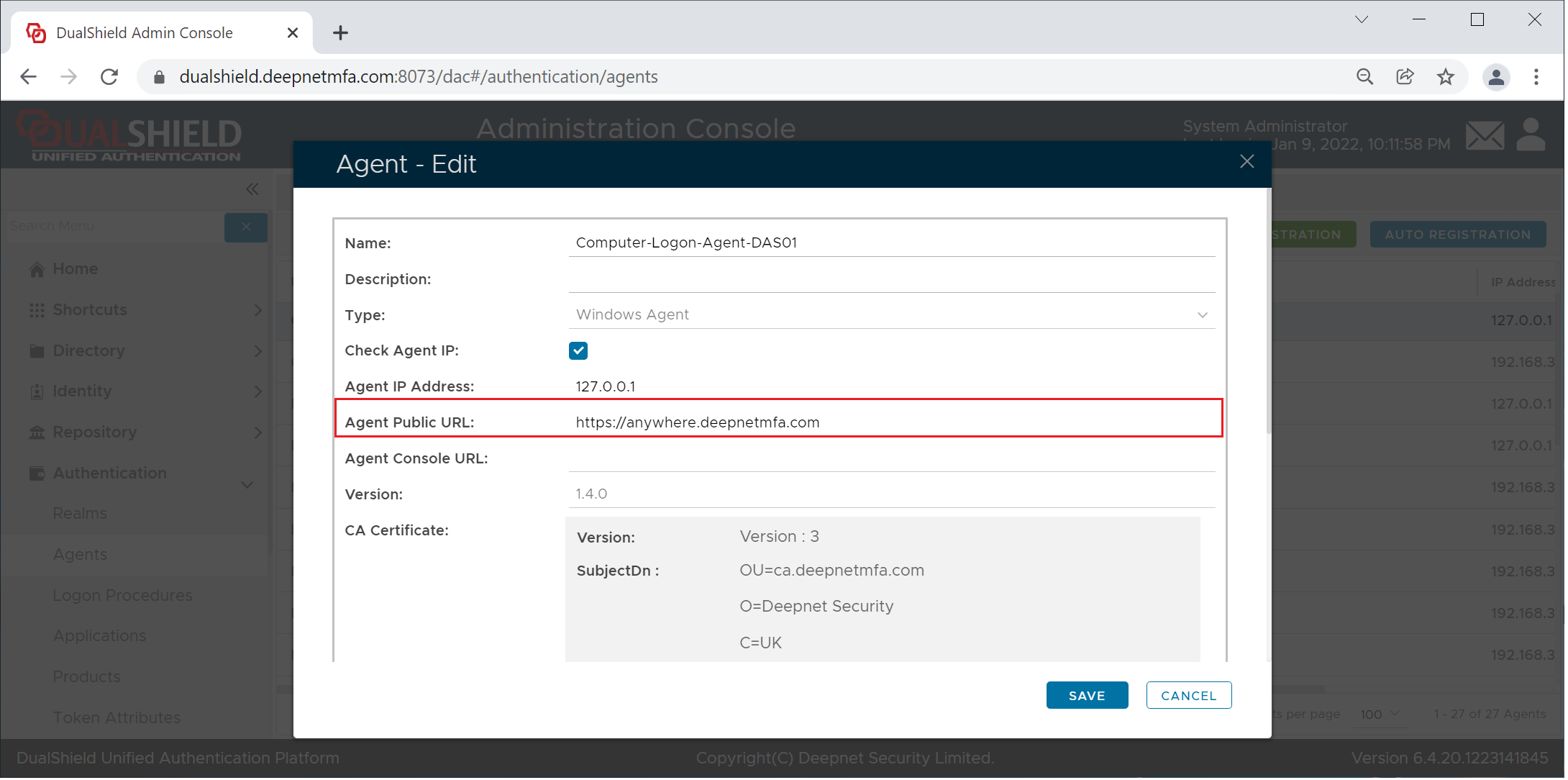
Enter the agent's public URL and save it