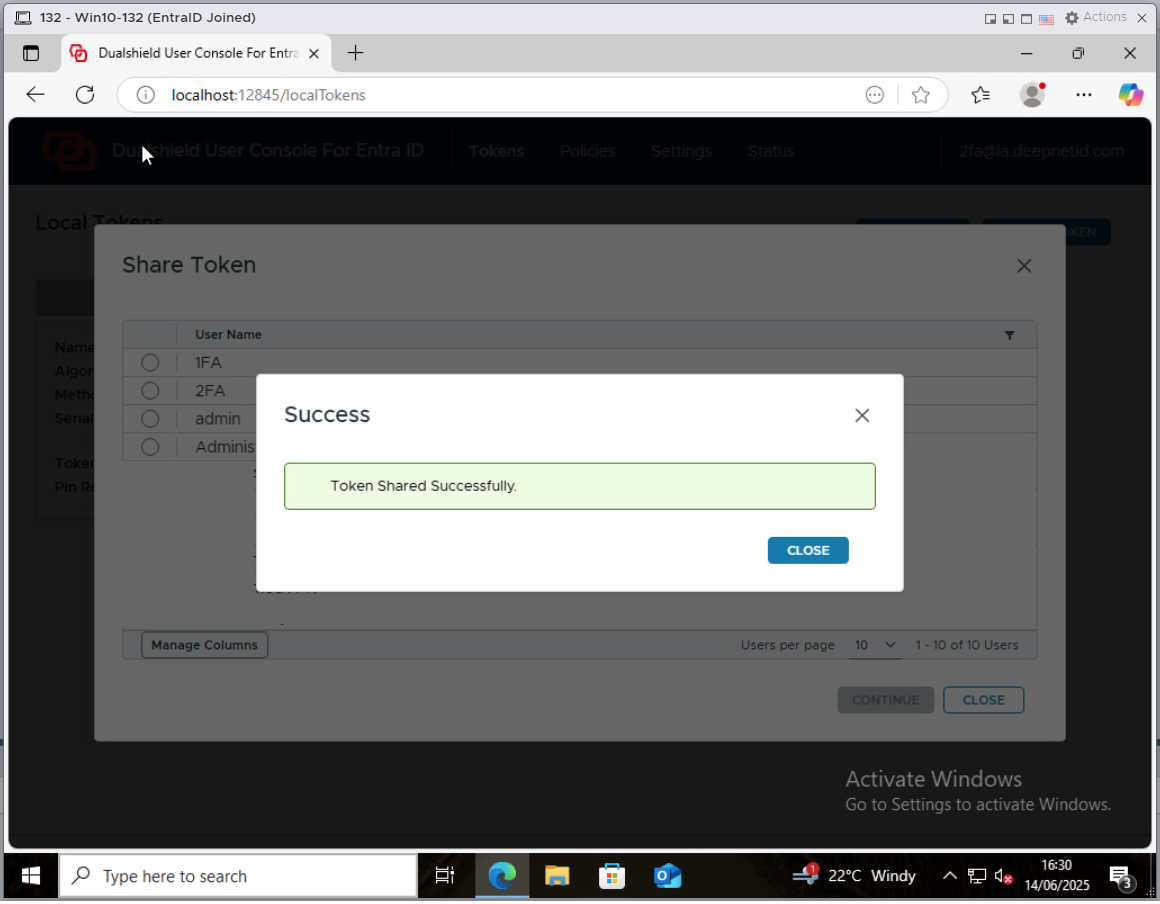
To set up a token for a local user account, the user must follow the steps below
First, the user must set up a token for offline MFA for the user's domain account.
Then, the user needs to share the token with the user's local account
Click the context menu of the token
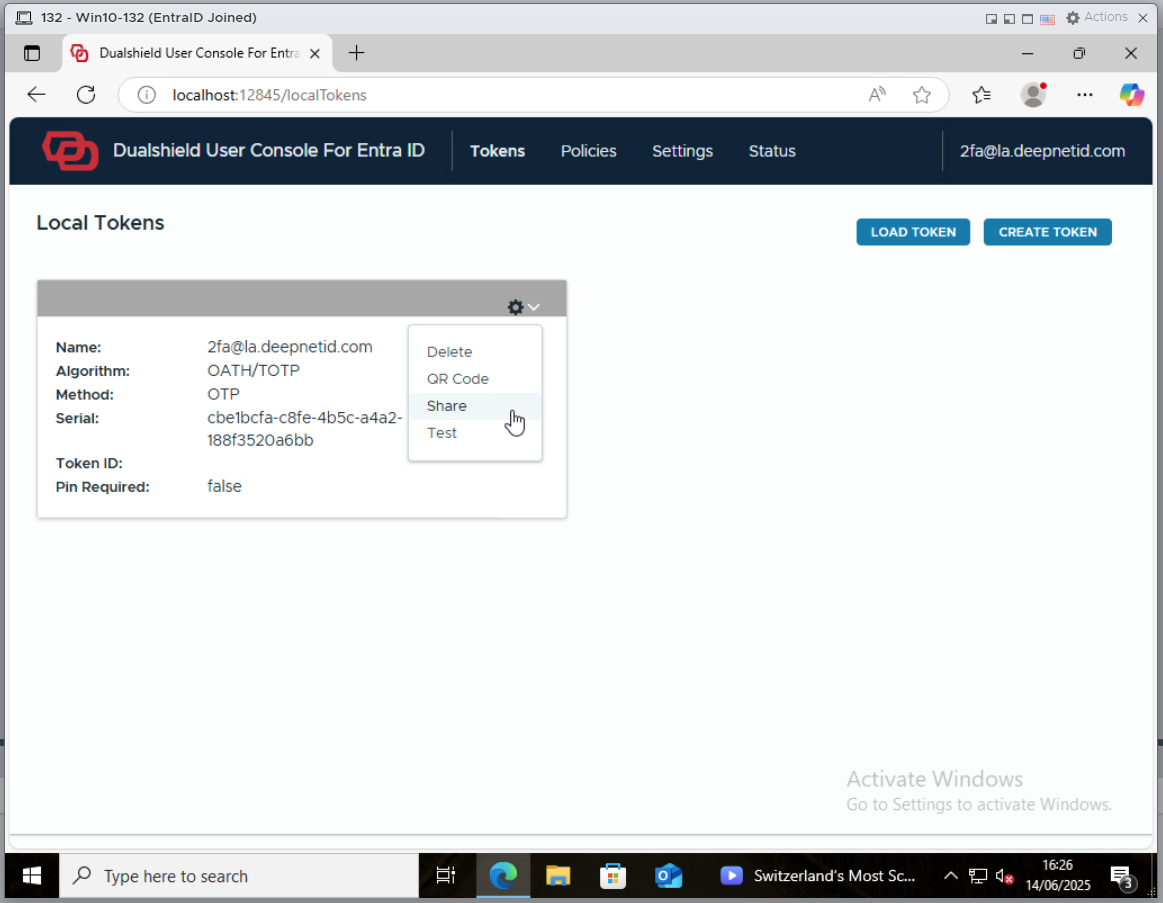
Select "Share"
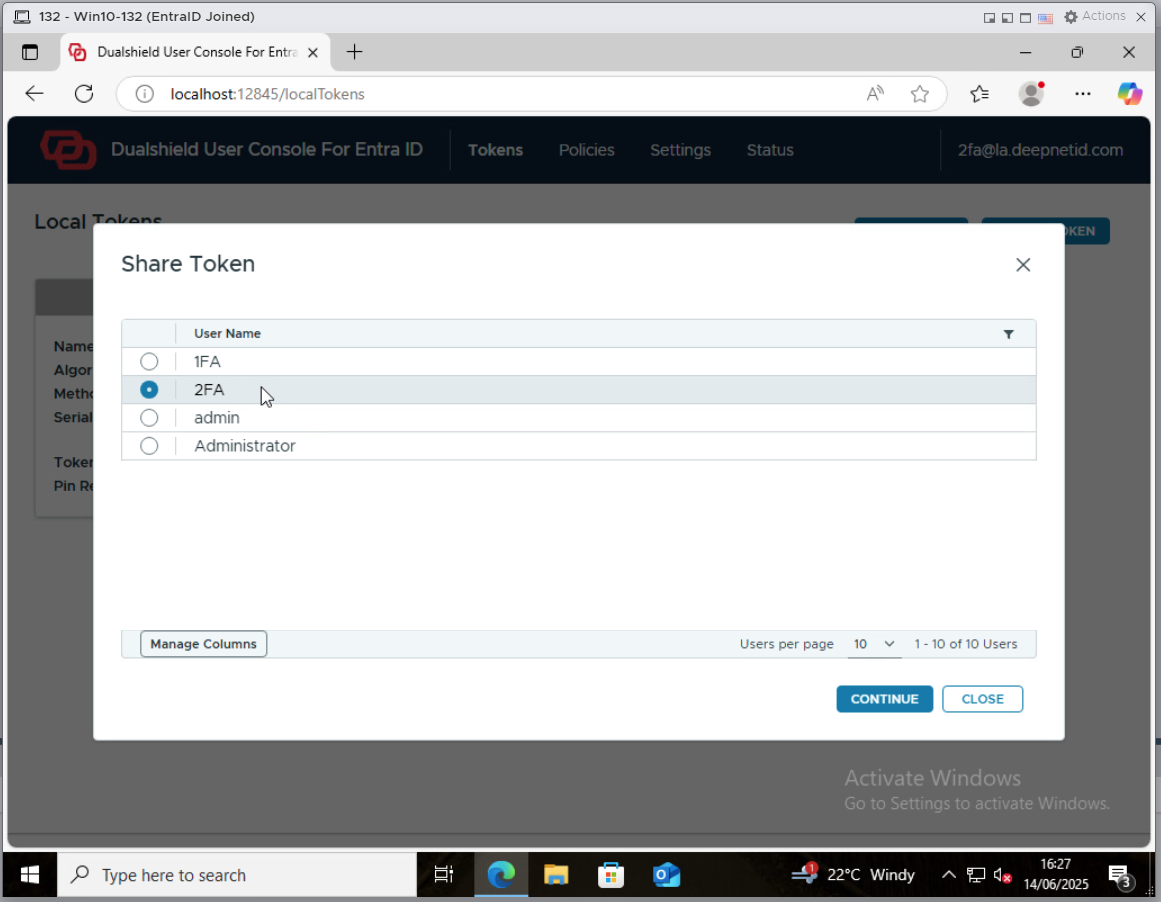
Select the local account, e.g. "2fa", click the "CONTINUE" button
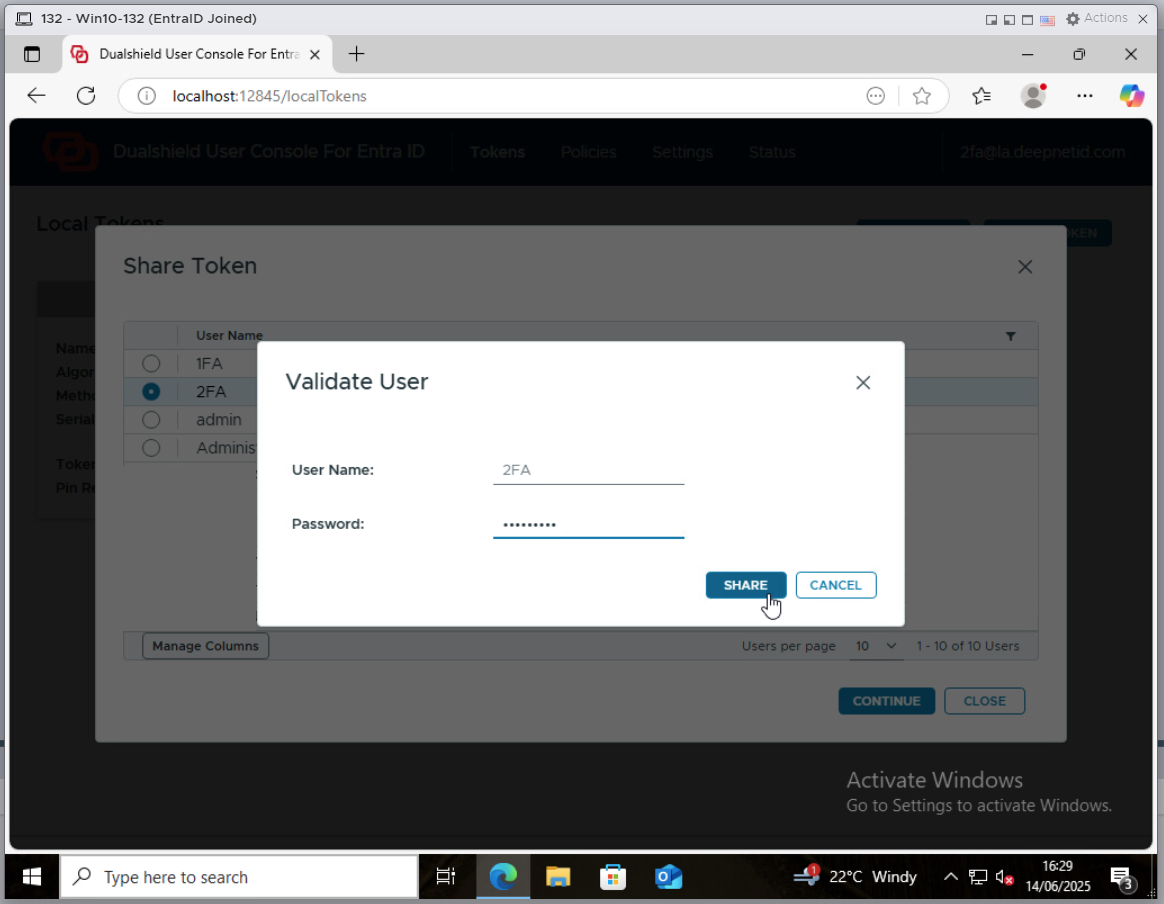
Enter the password of the selected account, click the "SHARE" button